
Access Point Placement
Omada Design Hub vs UniFi Design Center: WiFi & CCTV Planning Compared
Compare Omada Design Hub and UniFi Design Center for WiFi heatmaps, access point placement, cabling, CCTV camera planning and multi-floor design. See which free planning tool fits your network project.
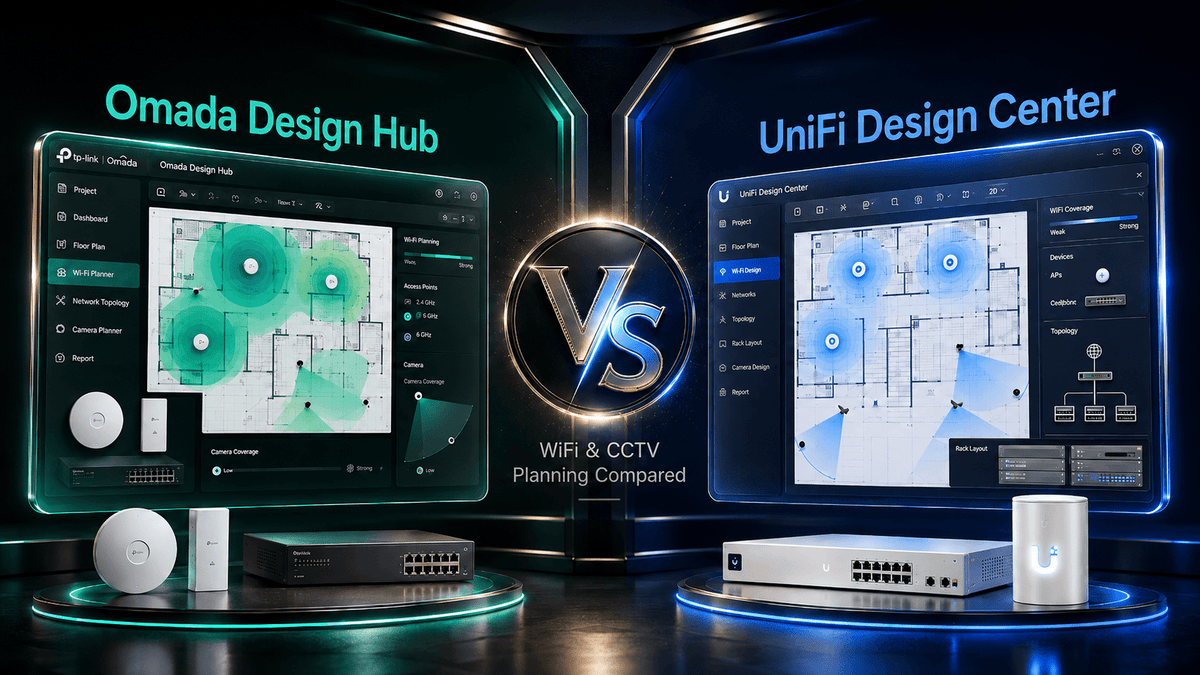
Quick answer: Omada Design Hub and UniFi Design Center are both free browser-based planning tools designed to help visualise a network before equipment is installed. Omada Design Hub is especially compelling for projects combining TP-Link Omada networking with VIGI surveillance, while UniFi Design Center is the natural choice for organisations standardising on the Ubiquiti UniFi ecosystem. The best tool is therefore less about which interface looks better and more about which hardware ecosystem you intend to deploy.
The new Omada Design Hub is more interesting than a normal vendor planning utility because TP-Link is bringing network design, WiFi simulation, cabling, topology, proposal generation and surveillance planning into one workflow. At the same time, Ubiquiti has continued to expand UniFi Design Center with automatic AP placement, multi-floor coverage, 3D floor plans, SNR and interference views, camera coverage and collaboration features. This makes a direct comparison genuinely useful for IT managers, installers, consultants and home users planning a new WiFi or CCTV deployment in 2026.
Highlights
- Omada Design Hub is free and supports floor-plan based network planning, Auto Wall, Auto AP Placement, cabling, topology generation, WiFi coverage simulation and proposal export.
- The latest Omada campaign also highlights unified network and surveillance planning, including camera coverage simulation, 3D camera deployment visualisation and storage or bandwidth estimation.
- UniFi Design Center is also free and supports floor-plan planning, WiFi coverage, automatic AP placement, multi-floor analysis, 3D floor plans, camera coverage, cabling and collaborative project workflows.
- For a new Omada + VIGI deployment, Omada Design Hub gives a more natural end-to-end planning path.
- For an existing UniFi Network + Protect environment, UniFi Design Center remains the more logical choice.
- Neither tool should be treated as a replacement for final on-site validation in difficult RF environments. Predictive planning is most useful before installation, then real-world testing should confirm the design.
Why WiFi Planning Tools Matter Before You Buy Hardware
Many WiFi problems begin before the first access point is installed. Too few APs can leave weak-signal areas, while too many APs can create unnecessary overlap, interference and cost. Concrete walls, glass, partitions, ceilings, room layouts and neighbouring networks can all affect actual coverage.
A floor-plan based WiFi planning tool lets you test likely AP locations before drilling, cabling or purchasing hardware. This is particularly useful for Singapore HDB flats, condominiums, landed homes, offices, schools, retail spaces, warehouses and hospitality environments where construction materials and room layout can significantly change RF behaviour.
For buyers comparing current equipment, ACE carries both TP-Link Omada and Ubiquiti UniFi, which means the design can be matched to the intended ecosystem rather than forcing one platform into every project.
What Is Omada Design Hub?
Omada Design Hub is TP-Link's free web-based network planning and simulation tool. TP-Link positions it for SMB planning, with visualised solutions and one-click documentation designed to speed up project design.
The current official Omada Design Hub page highlights four especially useful planning functions: Auto Wall, Auto AP Placement, Auto Cable and Interfloor Cabling, and bulk design adjustments. A floor plan can be uploaded, walls can be detected and drawn automatically, AP locations can be generated, and cabling paths can be visualised across floors.

What Can Omada Design Hub Plan?
1. Upload a Floor Plan and Model the Building
Instead of estimating coverage from square metres alone, the planning process starts with the actual layout. TP-Link states that Omada Design Hub can detect and draw walls from uploaded floor plans, while still allowing manual adjustment. Multi-floor support is useful for landed properties, offices, schools, hotels and other buildings where AP coverage can cross between levels.
2. Automatically Suggest Access Point Placement
One of the most useful additions is Auto AP Placement. The tool can generate suggested wireless device positions from the floor plan, then the designer can move individual APs manually. This is useful when answering one of the most common networking questions: How many WiFi access points do I need, and where should I install them?
The recommendation should still be reviewed against client density, expected applications, wall materials, ceiling height, available Ethernet points and the desired 2.4GHz, 5GHz or 6GHz coverage strategy.
3. Visualise WiFi Coverage and Signal Behaviour
Omada Design Hub provides predictive WiFi coverage visualisation and real-time signal coverage analysis. This lets users move an AP on the plan and immediately see how the predicted coverage changes. For new offices or homes, this is far more useful than placing APs purely by visual symmetry.

4. Plan Cabling, Topology and Equipment
WiFi is only one part of the deployment. Omada Design Hub can visualise cabling paths, including inter-floor cabling, generate topology, maintain a device list, and support editable pricing. TP-Link also provides proposal export, which can reduce the amount of duplicate work required when a design must become a quotation or project document.

5. Plan VIGI Camera Coverage and Surveillance
The latest Omada Design Hub campaign extends the planning story beyond WiFi. It highlights unified network and surveillance planning with camera coverage simulation, 3D deployment visualisation, and a storage and bandwidth calculator for surveillance projects.
This is important because camera placement is not simply a matter of putting a camera in every corner. Lens angle, mounting position, target area, blind spots, recording bandwidth and required retention all affect the final design. For projects built around TP-Link VIGI cameras and NVRs, having networking and surveillance planning in the same design workflow can reduce guesswork before installation.
What Is UniFi Design Center?
UniFi Design Center is Ubiquiti's free browser-based design tool for planning UniFi deployments. Ubiquiti specifically recommends it for uploading or drawing floor plans, positioning devices, checking WiFi coverage and planning cabling requirements.
UniFi Design Center has matured significantly. Recent official updates added automatic AP placement and automatic channel planning, WiFi Zones, interference and SNR coverage modes, multi-floor analysis, 3D floor plans, improved camera coverage planning, project comments and real-time collaboration.
That makes UniFi Design Center much more than a simple heatmap. For a customer already using UniFi gateways, switches, WiFi and Protect cameras, it can be an effective environment for planning the complete UniFi site before deployment.

For WiFi 7 buyers, ACE's existing guide on Ubiquiti UniFi U7 access point comparison can also help narrow down which U7 model should be placed into the design.
Omada Design Hub vs UniFi Design Center Comparison Matrix
| Feature | Omada Design Hub | UniFi Design Center |
|---|---|---|
| Cost | Free | Free |
| Primary ecosystem | TP-Link Omada networking and VIGI surveillance | Ubiquiti UniFi Network and Protect |
| Floor-plan planning | Yes, including floor-plan upload and Auto Wall | Yes, upload or draw floor plans |
| Automatic AP placement | Yes | Yes, added in 2026 |
| WiFi heatmap / coverage | Predictive WiFi coverage and signal analysis | Predictive coverage plus SNR, interference and overlapping coverage views |
| Multi-floor planning | Yes | Yes, including inter-floor coverage analysis |
| Cabling planning | Auto Cable and Interfloor Cabling | Cabling and topology planning |
| 3D planning | Latest campaign highlights 3D camera deployment visualisation | 3D floor plans, including LiDAR-supported site capture workflow |
| Camera coverage planning | Yes, highlighted for VIGI surveillance planning | Yes, with camera coverage and current DORI-based planning enhancements |
| Storage / bandwidth calculation | Highlighted in the latest Omada surveillance planning campaign | Not a headline feature in the current Design Center materials reviewed for this article |
| Proposal / project export | Proposal generation and export | Share and PDF export workflows |
| Collaboration | Project workflow focused | Real-time collaboration and comments |
| Best fit | New Omada + VIGI projects, installers and SMB network/surveillance design | UniFi-first environments using Network and Protect |
Which Tool Is Better for WiFi Planning?
For basic WiFi planning, both tools now cover the most important workflow: start with a floor plan, model walls, position access points and inspect predicted signal coverage.
Omada Design Hub has a particularly streamlined automation story with Auto Wall, Auto AP Placement and Auto Cable presented as core workflow features. That can be attractive to installers or SMB buyers who want to move from floor plan to equipment proposal quickly.
UniFi Design Center currently exposes deeper RF planning views such as SNR, interference, WiFi Zones and automatic channel planning. That is useful when a project involves denser AP placement or when channel interaction matters as much as basic signal coverage.
For most buyers, however, ecosystem fit should remain the deciding factor. A perfect UniFi floor-plan design is not useful if the actual project is being built with Omada hardware, and the reverse is equally true.
Which Tool Is Better for CCTV Planning?
This is where Omada Design Hub has become much more interesting. The newest TP-Link messaging brings VIGI surveillance into the same planning story as Omada networking, with camera coverage simulation, 3D deployment visualisation and storage or bandwidth estimation.
UniFi Design Center is also strong for camera planning. Ubiquiti's recent releases support 3D floor plans, improved camera coverage modelling and camera planning within the wider UniFi project. For an existing UniFi Protect customer, keeping cameras and network planning in the same UniFi environment remains a major advantage.

Our practical recommendation is simple: choose Omada Design Hub for an Omada + VIGI project, and choose UniFi Design Center for a UniFi Network + Protect project. The more complete your chosen ecosystem, the more valuable the corresponding design tool becomes.
Can These Tools Tell You Exactly How Many Access Points You Need?
They can provide a much better starting point than estimating by floor area alone, but no predictive planner should be treated as a guarantee of real-world RF performance.
Wall material, reinforcement, furniture, neighbouring WiFi, client devices, AP mounting height, transmit power, channel width and actual user density can all change the result after installation. In difficult offices, warehouses, schools or high-density environments, predictive planning should be followed by real-world validation and tuning.
For simpler homes and small offices, however, a good floor plan plus realistic wall materials can prevent common mistakes such as installing every AP at one end of the property or buying more access points than the environment needs.
Practical Use Cases in Singapore
HDB Flat or Condominium
Use the floor plan to model concrete walls, bedrooms and the location of the fibre termination point or network cabinet. Test whether one centrally positioned AP is sufficient or whether additional wired APs are needed at opposite ends of the home.
Landed Property
Multi-floor analysis becomes much more important. Plan each level together rather than treating floors independently, and check stairwells, reinforced slabs, outdoor areas and locations where Ethernet cabling can realistically be installed.
Office or Retail Space
Model meeting rooms, partitions, high-density staff areas, POS locations and visitor zones. For surveillance, identify entrances, cash points, corridors and areas where camera blind spots would be unacceptable.
Warehouse, School or Hospitality
Coverage must be balanced against client density, ceiling height, roaming, channel planning and the physical structure. Predictive design is especially valuable here, but professional validation remains important before final commissioning.
FAQ
Is Omada Design Hub free?
Yes. TP-Link describes Omada Design Hub as a free planning tool for network design and simulation.
Is UniFi Design Center free?
Yes. Ubiquiti describes UniFi Design Center as a free tool for floor-plan design, device placement, WiFi coverage and cabling planning.
Can Omada Design Hub create a WiFi heatmap?
It provides visualised predictive WiFi coverage and real-time signal coverage analysis, allowing AP positions to be adjusted on the floor plan before installation.
Can Omada Design Hub automatically place access points?
Yes. TP-Link lists Auto AP Placement as a core feature. It can generate suggested wireless device locations from the floor plan, after which the designer can fine-tune the positions.
Can Omada Design Hub plan CCTV cameras?
Yes. The latest Omada campaign highlights network and surveillance planning together, including camera coverage simulation, 3D deployment visualisation and storage or bandwidth estimation for surveillance projects.
Can UniFi Design Center plan cameras?
Yes. UniFi Design Center supports camera coverage planning, and recent releases have expanded its 3D and camera simulation capabilities.
Which is better, Omada Design Hub or UniFi Design Center?
Omada Design Hub is the better fit when the project will use TP-Link Omada networking and VIGI surveillance. UniFi Design Center is the better fit when the site will use UniFi Network and UniFi Protect. Both are capable predictive design tools.
Can a WiFi planning tool replace a professional site survey?
Not completely. A predictive design can greatly improve initial AP placement and budgeting, but complex RF environments should still be validated after installation with real measurements and optimisation.
Summary: Omada Design Hub or UniFi Design Center?
TP-Link Omada Design Hub has evolved into a much more complete planning environment. Its combination of floor-plan automation, AP placement, WiFi simulation, cabling, topology, documentation and the newer Omada + VIGI surveillance workflow makes it particularly relevant for SMBs and installers planning a combined network and CCTV deployment.
UniFi Design Center remains a mature alternative with sophisticated WiFi analysis, automatic AP and channel planning, multi-floor coverage, 3D modelling, camera coverage and strong collaboration features. For organisations already invested in UniFi, it remains the natural design environment.
The key is not to choose the design tool first. Choose the ecosystem that best fits the project, then use its design platform to validate placement, coverage, cabling and equipment before installation.
Explore TP-Link Omada networking, TP-Link VIGI surveillance, Ubiquiti UniFi, or browse ACE Peripherals' wider networking solutions for your next deployment.


