
Event Workflow
Photo Booth Printing Too Slow? Reduce Queues and Plan Print Capacity
Guests can request prints faster than a healthy printer and operator can deliver them. Find where the queue forms, plan the busy period and match the equipment to the workflow.
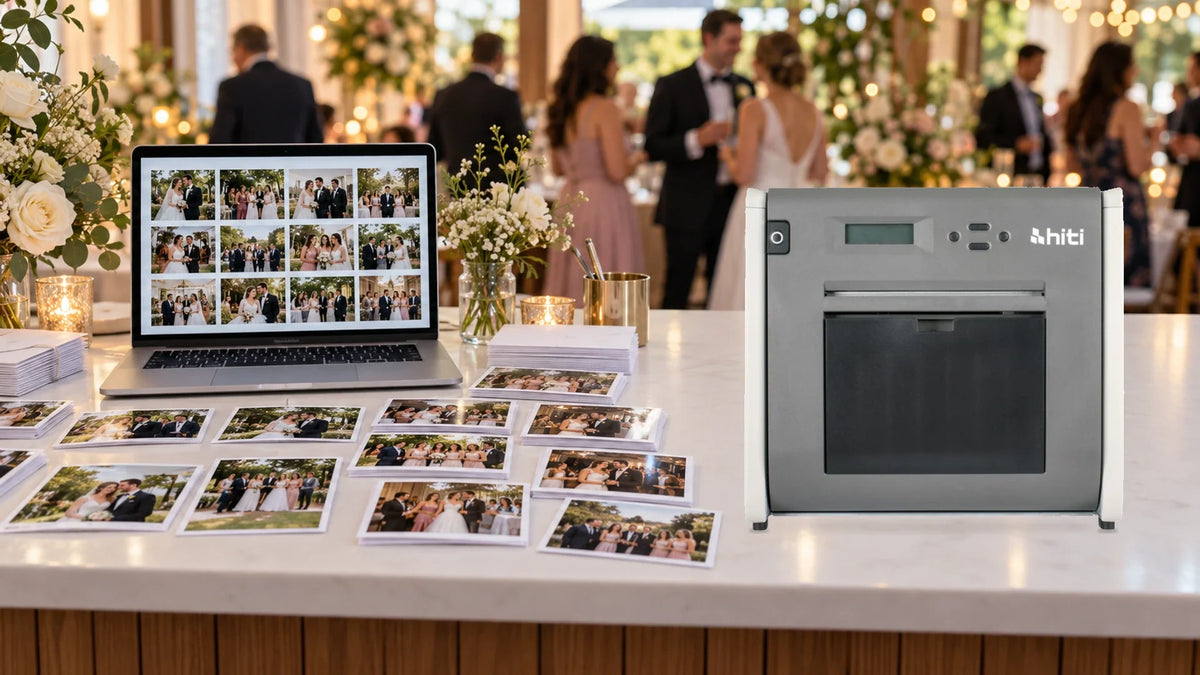
When photo-booth printing feels slow, count the requested prints in the busiest few minutes and identify where jobs wait. Selection, file processing, the print cycle, media changes and collection all affect the guest’s experience. A faster printer helps only when printing is the part holding up the queue.
A wedding reception, school event or company dinner can look quiet for an hour and then produce a rush. Guests arrive together, choose their photographs and ask for copies for friends. The equipment can be working normally while the promised waiting time becomes unrealistic.
The HiTi P525L provides a concrete example for planning 102 × 152 mm (4×6-inch) output. The first step is to count the work the complete station must finish, rather than judging it from one print.
Count Copies, Not Just Guests
One order does not necessarily mean one print. A couple may request two copies, while a group wants a copy for each person. Record the agreed quantity before sending the job so that reprints do not become an untracked second queue.
For a first capacity estimate, multiply orders by copies per order. Then use the busiest arrival window. A total of 200 prints spread through an evening is a different workload from 60 prints requested within ten minutes.
Keep the selection queue separate from the collection queue. If guests must stand beside the operator until each set is finished, conversation and handover can occupy the same person who should be checking the next job.

What Fits Into a Ten-Minute Rush?
HiTi lists a 12.8-second 4×6 print cycle for the P525L in Standard Mode. Multiplying that figure by the requested quantity gives a useful starting calculation.
| Orders × Copies | Prints Required | Print-Cycle Time |
|---|---|---|
| 20 orders × 1 copy | 20 prints | 256 seconds: 4 min 16 sec |
| 20 orders × 2 copies | 40 prints | 512 seconds: 8 min 32 sec |
| 30 orders × 2 copies | 60 prints | 768 seconds: 12 min 48 sec |
| 40 orders × 2 copies | 80 prints | 1,024 seconds: 17 min 4 sec |
These calculations use the manufacturer’s print-cycle figure. Add time for preparing and transferring jobs, gaps between orders, status pauses, media changes and collection. A full-event rehearsal gives the useful completion time.
The 60-print row already needs 12 minutes 48 seconds of print-cycle time. It cannot fit into a ten-minute window on that basis, even before the other tasks are added. The response could be a different collection promise, fewer copies released in the rush, a supported second printer or a different production plan.
Find Where the Jobs Actually Stop
Watch a representative burst of orders and note when each stage starts and finishes. Keep the guest order, approved image and copy count together. The job queue and the printer’s own status give different parts of the answer.
| What Happens | What to Check | Useful Next Move |
|---|---|---|
| Printer waits with no jobs arriving | Selection, image preparation, software and file delivery. | Improve the stage leaving the printer idle. |
| Jobs are waiting but output does not start | Printer status, media, selected device and connection. | Resolve the actual state before sending more copies. |
| Printer is working continuously | Requested quantity and peak-window capacity. | Change the capacity or the service promise. |
| Prints are ready but guests still wait | Sorting, matching orders and collection. | Separate handover from job preparation. |
Before resubmitting a delayed job, check whether it is pending or has already printed. Duplicate submissions can consume the remaining media and leave the next orders further behind. If pictures reach the workstation slowly over wireless, investigate that transfer path separately; the WiFi and network-link guide explains why one fast connection does not establish the whole route.
Plan the Roll Change Before the Busy Period
For the P520L/P525L 4×6 kit, HiTi specifies 500 prints per roll and two rolls per carton, for 1,000 prints in the carton. Keep those units separate when ordering and counting the stock for an event.
Check the exact size on the paper-and-ribbon kit, the supported printer and the driver layout. A box intended for another size is not interchangeable merely because it carries the same brand.

Record the count remaining in the loaded roll before the event. Include test output, rejected layouts and agreed extra copies in the stock plan, with an appropriate spare kit. Use a quiet point for an anticipated media change where possible, following the model’s loading procedure.
Keep a clean, dry preparation area and protect unused consumables from dust and direct sunlight. Rehearse loading with the actual supplies. An operator learning the media path during the peak arrival period introduces a delay that a faster print specification cannot remove.
What Does Each Photo Booth Print Cost?
A 4×6-inch photograph can cost around SGD0.20 (about US$0.16) for the print itself. That makes a personal, take-home memory an affordable addition to a wedding, seminar, company celebration or community event.
- Weddings: let guests take home a portrait with the couple, a family photograph or a fun group picture from the reception.
- Seminars and company events: give participants a printed team or speaker photograph, with the event name and date included in the layout.
- School and community occasions: turn a reunion, graduation or celebration into a keepsake guests can put on a desk or in an album.
| Finished Prints | Approximate Cost (SGD) | Approximate Cost (USD) |
|---|---|---|
| 100 photographs | SGD20 | US$16 |
| 300 photographs | SGD61 | US$48 |
| 500 photographs | SGD102 | US$80 |
These are approximate print-only costs for standard 4×6-inch output, before applicable taxes. USD equivalents are rounded conversions. Equipment, event setup and staffing are separate.
A 300-print allowance could give 300 guests one photograph each, or 100 groups three copies each, for around SGD61 (US$48) in printing. Reserve a little extra output for tests and reprints, and agree the copy allowance before the event. That keeps a low cost per print from becoming an unexpected queue at the collection table.
Should You Buy or Rent for Your Event?
For regular bookings, check the HiTi P525L product page for current pricing and specifications. For a one-off wedding, seminar or company function, compare the photo-printer rental options around the print allowance and busiest arrival period.
Confirm whether print materials, an operator, laptop, software, delivery and setup are included in the quotation. Allow for applicable taxes and the required security deposit separately, then rehearse the agreed workflow before guests arrive.
Read the Status Before Calling It a Fault
The P525L manual distinguishes Data Sending, System cooling and System warm up. Cooling and warm-up states temporarily interrupt printing while the head reaches the required condition.
Allow the documented process to complete and keep the equipment in a suitable working environment. Repeatedly resending jobs is not a cure for a thermal pause. If the displayed condition does not resolve or faults recur, record the message and seek model-specific diagnosis.
A workstation connection deserves its own check too. Rehearse the supported connection with the event laptop, current driver and chosen software. Avoid changing drivers or the production setup immediately before guests arrive without a full test and a known working return option.
Make Collection a Separate Job
For every order, keep one simple record: order identifier, selected image, confirmed copy count, sent status and collected status. A short identifier is easier to match than asking the operator to remember faces across a busy evening.
Decide who prepares jobs and who hands over the prints. At a busy event, the collection assistant can confirm the order while the operator continues preparing the next job. Keep the output path and work surface clear, and use a supported paper tray where appropriate.
Handle photographs in a way that suits the event’s privacy expectations. Confirm the recipient before handing over a set, and avoid displaying unrelated guests’ images unnecessarily. A clear collection system also reduces accidental extra prints.
When Does a Second Printer Make Sense?
A second unit is useful when the print engine is continuously occupied and the peak requirement exceeds what one unit can finish. First confirm that the event software and driver arrangement support the intended devices and job routing.
Rehearse how the operator chooses the destination, finds a stalled job and avoids sending the same order twice. Two units sharing a confused order list can make collection harder even when the mechanical capacity increases.
If the printer is often idle while images are selected or prepared, address that stage first. A faster computer is useful when processing is the measured delay; it does not shorten the printer’s mechanical cycle. Match the purchase to the observed queue.
Run a Rehearsal That Resembles the Event
Use the actual print size, layout, software, connection and media. Send a burst of typical orders, including the expected multiple-copy requests, and time the journey from approved selection to collected output.
- Confirm colour, crop, orientation and copy quantity.
- Check the loaded media and the planned change procedure.
- Observe status pauses and the workstation’s job queue.
- Test the collection method and operator handover.
- Agree what happens if a job fails or a device becomes unavailable.
The result is a practical service promise for that setup, rather than a calculation from the fastest specification alone.

Frequently Asked Questions
Why Are Guests Waiting When the Printer Is Still Working?
Orders may be arriving faster than the workflow can complete them. Count every requested copy, then check selection, job processing, printing and collection separately. A continuously busy print engine and an empty printer waiting for jobs need different fixes.
How Long Does a HiTi P525L Take to Print a 4×6 Photo?
HiTi lists 12.8 seconds in Standard Mode. That is a print-cycle figure, so also allow for image selection, processing, transfer, job gaps, media changes and handing the output to the guest.
How Many 4×6 Prints Are in a Roll and a Carton?
HiTi lists 500 prints per roll and two rolls per carton for the P520L/P525L 4×6 kit, giving 1,000 prints per carton. Confirm the exact media size and SKU, and record the remaining count in the loaded roll.
Does a System Cooling Message Mean the Printer Has Failed?
The P525L manual identifies System cooling as a temporary pause while the thermal head cools. Follow the displayed status and the model’s operating guidance. Repeated faults or a pause that does not resolve need diagnosis rather than repeated job resubmission.
Will a Faster Laptop or a Second Printer Remove the Queue?
A faster laptop may help if processing delays leave the printer idle. A second printer may help if the print engine is the limit and the event software supports the intended routing. Test both the capacity and the operator’s ability to keep orders correctly assigned.
What Should Be Included in an Event Printing Requirement?
State the print size, busiest arrival window, orders, copies per order, expected total output, software, connection, media, operator roles and collection method. Add the time limit guests can reasonably wait, then rehearse that workload before the event.
The Recommendation: Size the Whole Service
Start with the busiest arrival window, the copies requested and the waiting time the event can accept. Then identify whether selection, processing, printing, media handling or collection is setting the pace.
Choose the printer, correct consumables and staffing around that workload. When one print engine is demonstrably the limit, additional supported capacity has a clear role. When the delay is elsewhere, an organised workflow can be the more useful first improvement.


