
AI Cameras
How Much NVR Storage Do You Need for 30 Days? Worked Examples for 4, 8 and 16 Cameras
Calculate 30-day CCTV storage from camera bitrate, then add the AI records actually retained. Includes current InSight cameras, AI surveillance drives, people counting, LPR, facial-recognition and search-data considerations, plus both planning calculators.
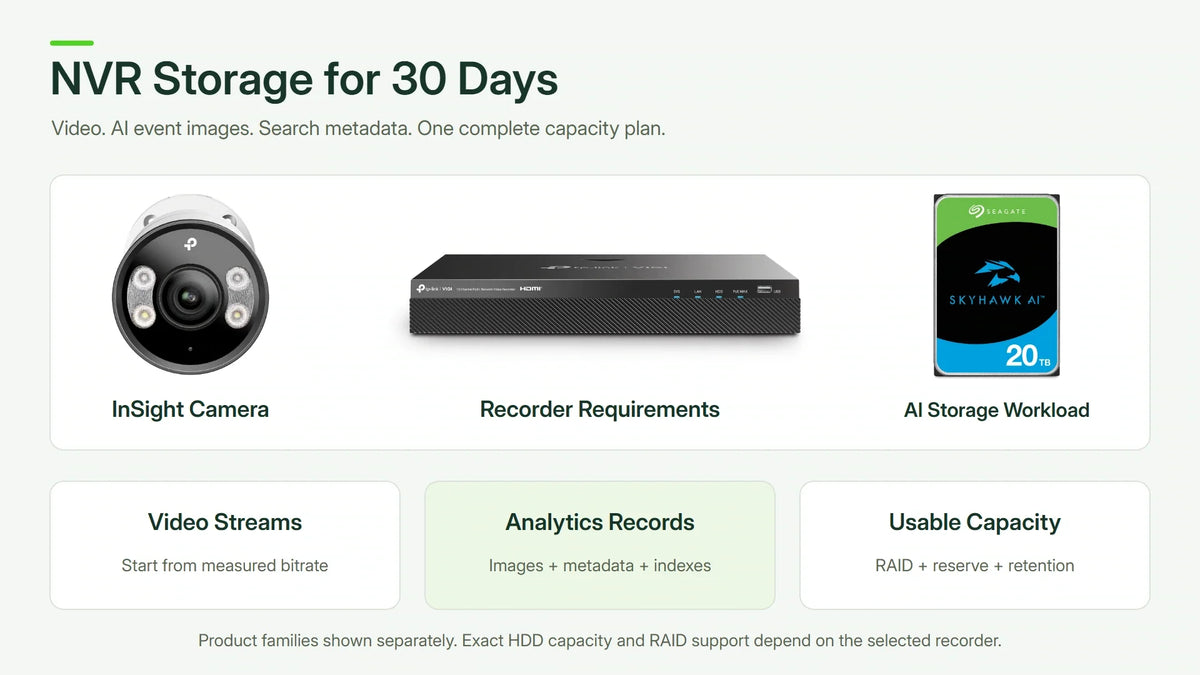
Quick answer: for continuous video recording, eight cameras averaging 4 Mb/s each need about 10.368 TB for 30 days before audio, recording overhead and a planning margin. At the same bitrate, four cameras need 5.184 TB and sixteen need 20.736 TB. Use the actual recorded stream bitrate; camera megapixels and a codec name alone cannot determine retention. For AI recording, also budget any saved event images, metadata, indexes and extra recorded streams; those requirements are separate from the video-only estimate.
“Will an 8 TB hard drive keep a month of footage?” is an incomplete question. The answer changes with camera count, stream settings, the recording schedule and the space actually available to the recorder. A simple calculation makes those assumptions visible before hardware is chosen.
Use the NVR Calculator for recording demand, recorder bays and suggested drives. Then use the RAID Calculator to compare usable capacity and drive-failure protection where the recorder supports RAID.
Highlights
- Count the streams being recorded. Include each camera and the selected recording stream.
- Use Mb/s correctly. Megabits per second must be divided by eight when calculating bytes.
- Separate video estimates from usable capacity. Formatting, overhead, audio and reserves affect the final result.
- Check the recorder as well as the drive. Channels, incoming bandwidth, bays and supported per-drive capacities matter.
- Validate actual retention. Review the oldest available recording after commissioning and after material changes.
The 30-Day Storage Formula
For a constant average video bitrate, calculate the data written over the recording period:
Storage in decimal TB = cameras × bitrate in Mb/s ÷ 8 × 3,600 × recording hours per day × days ÷ 1,000,000
For 24 hours a day over 30 days, that simplifies to:
Storage in TB = cameras × bitrate in Mb/s × 0.324
One decimal TB means 1,000,000,000,000 bytes. A device displaying binary units can show a different number for the same bytes; do not mix TB and TiB in one calculation.

Worked Examples for 4, 8 and 16 Cameras
The following scenarios assume all cameras record continuously for 30 days at the same average bitrate. They are planning calculations, not measured VIGI camera results or promised retention for every scene.
| Camera Count | 2 Mb/s Each | 4 Mb/s Each | 8 Mb/s Each |
|---|---|---|---|
| 4 cameras | 2.592 TB | 5.184 TB | 10.368 TB |
| 8 cameras | 5.184 TB | 10.368 TB | 20.736 TB |
| 16 cameras | 10.368 TB | 20.736 TB | 41.472 TB |
Doubling the bitrate doubles the calculated storage. Doubling the number of cameras does the same. The relationship is easier to apply than a blanket statement that every 4 MP or 8 MP camera needs one fixed disk size.
What Does an 8 TB Drive Mean in Days?
With eight cameras averaging 4 Mb/s, an entire 8 TB of recording space corresponds to about 23.1 days of video. With sixteen cameras at the same bitrate, it corresponds to about 11.6 days. Both figures are before overhead, audio and reserved space, so the practical result can be shorter.
This is why an eight-camera system and a sixteen-camera system cannot share the same retention claim merely because both recorders can accept an 8 TB disk.
Add a Visible Planning Margin
For illustration, applying a 20% capacity allowance to the 4 Mb/s scenarios gives the following targets. This allowance is a chosen planning assumption, not a manufacturer requirement or a guarantee against every bitrate change.
| Camera Count | Video Calculation | With 20% Allowance |
|---|---|---|
| 4 cameras | 5.184 TB | 6.221 TB |
| 8 cameras | 10.368 TB | 12.442 TB |
| 16 cameras | 20.736 TB | 24.883 TB |
Compare those targets with space genuinely available for recordings. Account for the recorder's disk layout, system use and any protected or exported material. If disks are mirrored, do not add both nominal capacities as though both were available for separate video.
A target of 12.442 TB is a reason to examine an appropriate larger supported configuration, not permission to assume any 16 TB disk works in any NVR. The exact recorder and hardware version determine the supported bays, disk sizes and recording capabilities.
How AI Recording and Detection Change the Storage Plan
An AI camera does not automatically produce one fixed percentage more data. Detection may analyse the existing stream without saving another video copy. It can also reduce irrelevant event recordings. Extra capacity is needed when the chosen system stores additional images, event records, search indexes, audio or independent streams.


| Feature | Additional Data to Check | Storage Implication |
|---|---|---|
| People and vehicle detection | Event time, classification, attributes and any selected thumbnail or clip. | Record count and the chosen event retention matter. Detection alone is not a second full video stream. |
| People counting | Counts by interval, crossing/occupancy events and optional evidence images. | Numeric summaries can be compact; retained images and linked clips can be larger. |
| Facial recognition | Face crops, templates or embeddings, match records and an enrolled gallery where supported. | Gallery size, event rate, crop quality and retention need a separate allowance. |
| Licence plate recognition / LPR | Plate text, timestamps, vehicle/plate images and event records. | A busy entrance with scene and close-up images can produce substantial extra records. |
| Natural-language search | Supported-platform descriptions, embeddings, thumbnails and search indexes. | Index size, processing and retention are platform-specific; ordinary video bitrate does not size them. |
| Additional saved streams | A separately recorded stream for another purpose or destination. | Count it if actually written. Reading existing video for analytics is not another stored stream. |
The VIGI InSight S385 is a current 8 MP full-colour example with people/vehicle analytics. For plate-recognition work, compare the purpose-built InSight LPR345Z. People counting requires a supported model, hardware version, firmware and management configuration.


Do not read every analytics feature into every InSight camera. Facial recognition and natural-language search require their own supported camera/recorder/software combination. For example, UniFi Protect with a supported AI Key configuration offers natural-language detection search; that is a separate platform capability, not a feature supplied by an AI-labelled hard drive.
A Worked AI Recording Example for Eight Cameras
Keep the original eight-camera baseline: 4 Mb/s per camera, continuous recording and 30 days gives 10.368 TB of video. Now add explicit assumptions for the retained analytics records:
- Metadata: assume an average 0.02 Mb/s per camera. Eight cameras over 30 days add 0.05184 TB, or 51.84 GB.
- Saved event images: assume 1,000 events per camera per day, with 0.25 MB of saved imagery per event. Over 30 days, eight cameras add 60 GB, or 0.060 TB.
- Subtotal: 10.47984 TB before uncounted system/index requirements. Applying the same chosen 20% allowance gives approximately 12.576 TB.
These event sizes and rates are planning inputs, not measured InSight output. If the system additionally records a separate 1 Mb/s stream for every camera, it writes another 2.592 TB over the month. The same worked target with a 20% allowance becomes approximately 15.686 TB, before other uncounted requirements.

For an entrance or shop with heavy activity, measure event counts and database/image growth during representative busy periods. A quiet demonstration day may understate the retained workload. Video, event images and search records may also have different expiry policies.
The NVR Calculator sizes the entered recording streams and chosen allowance. It does not automatically know a platform's face gallery, natural-language index or event-image database. Budget those separately, then compare supported disk layouts in the RAID Calculator.
Use the NVR and RAID Calculators Together
Start with the NVR Calculator. Enter the camera count and required days, choose Custom for a known recording bitrate, and select continuous recording or a realistic number of recorded hours. Add separate camera groups when the streams use different settings.
To reproduce the eight-camera example, enter 8 cameras, 4 Mb/s each, 24 hours a day and 30 days. With a 20% extra allowance, the video estimate is 10.368 TB and the capacity target is 12.442 TB, rounded to 10.37 TB and 12.44 TB in the calculator.
With one-drive protection and the tool's standard 16 TB per-HDD planning limit, its automatic selector suggests a two-bay arrangement with two 14 TB drives in RAID 1 for those inputs. That is an arithmetic storage suggestion: the exact recorder must also support RAID 1, the drives, channels and incoming bitrate. Automatic selection prioritises fewer bays; it is not a claim of the lowest purchase cost.
Next, use the RAID Calculator to compare actual drive layouts. Select the enclosure size and installed drive capacities, then compare the RAID modes the intended system supports. Review any snapshot allowance separately from the NVR tool's extra recording allowance so that reserves are not silently counted twice.

Two 10 TB drives in RAID 1 provide about 10 TB before overhead, below even the 10.368 TB video-only requirement. Four 8 TB drives in conventional RAID 5 provide about 24 TB before overhead, which clears the eight-camera target but remains below the 24.883 TB target for sixteen cameras at 4 Mb/s with the same allowance.
Drive-failure protection and evidence protection are different. RAID can provide tolerance for a qualifying disk failure; important clips still need a separate protected export or backup process.
Why Megapixels and H.265 Do Not Fix the Answer
Resolution describes the image dimensions. Recording bitrate also depends on frame rate, compression settings, scene complexity and the selected stream. A quiet corridor and a busy entrance can behave differently even with similar camera specifications.
With variable bitrate, storage follows the data actually produced over time. A configured maximum is useful for a conservative calculation, but it is not necessarily the average. Smart compression can reduce data in suitable conditions; do not assign a universal saving percentage before observing the scene.
Verify that the recorder is storing the stream intended for evidential use. A lower-bandwidth substream can make a capacity figure attractive while failing the required image-quality objective. Review a representative exported clip as well as live view.

Continuous or Motion Recording?
Motion recording can use less capacity when events occupy only part of the day. The result depends on scene activity, event rules and pre-event or post-event recording time. Do not assume a quiet test period represents a busy operating week.
For a worked sensitivity check, eight 4 Mb/s cameras recording only 25% of each day produce about 2.592 TB of video over 30 days. If activity rises towards continuous recording, the same system moves towards the 10.368 TB baseline. Neither number includes the additional system allowances.
Choose the recording policy from the operational requirement first. Saving disk space should not accidentally remove the footage needed to understand what happened before or after a detected event.
Match the Recorder, Network and Drives
A suitable NVR needs enough channels for the planned cameras, sufficient incoming bandwidth and a supported disk arrangement that meets the retention target. Live display and decoding limits are separate from recording capacity.
For example, a two-bay recorder limited to 10 TB per disk offers at most 20 TB of raw disk capacity. That is already below the 20.736 TB video-only estimate for sixteen 4 Mb/s cameras over 30 days, before the planning allowance. In that situation, choosing larger disks is useful only if the exact recorder supports them; otherwise, the recording design or recorder needs to change.
The VIGI NVR2016H-16MP is a sixteen-channel PoE recorder family option to examine. Confirm the exact hardware revision and current supported disk capacities before selecting the storage. The worked 16-camera calculation is not a claim that every configuration of this recorder meets it.

If the system uses an external PoE switch, include its uplink and power budget. The PoE planning guide explains why having enough ports is only part of the design. The NAS and network UPS guide also helps plan continuity during an outage.
Applying the Storage Plan Across Recorder Brands
The camera-count and bitrate calculation is useful whether the shortlist includes VIGI, UniFi Protect, Synology, QNAP, Hikvision or Dahua. Hardware support and application behaviour still belong to the exact model and version. Use the same retention requirement to compare complete configurations.
| Platform | What to Compare Before Selecting Drives |
|---|---|
| TP-Link VIGI | Recorder channels, incoming bitrate, supported HDD size and hardware revision. A two-bay model is not automatically a RAID recorder. |
| Ubiquiti UniFi Protect | Console or NVR drive layout, supported storage and recording load. Check the available functions when adopting third-party ONVIF cameras. |
| Synology Surveillance Station | Supported camera integration and licences, NAS recording capacity, storage-pool layout and rotation rules. |
| QNAP surveillance | The selected surveillance application, camera and licence support, NAS resources and the actual storage-pool configuration. |
| Hikvision and Dahua | Exact recorder series, HDD support, incoming bandwidth, RAID availability and the selected stream or smart-codec settings. |
A VIGI deployment is a useful starting point for a dedicated camera-and-recorder design. VIGI cameras and recorders can be compared alongside UniFi equipment where Protect fits the wider network, or Synology systems where a NAS-based surveillance plan is appropriate.
UniFi Protect supports compatible third-party ONVIF cameras, but support does not make every vendor-specific analytic function equivalent. Synology recording rotation can be triggered by time or storage size, so a nominal 30-day setting alone is not proof of 30 days available. In every platform, validate the oldest accessible recording after commissioning.
For drives, Seagate SkyHawk AI and WD Purple are surveillance-oriented families to examine. Match the exact part, recorder compatibility and workload, rather than assuming any large desktop HDD or every surveillance capacity is supported.
A Retention Check After Installation
- Record each camera's resolution, frame rate, codec, bitrate mode, maximum bitrate and recording schedule.
- Check which stream the NVR actually stores and whether audio is enabled.
- Observe daily storage growth across representative busy and quiet periods.
- Confirm the oldest recording still available and any overwrite or expiry policy.
- Export and play a sample clip using the intended review workflow.
- Recalculate after adding cameras or materially changing recording settings.
A recording disk is not a permanent evidence archive. Where a clip must be retained beyond the normal overwrite window, export it through the approved process and protect that copy separately.
What Does an AI Surveillance HDD Add?
Seagate SkyHawk AI and WD Purple Pro are surveillance-storage families designed for recording workloads that can include analytics reads and additional data streams. Their published ranges include workload ratings up to 550 TB per year; check the exact part and operating conditions.
The HDD does not perform people counting, identify a face or compress the footage into extra physical capacity. Its role is to sustain the required I/O workload in a compatible system. Capacity, workload rate, vibration environment, drive count and recorder compatibility remain separate checks.

Eight cameras at 4 Mb/s generate about 126 TB of incoming video per 365-day year; sixteen generate about 252 TB, before extra stored layers. These are aggregate video-write calculations, not the workload imposed on every individual disk. Reads, RAID parity, mirroring, rebuilds and the actual layout change per-drive I/O.
A displayed 20 TB or 22 TB family photograph is not an approval to install that capacity in every NVR. Confirm the precise recorder revision, supported HDD capacity and RAID implementation before ordering.
Frequently Asked Questions
Does switching on AI detection always increase video storage?
No. Analyse what is actually saved. Event filters may reduce recording, while saved crops, metadata, indexes or additional streams can increase the total retained data.
Will an AI HDD add facial recognition or natural-language search?
No. Those features come from supported cameras, recorders and analytics software. The drive provides storage and workload capability.
Does the NVR Calculator select a certified recorder model?
No. It estimates recording demand and a suitable bay/drive arrangement from the supplied inputs. Verify model-specific camera, bandwidth, HDD and RAID support before ordering.
Why use a RAID Calculator as well?
Raw disk capacity and usable recording space differ when redundancy is enabled. The RAID tool compares that difference for the layouts supported by the proposed system.
Is 8 TB enough for eight cameras for 30 days?
Not at a continuous average of 4 Mb/s per camera: that example needs 10.368 TB before allowances. At lower recorded bitrates or a different schedule, the result changes.
Does H.265 guarantee twice the retention?
No. Measure the resulting bitrate and confirm that the recorded image still meets the requirement. Codec efficiency depends on settings and scene content.
Can a 16-channel NVR always store more days than an 8-channel model?
Channel count does not establish retention. Disk support, installed usable capacity and total recorded bitrate determine the relevant storage window.
Should storage be calculated from the main stream?
Use whichever stream the recorder is actually configured to store. Confirm that its quality and frame rate are appropriate for the intended purpose.
What information is needed for a capacity recommendation?
Provide the camera count and models, measured or configured bitrates, recording hours, required days, audio use, NVR model and revision, and the proposed disk arrangement.
Choose the Recording Window First
Start with the footage that must remain available, then calculate the data and match the recorder and drives. Compare VIGI equipment and surveillance storage against that complete requirement rather than choosing a disk by capacity alone.


