

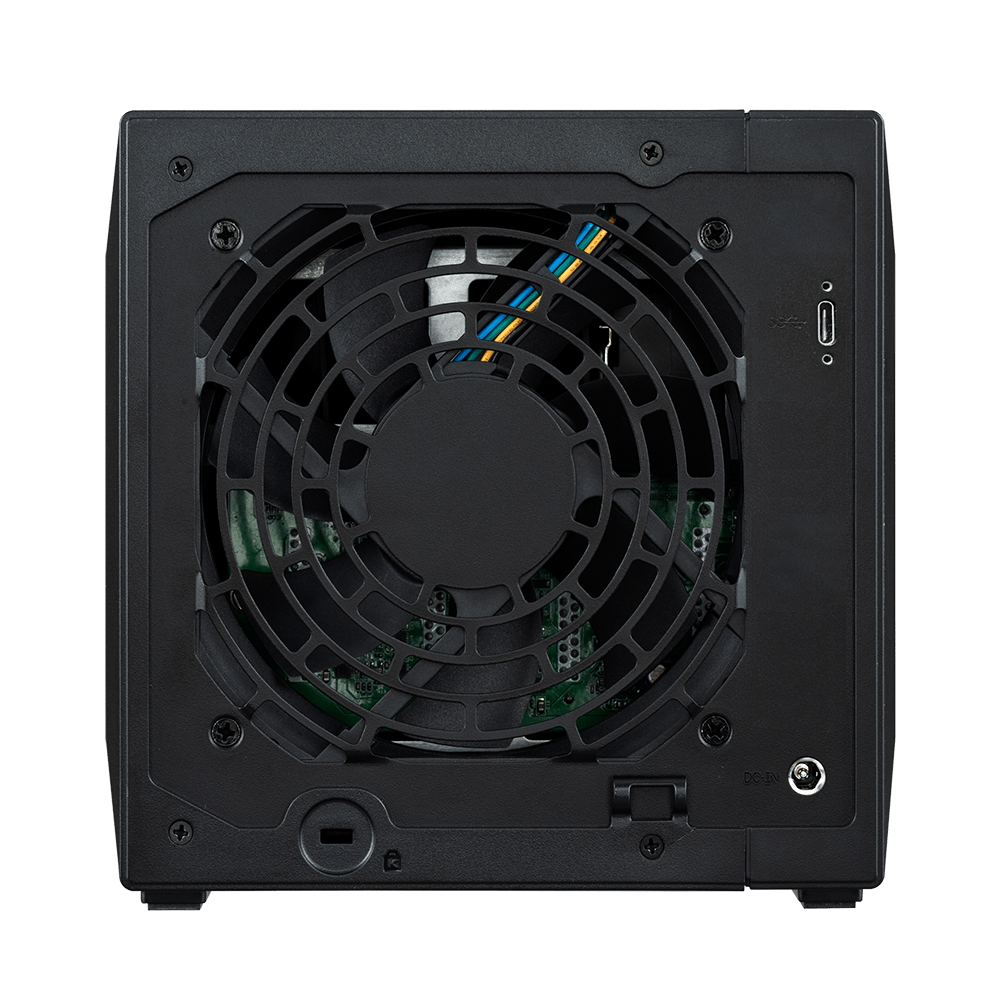


Asustor AS5004U XpanStor 4 NAS Expander 4-Bay Tower Expansion Unit
Expand Your Storage Through a Faster USB Connection AS5004U adds dedicated drive space to a compatible ASUSTOR storage system without replacing the NAS that manages your files. Its 4-bay enclosure connects through USB 3.2 Gen 2 Type-C at up to 10Gbps, keeping the expansion role clear: this unit adds storage, while the host NAS provides network access, management and applications. Use it to separate growing working data, backup volumes or supported removable archives from the host’s internal drives. Plan the connection, drive selection and backup arrangement before installation, particularly where the NAS also supports business applications or surveillance recordings. Highlights 4 bays for 3.5-inch and 2.5-inch SATA HDDs and SSDs USB 3.2 Gen 2 Type-C at up to 10Gbps Host-managed storage with compatible ADM systems 90W power adapter Separate expansion volumes for a planned storage layout Key Features Expand the Storage You Already Manage The enclosure is designed to work alongside an approved ASUSTOR host. Storage remains managed through the supported NAS software, avoiding a separate network server to administer. Check host support and the maximum number of attached expansion units before planning a larger installation. Keep Volumes Clearly Separated The manufacturer supports separate expansion-unit volumes. Drives in this expansion unit cannot be combined with the NAS’s internal drives in the same RAID array. Choose an appropriate layout for the installed drives and maintain an independent backup of important information. Compatible Models AS31, AS32, AS40, AS61, AS62, AS63 and AS64 families, plus Nimbustor, Nimbustor Gen2, Drivestor, Drivestor Pro, Drivestor Lite, Drivestor Gen2, Drivestor Pro Gen2, Lockerstor, Lockerstor Gen2, Lockerstor Gen3, Lockerstor Pro, Lockerstor Pro Gen2, Flashstor and Flashstor Gen2. Check the exact host and permitted expansion-unit count. Built for an Organised Deployment Expansion enclosure, relevant USB connection and power adapter; storage drives sold separately. Automatic fan management and power coordination help the expansion unit work alongside the supported host. Summary AS5004U is for buyers expanding an existing compatible NAS, rather than buying a standalone network-storage server. Match the exact host, required connection and drive configuration, then create the supported expansion volumes for your workload. It does not add a separate processor, network interface or extra Surveillance Center camera licences to the host. Frequently Asked Questions Is This a Standalone NAS?ExpandCollapse No. It is a storage expansion enclosure for a compatible host. It does not provide its own independent network file services or applications. Which NAS Models Are Compatible?ExpandCollapse AS31, AS32, AS40, AS61, AS62, AS63 and AS64 families, plus Nimbustor, Nimbustor Gen2, Drivestor, Drivestor Pro, Drivestor Lite, Drivestor Gen2, Drivestor Pro Gen2, Lockerstor, Lockerstor Gen2, Lockerstor Gen3, Lockerstor Pro, Lockerstor Pro Gen2, Flashstor and Flashstor Gen2. Check the exact host and permitted expansion-unit count. Are Storage Drives Included?ExpandCollapse No. Select compatible 3.5-inch and 2.5-inch SATA HDDs and SSDs separately. Match the host’s approved drive list and intended workload. Can I Combine These Drives with the NAS in One RAID Array?ExpandCollapse No. The manufacturer states that expansion-unit drives cannot be combined with the NAS’s internal drives in the same RAID array. Create a supported separate volume. Does It Increase the Surveillance Camera Licence Count?ExpandCollapse No. Camera licences, recording limits and applications are controlled by the host NAS. Additional storage does not automatically add camera licences or processing capacity. What Connection and Software Are Required?ExpandCollapse USB 3.2 Gen 2 Type-C at up to 10Gbps. ADM 4.2.4 onwards is listed by the manufacturer. Confirm the exact host, supported firmware and any required expansion card before ordering.
Add-ons (2)
Pickup available at 3005, Ubi Avenue 3, #01-88
Usually ready in 2-4 Business Day (Excluding Public Holiday)
Asustor AS5004U XpanStor 4 NAS Expander 4-Bay Tower Expansion Unit
Description
Expand Your Storage Through a Faster USB Connection
AS5004U adds dedicated drive space to a compatible ASUSTOR storage system without replacing the NAS that manages your files. Its 4-bay enclosure connects through USB 3.2 Gen 2 Type-C at up to 10Gbps, keeping the expansion role clear: this unit adds storage, while the host NAS provides network access, management and applications.
Use it to separate growing working data, backup volumes or supported removable archives from the host’s internal drives. Plan the connection, drive selection and backup arrangement before installation, particularly where the NAS also supports business applications or surveillance recordings.
Highlights
- 4 bays for 3.5-inch and 2.5-inch SATA HDDs and SSDs
- USB 3.2 Gen 2 Type-C at up to 10Gbps
- Host-managed storage with compatible ADM systems
- 90W power adapter
- Separate expansion volumes for a planned storage layout
Key Features
Expand the Storage You Already Manage
The enclosure is designed to work alongside an approved ASUSTOR host. Storage remains managed through the supported NAS software, avoiding a separate network server to administer. Check host support and the maximum number of attached expansion units before planning a larger installation.
Keep Volumes Clearly Separated
The manufacturer supports separate expansion-unit volumes. Drives in this expansion unit cannot be combined with the NAS’s internal drives in the same RAID array. Choose an appropriate layout for the installed drives and maintain an independent backup of important information.
Compatible Models
AS31, AS32, AS40, AS61, AS62, AS63 and AS64 families, plus Nimbustor, Nimbustor Gen2, Drivestor, Drivestor Pro, Drivestor Lite, Drivestor Gen2, Drivestor Pro Gen2, Lockerstor, Lockerstor Gen2, Lockerstor Gen3, Lockerstor Pro, Lockerstor Pro Gen2, Flashstor and Flashstor Gen2. Check the exact host and permitted expansion-unit count.
Built for an Organised Deployment
Expansion enclosure, relevant USB connection and power adapter; storage drives sold separately. Automatic fan management and power coordination help the expansion unit work alongside the supported host.
Summary
AS5004U is for buyers expanding an existing compatible NAS, rather than buying a standalone network-storage server. Match the exact host, required connection and drive configuration, then create the supported expansion volumes for your workload. It does not add a separate processor, network interface or extra Surveillance Center camera licences to the host.
Frequently Asked Questions
Is This a Standalone NAS?
No. It is a storage expansion enclosure for a compatible host. It does not provide its own independent network file services or applications.
Which NAS Models Are Compatible?
AS31, AS32, AS40, AS61, AS62, AS63 and AS64 families, plus Nimbustor, Nimbustor Gen2, Drivestor, Drivestor Pro, Drivestor Lite, Drivestor Gen2, Drivestor Pro Gen2, Lockerstor, Lockerstor Gen2, Lockerstor Gen3, Lockerstor Pro, Lockerstor Pro Gen2, Flashstor and Flashstor Gen2. Check the exact host and permitted expansion-unit count.
Are Storage Drives Included?
No. Select compatible 3.5-inch and 2.5-inch SATA HDDs and SSDs separately. Match the host’s approved drive list and intended workload.
Can I Combine These Drives with the NAS in One RAID Array?
No. The manufacturer states that expansion-unit drives cannot be combined with the NAS’s internal drives in the same RAID array. Create a supported separate volume.
Does It Increase the Surveillance Camera Licence Count?
No. Camera licences, recording limits and applications are controlled by the host NAS. Additional storage does not automatically add camera licences or processing capacity.
What Connection and Software Are Required?
USB 3.2 Gen 2 Type-C at up to 10Gbps. ADM 4.2.4 onwards is listed by the manufacturer. Confirm the exact host, supported firmware and any required expansion card before ordering.
Specs
Asustor AS5004U XpanStor 4 NAS Expander 4-Bay Tower Expansion Unit
This is a host-managed storage expansion unit. The specifications distinguish the enclosure hardware from functions supplied by its compatible NAS. Storage drives are purchased separately, and expansion drives must not be combined with the host’s internal drives in one RAID array. Check the exact NAS, supported ADM release and connection components before deployment.
| Specification | Details |
|---|---|
| Storage and Host Requirements | |
| Drive bays | 4 |
| Supported drives | 3.5-inch and 2.5-inch SATA HDDs and SSDs |
| Host compatibility | AS31, AS32, AS40, AS61, AS62, AS63 and AS64 families, plus Nimbustor, Nimbustor Gen2, Drivestor, Drivestor Pro, Drivestor Lite, Drivestor Gen2, Drivestor Pro Gen2, Lockerstor, Lockerstor Gen2, Lockerstor Gen3, Lockerstor Pro, Lockerstor Pro Gen2, Flashstor and Flashstor Gen2. Check the exact host and permitted expansion-unit count. |
| Software requirement | ADM 4.2.4 onwards |
| Volume arrangement | Expansion drives must use a supported volume separate from internal NAS drives |
| Connections and Hardware | |
| Host connection | USB 3.2 Gen 2 Type-C at up to 10Gbps |
| Power | 90W power adapter; 100–240V AC |
| Cooling | 1 × 120mm fan |
| Environment and Installation | |
| Operating temperature | 0–40°C |
| Humidity | 5–95% RH, non-condensing |
| Dimensions | 170(H) × 174(W) × 230(D)mm |
| Device weight | 2.03kg |
| Package | Expansion enclosure, relevant USB connection and power adapter; storage drives sold separately |
Add-ons

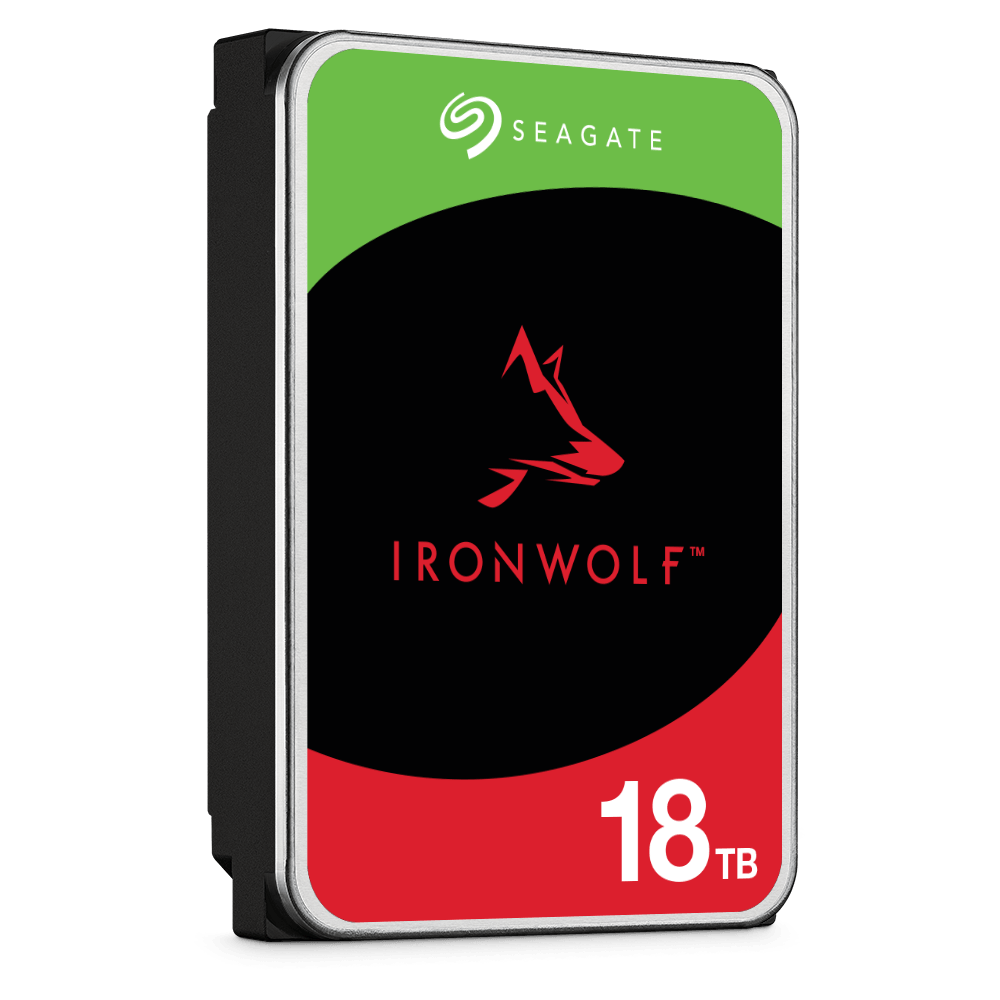
Seagate IronWolf NAS Hard Drives

