
ONVIF
ONVIF Camera and NVR Compatibility: Profiles, Audio, Events and AI
A camera can show live video yet lose events, audio or search on a different recorder. Use ONVIF profiles and a feature-by-feature test to check the combination that matters.
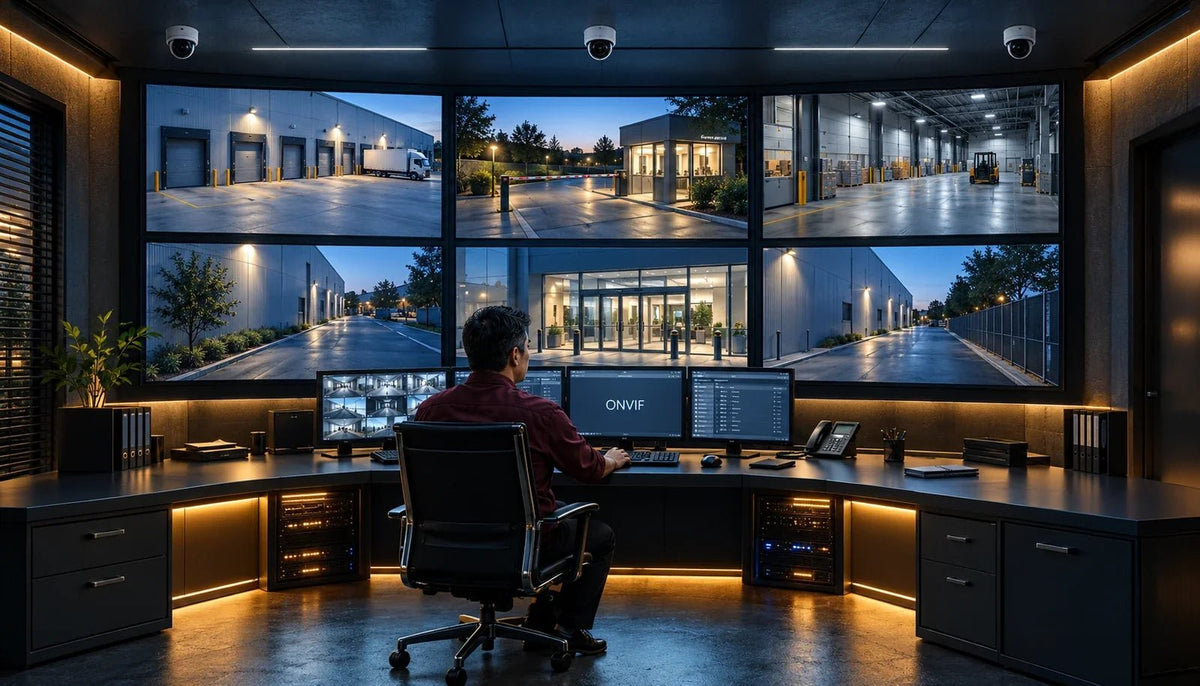
A replacement camera appears on the recorder and produces a sharp picture. Later, the operator discovers that intrusion alerts do not arrive, audio is missing or the recorder cannot search for people. This is a common compatibility gap: a working video stream proves video transport, not the complete surveillance workflow.
What ONVIF Means for Cameras and Recorders
ONVIF defines specifications and profiles for interoperable IP-based physical security products. Profiles group functions so a device and client can declare conformance to a defined set of requirements. The exact combination matters: a camera supplies capabilities and a recorder or software client must know how to use them.
A manufacturer’s ONVIF membership is not proof that all its products are conformant. Check the official conformant-products records for the specific model and firmware. A generic “ONVIF supported” statement is a starting point for questions, not a complete acceptance result.
Profiles S, T, G and M: Different Jobs
| Profile | Main area | What to check in the actual combination |
|---|---|---|
| S | Established IP video streaming interoperability | Registered firmware and the functions both products implement |
| T | Advanced video streaming, including H.264/H.265 and related capabilities | Codec, authentication and any required audio, PTZ, events or HTTPS support |
| G | Recording, storage and retrieval | The supported recording device and client retrieval workflow |
| M | Analytics metadata and events | The metadata produced by the camera and understood by the recorder or software |
A profile does not create hardware or analytics that the device lacks. Profile M does not turn a basic camera into a face-recognition or number-plate-recognition camera. It provides a framework for exchanging relevant metadata and events where the products actually support those functions.
Profile S Is Changing: What the 2027 Date Means
ONVIF has set 31-Mar-27 as the end of new Profile S conformance claims, including claims for new firmware versions. Profile T is the forward path for new video-streaming conformance. This is a standards transition, not a date on which existing camera streams automatically stop working.
For a new project, ask about Profile T, supported authentication and the vendor’s firmware lifecycle. For an existing deployment, review the current exposure and upgrade path before replacing working hardware. Do not weaken authentication or expose a camera to the internet to make a connection easier.
Profile T support also needs checking at the client or recorder end. A newer camera declaration alone does not upgrade an older NVR’s capabilities.
Six Functions to Test Individually
Video
Live streams and the intended recording quality.
Audio
Capture, playback and two-way operation where supported.
PTZ
Movement and presets on a camera that provides them.
Events
Detection that triggers the required recorder action.
Playback
Retained footage, timestamps and usable export.
AI Metadata
Object information that the receiving system can use.
- Live video: main and sub-stream, resolution, frame rate, codec and stable viewing.
- Audio: recording, playback and two-way operation if needed and supported at both ends.
- PTZ: movement, presets and permissions, where the camera actually has those capabilities.
- Events: the required motion or analytics event reaches the recorder and triggers the intended action.
- Recording and playback: schedules, timestamps, retained footage and usable export.
- AI metadata: object labels, filters and search fields are received and searchable where required.
RTSP can supply a video stream without providing the ONVIF event and metadata workflow. Likewise, successful live viewing does not prove that the recorder will keep the intended high-quality stream or export the evidence the operator needs.

Camera AI, Recorder AI and Search Are Separate
One system may run detection on the camera, another on the recorder, and another in software. Establish where the analysis happens and how its results reach the interface the operator uses. A box drawn on the camera’s own web page does not prove that a third-party recorder receives the same event or metadata.
An Event Must Reach the Tool the Operator Uses
- Detection Source
- Event / Metadata
- Recorder / Client
- Action / Search
Confirm the required event is generated, transported, understood and used. A live video stream proves only part of the path.
People counting, face-related events, licence-plate data and natural-language search require specific supported functions. Some products keep their richest integration within their native ecosystem. Compare the required workflow honestly instead of assuming that an ONVIF logo exports every feature.
The AI footage-search guide explains why useful results depend on the recorded scene, available metadata and supported search tools. Retention and storage planning still need to account for the underlying video.
Use Exact Models in the Compatibility Plan


A current camera such as the TP-Link InSight S445ZI and a recorder such as the VIGI NVR2016H give a concrete starting point for a system specification. These photographs identify the products; they do not certify every ONVIF profile or cross-brand function.
Record the exact camera, recorder, hardware revision, firmware, channel licences and desired functions. For a mixed-brand installation, build a feature matrix for that combination. Include decoding and recording limits, not just the number of available channels.
Video Works but Events or Audio Do Not: What to Check
| Symptom | Useful checks |
|---|---|
| No discovery or login | Reachability, required services, credentials, role permissions and supported authentication |
| Video but no audio | Audio hardware, enabled stream, codec and recorder/client support |
| Live image but no analytics events | Detection source, event configuration and client support for that event |
| Events but no useful search | Metadata fields, indexing, retention and search features at the receiving end |
| Playback differs from live view | Recording stream, schedule, timestamps and export settings |
| Intermittent disconnects | PoE budget, cable, link errors, firmware and network load |
Some cameras require a separate ONVIF account or explicitly enabled service. Use the vendor’s supported procedure and the minimum appropriate permissions. Check time synchronisation so events and footage can be correlated. Keep credentials and network details private.
Change one setting at a time and preserve the previous configuration. For power and link faults, follow the camera-offline troubleshooting guide; for usable evidence, check recording quality and export rather than treating the live picture as the final result.
Make Compatibility an Acceptance Test
Use a small representative installation before buying the full quantity. Confirm day and night views, the required event, recorded audio where appropriate, playback and export. Repeat the important checks after a firmware change.
Keep a simple record: exact models and versions, settings, required feature, result and any limitation. Mark a feature as passed only after observing the intended workflow. A proof of concept is particularly useful when a project depends on mixed-brand analytics or a third-party video-management platform.
Frequently Asked Questions
Does ONVIF guarantee any camera works with any NVR?
No. Conformance relates to defined profiles and specific products and firmware. Optional capabilities, client support and vendor-specific functions still need checking and testing.
Is an ONVIF member’s entire catalogue conformant?
No. Membership and product conformance are different. Check the exact product and firmware in the conformant-products records.
What is the difference between Profile T and Profile M?
Profile T concerns advanced video-streaming interoperability. Profile M concerns analytics metadata and events. Neither gives a device capabilities it does not otherwise have.
Will Profile S cameras stop working in March 2027?
The 31-Mar-27 date ends new Profile S conformance claims, including for new firmware. It does not automatically disable existing devices or streams. Review support, security and compatibility for the actual installation.
Why does video work but motion detection does not?
The recorder may accept the video stream without supporting or receiving the camera’s required event. Check the detection source, event configuration, permissions, profile and client capabilities.
Does ONVIF guarantee facial recognition or plate search?
No. The device must provide the relevant capability and the receiving system must understand and use its metadata or events. Test the exact workflow and any applicable licences.
Choose the Workflow You Need to Keep
For basic mixed-brand video, verify the registered products and supported streaming combination. For events, audio, playback and AI search, test each required function before committing. Choose native integration where its additional functions matter, or cross-brand integration where the proven feature set meets the brief.
Bring the model list and required features to a Sales Specialist. A precise compatibility plan is more useful than the broad question “Is it ONVIF?”


