



Ubiquiti UACC-AI-360-JB AI 360 Junction Box
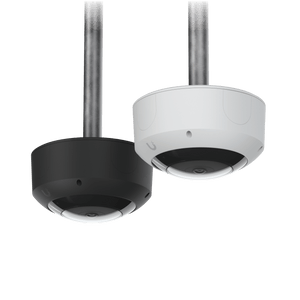
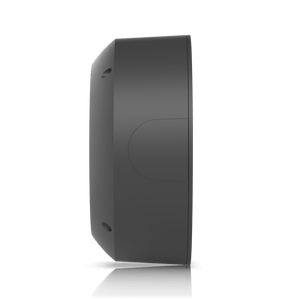
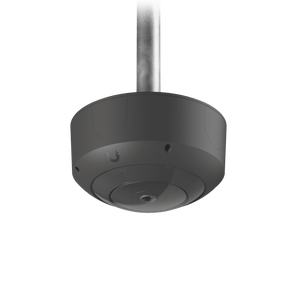
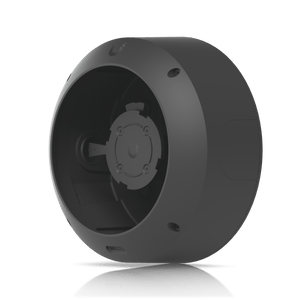
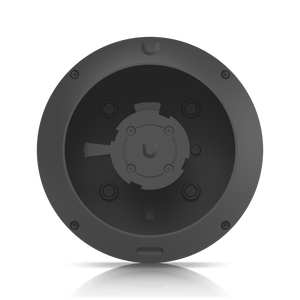
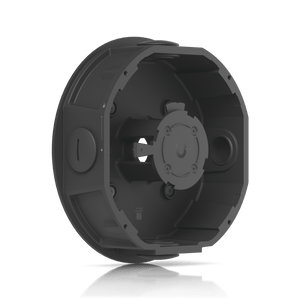
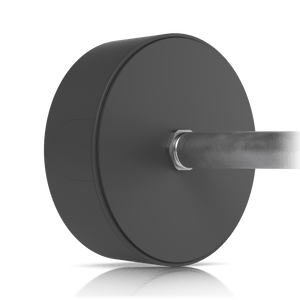
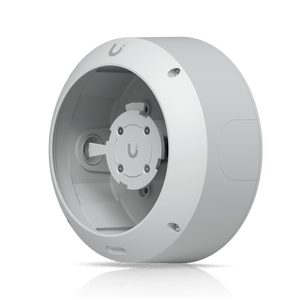
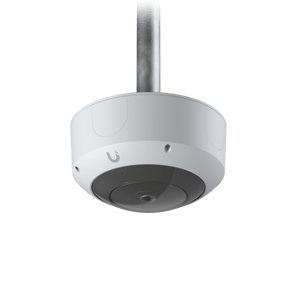
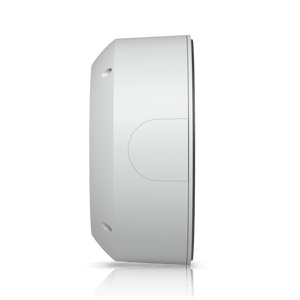
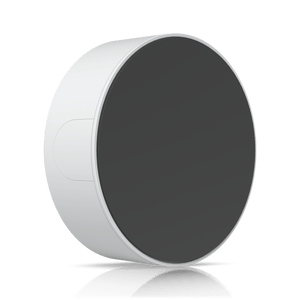
Junction-Box Mounting for AI 360 and G6 Pro 360 The AI 360 Junction Box provides a dedicated mounting enclosure for the UniFi AI 360 and G6 Pro 360 cameras. It helps organise the installation and camera connection behind either supported model, with aluminium-alloy and polycarbonate construction. The published protection ratings are IPX6 for water resistance and IK08 for impact resistance. Black and White versions are available in this existing family. The accessory has a 3/4-inch threaded outlet and is supplied separately from the camera. Confirm the exact camera and mounting arrangement before purchase, then plan its network power and recording equipment separately. Highlights Two verified cameras UniFi AI 360. UniFi G6 Pro 360. Dedicated fit for these published models. Published protection IPX6 water resistance. IK08 impact resistance. Aluminium-alloy and polycarbonate enclosure. Installation design 3/4-inch threaded outlet. 720 g accessory weight. Black and White finishes. Key Features A defined fit for the 360 camerasThe current compatibility list includes both AI 360 and G6 Pro 360. This makes the accessory relevant when an installation uses either of those cameras. Check the exact model before purchase and follow its mounting instructions rather than assuming another 360 camera will fit. Organise the connection and fixingA dedicated junction-box arrangement gives the camera a defined mounting enclosure and helps organise the connection behind it. Plan cable access and suitable fixing support for the location. The camera and the supporting structure still determine the installation method. Understand the protection ratingsThe manufacturer publishes IPX6 water resistance and IK08 impact resistance for the junction box. IPX6 does not state a dust-protection rating. The camera and its connections retain their own installation requirements, so use the correct assembly and connection protection for the site. Match the conduit arrangementThe threaded outlet provides a 3/4-inch conduit interface. Select the necessary fittings and cable route before installation. Check how the junction box, camera and supporting surface fit together, including access needed for future maintenance. Select the finish and complete the systemChoose Black or White to suit the camera installation. This accessory does not provide network power or recording storage. Purchase the camera and its appropriate power and recording equipment separately, and account for their weight in addition to the junction box. Summary Choose the AI 360 Junction Box when an AI 360 or G6 Pro 360 camera needs a dedicated mounting enclosure. Confirm the finish, conduit route and supporting structure before deployment.
Pickup available at 3005, Ubi Avenue 3, #01-88
Usually ready in 2-4 Business Day (Excluding Public Holiday)
Ubiquiti UACC-AI-360-JB AI 360 Junction Box
Description
Junction-Box Mounting for AI 360 and G6 Pro 360
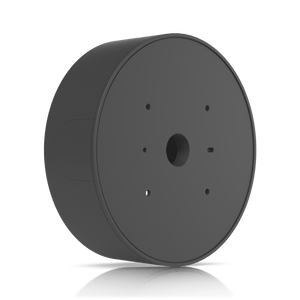
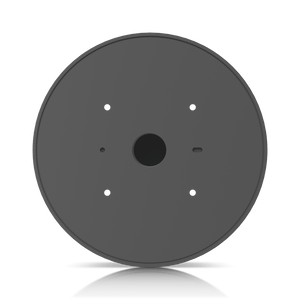
The AI 360 Junction Box provides a dedicated mounting enclosure for the UniFi AI 360 and G6 Pro 360 cameras. It helps organise the installation and camera connection behind either supported model, with aluminium-alloy and polycarbonate construction. The published protection ratings are IPX6 for water resistance and IK08 for impact resistance.
Black and White versions are available in this existing family. The accessory has a 3/4-inch threaded outlet and is supplied separately from the camera. Confirm the exact camera and mounting arrangement before purchase, then plan its network power and recording equipment separately.
Highlights
Two verified cameras
- UniFi AI 360.
- UniFi G6 Pro 360.
- Dedicated fit for these published models.
Published protection
- IPX6 water resistance.
- IK08 impact resistance.
- Aluminium-alloy and polycarbonate enclosure.
Installation design
- 3/4-inch threaded outlet.
- 720 g accessory weight.
- Black and White finishes.
Key Features
A defined fit for the 360 cameras
The current compatibility list includes both AI 360 and G6 Pro 360. This makes the accessory relevant when an installation uses either of those cameras. Check the exact model before purchase and follow its mounting instructions rather than assuming another 360 camera will fit.
Organise the connection and fixing
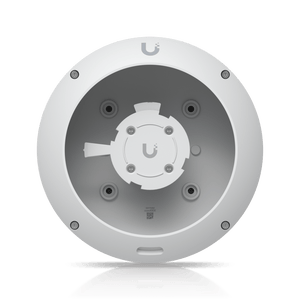
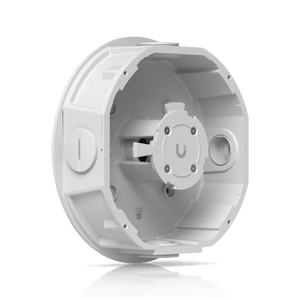
A dedicated junction-box arrangement gives the camera a defined mounting enclosure and helps organise the connection behind it. Plan cable access and suitable fixing support for the location. The camera and the supporting structure still determine the installation method.
Understand the protection ratings
The manufacturer publishes IPX6 water resistance and IK08 impact resistance for the junction box. IPX6 does not state a dust-protection rating. The camera and its connections retain their own installation requirements, so use the correct assembly and connection protection for the site.
Match the conduit arrangement
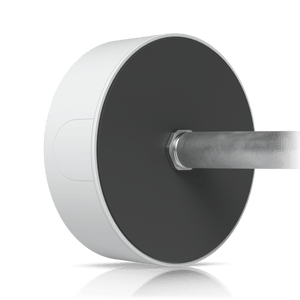
The threaded outlet provides a 3/4-inch conduit interface. Select the necessary fittings and cable route before installation. Check how the junction box, camera and supporting surface fit together, including access needed for future maintenance.
Select the finish and complete the system
Choose Black or White to suit the camera installation. This accessory does not provide network power or recording storage. Purchase the camera and its appropriate power and recording equipment separately, and account for their weight in addition to the junction box.
Summary
Choose the AI 360 Junction Box when an AI 360 or G6 Pro 360 camera needs a dedicated mounting enclosure. Confirm the finish, conduit route and supporting structure before deployment.
Specs
Ubiquiti UACC-AI-360-JB AI 360 Junction Box
The AI 360 Junction Box provides a dedicated mounting enclosure for the UniFi AI 360 and G6 Pro 360 cameras. It combines aluminium alloy and polycarbonate with published IPX6 water and IK08 impact resistance. The specifications below cover its exact camera compatibility, threaded outlet, physical dimensions, weight and materials. Black and White finishes are offered. This mechanical accessory is supplied separately from the camera, network power and recording equipment; check the complete installation arrangement before purchase.
| Specification | Details |
|---|---|
| Physical design | |
| Dimensions | ⌀173.2 × 76 mm (⌀6.8 × 3") |
| Weight | 720 g (1.6 lb) |
| Enclosure Material | Aluminium alloy, polycarbonate |
| Mounting Material | Aluminium alloy |
| Finish | Black or White |
| Compatible cameras | |
| G6 cameras | UVC-G6-Pro-360 |
| AI cameras | UVC-AI-360 |
| Mounting interfaces | |
| Threaded Outlets | 3/4" |
| Published protection ratings | |
| Weatherproofing | IPX6 |
| Resistance | IK08 |
| Purchase scope | |
| Camera | Sold separately |
| Accessory function | Mechanical mounting accessory; the camera retains its own network, power and recording requirements |