


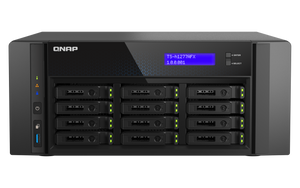
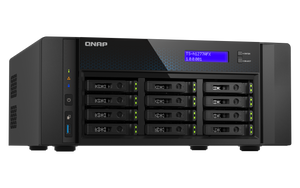

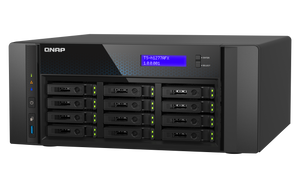

QNAP TS-h1277AFX 12-Bay All-Flash Tower NAS
Give Demanding Creative Work a Responsive Shared Home Editing teams, designers and virtual desktop users need more than a large place to store files. The TS-h1277AFX brings an all-flash SATA array, AMD Ryzen processing and fast Ethernet into a desktop enclosure that fits a studio or office. QuTS hero adds ZFS storage management, while DDR5 memory and PCIe expansion support a carefully planned working platform. Build the SSD layout, network and backup strategy around the applications your team uses every day. Highlights All-Flash Workspace Twelve hot-swappable 2.5-inch SATA SSD bays for shared project storage. ZFS-based QuTS hero supports checksums, snapshots and storage-efficiency features. Processing and Connectivity AMD Ryzen 7 processor with eight cores and sixteen threads. Two 10GBASE-T ports and two 2.5GbE ports are built in. Expandable Platform 32 GB factory-installed DDR5 memory with support for compatible upgrades. Three PCIe Gen 4 slots accommodate supported network, SSD or graphics expansion. Key Features Keep Active Projects on an All-Flash Array Twelve dedicated SATA SSD bays provide a practical foundation for shared media projects, virtual desktop storage and frequently accessed business files. SSDs can reduce access latency compared with a hard-drive array, especially when several users or applications request data at once. Choose compatible enterprise or NAS SSDs and an appropriate RAID layout for the workload. Storage drives are purchased separately; usable capacity depends on those drives and the protection layout. Work Together over Built-in 10GbE Dual 10GBASE-T ports make fast copper Ethernet available from the start, alongside two 2.5GbE connections. Connect supported workstations directly or integrate the NAS with a suitable switch for multi-user access. The complete path matters: client adapters, switch capacity, cables, SSDs and application behaviour all affect transfer speed. Port aggregation requires a compatible network configuration and does not automatically double the speed of a single file transfer. Pair Ryzen Processing with DDR5 Memory The eight-core, sixteen-thread Ryzen 7 processor and 32 GB of DDR5 memory provide a capable base for file services, supported virtual machines and containers alongside storage management. Compatible memory expansion up to 192 GB leaves room for memory-intensive deployments. The exact processor revision and factory memory type are confirmed before fulfilment. Use approved modules and size memory for the real workload, particularly when enabling deduplication or running several virtual machines. Plan Recovery with ZFS QuTS hero brings ZFS checksums, snapshots and replication tools into a single managed storage platform. Compression and deduplication can improve space efficiency for suitable data, while recovery points can help an administrator respond to accidental changes. Configure these tools deliberately and test restoration. RAID and local snapshots protect against particular risks; retain an independent backup and appropriate access controls for important work. Expand for the Next Workload Three PCIe Gen 4 slots provide a route to compatible faster Ethernet, M.2 SSD adapters or supported graphics hardware. Built-in storage bays accept SATA SSDs; M.2 NVMe requires an optional compatible PCIe adapter. Slot lanes are shared, and card size, power and cooling limits must be checked before choosing an upgrade. Faster networking or a GPU is optional equipment rather than a standard part of this enclosure. Fit a Professional Workspace The desktop enclosure provides a front display, drive-status indicators and local controls for day-to-day operation. HDMI output is available for supported local display applications, and USB connections support compatible peripherals and backup devices. Allow ventilation and cable clearance when placing the NAS. The system has a single power supply, so include a suitable UPS and a separate backup destination in the wider continuity plan. Surveillance with Clear Channel Entitlements Record compatible IP cameras with a supported QVR installation. QVR Pro includes eight recording channels. Current QVR Surveillance provides two standard channels plus six more after QNAP-ID activation, giving eight free channels in that application. Larger systems need the matching channel licences and a storage, network and workload assessment. Choose camera compatibility, bitrate, retention and playback requirements together; free channel counts are not a promise that every camera quality or workload will run at the same capacity. Summary The TS-h1277AFX is a focused choice for teams that want responsive shared SSD storage without moving immediately to a rack installation. Its SATA all-flash design, built-in 10GbE, DDR5 memory and expansion options suit demanding collaboration when the storage, applications and recovery plan are configured together. Does the NAS Include SSDs?ExpandCollapse No. This is a diskless enclosure. Select compatible 2.5-inch SATA SSDs separately and configure an appropriate storage pool and protection layout. Can I Fit U.2 or M.2 NVMe SSDs Directly?ExpandCollapse The twelve front bays are SATA SSD bays, not U.2 NVMe bays. M.2 NVMe storage requires a compatible optional PCIe adapter. Which Factory Configuration Is Supplied?ExpandCollapse The selected configuration includes an eight-core, sixteen-thread AMD Ryzen 7 processor and 32 GB DDR5 memory. The exact processor revision and factory memory type are confirmed before fulfilment. Compatible memory expansion up to 192 GB requires supported modules and the prescribed installation arrangement. Is a 25GbE Card Included?ExpandCollapse No. Dual 10GBASE-T and dual 2.5GbE are built in. A supported 25GbE card and matching network equipment are optional. Do Snapshots Replace an Independent Backup?ExpandCollapse No. Keep a separate, current backup and test that important files can be restored. Snapshots and RAID address different risks and should form part of a wider recovery plan. How Many Camera Channels Are Included?ExpandCollapse QVR Pro includes eight camera-recording channels. Current QVR Surveillance starts with two standard channels; link the NAS to QNAP ID and activate the additional six to use eight at no channel charge. These are separate application entitlements, not sixteen licences for one recorder. Additional channels require matching licences and workload sizing. QVR Pro Client playback beyond fourteen days requires Gold or Unlimited Playback; that rule does not itself delete older recordings.
Add-ons (1)
Pickup available at 3005, Ubi Avenue 3, #01-88
Usually ready in 2-4 Business Day (Excluding Public Holiday)
QNAP TS-h1277AFX 12-Bay All-Flash Tower NAS
Description
Give Demanding Creative Work a Responsive Shared Home
Editing teams, designers and virtual desktop users need more than a large place to store files. The TS-h1277AFX brings an all-flash SATA array, AMD Ryzen processing and fast Ethernet into a desktop enclosure that fits a studio or office. QuTS hero adds ZFS storage management, while DDR5 memory and PCIe expansion support a carefully planned working platform. Build the SSD layout, network and backup strategy around the applications your team uses every day.
Highlights
All-Flash Workspace
- Twelve hot-swappable 2.5-inch SATA SSD bays for shared project storage.
- ZFS-based QuTS hero supports checksums, snapshots and storage-efficiency features.
Processing and Connectivity
- AMD Ryzen 7 processor with eight cores and sixteen threads.
- Two 10GBASE-T ports and two 2.5GbE ports are built in.
Expandable Platform
- 32 GB factory-installed DDR5 memory with support for compatible upgrades.
- Three PCIe Gen 4 slots accommodate supported network, SSD or graphics expansion.
Key Features
Keep Active Projects on an All-Flash Array
Twelve dedicated SATA SSD bays provide a practical foundation for shared media projects, virtual desktop storage and frequently accessed business files. SSDs can reduce access latency compared with a hard-drive array, especially when several users or applications request data at once. Choose compatible enterprise or NAS SSDs and an appropriate RAID layout for the workload. Storage drives are purchased separately; usable capacity depends on those drives and the protection layout.
Work Together over Built-in 10GbE
Dual 10GBASE-T ports make fast copper Ethernet available from the start, alongside two 2.5GbE connections. Connect supported workstations directly or integrate the NAS with a suitable switch for multi-user access. The complete path matters: client adapters, switch capacity, cables, SSDs and application behaviour all affect transfer speed. Port aggregation requires a compatible network configuration and does not automatically double the speed of a single file transfer.
Pair Ryzen Processing with DDR5 Memory
The eight-core, sixteen-thread Ryzen 7 processor and 32 GB of DDR5 memory provide a capable base for file services, supported virtual machines and containers alongside storage management. Compatible memory expansion up to 192 GB leaves room for memory-intensive deployments. The exact processor revision and factory memory type are confirmed before fulfilment. Use approved modules and size memory for the real workload, particularly when enabling deduplication or running several virtual machines.
Plan Recovery with ZFS
QuTS hero brings ZFS checksums, snapshots and replication tools into a single managed storage platform. Compression and deduplication can improve space efficiency for suitable data, while recovery points can help an administrator respond to accidental changes. Configure these tools deliberately and test restoration. RAID and local snapshots protect against particular risks; retain an independent backup and appropriate access controls for important work.
Expand for the Next Workload
Three PCIe Gen 4 slots provide a route to compatible faster Ethernet, M.2 SSD adapters or supported graphics hardware. Built-in storage bays accept SATA SSDs; M.2 NVMe requires an optional compatible PCIe adapter. Slot lanes are shared, and card size, power and cooling limits must be checked before choosing an upgrade. Faster networking or a GPU is optional equipment rather than a standard part of this enclosure.
Fit a Professional Workspace
The desktop enclosure provides a front display, drive-status indicators and local controls for day-to-day operation. HDMI output is available for supported local display applications, and USB connections support compatible peripherals and backup devices. Allow ventilation and cable clearance when placing the NAS. The system has a single power supply, so include a suitable UPS and a separate backup destination in the wider continuity plan.
Surveillance with Clear Channel Entitlements
Record compatible IP cameras with a supported QVR installation. QVR Pro includes eight recording channels. Current QVR Surveillance provides two standard channels plus six more after QNAP-ID activation, giving eight free channels in that application. Larger systems need the matching channel licences and a storage, network and workload assessment. Choose camera compatibility, bitrate, retention and playback requirements together; free channel counts are not a promise that every camera quality or workload will run at the same capacity.
Summary
The TS-h1277AFX is a focused choice for teams that want responsive shared SSD storage without moving immediately to a rack installation. Its SATA all-flash design, built-in 10GbE, DDR5 memory and expansion options suit demanding collaboration when the storage, applications and recovery plan are configured together.
Does the NAS Include SSDs?
No. This is a diskless enclosure. Select compatible 2.5-inch SATA SSDs separately and configure an appropriate storage pool and protection layout.
Can I Fit U.2 or M.2 NVMe SSDs Directly?
The twelve front bays are SATA SSD bays, not U.2 NVMe bays. M.2 NVMe storage requires a compatible optional PCIe adapter.
Which Factory Configuration Is Supplied?
The selected configuration includes an eight-core, sixteen-thread AMD Ryzen 7 processor and 32 GB DDR5 memory. The exact processor revision and factory memory type are confirmed before fulfilment. Compatible memory expansion up to 192 GB requires supported modules and the prescribed installation arrangement.
Is a 25GbE Card Included?
No. Dual 10GBASE-T and dual 2.5GbE are built in. A supported 25GbE card and matching network equipment are optional.
Do Snapshots Replace an Independent Backup?
No. Keep a separate, current backup and test that important files can be restored. Snapshots and RAID address different risks and should form part of a wider recovery plan.
How Many Camera Channels Are Included?
QVR Pro includes eight camera-recording channels. Current QVR Surveillance starts with two standard channels; link the NAS to QNAP ID and activate the additional six to use eight at no channel charge. These are separate application entitlements, not sixteen licences for one recorder. Additional channels require matching licences and workload sizing. QVR Pro Client playback beyond fourteen days requires Gold or Unlimited Playback; that rule does not itself delete older recordings.
Specs
QNAP TS-h1277AFX 12-Bay All-Flash Tower NAS
QNAP TS-h1277AFX is a twelve-bay SATA all-flash tower NAS for shared SSD storage, creative workflows and supported virtual machines. Dual 10GbE and PCIe expansion provide network upgrade options. Choose compatible SSDs and plan memory, RAID and backup before deployment. The exact processor revision and factory memory type are confirmed before fulfilment.
| Specification | Details |
|---|---|
| Processor and Memory | |
| Processor | AMD Ryzen 7; 8 cores / 16 threads. Exact processor revision confirmed before fulfilment |
| Graphics and Security | AMD Radeon integrated graphics; 64-bit x86; AES-NI |
| Factory Memory | 32 GB DDR5 UDIMM; exact factory memory type confirmed before fulfilment |
| Memory Expansion | Four DDR5 UDIMM slots; up to 192 GB (4 × 48 GB) with supported modules |
| Flash Memory | 4 GB with dual-boot OS protection |
| Storage | |
| Drive Bays | 12 × 2.5-inch SATA 6Gb/s SSD bays; drives not included |
| Drive Service | Hot-swappable supported SATA SSD bays |
| M.2 Storage | Optional via compatible PCIe adapter; no built-in M.2 slot |
| Network and Expansion | |
| Built-in Ethernet | 2 × 10GBASE-T and 2 × 2.5GbE RJ45 |
| PCIe | 3 × Gen 4: slot 1 x4; slot 2 x8 when slot 1 is unused, otherwise x4; slot 3 x8 |
| Optional Networking | Compatible PCIe network adapter required for 25GbE |
| USB and Display | 1 × USB 3.2 Gen 1; 2 × USB 3.2 Gen 2 10Gbps (1 Type-A, 1 Type-C); HDMI 1.4b up to 3840 × 2160 at 30 Hz |
| Operating System and Data Protection | |
| Operating System | QuTS hero with ZFS; supported QTS alternative requires appropriate initialisation and configuration |
| File Systems | QTS uses ext4; QuTS hero uses ZFS. Select the supported OS before initialising storage |
| QTS RAID | Single disk, JBOD, RAID 0, 1, 5, 6 and 10, plus RAID 50/60; requires the appropriate number of disks in each group |
| QuTS hero RAID | Single disk, stripe, mirror and supported RAID 5/6/10 layouts; additional parity or nested layouts depend on drive count per RAID group |
| SSD and Block Storage | Supported SSD cache/pools, TRIM, health monitoring and iSCSI targets/LUNs; QTS Qtier and QuTS hero cache designs differ |
| Snapshots | QTS x86 with at least 4GB RAM: up to 1,024 per NAS and 256 per volume/block LUN; QuTS hero platform: up to 65,536, subject to model, resources and free space |
| Replication | Snapshot Replica requires compatible NAS using the same OS; SnapSync is available on supported QuTS hero deployments |
| RAID Management | Supported hot-spare, rebuild, scrubbing and expansion depend on installed drives, OS and RAID layout |
| Surveillance | |
| Maximum Camera Channels | Model-dependent. QNAP does not publish a fixed, guaranteed maximum for this configuration; camera settings and the complete NAS workload determine capacity |
| Application Channel Ceilings | QVR Pro: up to 128; QVR Surveillance: up to 1,024. These are software ceilings, not this NAS’s guaranteed capacity; matching licences are required above the included allowance |
| Included Camera Channels | QVR Pro: 8. QVR Surveillance: 2 standard plus 6 free channels after QNAP ID activation, giving 8. These are separate app entitlements |
| QVR Selector Estimate | Recalculate after the supplied processor and memory revision is confirmed; no numerical estimate is applied to an unverified hardware revision |
| Estimate Workload | 1080p H.264, 30fps, 4.096Mbps per camera; recording only, no AI or local playback; manufacturer reference drives/RAID |
| Recording Requirements | Supported OS/app versions and Container Station. QVR Pro requires at least 4GB RAM; QVR Surveillance application minimum is 1GB. The OS and workload may need more |
| Cameras and Video | Check exact camera and firmware compatibility; supported MJPEG/H.264/H.265 streams. Client HEVC decoding or other codec terms may apply |
| QVR Pro Playback | Client playback beyond 14 days requires Gold or Unlimited Playback; this does not set recording retention or automatically delete older files |
| Applications and Security | |
| File Sharing | SMB/CIFS, NFS, FTP/SFTP and supported WebDAV services for Windows, Mac and Linux clients |
| Users and Permissions | Local users/groups, Windows AD/LDAP integration, Windows ACL and supported quotas |
| Maximum CIFS Connections | 10,000 concurrent connections with maximum supported memory; a platform limit, not a performance guarantee |
| Backup and Sync | Hybrid Backup Sync to supported USB/NAS/cloud destinations; Time Machine and Qsync. HDP for PC/VM supports compatible Windows, VMware and Hyper-V workloads with at least 4GB RAM and supported firmware |
| Virtualisation and Containers | Virtualization Station for supported guests with at least 4GB RAM; Container Station for supported Docker and LXC/LXD workloads. Reserve workload resources; guest licences are separate |
| Security and Monitoring | Storage encryption, two-step verification, firewall/access blocking, alerts, logs and SNMP on supported firmware |
| Photos and Media | Supported Qfile Pro, QuMagie and media apps; display, acceleration, codecs and subscriptions depend on hardware and app |
| Power and Environment | |
| Power Supply | Single internal PSU; manufacturer specifies minimum 500 W, 100–240 V |
| Power Consumption | 69.01 W disk standby; 102.54 W typical operation in manufacturer fully populated test |
| Cooling | 2 × 92 mm fans |
| Temperature | Operating 0–40°C; storage −20–70°C |
| Humidity | 5–95% RH, non-condensing; wet-bulb limit 27°C |
| Physical Details | |
| Form Factor | Tower |
| Dimensions H × W × D | 157.2 × 368 × 362 mm, excluding foot pads (up to 30 mm) |
| Weight | 8 kg net; 8.9 kg gross |
| Controls and Monitoring | LCD; power, reset and USB Auto Copy buttons; status, LAN, USB and drive indicators; buzzer |
| Package and Warranty | |
| Included | NAS, Ethernet cable, 10GBASE-T cable, power cord, 48 drive screws, 2 tray keys and Quick Installation Guide |
| Warranty | 5 years |
| Compatible Accessories | |
| SSD Selection | Use compatible 2.5-inch SATA SSDs, purchased separately. These all-flash bays do not accept 3.5-inch hard drives. |
Camera estimates depend on the OS, RAM, drives, RAID, bitrate, playback and AI workload. Apply the selected app’s channel ceiling and licence allowance separately. RAID and local snapshots do not replace an independent backup.
Add-ons

