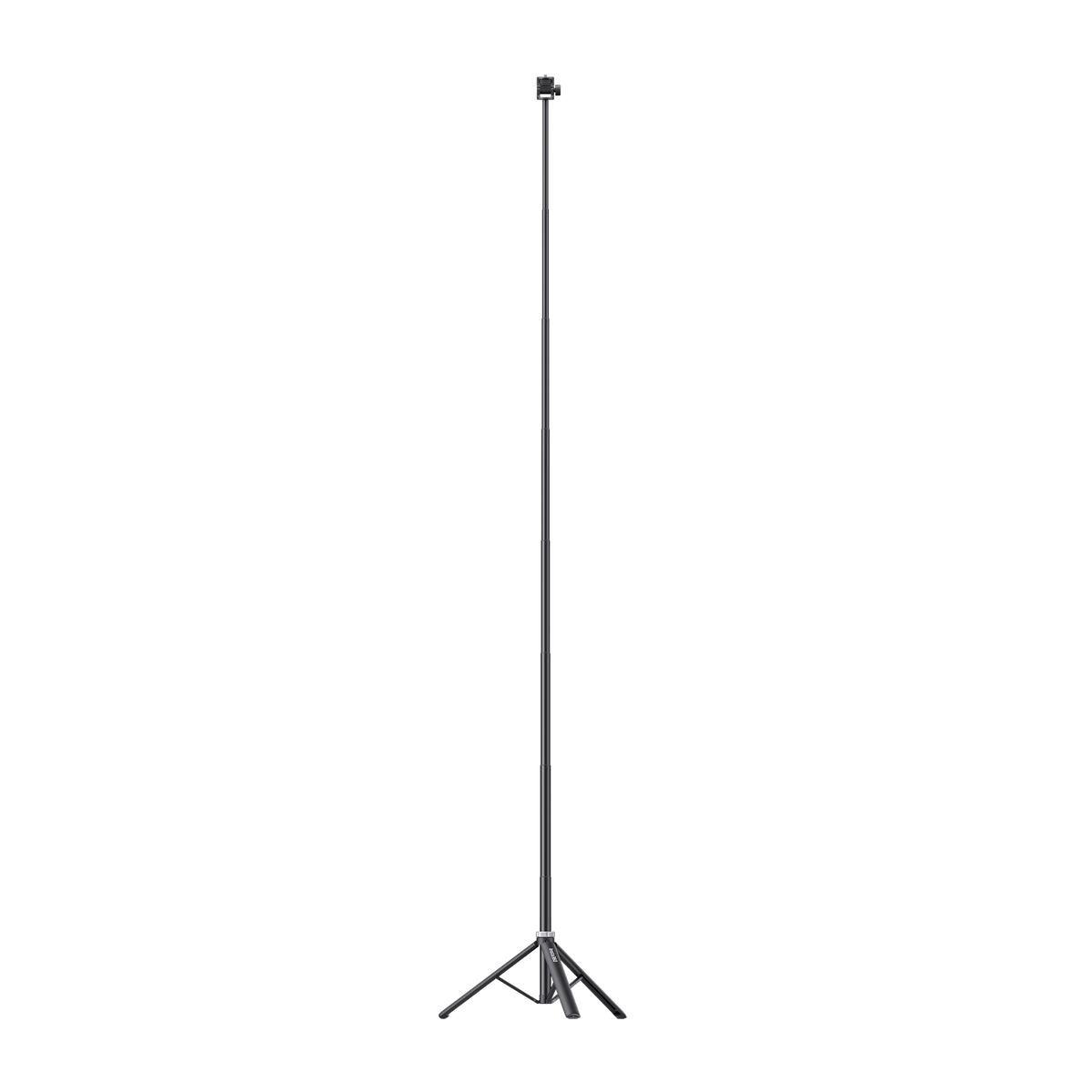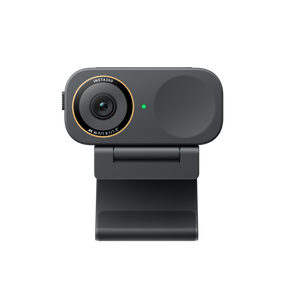
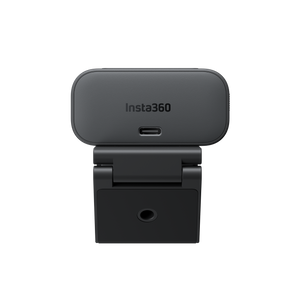



Insta360 Link 2C Pro 4K AI Webcam
A More Considered View of Your Working Day Insta360 Link 2C Pro brings a large image sensor, sharp 4K video and focused voice capture to a compact webcam. Its fixed camera design suits a regular desk position, while Auto Framing and Link Controller tools help shape the view for meetings, lessons and livestreams. It is a practical choice when image quality and presentation controls matter more than a motorised tracking gimbal. Highlights A Clearer Image for the Conversation A 1/1.3-inch sensor, F1.9 lens and HDR support detailed video in a range of lighting. Autofocus covers close-up demonstrations as well as a normal desk position. Present with Intention Auto Framing adjusts the crop without moving a gimbal. Smart Whiteboard, DeskView and supported software effects add tools for teaching and presenting. A Compact Computer Setup Dual microphones offer different voice-capture modes. The included magnetic mount and USB accessories make a monitor or suitable tripod setup straightforward. Key Features A Larger Sensor for a More Natural Image The 1/1.3-inch sensor and F1.9 lens give Link 2C Pro a strong foundation for clear video, including workspaces with mixed or limited light. HDR helps manage differences between brighter and darker areas, while Dual Native ISO supports the camera’s exposure handling. Good lighting still makes a difference:position the webcam near eye level and avoid a bright window directly behind you where possible. 4K Detail with Flexible Framing Capture up to 4K at 30fps or choose up to 1080p at 60fps when a smoother supported source is more useful. Auto Framing adjusts the crop around the subject, and up to 4×digital zoom helps refine composition. Link 2C Pro has no motorised gimbal, so its viewpoint remains fixed; choose Link 2 Pro instead when you need the camera itself to pan and tilt. Focus on What You Want to Show Autofocus works from 12 cm to infinity, which is useful when moving between a face-to-camera discussion and a nearby object demonstration. Smart Whiteboard helps show written material more clearly, and DeskView supports a view of work on the desktop. Place the camera and subject carefully, then check the result in your meeting software before presenting. Audio That Fits Your Environment The built-in directional and omnidirectional microphones provide Standard, Wide, Focus and Original audio modes. Choose a voice-focused mode for a call or an appropriate original-sound approach when preserving the recording is more important. Microphone placement and room noise still affect the result, and an external microphone must connect through the computer rather than directly to the webcam. A Presentation Workspace in Link Controller Use Insta360 Link Controller to adjust framing, image settings and supported effects. Virtual backgrounds, Smart Whiteboard, Natural Bokeh and other advanced features use the Virtual Camera workflow and have specific computer requirements. Select Insta360 Virtual Camera in the conferencing or streaming application when using those effects. Basic camera use and an effects-enabled virtual stream are different configurations. Understand the Effect and Platform Limits The physical camera’s maximum frame rate does not apply to every software effect. Virtual Camera does not output 50fps or 60fps, and Beautify and Makeup do not support 4K. Natural Bokeh and background effects depend on the operating system and GPU. The meeting platform can also lower resolution or frame rate, so choose a workflow that your computer and audience’s software can support. Physical Lens Privacy and Separate Audio Control The built-in privacy switch physically blocks the lens view. Microphone muting is a separate action in Link Controller or the application you are using; closing the lens cover should not be treated as confirmation that audio is muted. This distinction makes it easier to manage both sides of privacy before and after a call. Ready for a Monitor or a Suitable Tripod Attach the webcam using the included magnetic mount, or use the mount’s 1/4-inch connection with a suitable separately supplied tripod. The Standard Bundle includes a USB-C cable, USB-C to USB-A adapter and recognition markers. Connect the camera to a compatible computer with stable 5V/1A power. It is a computer-connected webcam, rather than a standalone recorder or a wireless camera. Summary Choose Link 2C Pro for a polished fixed-position webcam setup with useful presentation controls. It combines large-sensor 4K imaging, autofocus and adaptable audio in a compact format. Match the computer to the effects you intend to use, check the actual meeting-platform output and keep lens privacy and microphone mute as separate controls. Frequently Asked Questions How is Link 2C Pro different from Link 2 Pro?ExpandCollapse Both use a 1/1.3-inch sensor and support up to 4K 30fps. Link 2C Pro is a compact fixed camera with Auto Framing through digital cropping. Link 2 Pro adds a motorised two-axis gimbal for physical pan-and-tilt tracking and supports the integrated Wave arrangement. Choose the model around how you present, rather than assuming their mounting and tracking are the same. Does the privacy switch also mute the microphones?ExpandCollapse No. On Link 2C Pro, the switch physically blocks the lens view. Turn off or mute the audio input separately in Link Controller or your conferencing application when you also need microphone privacy. Can I use 4K and 60fps at the same time?ExpandCollapse No. The camera supports up to 4K 30fps or up to 1080p 60fps. Virtual Camera effects do not support 50fps or 60fps, and Beautify and Makeup do not support 4K. Your conferencing platform may impose further limits. Do I need Link Controller for ordinary video calls?ExpandCollapse A compatible application can use the camera as a normal USB webcam. Link Controller is used for additional settings and supported presentation effects. Advanced effects require the Virtual Camera source and a compatible operating system, processor, memory and GPU. What is included in the Standard Bundle?ExpandCollapse The bundle includes Link 2C Pro, a magnetic mount, four recognition markers, a USB-C cable and a USB-C to USB-A adapter. A tripod, carry case and Wave speakerphone are not included. The webcam does not have a motorised gimbal or onboard recording storage.
Add-ons (1)
Pickup available at 3005, Ubi Avenue 3, #01-88
Usually ready in 2-4 Business Day (Excluding Public Holiday)
Insta360 Link 2C Pro 4K AI Webcam
Description
A More Considered View of Your Working Day
Insta360 Link 2C Pro brings a large image sensor, sharp 4K video and focused voice capture to a compact webcam. Its fixed camera design suits a regular desk position, while Auto Framing and Link Controller tools help shape the view for meetings, lessons and livestreams. It is a practical choice when image quality and presentation controls matter more than a motorised tracking gimbal.
Highlights
A Clearer Image for the Conversation
- A 1/1.3-inch sensor, F1.9 lens and HDR support detailed video in a range of lighting.
- Autofocus covers close-up demonstrations as well as a normal desk position.
Present with Intention
- Auto Framing adjusts the crop without moving a gimbal.
- Smart Whiteboard, DeskView and supported software effects add tools for teaching and presenting.
A Compact Computer Setup
- Dual microphones offer different voice-capture modes.
- The included magnetic mount and USB accessories make a monitor or suitable tripod setup straightforward.
Key Features
A Larger Sensor for a More Natural Image
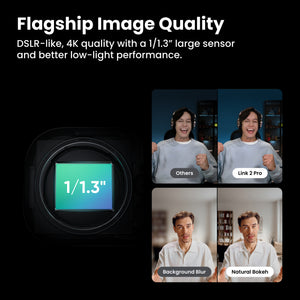
The 1/1.3-inch sensor and F1.9 lens give Link 2C Pro a strong foundation for clear video, including workspaces with mixed or limited light. HDR helps manage differences between brighter and darker areas, while Dual Native ISO supports the camera’s exposure handling. Good lighting still makes a difference:position the webcam near eye level and avoid a bright window directly behind you where possible.
4K Detail with Flexible Framing
Capture up to 4K at 30fps or choose up to 1080p at 60fps when a smoother supported source is more useful. Auto Framing adjusts the crop around the subject, and up to 4×digital zoom helps refine composition. Link 2C Pro has no motorised gimbal, so its viewpoint remains fixed; choose Link 2 Pro instead when you need the camera itself to pan and tilt.
Focus on What You Want to Show
Autofocus works from 12 cm to infinity, which is useful when moving between a face-to-camera discussion and a nearby object demonstration. Smart Whiteboard helps show written material more clearly, and DeskView supports a view of work on the desktop. Place the camera and subject carefully, then check the result in your meeting software before presenting.
Audio That Fits Your Environment
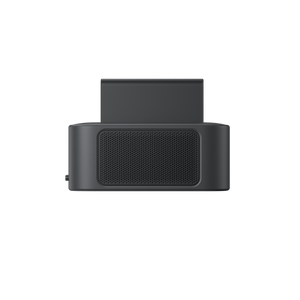
The built-in directional and omnidirectional microphones provide Standard, Wide, Focus and Original audio modes. Choose a voice-focused mode for a call or an appropriate original-sound approach when preserving the recording is more important. Microphone placement and room noise still affect the result, and an external microphone must connect through the computer rather than directly to the webcam.
A Presentation Workspace in Link Controller
Use Insta360 Link Controller to adjust framing, image settings and supported effects. Virtual backgrounds, Smart Whiteboard, Natural Bokeh and other advanced features use the Virtual Camera workflow and have specific computer requirements. Select Insta360 Virtual Camera in the conferencing or streaming application when using those effects. Basic camera use and an effects-enabled virtual stream are different configurations.
Understand the Effect and Platform Limits
The physical camera’s maximum frame rate does not apply to every software effect. Virtual Camera does not output 50fps or 60fps, and Beautify and Makeup do not support 4K. Natural Bokeh and background effects depend on the operating system and GPU. The meeting platform can also lower resolution or frame rate, so choose a workflow that your computer and audience’s software can support.
Physical Lens Privacy and Separate Audio Control
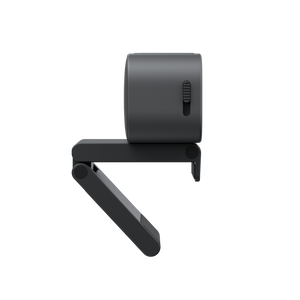
The built-in privacy switch physically blocks the lens view. Microphone muting is a separate action in Link Controller or the application you are using; closing the lens cover should not be treated as confirmation that audio is muted. This distinction makes it easier to manage both sides of privacy before and after a call.
Ready for a Monitor or a Suitable Tripod
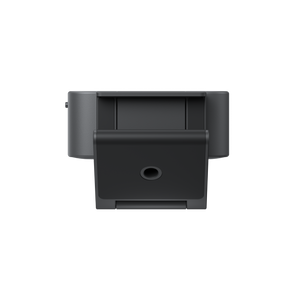
Attach the webcam using the included magnetic mount, or use the mount’s 1/4-inch connection with a suitable separately supplied tripod. The Standard Bundle includes a USB-C cable, USB-C to USB-A adapter and recognition markers. Connect the camera to a compatible computer with stable 5V/1A power. It is a computer-connected webcam, rather than a standalone recorder or a wireless camera.
Summary
Choose Link 2C Pro for a polished fixed-position webcam setup with useful presentation controls. It combines large-sensor 4K imaging, autofocus and adaptable audio in a compact format. Match the computer to the effects you intend to use, check the actual meeting-platform output and keep lens privacy and microphone mute as separate controls.
Frequently Asked Questions
How is Link 2C Pro different from Link 2 Pro?
Both use a 1/1.3-inch sensor and support up to 4K 30fps. Link 2C Pro is a compact fixed camera with Auto Framing through digital cropping. Link 2 Pro adds a motorised two-axis gimbal for physical pan-and-tilt tracking and supports the integrated Wave arrangement. Choose the model around how you present, rather than assuming their mounting and tracking are the same.
Does the privacy switch also mute the microphones?
No. On Link 2C Pro, the switch physically blocks the lens view. Turn off or mute the audio input separately in Link Controller or your conferencing application when you also need microphone privacy.
Can I use 4K and 60fps at the same time?
No. The camera supports up to 4K 30fps or up to 1080p 60fps. Virtual Camera effects do not support 50fps or 60fps, and Beautify and Makeup do not support 4K. Your conferencing platform may impose further limits.
Do I need Link Controller for ordinary video calls?
A compatible application can use the camera as a normal USB webcam. Link Controller is used for additional settings and supported presentation effects. Advanced effects require the Virtual Camera source and a compatible operating system, processor, memory and GPU.
What is included in the Standard Bundle?
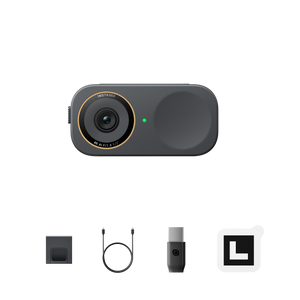
The bundle includes Link 2C Pro, a magnetic mount, four recognition markers, a USB-C cable and a USB-C to USB-A adapter. A tripod, carry case and Wave speakerphone are not included. The webcam does not have a motorised gimbal or onboard recording storage.
Specs
Insta360 Link 2C Pro 4K AI Webcam
Insta360 Link 2C Pro 4K AI Webcam is a fixed-position USB camera for compatible computers. It combines a 1/1.3-inch sensor, autofocus, dual microphones and Auto Framing without a motorised gimbal. The physical camera supports up to 4K 30fps or 1080p 60fps; software effects and conferencing platforms have separate limits. Link Controller adds presentation features on supported hardware. The Standard Bundle includes a magnetic mount and USB accessories, while the privacy switch covers the lens and microphone muting remains a separate software control.
| Specification | Details |
|---|---|
| Imaging and Optics | |
| Image Sensor and Lens | 1/1.3-inch sensor; F1.9 aperture; 24 mm equivalent focal length |
| Field of View | 83.9° diagonal; 71.4° horizontal |
| Autofocus and Zoom | Focus distance 12 cm to infinity; up to 4×digital zoom |
| Dynamic Range | HDR and Dual Native ISO |
| Exposure Controls | ISO 100–3200; ±3EV compensation; shutter 1/8000s to 1/30s; white balance 2000–10000K |
| Video and Presentation | |
| Landscape Video | 4K at 30/25/24fps; 1080p and 720p at 60/50/30/25/24fps; 360p at 30/25/24fps |
| Portrait Video | 4K at 30/25/24fps; 1080p and 720p at 60/50/30/25/24fps; appropriate mounting and software setup required |
| Video Coding | H.264 andMJPEG; portrait 4K andportrait 1080p 60 do not supportH.264 |
| Framing and Modes | Auto Framing, Smart Whiteboard, DeskView and supported Virtual Background effects |
| Gimbal | None; fixed camera with digital framing |
| Virtual Camera Limits | No 50/60fps output; Beautify and Makeup do not support 4K; effects depend on computer hardware |
| Audio and Privacy | |
| Microphones | 2; directional and omnidirectional |
| Audio Modes | Standard, Wide, Focus and Original; AI noise reduction |
| Lens Privacy | Physical privacy switch blocks lens view |
| Microphone Privacy | Mute separately in Link Controller or the selected application |
| Recording | No onboard recording storage; record to the computer through supported software |
| Connections and Mounting | |
| USB | USB-C connection with included USB 2.0 cable and USB-C to USB-A adapter |
| Power | 5V/1A through the computer connection |
| Mounting | Magnetic mount with 1/4-inch tripod mounting point |
| Wireless Operation | No standalone Wi-Fi orBluetooth camera connection |
| Platform Use | Compatible conferencing or streaming applications that recognise the camera; platform resolution limits apply |
| Computer and Software Requirements | |
| Link Controller | Windows 10 or later on supported non-ARM systems; macOS 11 or later |
| Core Hardware | 5th-generation Intel Core i5 or later and 8GB RAM; advanced functions require 10th-generation i5 or later and 16GB RAM |
| Virtual Camera | macOS 13 or later; Windows 10 or later with required hardware and permissions |
| Background Effects | GPU-specific requirements apply; confirm exact GPU support before relying on blur, replacement orNatural Bokeh |
| Software Source | Select Insta360 Virtual Camera in the meeting application for supported software effects |
| Physical and Environmental | |
| Dimensions (W × H × D) | 62.7 × 30.2 × 26 mm |
| Device Weight | 48.5 g camera only; 113.5 g with magnetic mount |
| Operating Temperature | 0°C to 40°C |
| Water Protection | Not waterproof |
| Supplied Equipment and Warranty | |
| Standard Bundle | Link 2C Pro, magnetic mount, 4 recognition markers, USB-C cable andUSB-C to USB-A adapter |
| Main-Unit Warranty | 1 year; magnetic mount, cable andadapter 3 months |
Add-ons