

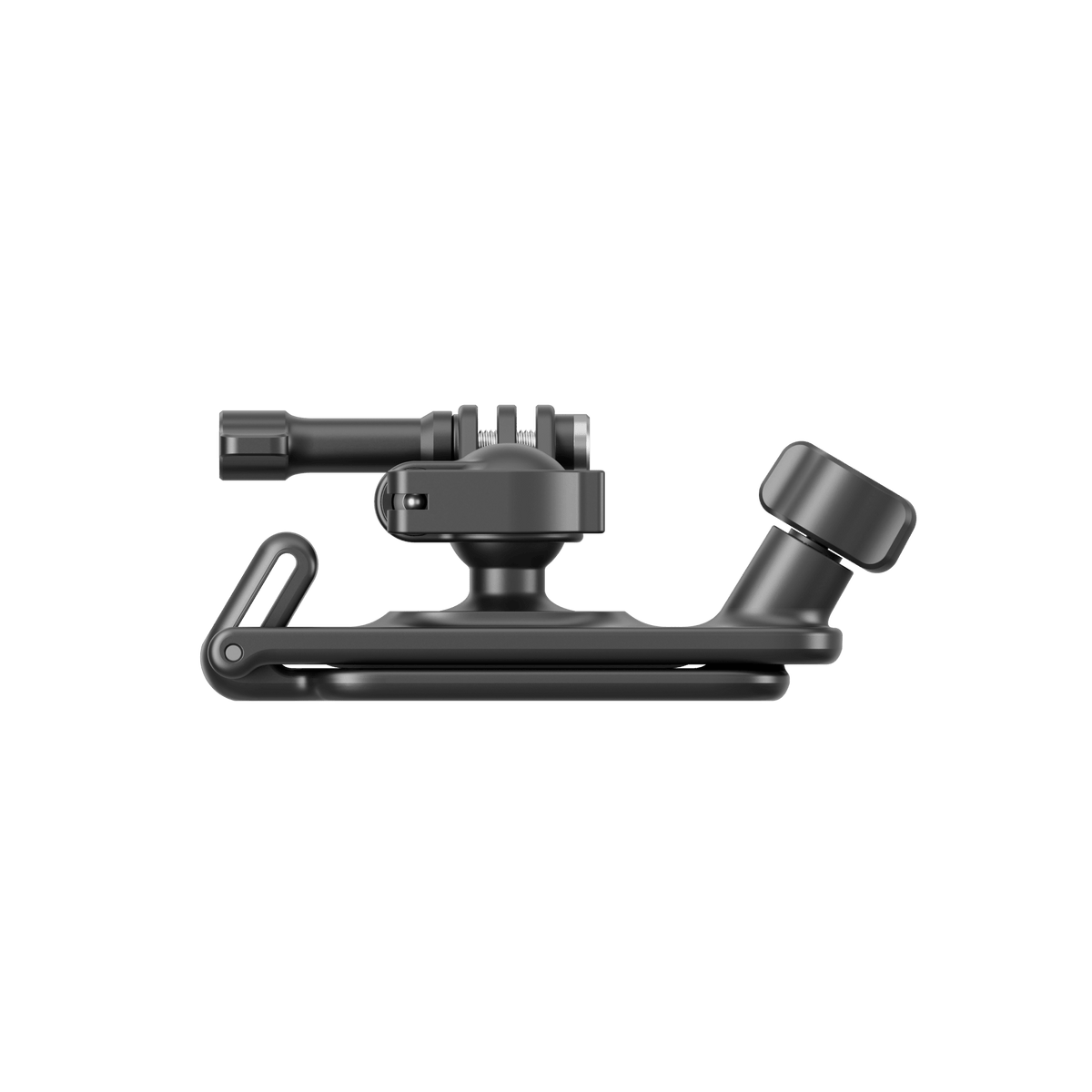


Insta360 Backpack Clip
Let the Journey Unfold Hands-Free Keep a supported camera on your backpack strap while your hands stay free for the walk. Insta360 Backpack Clip clamps around a suitable shoulder strap and uses a removable ball head to refine the view or change camera orientation. Rounded edges help the mount sit more comfortably against the strap, while the included adapter supports the correct camera connection for a compact outdoor recording setup. Highlights Designed for suitable backpack shoulder straps up to 7cm wide. Adjustable screw clamp suits the strap’s thickness and material. Removable ball head rotates through 360 degrees. Switch between horizontal and vertical camera positioning. Includes the clip, a hex wrench and a 1/4-inch to 2-Prong Adapter. Key Features Put the Camera at Shoulder Level Attach the clip around a suitable backpack shoulder strap for a hands-free viewpoint during a walk or hike. Open it with the screw, position it on the strap and tighten it to suit the fabric and thickness. The maximum supported strap width is 7cm; check the hold on the actual bag before recording. Adjust the View to the Route The rotatable ball head allows horizontal or vertical camera placement and a finer angle adjustment. Open the lever, position the camera, then close it to lock the ball head. Check the preview after adjusting the backpack on your shoulders, as the strap position affects the final view. Remove the Camera Assembly for a Check The camera and ball head can be removed together when the lever is open. This makes it easier to inspect a recording or change settings without taking the entire strap clamp off the bag. Support the camera assembly while releasing it and lock the head fully after refitting. Match the Camera Connection The package includes a 1/4-inch to 2-Prong Adapter for a supported threaded camera connection. Cameras using their own quick-release or action-mount base need the correct compatible fitting. This is the universal Backpack Clip, rather than the separate Luna-specific Backpack Mount, so check the camera and mounting arrangement together. Keep the Fit Comfortable and Secure The clip uses plastic and stainless steel, with rounded, wear-resistant edges. Adjust its clamping screw to the strap’s width, thickness and material instead of treating every backpack as identical. The supplied hex wrench adjusts the ball-head lever as instructed. Recheck the clamp and camera connection when the bag’s fit changes. Summary Insta360 Backpack Clip brings a supported camera’s view to a suitable shoulder strap, with angle adjustment and a removable ball head for convenient checks. Fit it to the actual bag, select the appropriate camera connection and lock each joint before moving. Its rounded design and included adapter provide a practical basis for a compact hands-free setup. Frequently Asked Questions Will It Fit Any Backpack Strap?ExpandCollapse It supports suitable shoulder straps up to 7cm wide. Thickness and material also affect the fit, so adjust the clamp and check the hold on the actual backpack before recording. What Is Included?ExpandCollapse One Backpack Clip, one hex wrench and one 1/4-inch to 2-Prong Adapter are supplied. The camera, backpack and any camera-specific mounting base are separate. Can I Change Between Portrait and Landscape?ExpandCollapse Yes. Open the ball-head lever, rotate the camera to the required orientation and close the lever to lock it. Check the image and connection after each adjustment. Can I Remove the Camera Without Taking Off the Clip?ExpandCollapse The camera and ball head can be removed together with the lever open. Support the assembly as you release it, then refit it and lock the lever securely before continuing. Is It the Luna Backpack Mount?ExpandCollapse No. This offer is the universal Backpack Clip. The Luna-specific Backpack Mount is a different accessory. Use this clip only with a supported camera and its appropriate mounting hardware.
Pickup available at 3005, Ubi Avenue 3, #01-88
Usually ready in 2-4 Business Day (Excluding Public Holiday)
Insta360 Backpack Clip
Description
Let the Journey Unfold Hands-Free
Keep a supported camera on your backpack strap while your hands stay free for the walk. Insta360 Backpack Clip clamps around a suitable shoulder strap and uses a removable ball head to refine the view or change camera orientation. Rounded edges help the mount sit more comfortably against the strap, while the included adapter supports the correct camera connection for a compact outdoor recording setup.
Highlights
- Designed for suitable backpack shoulder straps up to 7cm wide.
- Adjustable screw clamp suits the strap’s thickness and material.
- Removable ball head rotates through 360 degrees.
- Switch between horizontal and vertical camera positioning.
- Includes the clip, a hex wrench and a 1/4-inch to 2-Prong Adapter.
Key Features
Put the Camera at Shoulder Level
Attach the clip around a suitable backpack shoulder strap for a hands-free viewpoint during a walk or hike. Open it with the screw, position it on the strap and tighten it to suit the fabric and thickness. The maximum supported strap width is 7cm; check the hold on the actual bag before recording.
Adjust the View to the Route
The rotatable ball head allows horizontal or vertical camera placement and a finer angle adjustment. Open the lever, position the camera, then close it to lock the ball head. Check the preview after adjusting the backpack on your shoulders, as the strap position affects the final view.
Remove the Camera Assembly for a Check
The camera and ball head can be removed together when the lever is open. This makes it easier to inspect a recording or change settings without taking the entire strap clamp off the bag. Support the camera assembly while releasing it and lock the head fully after refitting.
Match the Camera Connection
The package includes a 1/4-inch to 2-Prong Adapter for a supported threaded camera connection. Cameras using their own quick-release or action-mount base need the correct compatible fitting. This is the universal Backpack Clip, rather than the separate Luna-specific Backpack Mount, so check the camera and mounting arrangement together.
Keep the Fit Comfortable and Secure
The clip uses plastic and stainless steel, with rounded, wear-resistant edges. Adjust its clamping screw to the strap’s width, thickness and material instead of treating every backpack as identical. The supplied hex wrench adjusts the ball-head lever as instructed. Recheck the clamp and camera connection when the bag’s fit changes.
Summary
Insta360 Backpack Clip brings a supported camera’s view to a suitable shoulder strap, with angle adjustment and a removable ball head for convenient checks. Fit it to the actual bag, select the appropriate camera connection and lock each joint before moving. Its rounded design and included adapter provide a practical basis for a compact hands-free setup.
Frequently Asked Questions
Will It Fit Any Backpack Strap?
It supports suitable shoulder straps up to 7cm wide. Thickness and material also affect the fit, so adjust the clamp and check the hold on the actual backpack before recording.
What Is Included?
One Backpack Clip, one hex wrench and one 1/4-inch to 2-Prong Adapter are supplied. The camera, backpack and any camera-specific mounting base are separate.
Can I Change Between Portrait and Landscape?
Yes. Open the ball-head lever, rotate the camera to the required orientation and close the lever to lock it. Check the image and connection after each adjustment.
Can I Remove the Camera Without Taking Off the Clip?
The camera and ball head can be removed together with the lever open. Support the assembly as you release it, then refit it and lock the lever securely before continuing.
Is It the Luna Backpack Mount?
No. This offer is the universal Backpack Clip. The Luna-specific Backpack Mount is a different accessory. Use this clip only with a supported camera and its appropriate mounting hardware.
Specs
Insta360 Backpack Clip
This Backpack Clip attaches a supported camera setup to a suitable shoulder strap rather than to an adhesive base. Its screw clamp accommodates straps within the width limit, while the removable ball head adjusts camera orientation. The included threaded adapter helps match the camera connection, but model-specific mounting bases remain separate where needed. Dimensions and weight below describe the clip itself. Check the strap’s thickness, material and hold before use.
| Specification | Details |
|---|---|
| Strap Fit and Positioning | |
| Maximum Strap Width | 70 mm |
| Clamp Adjustment | Screw tightness matched to strap thickness, width and material |
| Ball Head | Removable; 360° rotation |
| Camera Orientation | Horizontal or vertical |
| Camera Connection | Three-prong mount; supplied 1/4-inch to 2-Prong Adapter for supported threaded setups |
| Physical Design | |
| Clip Weight | 95 g |
| Dimensions | 114.7 × 51.8 × 51.2 mm |
| Materials | Plastic and stainless steel |
| Package and Handling | |
| Included | 1 Backpack Clip; 1 hex wrench; 1 threaded adapter |
| Separate Equipment | Camera, backpack and camera-specific mounting base where required |
| Lever Check | Close securely after adjusting or refitting the camera and ball head |
| Fit Check | Recheck clamp and camera connection after changes to the backpack position |