

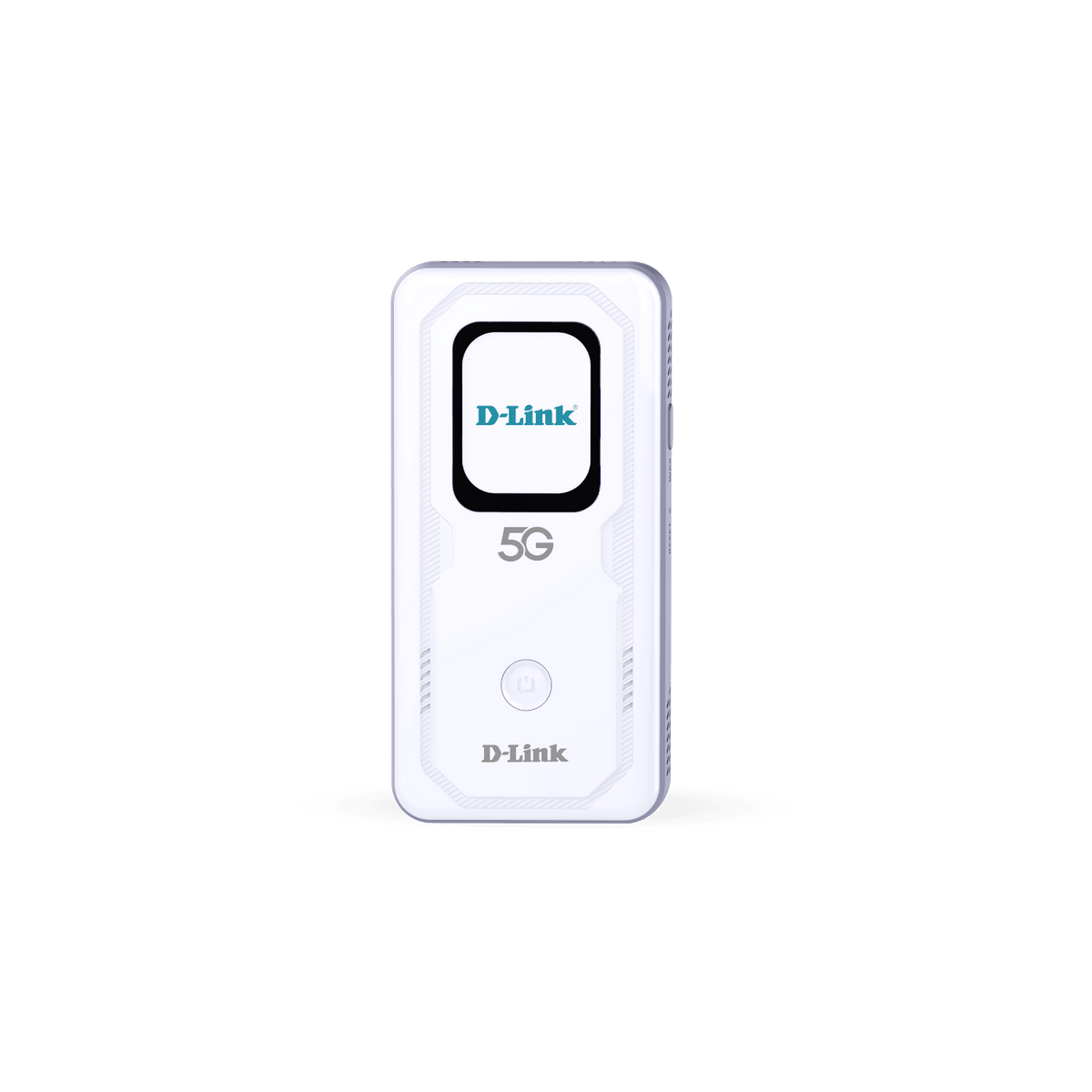









D-Link DWR-U2100 5G Wi-Fi 6 AX900 Mobile Hotspot
Your Mobile Connection for Work and Travel Keep laptops, tablets and other Wi-Fi devices connected through one portable mobile hotspot. The D-Link DWR-U2100 combines 5G mobile broadband with dual-band AX900 Wi-Fi 6, a colour touchscreen and a rechargeable battery, making it useful for travel, mobile work and temporary spaces without fixed broadband. Choose the SIM support that suits your plan. The Nano SIM option uses a physical SIM card, while the eSIM plus Nano SIM option adds storage for compatible eSIM profiles. Both share the same published wireless performance and portable design. A suitable mobile data plan is required separately. Highlights Mobile Broadband and Wi-Fi 5G NR SA/NSA and 4G LTE connectivity with supported networks. Dual-band AX900 Wi-Fi 6, with published link rates up to 286.8 Mbps at 2.4 GHz and 600 Mbps at 5 GHz. Manufacturer-rated support for up to 40 Wi-Fi clients. Choose Your SIM Support Nano SIM for a physical mobile data SIM. eSIM plus Nano SIM adds support for up to three stored eSIM profiles. Confirm the operator, profile and destination-network compatibility before selecting a plan. Portable Power and Control Rechargeable 6000 mAh battery and USB-C charging. 2.01-inch colour touchscreen for connection and device status. Web-based management, WPA/WPA2 security and firmware updates. Key Features Bring a Connection to the Place You Need It Use mobile broadband to connect a work area, travel group or temporary setup without depending on a venue’s shared Wi-Fi. The hotspot supports 5G standalone and non-standalone networks as well as 4G LTE. Coverage, the mobile subscription and local network conditions determine the connection available at each location. Select Physical SIM or eSIM Flexibility The standard option accepts a Nano SIM card. The eSIM plus Nano SIM option adds built-in eSIM capability and supports up to three stored profiles. Activation uses the D-Link Mobile Connect app on iOS or Android, a compatible active plan and a QR code from the provider; your phone needs internet access during setup. Only one mobile service is active at a time; select the physical SIM or an eSIM on the touchscreen. Confirm provider support before buying or transferring a plan. Share the Connection over Wi-Fi 6 Dual-band Wi-Fi 6 provides the local wireless connection for phones, tablets, laptops and other compatible devices. AX900 describes the wireless class, with published link rates of up to 286.8 Mbps on 2.4 GHz and 600 Mbps on 5 GHz. These are wireless link rates, rather than a promise of internet speed or a single-device 900 Mbps connection. Support Several Devices from One Hotspot The manufacturer rates the hotspot for up to 40 Wi-Fi clients. This can simplify a mobile workspace or group connection by keeping devices on one shared network. They still share the same mobile service and available bandwidth, so select a data allowance and connection quality suitable for the expected activity. Carry Power for Mobile Use The built-in rechargeable battery lets the hotspot operate away from a mains socket. USB-C charging accepts a 5 V / 2 A input, and D-Link also lists reverse charging for supported connected devices. Runtime varies with signal quality, traffic, connected clients and display use. Reverse charging draws from the same battery; no fixed operating-hour promise is made. Check Status and Manage the Network The 2.01-inch colour touchscreen shows useful connection information, including network type, signal, operator, battery and Wi-Fi clients. A web interface provides configuration, with WPA/WPA2 security and support for local firmware updates and FOTA. Keep the hotspot updated and choose appropriate wireless credentials before sharing access. Summary The DWR-U2100 combines mobile broadband, Wi-Fi 6 and portable power in one touchscreen hotspot. Choose Nano SIM for a physical data card or eSIM plus Nano SIM when compatible downloadable profiles are useful. Match the mobile plan and supported network bands to the destination, then share the available connection with the devices you need. Frequently Asked Questions Which SIM Support Option Should I Choose?ExpandCollapse Choose Nano SIM if you will use a physical mobile data SIM. Choose eSIM plus Nano SIM if you also need built-in eSIM support. The eSIM option can store up to three profiles; only one mobile service is active at a time. Select the physical SIM or an eSIM on the touchscreen. How Is the eSIM Activated?ExpandCollapse Use the D-Link Mobile Connect app on iOS or Android with a compatible active eSIM plan and its provider-issued QR code. Your phone needs internet access during setup and connects to the hotspot for profile installation. Confirm that the provider supports this device and hotspot use; a QR code alone does not establish compatibility. Is AX900 the Same as a 900 Mbps Internet Connection?ExpandCollapse No. AX900 is the Wi-Fi class. Published wireless link rates are up to 286.8 Mbps on 2.4 GHz and 600 Mbps on 5 GHz. Internet throughput also depends on the mobile network, signal, subscription and shared usage. The theoretical 5G modem maximum is separate from the Wi-Fi link rate. How Many Devices Can Connect?ExpandCollapse D-Link specifies support for up to 40 Wi-Fi clients. Connected devices share the available mobile connection and bandwidth. Plan for the activity and data allowance needed rather than assuming every connected device receives the maximum advertised speed. How Long Will the Battery Last?ExpandCollapse The hotspot has a rechargeable 6000 mAh battery. Actual runtime depends on signal quality, mobile traffic, client activity and display use. USB-C charging requires a suitable 5 V / 2 A supply. Using reverse charging to power another device also uses the hotspot’s battery. Can I Use It Overseas?ExpandCollapse It can be used where the selected mobile service and the hotspot’s supported radio bands are compatible. Check the destination operator, plan and roaming terms before travel. eSIM capability by itself does not guarantee that a particular provider, destination or 5G service will work.
Pickup available at 3005, Ubi Avenue 3, #01-88
Usually ready in 2-4 Business Day (Excluding Public Holiday)
D-Link DWR-U2100 5G Wi-Fi 6 AX900 Mobile Hotspot
Description
Your Mobile Connection for Work and Travel
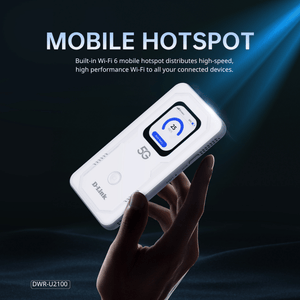
Keep laptops, tablets and other Wi-Fi devices connected through one portable mobile hotspot. The D-Link DWR-U2100 combines 5G mobile broadband with dual-band AX900 Wi-Fi 6, a colour touchscreen and a rechargeable battery, making it useful for travel, mobile work and temporary spaces without fixed broadband.
Choose the SIM support that suits your plan. The Nano SIM option uses a physical SIM card, while the eSIM plus Nano SIM option adds storage for compatible eSIM profiles. Both share the same published wireless performance and portable design. A suitable mobile data plan is required separately.
Highlights
Mobile Broadband and Wi-Fi
- 5G NR SA/NSA and 4G LTE connectivity with supported networks.
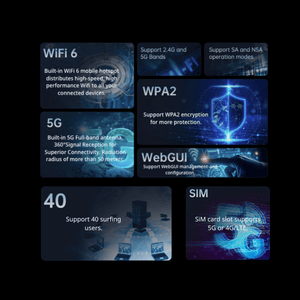
- Dual-band AX900 Wi-Fi 6, with published link rates up to 286.8 Mbps at 2.4 GHz and 600 Mbps at 5 GHz.
- Manufacturer-rated support for up to 40 Wi-Fi clients.
Choose Your SIM Support
- Nano SIM for a physical mobile data SIM.
- eSIM plus Nano SIM adds support for up to three stored eSIM profiles.
- Confirm the operator, profile and destination-network compatibility before selecting a plan.
Portable Power and Control
- Rechargeable 6000 mAh battery and USB-C charging.
- 2.01-inch colour touchscreen for connection and device status.
- Web-based management, WPA/WPA2 security and firmware updates.
Key Features
Bring a Connection to the Place You Need It
Use mobile broadband to connect a work area, travel group or temporary setup without depending on a venue’s shared Wi-Fi. The hotspot supports 5G standalone and non-standalone networks as well as 4G LTE. Coverage, the mobile subscription and local network conditions determine the connection available at each location.
Select Physical SIM or eSIM Flexibility
The standard option accepts a Nano SIM card. The eSIM plus Nano SIM option adds built-in eSIM capability and supports up to three stored profiles. Activation uses the D-Link Mobile Connect app on iOS or Android, a compatible active plan and a QR code from the provider; your phone needs internet access during setup. Only one mobile service is active at a time; select the physical SIM or an eSIM on the touchscreen. Confirm provider support before buying or transferring a plan.
Share the Connection over Wi-Fi 6
Dual-band Wi-Fi 6 provides the local wireless connection for phones, tablets, laptops and other compatible devices. AX900 describes the wireless class, with published link rates of up to 286.8 Mbps on 2.4 GHz and 600 Mbps on 5 GHz. These are wireless link rates, rather than a promise of internet speed or a single-device 900 Mbps connection.
Support Several Devices from One Hotspot
The manufacturer rates the hotspot for up to 40 Wi-Fi clients. This can simplify a mobile workspace or group connection by keeping devices on one shared network. They still share the same mobile service and available bandwidth, so select a data allowance and connection quality suitable for the expected activity.
Carry Power for Mobile Use
The built-in rechargeable battery lets the hotspot operate away from a mains socket. USB-C charging accepts a 5 V / 2 A input, and D-Link also lists reverse charging for supported connected devices. Runtime varies with signal quality, traffic, connected clients and display use. Reverse charging draws from the same battery; no fixed operating-hour promise is made.
Check Status and Manage the Network
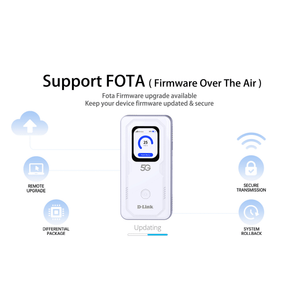
The 2.01-inch colour touchscreen shows useful connection information, including network type, signal, operator, battery and Wi-Fi clients. A web interface provides configuration, with WPA/WPA2 security and support for local firmware updates and FOTA. Keep the hotspot updated and choose appropriate wireless credentials before sharing access.
Summary
The DWR-U2100 combines mobile broadband, Wi-Fi 6 and portable power in one touchscreen hotspot. Choose Nano SIM for a physical data card or eSIM plus Nano SIM when compatible downloadable profiles are useful. Match the mobile plan and supported network bands to the destination, then share the available connection with the devices you need.
Frequently Asked Questions
Which SIM Support Option Should I Choose?
Choose Nano SIM if you will use a physical mobile data SIM. Choose eSIM plus Nano SIM if you also need built-in eSIM support. The eSIM option can store up to three profiles; only one mobile service is active at a time. Select the physical SIM or an eSIM on the touchscreen.
How Is the eSIM Activated?
Use the D-Link Mobile Connect app on iOS or Android with a compatible active eSIM plan and its provider-issued QR code. Your phone needs internet access during setup and connects to the hotspot for profile installation. Confirm that the provider supports this device and hotspot use; a QR code alone does not establish compatibility.
Is AX900 the Same as a 900 Mbps Internet Connection?
No. AX900 is the Wi-Fi class. Published wireless link rates are up to 286.8 Mbps on 2.4 GHz and 600 Mbps on 5 GHz. Internet throughput also depends on the mobile network, signal, subscription and shared usage. The theoretical 5G modem maximum is separate from the Wi-Fi link rate.
How Many Devices Can Connect?
D-Link specifies support for up to 40 Wi-Fi clients. Connected devices share the available mobile connection and bandwidth. Plan for the activity and data allowance needed rather than assuming every connected device receives the maximum advertised speed.
How Long Will the Battery Last?
The hotspot has a rechargeable 6000 mAh battery. Actual runtime depends on signal quality, mobile traffic, client activity and display use. USB-C charging requires a suitable 5 V / 2 A supply. Using reverse charging to power another device also uses the hotspot’s battery.
Can I Use It Overseas?
It can be used where the selected mobile service and the hotspot’s supported radio bands are compatible. Check the destination operator, plan and roaming terms before travel. eSIM capability by itself does not guarantee that a particular provider, destination or 5G service will work.
Specs
D-Link DWR-U2100 5G Wi-Fi 6 AX900 Mobile Hotspot
The D-Link DWR-U2100 is a battery-powered 5G mobile hotspot with dual-band AX900 Wi-Fi 6. The family offers physical Nano SIM support or eSIM plus Nano SIM, with up to three stored eSIM profiles on the eSIM option. The grouped specifications below cover mobile connectivity, wireless performance, setup and portable power. Select a compatible mobile plan for the destination and intended hotspot use. Published mobile and Wi-Fi maxima are theoretical, and connected devices share the available connection.
| Specification | Details |
|---|---|
| Mobile Broadband and SIM Support | |
| Mobile Network Modes | 5G NR SA and NSA; 4G LTE; published WCDMA support |
| SIM Choices | Nano SIM; or built-in eSIM plus Nano SIM |
| eSIM Profile Storage | Up to 3 stored profiles on the eSIM option; only one physical SIM or eSIM service active at a time |
| Theoretical 5G Data Rate | Up to 2.0 Gbps download and 500 Mbps upload; actual service depends on network and subscription |
| 5G NR Bands | n1, n3, n20, n28, n41, n77 and n78 |
| LTE Bands | FDD B1, B3, B5, B7, B8, B20 and B28; TDD B34, B38, B39, B40 and B41 |
| WCDMA Bands | B1 and B8 |
| Mobile Service Requirements | Compatible data SIM or eSIM profile and plan; operator approval, destination coverage and hotspot terms apply |
| Wireless Network | |
| Wi-Fi Standards | IEEE 802.11b/g/n/ac/ax |
| Wireless Class and Bands | AX900; 2.4 GHz and 5 GHz |
| Maximum Published Link Rates | 2.4 GHz up to 286.8 Mbps; 5 GHz up to 600 Mbps |
| Wireless Frequency Range | 2.4–2.483 GHz and 5.15–5.85 GHz; permitted channels depend on the operating region |
| Client Capacity | Up to 40 Wi-Fi clients; available bandwidth is shared |
| Wireless Security | WPA/WPA2 |
| Display and Management | |
| Display | 2.01-inch colour LCD touchscreen |
| Status Information | Network type, signal, SMS status, operator, battery, Wi-Fi/security status and client count |
| Management | Touchscreen and web interface |
| eSIM Setup | D-Link Mobile Connect app on iOS or Android; compatible active plan, provider-issued QR code and phone internet access required |
| Firmware Updates | Local firmware update and FOTA |
| Controls | Power button, WPS button and recessed reset |
| Power and Physical Design | |
| Battery | Built-in rechargeable 6000 mAh lithium-ion battery |
| USB Interface and Charging | 1 × USB-C; 5 V / 2 A charging input |
| Reverse Charging | Listed by the manufacturer; supported connected device and suitable cable required |
| Dimensions and Device Weight | 138 × 71 × 14.2 mm; 185 g |
| Operating Humidity | 10–95% relative humidity, non-condensing |
| Warranty and Compliance | |
| Warranty | Main unit 3 years; battery 6 months; accessories 3 months |
| Published Certification | CE |