

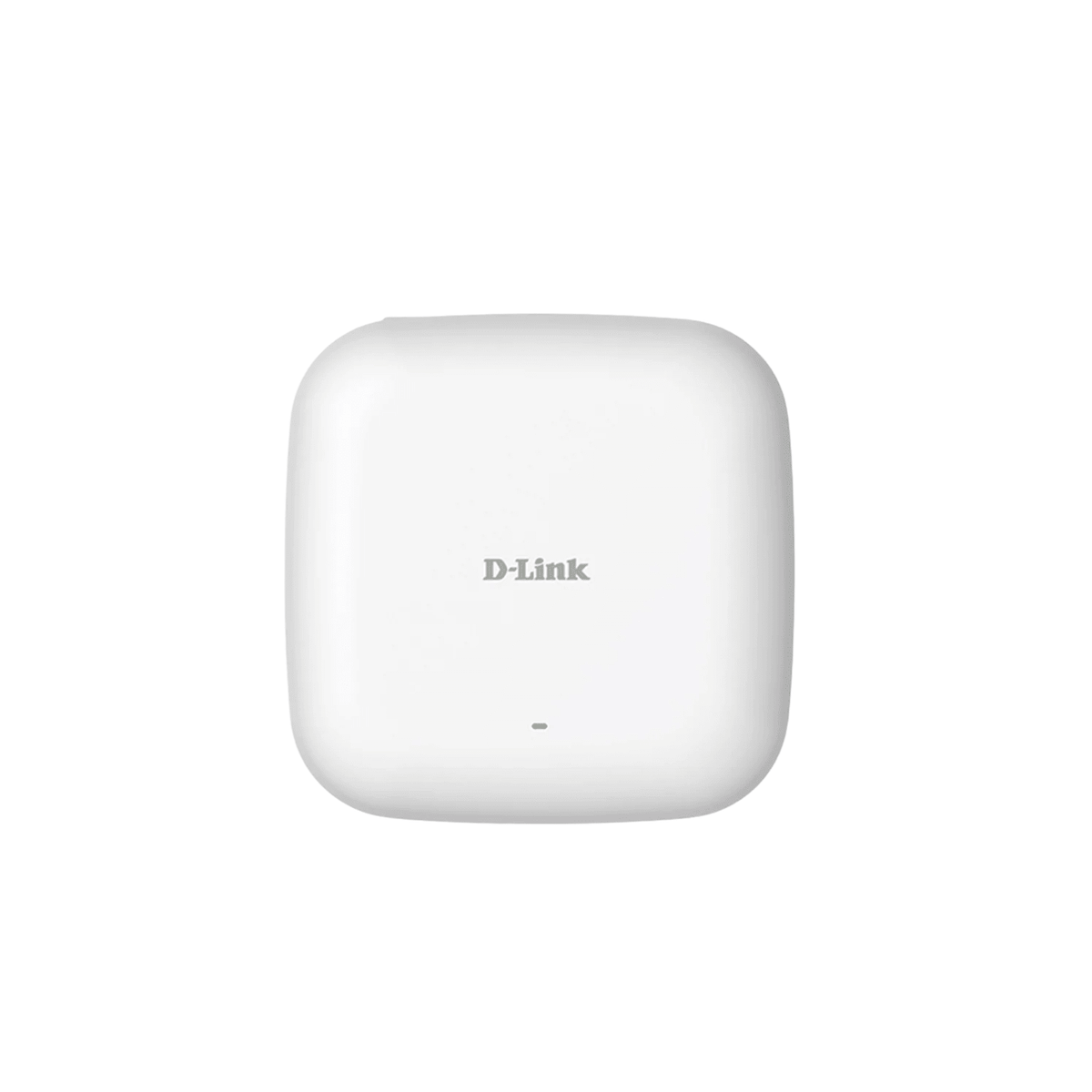



D-Link DAP-2610 Nuclias Connect AC1300 Wave 2 Dual-Band PoE Access Point
Managed Business Wi-Fi With a Clean Indoor Installation The DAP-2610 provides simultaneous dual-band Wi-Fi 5 for offices, hospitality areas and other indoor business spaces. A compact wall- or ceiling-mounted design combines a Gigabit uplink with 802.3af Power over Ethernet, helping keep power and network cabling organised. Its 2×2 Wave 2 radios support up to 400 Mbps on 2.4 GHz and 867 Mbps on 5 GHz, with MU-MIMO and band steering for compatible clients. Nuclias Connect adds central configuration and monitoring when used with a supported controller or software installation. Signal rates are theoretical and actual coverage depends on the site. Highlights Dual-Band Wireless 2.4 GHz up to 400 Mbps and 5 GHz up to 867 Mbps. 802.11ac Wave 2 with 2×2 MU-MIMO and beamforming. Band steering for supported dual-band clients. Managed Access Nuclias Connect central management on supported firmware. Multiple SSIDs, VLANs and authentication options. AP, wireless client, WDS and WDS with AP modes. Installation Gigabit Ethernet uplink with 802.3af PoE. Indoor wall or ceiling installation. DC power adapter and PoE source are separate. Key Features Give Different Devices a Suitable Wi-Fi Band Simultaneous 2.4 GHz and 5 GHz radios let compatible devices use an appropriate wireless connection. The 400 Mbps and 867 Mbps figures describe theoretical radio signal rates, rather than the internet speed of an individual client. Wall construction, interference, distance and client capabilities affect the result. Use Airtime More Efficiently 2×2 MU-MIMO and beamforming support more efficient communication with compatible clients. Band steering encourages suitable dual-band devices towards 5 GHz, helping preserve 2.4 GHz capacity for other equipment. These features support a planned wireless network; they do not remove the need to measure coverage and interference. Manage More Than a Single Access Point Nuclias Connect provides central configuration, monitoring and supported maintenance functions across compatible devices. Use free software or a supported hardware controller according to the deployment. Controller capacity and supported-device lists vary, so select the actual controller and firmware before committing to a wider installation. Separate Business and Guest Access Multiple SSIDs and VLAN assignments help organise different users and services. Supported authentication options include personal and enterprise wireless security, with guest-portal functions under Nuclias Connect. Appropriate upstream switching, routing and firewall rules remain necessary to enforce the intended network separation. Keep the Installation Discreet A low-profile enclosure can be mounted on an indoor wall or ceiling. IEEE 802.3af PoE carries power and data over the Ethernet cable, avoiding a power socket beside the AP. A suitable PoE switch or injector is separate; an optional 12 V DC adapter is another powering route. Choose the Operating Mode for the Job Access point, wireless client, WDS and WDS with AP modes support different deployment needs. Wireless backhaul and repeater arrangements share radio airtime and depend on compatible peers and settings. Use a wired Gigabit uplink where practical, and validate performance before relying on a bridging arrangement. Summary The DAP-2610 combines dual-band Wi-Fi 5, Gigabit PoE connectivity and Nuclias Connect management in a compact indoor access point. It is a useful fit for a managed business network where organised guest access, considered AP placement and straightforward central maintenance matter more than an isolated headline signal rate. Frequently Asked Questions Is This a Router With a SIM Slot?ExpandCollapse No. It is an indoor wireless access point. It normally connects by Ethernet to a suitable router and network; internet service and routing are provided separately. How Is the Access Point Powered?ExpandCollapse Use a suitable IEEE 802.3af PoE switch or injector, or an appropriate optional 12 V DC adapter. The PoE source and DC adapter are not included in this offer. Is a Nuclias Connect Controller Required?ExpandCollapse It can be administered individually. A supported Nuclias Connect software installation or hardware controller adds central management. Check the exact AP firmware and controller compatibility before deployment. Is the Advertised Wireless Speed Guaranteed?ExpandCollapse No. The band rates are theoretical maximum signal rates. Actual throughput and coverage depend on the client, interference, construction, distance and the rest of the network. Can It Be Installed Outdoors?ExpandCollapse No. It is intended for an indoor installation. Wall or ceiling mounting does not establish weather protection. Choose a suitably rated outdoor model for an exposed location. Will Every Device Roam Seamlessly?ExpandCollapse No. Roaming depends on client behaviour and a properly designed network. Central management and suitable radio settings help organise multiple APs, but they do not guarantee uninterrupted sessions for every client.
Pickup available at 3005, Ubi Avenue 3, #01-88
Usually ready in 2-4 Business Day (Excluding Public Holiday)
D-Link DAP-2610 Nuclias Connect AC1300 Wave 2 Dual-Band PoE Access Point
Description
Managed Business Wi-Fi With a Clean Indoor Installation
The DAP-2610 provides simultaneous dual-band Wi-Fi 5 for offices, hospitality areas and other indoor business spaces. A compact wall- or ceiling-mounted design combines a Gigabit uplink with 802.3af Power over Ethernet, helping keep power and network cabling organised.
Its 2×2 Wave 2 radios support up to 400 Mbps on 2.4 GHz and 867 Mbps on 5 GHz, with MU-MIMO and band steering for compatible clients. Nuclias Connect adds central configuration and monitoring when used with a supported controller or software installation. Signal rates are theoretical and actual coverage depends on the site.
Highlights
Dual-Band Wireless
- 2.4 GHz up to 400 Mbps and 5 GHz up to 867 Mbps.
- 802.11ac Wave 2 with 2×2 MU-MIMO and beamforming.
- Band steering for supported dual-band clients.
Managed Access
- Nuclias Connect central management on supported firmware.
- Multiple SSIDs, VLANs and authentication options.
- AP, wireless client, WDS and WDS with AP modes.
Installation
- Gigabit Ethernet uplink with 802.3af PoE.
- Indoor wall or ceiling installation.
- DC power adapter and PoE source are separate.
Key Features
Give Different Devices a Suitable Wi-Fi Band
Simultaneous 2.4 GHz and 5 GHz radios let compatible devices use an appropriate wireless connection. The 400 Mbps and 867 Mbps figures describe theoretical radio signal rates, rather than the internet speed of an individual client. Wall construction, interference, distance and client capabilities affect the result.
Use Airtime More Efficiently
2×2 MU-MIMO and beamforming support more efficient communication with compatible clients. Band steering encourages suitable dual-band devices towards 5 GHz, helping preserve 2.4 GHz capacity for other equipment. These features support a planned wireless network; they do not remove the need to measure coverage and interference.
Manage More Than a Single Access Point
Nuclias Connect provides central configuration, monitoring and supported maintenance functions across compatible devices. Use free software or a supported hardware controller according to the deployment. Controller capacity and supported-device lists vary, so select the actual controller and firmware before committing to a wider installation.
Separate Business and Guest Access
Multiple SSIDs and VLAN assignments help organise different users and services. Supported authentication options include personal and enterprise wireless security, with guest-portal functions under Nuclias Connect. Appropriate upstream switching, routing and firewall rules remain necessary to enforce the intended network separation.
Keep the Installation Discreet
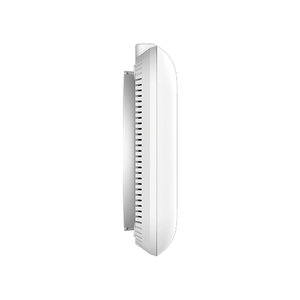
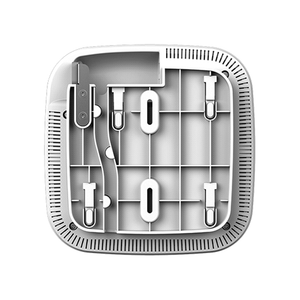
A low-profile enclosure can be mounted on an indoor wall or ceiling. IEEE 802.3af PoE carries power and data over the Ethernet cable, avoiding a power socket beside the AP. A suitable PoE switch or injector is separate; an optional 12 V DC adapter is another powering route.
Choose the Operating Mode for the Job
Access point, wireless client, WDS and WDS with AP modes support different deployment needs. Wireless backhaul and repeater arrangements share radio airtime and depend on compatible peers and settings. Use a wired Gigabit uplink where practical, and validate performance before relying on a bridging arrangement.
Summary
The DAP-2610 combines dual-band Wi-Fi 5, Gigabit PoE connectivity and Nuclias Connect management in a compact indoor access point. It is a useful fit for a managed business network where organised guest access, considered AP placement and straightforward central maintenance matter more than an isolated headline signal rate.
Frequently Asked Questions
Is This a Router With a SIM Slot?
No. It is an indoor wireless access point. It normally connects by Ethernet to a suitable router and network; internet service and routing are provided separately.
How Is the Access Point Powered?
Use a suitable IEEE 802.3af PoE switch or injector, or an appropriate optional 12 V DC adapter. The PoE source and DC adapter are not included in this offer.
Is a Nuclias Connect Controller Required?
It can be administered individually. A supported Nuclias Connect software installation or hardware controller adds central management. Check the exact AP firmware and controller compatibility before deployment.
Is the Advertised Wireless Speed Guaranteed?
No. The band rates are theoretical maximum signal rates. Actual throughput and coverage depend on the client, interference, construction, distance and the rest of the network.
Can It Be Installed Outdoors?
No. It is intended for an indoor installation. Wall or ceiling mounting does not establish weather protection. Choose a suitably rated outdoor model for an exposed location.
Will Every Device Roam Seamlessly?
No. Roaming depends on client behaviour and a properly designed network. Central management and suitable radio settings help organise multiple APs, but they do not guarantee uninterrupted sessions for every client.
Specs
D-Link DAP-2610 Nuclias Connect AC1300 Wave 2 Dual-Band PoE Access Point
The DAP-2610 is an indoor AC1300 dual-band 2×2 Wave 2 access point with a Gigabit Ethernet uplink and IEEE 802.3af PoE. It supports standalone administration and compatible Nuclias Connect deployments, including centrally configured wireless networks and guest-access options. MU-MIMO, beamforming and band steering support efficient communication with compatible clients. Theoretical wireless signal rates are separate from usable throughput. Provide a suitable PoE source or optional DC adapter and plan the mounting location for indoor coverage.
| Specification | Details |
|---|---|
| Wireless | |
| Wi-Fi Standard | IEEE 802.11a/b/g/n/ac Wave 2 |
| Radio Configuration | Simultaneous dual band; 2×2 MU-MIMO |
| Maximum Signal Rates | 2.4 GHz: 400 Mbps; 5 GHz: 867 Mbps; theoretical |
| Antennas | 2 × internal dual-band 3 dBi omnidirectional antennas |
| Radio Functions | Beamforming, band steering, multiple SSIDs; regional channel/power limits apply |
| Modes | AP, wireless client, WDS and WDS with AP |
| Management and Access | |
| Central Management | Compatible Nuclias Connect software or hardware controller; exact firmware support required |
| Individual Administration | Web/HTTPS, SSH/Telnet and supported management tools |
| Wireless Security | Personal/enterprise authentication; MAC access controls and internal RADIUS capabilities |
| Segmentation | Multiple SSIDs and VLAN support; matching upstream configuration required |
| Guest Authentication | Captive-portal options depend on controller, firmware and configured identity services |
| Interfaces and Power | |
| Uplink | 1 × 10/100/1000 Mbps Ethernet with PoE input |
| PoE Input | IEEE 802.3af |
| Optional DC Power | 12 V DC adapter; not included |
| Maximum Consumption | 12 W |
| Physical and Environmental | |
| Installation | Indoor wall/ceiling mount |
| Dimensions | 170 × 170 × 28 mm |
| Device Weight | 314 g without base; 370.6 g with mounting base |
| Operating Temperature | 0°C to 40°C |
| Storage Temperature | −20°C to 65°C |
| Humidity | Operating 10–90%; storage 5–95%; non-condensing |
| Warranty | 5 years |
| Required Equipment | |
| Network | Router/internet service and suitable Ethernet network |
| Power | Compatible PoE switch/injector or optional DC adapter |
| Management | Supported controller/software if central management is required |