
Installation Guides
Outdoor PoE and Lightning: What Ethernet Surge Protectors Can and Cannot Do
Outdoor Ethernet needs more than a weatherproof device. Trace the copper route, bonding and power arrangements before relying on a surge protector.
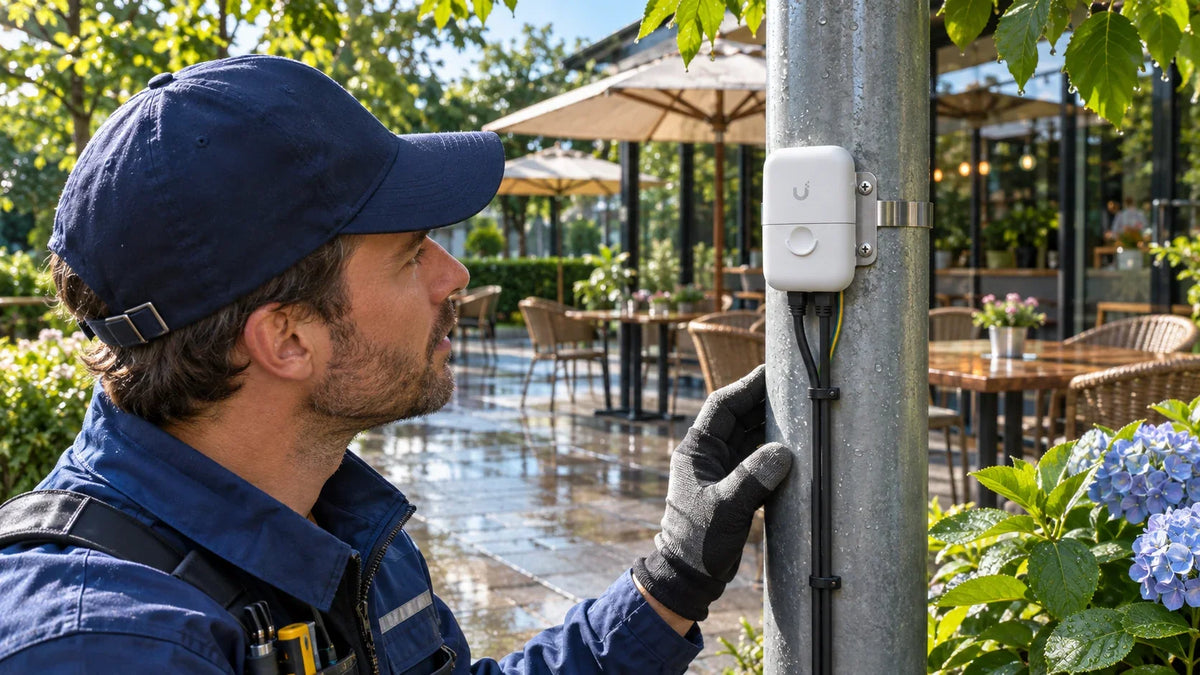
An Ethernet surge protector can reduce specified transient risks only as part of a correctly installed protection and bonding design. Match the exact product to the data speed and PoE path, follow the grounding instructions and assess where copper enters the building. It does not make an installation lightning-proof.
An outdoor access point survives the rain, but equipment indoors fails after a storm. The weather rating and the electrical path answer different questions. Copper can connect outdoor equipment to a switch inside, so the whole route deserves attention, especially at exposed poles and links between buildings.
Trace the Cable Before Choosing the Accessory
Mark the outdoor device, cable route, building entry, indoor switch and available earthing or bonding arrangements. Include power supplies and any separate exposed conductors. The objective is a coherent site design, rather than a small accessory fitted wherever space happens to be available.
Ubiquiti’s ETH-SP-G2 installation material shows protection at the outdoor equipment and the building entry. Its grounding instructions are essential to the intended function. Use the manufacturer’s cable and bonding guidance with the site’s electrical design; do not improvise an earth connection to a convenient pipe or unverified metal bracket.
Protection Needs a Deliberate Path
An Ethernet protector is one part of the site design.
01 An outdoor copper run
A protector needs the specified bondingFollow the installation guide and site earthing design. An ungrounded accessory is not a complete solution.
02 A link between buildings
Fibre carries data, not PoE powerEach end still needs its own power and suitable electrical protection.
Physical weather protection also needs the correct orientation, cable entries and sealing. A housing rating does not certify every cable joint beside it.
ETH-SP-G2 and ETH-SP-Pro Are Different Variants
The Ethernet surge-protector listing includes two model variants. Read the selected model and SKU, rather than relying on their similar white cases.
| Exact model | Published data-line rating | Published discharge-current figure |
|---|---|---|
| ETH-SP-G2 | Up to 2.5 Gbps | 10 kA+ |
| UACC-ETH-SP-Pro | Up to 10 Gbps | 20 kA |
Older ETH-SP-G2 datasheets specify Gigabit operation, while current online specifications list up to 2.5 Gbps. Confirm the documentation applicable to the exact unit, particularly when reusing an older protector. Both models have PoE support, but a product’s data rating, electrical ratings and installation instructions still need to match the intended link. For a 10GbE outdoor AP or handoff, the G2’s lower published data rating is a material difference. Do not buy it on the assumption that all RJ45 surge protectors pass 10GbE.
The quoted discharge-current figures describe specified test behaviour. They are not a promise that the building or attached equipment will survive a direct lightning strike.
Grounding Is a Requirement, Not an Optional Extra
A surge-protection device needs the specified path to divert transient energy. Incorrect or missing bonding can undermine the protection plan. Keep the manufacturer’s installation instructions available to the installer and have the site’s earthing, bonding and electrical requirements assessed by a qualified person.
A shielded cable is not a substitute for that design. Shield continuity, connector termination, environmental suitability and the equipment at both ends need to be considered together. Do not connect outdoor equipment during dangerous weather or treat a successful link light as an electrical acceptance test.

Check the selected ETH-SP-G2 or UACC-ETH-SP-Pro variant, data rating and grounding requirements. The enclosure is approximately 91 × 61 × 32.5 mm.
Between Buildings, Compare Fibre and Local Power
When two buildings need a data link, suitable non-conductive fibre can avoid a metallic Ethernet data connection between them. Each end still needs its own electrical supply, power protection and appropriate equipment. Fibre does not carry PoE power to the remote camera or access point.
Check the whole cable construction, not just the word “fibre”: metallic armour or other conductive elements need their own assessment. Use the fibre media-converter and power guide for the data-link architecture, then have the physical route designed for the site.
A wireless bridge can be another option where the path and operating conditions suit it. It also needs correctly protected local power at both ends. Avoid treating either fibre or wireless as a universal answer to every electrical or installation risk.
Check Data Performance and Installation Separately
After the installation has been completed safely, verify link negotiation, PoE stability and useful traffic on the intended equipment. Record the protector model at each location so a future replacement does not quietly downgrade a multi-gigabit path.
- Confirm the exact device, PoE source and protector ratings.
- Check mounting, cable entry, bonding and the building-entry arrangement against the design.
- Test the actual data link and camera or AP workload.
- Keep the installation record and inspection requirements accessible.
For ordinary dropouts without evidence of storm damage, the PoE camera troubleshooting guide helps separate power, cable and network faults. A surge protector will not repair an existing bad connector or overloaded PoE budget.
Choose a Complete Protection Plan
For outdoor copper, buy the correct rated components and a competent installation. For building-to-building links, assess fibre with local power before committing to exposed copper. The useful result is a documented, serviceable route with suitable protection, rather than a claim that one small box defeats lightning.
Frequently Asked Questions
Will an Ethernet surge protector stop a direct lightning strike?
Do not treat it as such a guarantee. Its specified transient protection is only one part of a wider electrical and lightning-risk design.
Does ETH-SP-G2 support a 10GbE link?
Its current published data-line rating is up to 2.5 Gbps. UACC-ETH-SP-Pro is separately rated up to 10 Gbps. Verify the exact selected model.
Can I install it without a ground connection?
Follow the manufacturer’s grounding and bonding instructions. An ungrounded accessory is not a complete protection design; have the site arrangement assessed appropriately.
Should protection go only beside the switch?
Assess the outdoor device and the building entry as well as the indoor equipment. Follow the installation guide and the site’s electrical design.
Does fibre power the remote access point?
No. Fibre carries the data link. The remote equipment needs a suitable local power and PoE arrangement.
Will a surge protector fix an unstable PoE camera?
Not if the cause is a bad connector, inadequate power, excessive cable loss or a network fault. Diagnose the symptom and inspect damaged equipment before returning it to service.


