
Card Printers
Evolis Primacy 2 vs Zebra ZC300 vs HiTi CS-270e: Value, Features and Growth
Compare Evolis Primacy 2, Zebra ZC300 and HiTi CS-270e as three complete card-issuance options. Balance print speed, ribbon yield, card designs, operator workflow and a supported route for growth.
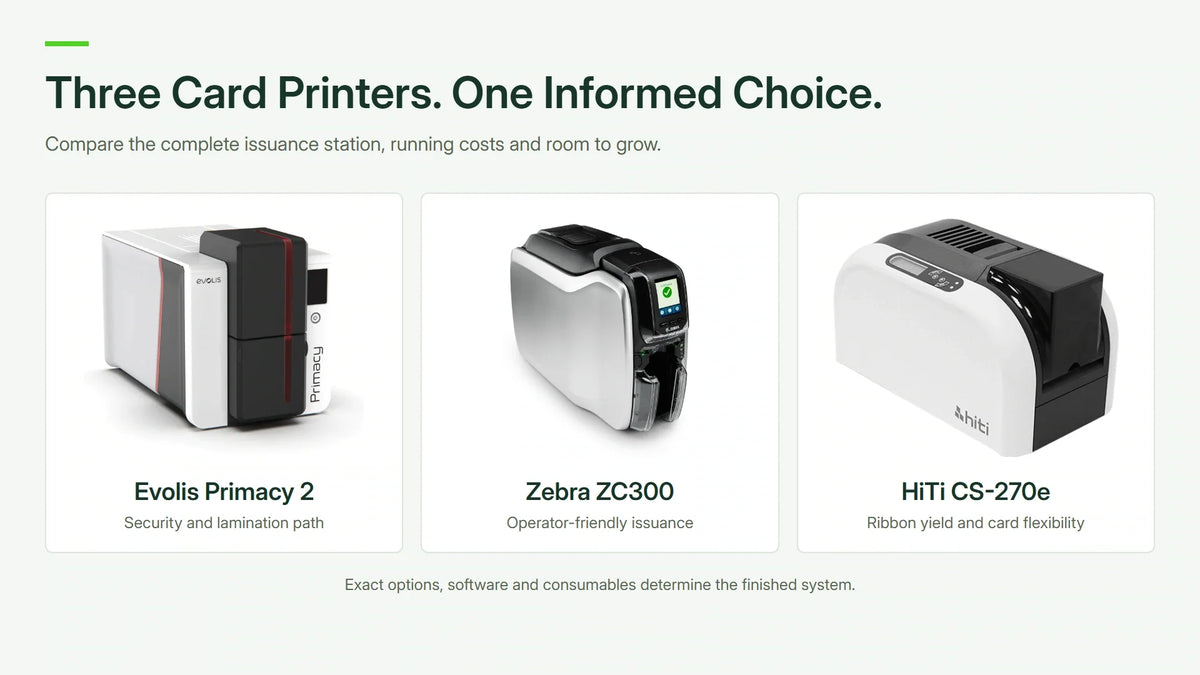
Quick answer: Evolis Primacy 2, Zebra ZC300 and HiTi CS-270e are three direct-to-card printer options for staff badges and membership cards. Primacy 2 merits attention for its security and supported lamination path; ZC300 for its operator-friendly design and quoted issuance configuration; HiTi for its 400-print YMCKO ribbon, compatible transparent stock and modular options. Choose by the finished card, complete running cost and supported expansion, rather than the brand name alone.
A badge that looks right is only one part of the result. It may also need the correct reverse-side information, a readable barcode, an authorised access credential and a record that the operator can retrieve without retyping it.
Highlights
- Begin with the finished card. The layout, card material, lifespan and workflow determine the useful options.
- Compare the same print mode. Full-colour and half-panel figures are different measures.
- Specify duplex explicitly. A two-sided family capability does not establish that the chosen unit already includes it.
- Printing and encoding are separate. Visible artwork does not make a chip or magnetic stripe work with a door system.
- Include consumables and software from the start. The printer alone is not a complete issuance station.
Start with the Card and the Operator’s Job
A staff photo badge, a membership card with a barcode and an event pass can all use similar card stock while creating different requirements. Put a sample layout beside the purchasing specification before choosing hardware.
Identify what appears on each side, how the data is supplied and who approves an issued card. An operator printing from a controlled database has a different workflow from someone entering details individually at reception.
Then decide how the card will be used. A short-lived visitor badge and a frequently handled staff credential may need different durability or security provisions. More printer options are not automatically better; the relevant ones are those the workflow actually requires.
Three Card Printers: Compare Equivalent Modes
| Buying Consideration | Evolis Primacy 2 | Zebra ZC300 | HiTi CS-270e |
|---|---|---|---|
| Print process | Direct-to-card | Direct-to-card | Direct-to-card |
| Standard resolution | 300 dpi | 300 dpi | 300 dpi |
| Published colour throughput | Up to 280 cards/hour in current brochure; confirm mode and configuration. | 200 cards/hour single-sided YMCKO over USB in batch mode. | 21 seconds per YMCKO colour card in standard mode, about 171 cards/hour by arithmetic. |
| Standard input / output | 100 / 100 cards in the specified configuration. | 100 / 100 cards at the specified thickness. | 100 / 50 cards at the specified thickness. |
| Full-panel YMCKO ribbon yield | 300 prints in the referenced range. | 200 or 300 prints, depending on ribbon. | 400 prints in the referenced range. |
| Duplex and encoding | Specify fitted options and supported upgrade route. | Specify the exact single- or dual-sided SKU and encoding. | Optional compatible flipper and encoders; confirm fitted modules. |
| Network connection | USB and Ethernet; check optional wireless configuration. | USB and Ethernet; check optional wireless configuration. | USB; Ethernet is an option. |
| Expansion priority | Evaluate encoding, security and a supported lamination route. | Evaluate the operator workflow and quoted duplex/encoding configuration. | Evaluate transparent cards, ribbon yield and only the modules required. |
The current Primacy 2 brochure quotes up to 280 single-sided colour cards/hour; an older specification separates 235 full-panel YMCKO from 280 half-panel. Confirm the exact ribbon, mode, firmware and quoted configuration before using a rate to size a job. These are manufacturer figures from different test conditions, not a common head-to-head benchmark.


When Print Speed Matters, and When It Does Not
For 100 cards, arithmetic from the stated rates is about 21.4 minutes at 280 cards/hour, 30 minutes at 200 cards/hour and 35 minutes at 21 seconds per card. These are separate engine-time calculations, not a timed comparison. Preparation, the selected colour mode, encoding, handling and reprints can change the completed-job time.
For a prepared batch, printing can be a meaningful part of the queue. For occasional reception use, finding the correct record, taking a photo and correcting details may dominate the time instead. A faster headline rate cannot compensate for an awkward issuance process.
Record both normal monthly volume and the busiest session. A modest replacement-card workload can still include a large annual intake. Evaluate that peak using the actual layout and chosen printing mode.
Single-Sided or Dual-Sided?
If the reverse carries emergency details, terms or instructions, include that requirement in the quote. Manual refeeding adds operator time and another opportunity for the wrong orientation or card pairing.
For occasional work, that extra handling may be acceptable. For regular two-sided issuance, a supported duplex configuration can make the process more consistent. Confirm the exact part number and upgrade route; an option described in a family brochure is not proof that it is already fitted.
Ribbons, Cards and Cleaning: The First-Order Essentials
YMCKO describes a ribbon arrangement containing colour panels, resin black and an overlay. Different artwork and reverse-side jobs can require a different panel sequence. Choose the ribbon reference for both the printer and the intended layout.
A black-only reverse and two full-colour sides should not be treated as the same consumable requirement. Match the ribbon’s validated yield to the job rather than comparing cassette prices in isolation.
Compatible blank stock and cleaning supplies also belong in the order. Keep cards clean and handle the media as directed. Zebra specifies genuine Zebra ribbons for ZC300; consumables should follow the guidance for the chosen printer rather than be assumed interchangeable across brands.
A useful purchasing list contains the printer configuration, starting ribbon, blank cards, cleaning kit and the software needed to produce the first accepted card. Otherwise, a delivered printer can still leave the operator unable to complete the job.
Printing Is Not the Same as Access-Card Encoding
A printed name, logo or serial number does not activate a chip or magnetic stripe. Electronic credentials need the correct card technology, authorised issuance process and compatible access system.
Before specifying an encoder, identify the credential format and confirm that the intended application supports the required operation. The generic words “RFID” or “smart card” do not establish compatibility.
Check whether the option is factory-fitted or supported as an upgrade, what software or middleware is required and who controls the issuance credentials. Sensitive keys and credential details should remain with the authorised system team.
Overlay, Lamination and Retransfer Solve Different Problems
A ribbon overlay is not the same as a separately applied laminate. If the finished card needs lamination, specify a supported printer/module, film and card combination rather than assuming an ordinary overlay supplies the same result.
Primacy 2 has an optional CLM lamination path to evaluate for that requirement. The selected printer and module configuration must form a supported combination.
Where print consistency around a chip or a challenging surface is central to the job, compare a suitable retransfer system as a separate option. Models such as Evolis Avansia use a different printing process. A higher resolution number alone does not resolve every card-surface requirement.
Card Software and Workstation Support
The workstation, driver and design application must support the required workflow. A basic card layout, spreadsheet import, managed database and encoding job can need different software editions.
The cardPresso range is one software route to assess alongside the printer. Confirm the edition, workstation count, data source and required printer integration. A bundled entry edition should not be assumed to include every database or encoding feature.
For shared use, define who may print, who approves a new credential and how a correction or lost card is handled. Network connectivity makes the printer reachable; it does not establish an issuance policy.
Ribbon Yield, Card Design and the Cost of Accepted Cards
Give all three printers a place in the same purchasing exercise. HiTi CS-270e brings a published 400-print full-panel YMCKO ribbon and compatible transparent-card support; Primacy 2 and ZC300 have their own strengths in supported options, operating workflow and the selected supply ecosystem.
For modest staff or membership batches, a small difference in engine time may matter less than supply changes, operator steps and the cost of accepted cards. HiTi's modular approach lets a quotation focus on the required station, with duplex, Ethernet or encoding added only where the supported configuration needs them.
Do not equate value with the lowest printer price. Compare current like-for-like quotations, matching the software, network connection, duplex and credential requirements. A lower ribbon-change frequency can be useful without proving that each finished card is cheaper.

Use the CS-270e ribbon range to compare the correct full-panel, half-panel or monochrome consumable. The half-panel option is useful only when the artwork fits its supported colour area.
Compare Cost per Usable Card
A useful running-cost calculation is:
Relevant ribbon, blank-card and consumable cost ÷ acceptable cards issued.
Keep hardware, software and required options visible separately if allocating them over a planning period. Use the same assumed layout, volume and acceptance criteria for both systems.
Test cards and rejected cards matter. If an illustrative run consumes media for 110 cards to issue 100 acceptable cards, dividing its consumable cost by 110 understates the cost of each usable result. Operator handling, cleaning and reprints can be more useful purchasing considerations than a small difference in cassette price.
A Complete Selection Checklist
- A sample layout for each side, with personal data removed.
- Card material, format, durability and any encoding requirement.
- Normal volume and the largest expected batch.
- Exact printer part number, duplex configuration and fitted options.
- Matching ribbon, blank stock, cleaning supplies and software edition.
- A sample print and, where required, an authorised credential test.
Future-Proofing Means a Supported Expansion Path
Plan the next two requirements, not every possible accessory. A reception desk may begin with occasional one-sided badges and later need a membership batch, reverse-side details or authorised electronic credentials. Record which changes can be made to the exact quoted unit and which require another configuration.
Primacy 2: investigate its encoding, security and supported CLM lamination path when card durability or issuance requirements justify those options. ZC300: confirm the duplex and encoder configuration needed at purchase rather than assuming every single-sided unit can be converted later. HiTi CS-270e: verify the compatible flipper, Ethernet and encoder modules for the intended expansion.
Capacity is also operational. Software editions, database integration, operator training, replacement supplies and a second issuance station can become the next constraint. A large annual intake deserves a tested peak-day plan, even if normal monthly demand is modest.

Frequently Asked Questions
Which Card Printer Offers the Most Useful Value?
HiTi CS-270e is a strong shortlist candidate when its 400-print ribbon, compatible transparent-card designs and optional modules fit the job. Primacy 2 can justify its configuration for security and lamination needs; ZC300 can suit an operator-focused issuance workflow. Compare complete quotations and accepted-card cost.
Can All Three Printers Produce Double-Sided Cards?
All three have supported two-sided configurations or options. Duplex must be included in the specific quoted configuration rather than inferred from the family name.
Is 280 cards/hour a like-for-like comparison with 200 cards/hour?
Not without checking mode and configuration. The current Primacy 2 brochure quotes up to 280 colour cards/hour, while an older sheet separates full-panel and half-panel rates. ZC300 quotes 200 single-sided YMCKO cards/hour over USB in batch mode; HiTi quotes 21 seconds per standard-mode YMCKO card. These are separate manufacturer conditions.
Does a printed staff badge automatically work for door access?
No. Card technology, credential encoding and the access-system configuration are separate requirements from visible printing.
Should lamination be included for every badge?
Choose it from the card’s intended handling, lifespan and security requirement. An occasional visitor badge and a long-term staff credential do not automatically need the same finish.
Which information is needed for a useful comparison?
A sample layout, side count, monthly and peak volume, card technology, workstation platform, data source and any required encoding or lamination provide a practical basis.
Which Card Printer Should You Choose?
- Choose Primacy 2 when the supported security, encoding and lamination route answers a defined card-life or issuance requirement.
- Choose ZC300 when the operator workflow, display and selected duplex or encoding configuration suit the issuance team.
- Choose HiTi CS-270e when the 400-print ribbon, compatible transparent-card designs and modular configuration provide the most useful complete station for the budget.
Primacy 2, ZC300 and HiTi CS-270e are best assessed as parts of a card-issuing system. Match the layout, operator process, consumables and options first. The better choice is the configuration that produces the required usable card consistently, with a clear route for ongoing supplies and software support.
Build a Complete Issuance Station
- Evolis Primacy 2 and Zebra ZC300: compare alongside HiTi CS-270e with the same card layout and fitted requirements.
- Card-printer supplies and accessories: identify the correct starting consumables.
- Card printers: compare other print processes when the card requirement extends beyond the shortlist.


