
Pets
Robot Vacuums With Pets: Maps, No-Go Zones and Setup
Plan around pet bowls, litter areas, loose cables and low furniture. Compare mapping with obstacle avoidance, set useful no-go zones and choose a realistic cleaning routine.
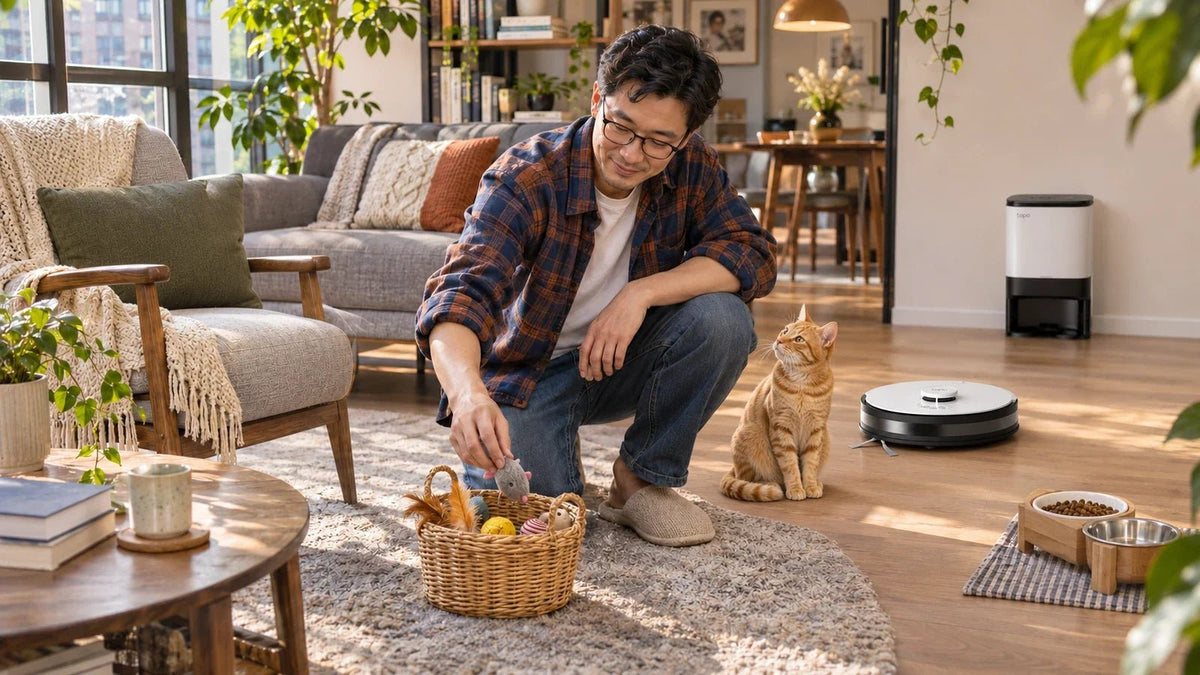
A robot vacuum can make everyday pet hair easier to manage, but a room map is not a guarantee that it will avoid pet accidents. Clear the floor, exclude feeding and litter areas, give the dock a clear approach and watch the first few cleans. Choose the robot for your actual floor and furniture, rather than assuming that every “smart” model recognises the same objects.
The appealing part is simple: less fur under the sofa and fewer crumbs waiting when you come home. The difficult part is the moving target. A cat shifts its toy, a dog nudges a water bowl and a charging lead ends up on the floor after the map was created.
A useful routine accounts for those changes. This guide explains what mapping can do, how to plan no-go zones and what to check when comparing the Tapo RV20 Plus and RV30 Plus for a home with pets.
Mapping, Obstacle Avoidance and Recognition Are Different
Three descriptions often appear together on a product page. Read them as separate capabilities:
| Capability | What it helps with | What to check before relying on it |
|---|---|---|
| Room mapping | Organising a cleaning route and selecting mapped rooms or areas | A saved room layout does not tell the robot what a new object is |
| Obstacle avoidance | Responding to obstacles detected by the model’s sensors | The documented sensor system and its limitations, especially around small or low objects |
| Object recognition | Identifying particular object types when the manufacturer explicitly supports that feature | The exact supported objects and model, rather than a generic “AI” or LiDAR label |
LiDAR navigation is useful for planning a route. It should not be treated as proof that the robot identifies every cable, tiny toy, wet patch or pet dropping. If avoidance of a specific object is central to your purchase, find that object in the exact model’s current documentation.
Clean up pet accidents manually before starting. A scheduled clean should never depend on the hope that the robot will recognise an unexpected mess. A no-go zone protects a chosen location; it cannot predict where the next accident will happen.
Plan Around Bowls, Litter and Moving Toys
Walk the intended route as it looks on an ordinary day, with the pet’s things in place. Separate areas that the robot should clean from areas that need a different routine.

- Feeding area: include the bowls and the mat around them in the excluded area. Check the surrounding floor for spilled water before cleaning.
- Litter area: exclude the tray and its immediate mat. Deal with wet, clumped or contaminated material manually rather than sending the robot through it.
- Toy area: contain small toys before the run. A fixed exclusion is useful for a regular play corner, but a toy carried into the hallway still needs picking up.
- Loose cables: secure trailing charging leads, cords and tassels that could enter a brush. Keep the charging path clear without leaving the pet without access to water or its usual resting place.
In a supported Tapo map, a no-go zone excludes an area, while a virtual wall creates a boundary line. A no-mop zone is a separate control for supported mopping models. It is not another name for a permanent no-go area.
For the non-Max RV30 family, Tapo explains that a no-mop area is avoided when the mop mount is attached. Cleaning that carpeted area may require removing the mount. Do not assume that a model automatically lifts its mop merely because it can draw a carpet area on a map.
Start the exclusion slightly beyond the object’s footprint, then observe an actual clean and adjust it. Keep exclusions away from the dock and its approach. Use the physical precautions required by the manual around steps or other hazards; a software boundary is not a substitute for those precautions.
The Dock and the Sofa Can Decide the Result
A convenient-looking corner may be a poor home for the dock. Tapo’s placement guidance calls for a position against a wall with at least 0.5 m clear on each side and 1.5 m in front. Follow the instructions supplied with your exact dock and keep the return route free of bowls, shoes and moveable furniture.
Check the lowest point under furniture, including sagging fabric, crossbars and anything hanging below the frame. The robot needs clearance for its complete body, not only its front bumper.

Measure the real gap before buying. Also inspect chair bases, thresholds, narrow passages and rug edges during a supervised run. A room can be large enough overall while one awkward chair leg repeatedly interrupts the route.
If a movable item is the cause, moving it may be the simplest answer. If a particular recess is consistently unsuitable, exclude that recess and clean it separately. Buying a higher suction rating does not change its physical clearance.
RV20 Plus or RV30 Plus: Choose for the Floor
These two catalogue examples offer mapping and an auto-empty dock, but they are different products. The names below refer to RV20 Plus and RV30 Plus, not their Max or other similarly named variants.

A lower-profile, vacuum-only option. Consider its documented 78 mm body height when checking access below furniture.

A vacuum-and-mop option with a raised LiDAR turret and a documented 95 mm body height. Plan carpet exclusions and mop care.
| Decision | RV20 Plus | RV30 Plus |
|---|---|---|
| Floor-cleaning function | Vacuum only | Vacuum and mop |
| Published robot dimensions | 342.6 × 342.2 × 78 mm | 342.6 × 342.2 × 95 mm |
| Navigation | MagSlim LiDAR and gyroscope | LiDAR and gyroscope |
| Useful planning controls | Mapped rooms, no-go zones and virtual walls | Mapped rooms, no-go zones and virtual walls, with mopping controls |
| The practical question | Does the lower body fit the places you need vacuumed? | Will the mopping routine suit your hard floors and carpets? |
Choose the RV20 Plus when vacuuming and lower furniture clearance fit the job. Choose the RV30 Plus when you also want supported mopping and can accommodate the taller body. Neither choice removes the need to prepare the floor or check for pet accidents.
An auto-empty dock reduces how often you handle the robot’s dustbin. It does not remove hair from every brush or make the filter, bag and mop maintenance-free. Treat a long advertised emptying interval as conditional, especially in a home with a heavy-shedding pet.
A First Run That Produces a Useful Routine
Consider a home with a living-room rug, a sofa, a feeding corner and a litter tray in the utility area. The goal is a repeatable clean, not a perfect-looking map.
- Prepare and map: remove loose leads and small objects, make the intended rooms accessible and place the dock correctly before mapping.
- Add exclusions: protect the feeding corner and litter area, then set the appropriate carpet or mopping controls for the exact model.
- Watch a clean: stay nearby, check the pet’s response and observe the narrow passages, rug edges and return to the dock.
- Change one thing: move the troublesome item or adjust its exclusion, then repeat the affected part of the route.
- Schedule only after checking: choose a time when the floor is normally ready and someone can deal with an unexpected mess before starting.
A useful result is that the selected rooms are reached, the excluded areas are respected and the robot returns without repeated rescue. If that has not happened, keep the next run supervised rather than treating the schedule as finished.
When introducing the robot to a nervous pet, give it space and a comfortable place to retreat. Do not encourage a cat to ride the robot or block its sensors. For a separate question about watching a room, the pet-camera placement guide explains viewing angles and blind spots; a camera does not replace checking the floor before a clean.
Keep the Routine Useful as the Home Changes
After the early runs, look for wrapped hair, a packed dustbin outlet or a dirty sensor, and follow the manual’s cleaning instructions. Switch off the device before maintenance as directed. Keep electrical parts dry and do not wash a part unless the manual identifies it as washable.
Revisit the plan after moving the sofa, changing the litter mat or adding a new rug. Before running, make the small checks that a saved map cannot make for you: water on the floor, a loose lead and a new toy in the route.
The most useful upgrade is a routine that fits the home. Compare RV20 Plus and RV30 Plus by furniture clearance, floor type and the maintenance you can realistically do. Keep a simple room sketch and the lowest furniture measurement beside the product specifications when deciding.
Frequently Asked Questions
Can a robot vacuum avoid pet poo?
Do not rely on room mapping or a general obstacle-avoidance claim for that job. Clean up pet accidents manually before starting. If a model advertises specific recognition, check the exact supported objects and limitations; keep the pre-clean floor check.
Are no-go zones and no-mop zones the same?
No. A no-go zone excludes an area from the cleaning route. A supported no-mop zone is associated with mopping behaviour. On the non-Max RV30 family, Tapo states that the robot avoids the no-mop area with the mop mount attached; remove the mount when the intended carpet-cleaning task requires it.
Does the Tapo RV20 Plus mop?
No. The RV20 Plus covered here is vacuum-only. The RV30 Plus supports vacuuming and mopping. Check the full model name because RV20, RV20 Mop, Max and Plus variants should not be treated as interchangeable.
Will LiDAR stop the robot eating cables?
LiDAR navigation does not establish that every small lead will be detected. Secure loose cables before cleaning, keep them out of brush paths and observe the first run. A repeated trouble spot may need an exclusion or a physical change to the room.
Is an auto-empty dock maintenance-free?
No. You still need to check the bag, brushes, filters and dust path, following the model’s manual. Pet hair can increase the attention needed. A published maximum emptying interval is not a guaranteed interval for your household.
Can I put the dock next to the pet bowls?
Avoid a position where bowls, their mat or a no-go zone obstruct the dock’s approach. Follow the exact dock’s clearance instructions and keep spilled water away. Preserve the pet’s normal access to drinking water while planning a separate cleaning route.


