

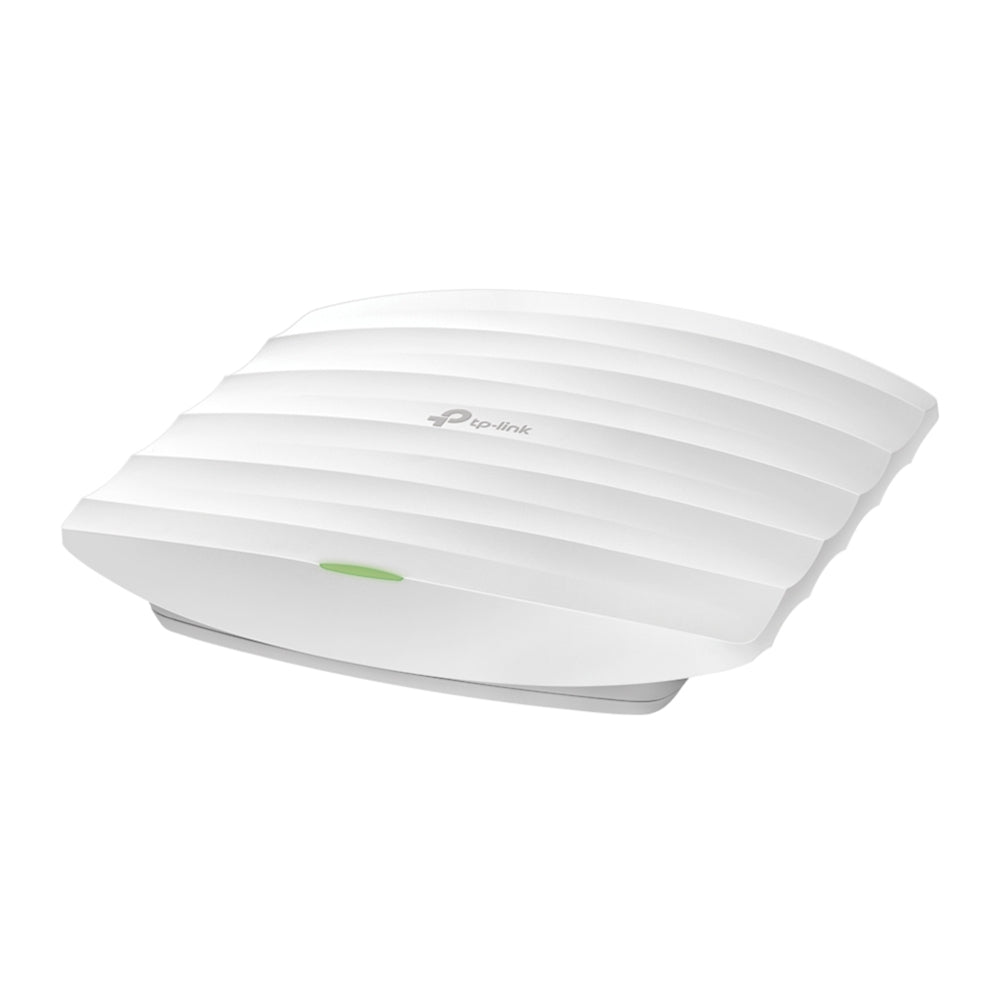


TP-Link EAP223 AC1350 Gigabit Ceiling Access Point
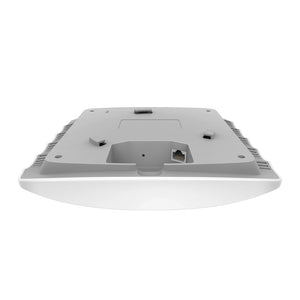
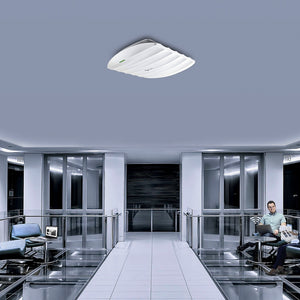
A practical foundation for everyday business Wi-Fi The TP-Link EAP223 gives offices, reception areas and hospitality spaces a straightforward route to managed dual-band wireless. AC1350-class Wi-Fi and a Gigabit Ethernet uplink serve everyday connected work, while PoE helps keep the installation tidy. Mount it on a ceiling or wall, use it independently for a smaller site, or bring it into a compatible Omada network when several access points need consistent settings and monitoring. Highlights Everyday dual-band connectivity Up to 450Mbps on 2.4GHz and 867Mbps on 5GHz. Gigabit Ethernet uplink and MU-MIMO support. Flexible indoor installation Ceiling or wall mounting with mounting hardware supplied. Standard PoE input keeps power and data on one cable. Organised network access Standalone or compatible Omada controller management. Guest authentication, VLAN mapping and supported client-isolation functions. Key Features Place wireless access where people use it A ceiling or wall location can provide a clearer radio path than a router hidden behind a reception desk or inside a cabinet. The EAP223 has internal omnidirectional antennas and a compact enclosure for an unobtrusive indoor installation. Position it for the occupied area, then check coverage with the actual devices rather than assuming that one access point will serve every room. Use both radio bands sensibly Dual-band operation lets a suitable network make use of both 2.4GHz and 5GHz. MU-MIMO, band steering, airtime fairness and beamforming provide tools for supported devices and environments. The advertised 450Mbps and 867Mbps figures are maximum wireless signalling rates. A client’s capabilities, local interference, channel settings and the Gigabit uplink affect usable data throughput. Simplify the power route A compatible IEEE 802.3af/at PoE source carries power and network traffic on the uplink cable. This is a convenient choice when there is no nearby mains socket at the mounting point. Passive PoE voltage and adapter contents vary between hardware and regional packages, so match any passive supply to the exact unit label. Do not assume that an adapter from another access point is suitable. Keep several access points consistent A compatible Omada controller can centralise configuration, monitoring and firmware maintenance across the site. Supported roaming, mesh and portal functions require the appropriate controller, firmware and client configuration. Standalone management is available when those coordinated functions are unnecessary. The access point connects to an existing LAN and does not replace the broadband router. Separate guests from the working network Use supported guest authentication, client isolation and SSID-to-VLAN mapping to give different users the intended access. These settings need to work with the switch, gateway and authentication service. A guest network should be planned as part of the whole network policy, rather than relying on a different Wi-Fi name alone. Choose the right level of wireless performance The EAP223 is a Wi-Fi 5 access point for everyday network access. It is a sensible fit when Gigabit backhaul and dual-band coverage meet the site’s requirements. For heavy concurrent transfers, newer client features or a faster wired uplink, compare a Wi-Fi 6 or Wi-Fi 7 model before installation. The right choice depends on actual traffic and coverage, rather than the largest number on the box. Summary The EAP223 offers a clear, manageable starting point for indoor business Wi-Fi. Its dual-band radios, Gigabit connection and PoE installation suit everyday access, with an Omada controller available when the network grows beyond a single device. Frequently Asked Questions Is EAP223 Wi-Fi 6?ExpandCollapse No. EAP223 is an AC1350-class Wi-Fi 5 access point. Its maximum advertised rates are 450Mbps on 2.4GHz and 867Mbps on 5GHz. Can I use it without an Omada controller?ExpandCollapse Yes. Standalone management is supported. Controller-dependent features such as centralised cloud access, supported roaming, mesh and captive portal require compatible Omada equipment and software. How should it be powered?ExpandCollapse Use a compatible IEEE 802.3af/at PoE switch or injector. Passive PoE specifications and adapter contents differ by supplied hardware or regional pack, so verify the unit label before connecting a passive supply. Does it replace my internet router?ExpandCollapse No. It provides wireless access to an existing wired network. The router or gateway still provides the internet connection and the appropriate network services. Can it be installed outdoors?ExpandCollapse This is an indoor ceiling or wall access point. For an exposed outdoor location, choose a model with the appropriate weather rating and installation hardware.
附加组件 (2)
可在 3005, Ubi Avenue 3, #01-88 提货
通常在 2 至 4 个工作日内备妥(公共假期除外)
TP-Link EAP223 AC1350 Gigabit Ceiling Access Point
描述
A practical foundation for everyday business Wi-Fi
The TP-Link EAP223 gives offices, reception areas and hospitality spaces a straightforward route to managed dual-band wireless. AC1350-class Wi-Fi and a Gigabit Ethernet uplink serve everyday connected work, while PoE helps keep the installation tidy. Mount it on a ceiling or wall, use it independently for a smaller site, or bring it into a compatible Omada network when several access points need consistent settings and monitoring.
Highlights
Everyday dual-band connectivity
- Up to 450Mbps on 2.4GHz and 867Mbps on 5GHz.
- Gigabit Ethernet uplink and MU-MIMO support.
Flexible indoor installation
- Ceiling or wall mounting with mounting hardware supplied.
- Standard PoE input keeps power and data on one cable.
Organised network access
- Standalone or compatible Omada controller management.
- Guest authentication, VLAN mapping and supported client-isolation functions.
Key Features
Place wireless access where people use it
A ceiling or wall location can provide a clearer radio path than a router hidden behind a reception desk or inside a cabinet. The EAP223 has internal omnidirectional antennas and a compact enclosure for an unobtrusive indoor installation. Position it for the occupied area, then check coverage with the actual devices rather than assuming that one access point will serve every room.
Use both radio bands sensibly
Dual-band operation lets a suitable network make use of both 2.4GHz and 5GHz. MU-MIMO, band steering, airtime fairness and beamforming provide tools for supported devices and environments. The advertised 450Mbps and 867Mbps figures are maximum wireless signalling rates. A client’s capabilities, local interference, channel settings and the Gigabit uplink affect usable data throughput.
Simplify the power route
A compatible IEEE 802.3af/at PoE source carries power and network traffic on the uplink cable. This is a convenient choice when there is no nearby mains socket at the mounting point. Passive PoE voltage and adapter contents vary between hardware and regional packages, so match any passive supply to the exact unit label. Do not assume that an adapter from another access point is suitable.
Keep several access points consistent
A compatible Omada controller can centralise configuration, monitoring and firmware maintenance across the site. Supported roaming, mesh and portal functions require the appropriate controller, firmware and client configuration. Standalone management is available when those coordinated functions are unnecessary. The access point connects to an existing LAN and does not replace the broadband router.
Separate guests from the working network
Use supported guest authentication, client isolation and SSID-to-VLAN mapping to give different users the intended access. These settings need to work with the switch, gateway and authentication service. A guest network should be planned as part of the whole network policy, rather than relying on a different Wi-Fi name alone.
Choose the right level of wireless performance
The EAP223 is a Wi-Fi 5 access point for everyday network access. It is a sensible fit when Gigabit backhaul and dual-band coverage meet the site’s requirements. For heavy concurrent transfers, newer client features or a faster wired uplink, compare a Wi-Fi 6 or Wi-Fi 7 model before installation. The right choice depends on actual traffic and coverage, rather than the largest number on the box.
Summary
The EAP223 offers a clear, manageable starting point for indoor business Wi-Fi. Its dual-band radios, Gigabit connection and PoE installation suit everyday access, with an Omada controller available when the network grows beyond a single device.
Frequently Asked Questions
Is EAP223 Wi-Fi 6?
No. EAP223 is an AC1350-class Wi-Fi 5 access point. Its maximum advertised rates are 450Mbps on 2.4GHz and 867Mbps on 5GHz.
Can I use it without an Omada controller?
Yes. Standalone management is supported. Controller-dependent features such as centralised cloud access, supported roaming, mesh and captive portal require compatible Omada equipment and software.
How should it be powered?
Use a compatible IEEE 802.3af/at PoE switch or injector. Passive PoE specifications and adapter contents differ by supplied hardware or regional pack, so verify the unit label before connecting a passive supply.
Does it replace my internet router?
No. It provides wireless access to an existing wired network. The router or gateway still provides the internet connection and the appropriate network services.
Can it be installed outdoors?
This is an indoor ceiling or wall access point. For an exposed outdoor location, choose a model with the appropriate weather rating and installation hardware.
规格
TP-Link EAP223 AC1350 Gigabit Ceiling Access Point
A dual-band Wi-Fi 5 access point for indoor ceiling or wall installation, with a Gigabit Ethernet connection and standard PoE power. It supports standalone management as well as compatible Omada controller operation. The table focuses on wireless capability, network organisation, power and the physical installation. Passive-PoE voltage, adapter contents and some software limits differ by hardware revision, so use the supplied unit’s documentation for those details.
| Specification | Details |
|---|---|
| Wireless and Radio | |
| Wireless standard | Wi-Fi 5 IEEE 802.11ac; backward-compatible 802.11a/b/g/n. |
| Signal rates | Up to 450Mbps at 2.4GHz and 867Mbps at 5GHz; advertised PHY rates, not guaranteed data throughput. |
| Antennas | Internal omnidirectional antennas; published gain 4dBi at 2.4GHz and 5dBi at 5GHz. |
| Wireless functions | MU-MIMO, band steering, airtime fairness, beamforming, load balancing and configurable radio/channel settings. |
| Networks | Multiple SSIDs with VLAN mapping; supported limits depend on hardware and firmware. |
| Network and Management | |
| Ethernet | 1 × 10/100/1000Mbps RJ45 uplink with PoE input. |
| Administration | Standalone web management or compatible Omada hardware, software or cloud controller; Omada app support. |
| Access controls | Guest authentication, client isolation, SSID-to-VLAN mapping, 802.1X and rogue-AP detection, as supported by installed software. |
| Coordinated functions | Supported roaming, mesh and captive portal require compatible Omada controller configuration. |
| Monitoring | SNMP, SSH, syslog, alerts, management VLAN and configuration/firmware maintenance. |
| Power and Installation | |
| Power input | Standard IEEE 802.3af/at PoE. Verify exact voltage/polarity before using passive PoE; specifications vary by hardware. |
| Power consumption | Published regional maximum 9.7W for EU and 12.1W for US hardware; check the exact supplied revision. |
| Mounting | Indoor ceiling or wall mounting; mounting hardware included; physical security-lock provision. |
| Dimensions | Approximately 205 × 182 × 37 mm (W × D × H); slight published rounding differences by hardware document. |
| Device weight | Latest hardware datasheet lists 0.42kg for the main unit, excluding bracket and packaging; revision dependent. |
| Environment and Package | |
| Temperature | Operating 0°C to 40°C; storage −40°C to 70°C. |
| Humidity | Operating 10–90% RH; storage 5–90% RH, non-condensing. |
| Included equipment | Access point, mounting kit and Installation Guide. Power-adapter inclusion varies by hardware/regional package. |
| Warranty | 5 years |
附加组件


