


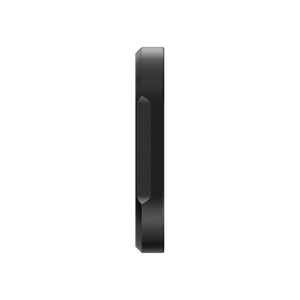


Insta360 Ace Pro 2 Black Mist Filter
Give Highlights a Softer Character Shape the feel of the image before you start editing. Insta360 Ace Pro 2 Black Mist Filter softens highlights and gives portraits a gentler glow, bringing a different visual character to the camera’s everyday clarity. The compact glass filter attaches directly after the silicone lens guard ring is removed. Fit it cleanly, check the composition in the actual light and decide how much of the softer look suits the scene before recording the full sequence. Highlights Optical diffusion filter made for Insta360 Ace Pro 2. Softens highlights and smooths the appearance of skin. Compact aluminium-alloy, glass and silicone construction. Approximately 6.8 g and 40 × 40 × 5.6 mm. Carry case and lens-cleaning cloth included. Key Features Create the Look at Capture The Black Mist Filter changes how bright areas and fine detail appear in the recorded scene. Highlights soften and portrait rendering takes on a gentler glow. It provides an optical treatment while filming, so review the result before recording an event where you may later prefer an untreated image. Work with the Available Light Window light, bright reflections and illuminated backgrounds offer different opportunities to explore the diffusion effect. Compose a short test shot in the intended conditions. The effect depends on the scene and exposure; the filter does not create lighting or replace the camera’s exposure controls. Keep the Camera Setup Compact The 40 × 40 × 5.6 mm filter weighs approximately 6.8 g. Its aluminium-alloy frame, glass and silicone provide a small camera-mounted accessory rather than a larger lens assembly. It is specified for Ace Pro 2; do not infer fit for another Ace camera from a similar-looking front lens. Fit It Cleanly and Evenly Remove the camera’s silicone lens guard ring before fitting. Align the centre of the filter with the camera lens, keep it flat and apply gentle, even pressure as shown in the guide. Check that the filter is secure without forcing the camera lens or the filter frame. Protect the Optical Surfaces Keep the camera lens and filter clean and dry, and use the included cleaning cloth when needed. Avoid rain and water sports with the filter installed. Store it in the supplied carry case after use, away from hard objects or impacts that can damage the glass. Summary Choose the Ace Pro 2 Black Mist Filter for a softer optical rendering of highlights and portraits. A clean fit, a quick test in the actual lighting and careful storage help make it a deliberate creative choice. The filter, carry case and cloth form a compact addition to an Ace Pro 2 shooting kit. Frequently Asked Questions What Does the Black Mist Filter Do?ExpandCollapse It softens highlights and smooths the appearance of skin for a gentler, glowing look. The visual result depends on lighting, exposure and the scene. It is an optical effect applied during recording. Is It an ND or Polarising Filter?ExpandCollapse It is specified as a Black Mist diffusion filter. No ND strength or polarising function is specified for this product, so do not select it as a substitute for those controls. Will It Fit Another Ace-Series Camera?ExpandCollapse This manufacturer offer is specified for Insta360 Ace Pro 2. Match the exact filter to the camera rather than assuming that Ace or Ace Pro has the same fitting. How Do I Attach It?ExpandCollapse Remove the camera’s silicone lens guard ring. Align the filter centrally over the lens, keep it flat and apply gentle, even pressure. Check that it is secure, and keep both optical surfaces clean and dry. Can I Use It in the Rain?ExpandCollapse Avoid rain and water sports while the filter is installed. Keep the filter dry and return it to the included carry case when not in use. The package also includes a lens-cleaning cloth.
可在 3005, Ubi Avenue 3, #01-88 提货
通常在 2 至 4 个工作日内备妥(公共假期除外)
Insta360 Ace Pro 2 Black Mist Filter
描述
Give Highlights a Softer Character
Shape the feel of the image before you start editing. Insta360 Ace Pro 2 Black Mist Filter softens highlights and gives portraits a gentler glow, bringing a different visual character to the camera’s everyday clarity. The compact glass filter attaches directly after the silicone lens guard ring is removed. Fit it cleanly, check the composition in the actual light and decide how much of the softer look suits the scene before recording the full sequence.
Highlights
- Optical diffusion filter made for Insta360 Ace Pro 2.
- Softens highlights and smooths the appearance of skin.
- Compact aluminium-alloy, glass and silicone construction.
- Approximately 6.8 g and 40 × 40 × 5.6 mm.
- Carry case and lens-cleaning cloth included.
Key Features
Create the Look at Capture
The Black Mist Filter changes how bright areas and fine detail appear in the recorded scene. Highlights soften and portrait rendering takes on a gentler glow. It provides an optical treatment while filming, so review the result before recording an event where you may later prefer an untreated image.
Work with the Available Light
Window light, bright reflections and illuminated backgrounds offer different opportunities to explore the diffusion effect. Compose a short test shot in the intended conditions. The effect depends on the scene and exposure; the filter does not create lighting or replace the camera’s exposure controls.
Keep the Camera Setup Compact
The 40 × 40 × 5.6 mm filter weighs approximately 6.8 g. Its aluminium-alloy frame, glass and silicone provide a small camera-mounted accessory rather than a larger lens assembly. It is specified for Ace Pro 2; do not infer fit for another Ace camera from a similar-looking front lens.
Fit It Cleanly and Evenly
Remove the camera’s silicone lens guard ring before fitting. Align the centre of the filter with the camera lens, keep it flat and apply gentle, even pressure as shown in the guide. Check that the filter is secure without forcing the camera lens or the filter frame.
Protect the Optical Surfaces
Keep the camera lens and filter clean and dry, and use the included cleaning cloth when needed. Avoid rain and water sports with the filter installed. Store it in the supplied carry case after use, away from hard objects or impacts that can damage the glass.
Summary
Choose the Ace Pro 2 Black Mist Filter for a softer optical rendering of highlights and portraits. A clean fit, a quick test in the actual lighting and careful storage help make it a deliberate creative choice. The filter, carry case and cloth form a compact addition to an Ace Pro 2 shooting kit.
Frequently Asked Questions
What Does the Black Mist Filter Do?
It softens highlights and smooths the appearance of skin for a gentler, glowing look. The visual result depends on lighting, exposure and the scene. It is an optical effect applied during recording.
Is It an ND or Polarising Filter?
It is specified as a Black Mist diffusion filter. No ND strength or polarising function is specified for this product, so do not select it as a substitute for those controls.
Will It Fit Another Ace-Series Camera?
This manufacturer offer is specified for Insta360 Ace Pro 2. Match the exact filter to the camera rather than assuming that Ace or Ace Pro has the same fitting.
How Do I Attach It?
Remove the camera’s silicone lens guard ring. Align the filter centrally over the lens, keep it flat and apply gentle, even pressure. Check that it is secure, and keep both optical surfaces clean and dry.
Can I Use It in the Rain?
Avoid rain and water sports while the filter is installed. Keep the filter dry and return it to the included carry case when not in use. The package also includes a lens-cleaning cloth.
规格
Insta360 Ace Pro 2 Black Mist Filter
Insta360 Ace Pro 2 Black Mist Filter is an optical diffusion accessory rather than a neutral-density or polarising filter. Its compact frame mounts over the camera lens after the silicone guard ring has been removed. The specified size and weight refer to the filter itself; the carry case and cleaning cloth are additional package items. Fit it cleanly and evenly, review the effect in the intended lighting, and observe the manufacturer’s dry-use guidance when planning the shoot.
| Specification | Details |
|---|---|
| Optical Effect | |
| Compatible Camera | Insta360 Ace Pro 2 |
| Filter Type | Black Mist optical diffusion |
| Visual Treatment | Softens highlights and smooths the appearance of skin |
| ND or CPL Function | No ND rating or polarising function specified |
| Physical Details | |
| Dimensions | 40 × 40 × 5.6 mm |
| Weight | Approximately 6.8 g |
| Materials | Aluminium alloy, glass and silicone |
| Fitting and Care | |
| Before Fitting | Remove the camera’s silicone lens guard ring |
| Installation | Align centrally; keep flat and apply gentle pressure |
| Environment | Fit to clean, dry surfaces; avoid rain and water sports |
| Storage | Use the supplied carry case |
| Included Items | |
| In the Box | 1 Black Mist Filter, 1 Carry Case and 1 Lens Cleaning Cloth |
| Separate Equipment | Camera |