
Insta360
Smoother Dog-Walk Videos: Camera Position, Light and GO 3S Stabilisation
A steadier camera and a sharper moving subject are different goals. Use short, controlled clips to see which one your footage needs.
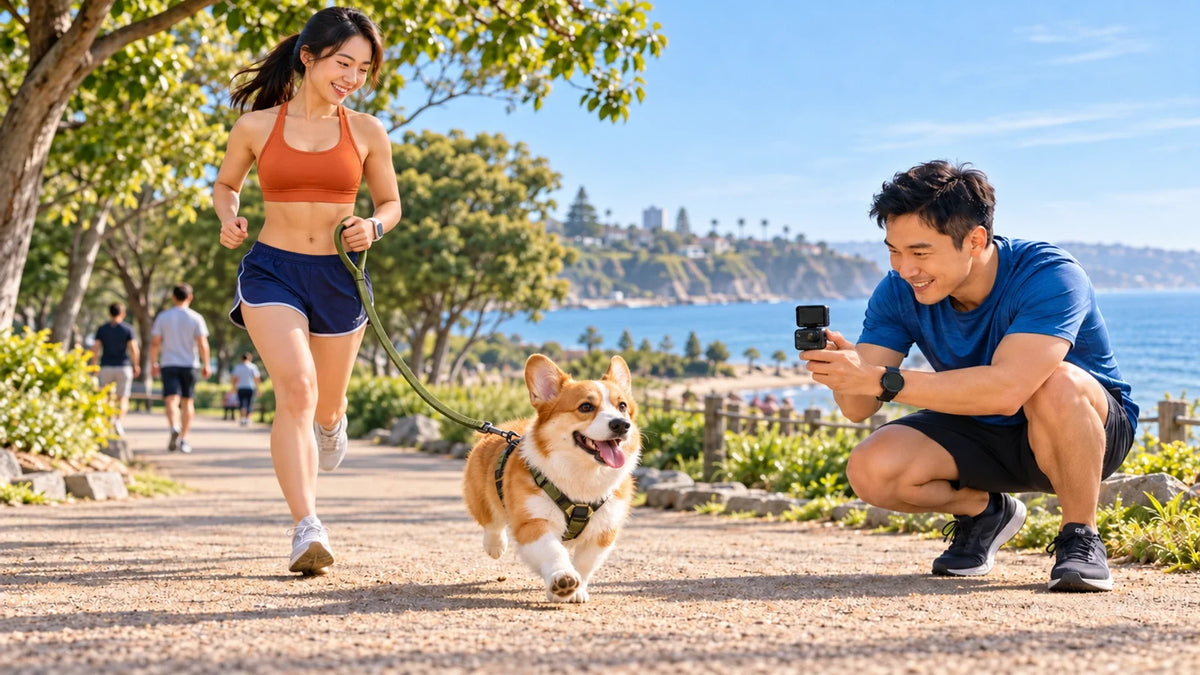
For smoother dog-walk videos, start with a stable camera position and useful light, then check the recording and export mode. Stabilisation can reduce camera shake, but it cannot recreate a sharp subject from every blurred frame or keep a dog inside a view that points elsewhere.
A corgi is low to the ground, moves quickly and rarely follows the route a camera operator planned. A clip can have a level horizon and still show blurred paws, abrupt framing or the back of the dog’s head.
Break the problem into position, movement and processing. A short repeatable test gives more useful information than changing every camera setting during a full walk.
Separate Camera Shake from Subject Blur
| What the clip shows | Likely question | Useful comparison |
|---|---|---|
| The whole scene lurches | How is the camera moving or mounted? | Film a short stationary shot, then a gentle walk |
| Background is steady but the dog is smeared | Is there enough light for the subject movement? | Try a brighter, evenly lit position |
| Dog repeatedly leaves the frame | Is the view aimed and wide enough? | Preview at the intended camera height |
| Original looks different from the export | Does the mode need processing? | Check the correct Insta360 export workflow |
Look at the original and the final exported file, rather than only a low-quality preview. A problem introduced during sharing needs a different fix from one already recorded by the camera.
A Steady Scene and a Sharp Subject Are Different
Check the original and the exported clip.
01 Capture the useful view
Start with a short clipA single-lens camera cannot recover a direction it did not record.
02 Process the correct mode
FreeFrame needs processingCheck the Insta360 workflow before judging an unprocessed file.
Choose the View Without Compromising the Walk
A lower viewpoint can show a short dog’s expression better than a camera looking down from standing height. Set up a brief static shot beside a wide path, with another adult handling the leash if needed. Let the dog move through the frame.
Avoid walking backwards into other users or holding a camera where it interferes with controlling the leash. Keep the session short and comfortable. An interesting clip does not require attaching hardware to the animal.
Check the frame before recording: head, paws, the space ahead and the leash route all contribute to a readable scene. A single-lens camera cannot recover a direction it never recorded.
Use the Correct GO 3S Stabilisation Workflow
Insta360 distinguishes the GO 3S modes. Video and Loop Recording apply in-camera FlowState stabilisation. FreeFrame footage needs the supported Insta360 app or Studio export workflow to apply stabilisation.
That difference can explain why a copied file is not the finished clip you expected. Check the mode used during capture, then review an export made through the appropriate software.
Use the current manual for settings on the actual model. Instructions shared across the GO family may also describe cameras with different capabilities; do not copy a frame-rate example from another model without checking GO 3S support.
Improve the Light Before Demanding More Processing
Try soft daylight where the animal is clearly lit. Moving from a dark shaded area to more even light can make a better diagnostic comparison than increasing stabilisation alone. Avoid forcing the pet to face uncomfortable glare for the shot.
GO 3S offers a Jitter Blur Reduction function for relevant situations. Insta360 explains that it increases shutter speed to help with motion blur in dim conditions, with image-quality trade-offs. Use the documented mode support and compare the result.
Do not assume a higher resolution automatically makes every moving subject sharper. Framing, exposure and the export remain part of the picture.
Check the Camera and Mounting Arrangement

A small single-lens camera with FlowState support. Check the selected bundle, mounting accessory and recording mode rather than assuming every package is identical.
Keep the camera secure using an appropriate supported accessory. A loose mounting point adds movement before stabilisation can help. A magnetic accessory also has its own fitting and use instructions; it is not a universal pet attachment.
GO 3S has built-in storage. Plan transfers and available capacity before a longer outing. Keep original files until the edit and backup are checked, using the travel-photo backup workflow where helpful.
Try a Short Three-Clip Comparison
- Film the dog from a stable position in even light.
- Film a short gentle movement using the same framing and mode.
- Change one relevant factor, such as camera support or the documented stabilisation workflow.
- Compare the exported clips at the same playback size.
- Keep the setting and position that solve the actual defect.
If the clip becomes soft only after export or messaging, follow the export-resolution guide before replacing the camera.
Solve framing and capture first, then process the correct mode. A new mount or gimbal is useful only when it addresses the movement you actually identified.
Frequently Asked Questions
Will stabilisation remove every blurred paw or face?
No. Camera shake and subject motion blur are different. Improve the capture conditions and inspect the original frames as well as the final export.
Why does FreeFrame footage need exporting?
For GO 3S, the supported Insta360 export workflow applies the intended stabilisation to FreeFrame footage. Check the mode used when the clip was recorded.
Should I always use the highest resolution?
Choose supported settings for the actual task. Resolution alone does not correct poor light, framing or movement.
Is GO 3S a 360-degree camera?
No. It uses one wide-angle lens. It cannot recover a view outside the image it recorded.
Can I add a microSD card to GO 3S?
No. It records to built-in storage. Confirm the selected capacity and plan transfers for longer sessions.
Do I need to mount the camera on the dog?
No. A low, stable viewpoint with the dog moving through the frame can work well. Keep handling and the animal’s comfort ahead of the shot.


