
360 Cameras
Why Your Insta360 Selfie Stick Is Still Visible: Alignment and 360 Mode
The invisible-stick effect depends on the rig and the supported capture workflow. Check alignment, mode and export before replacing the stick.
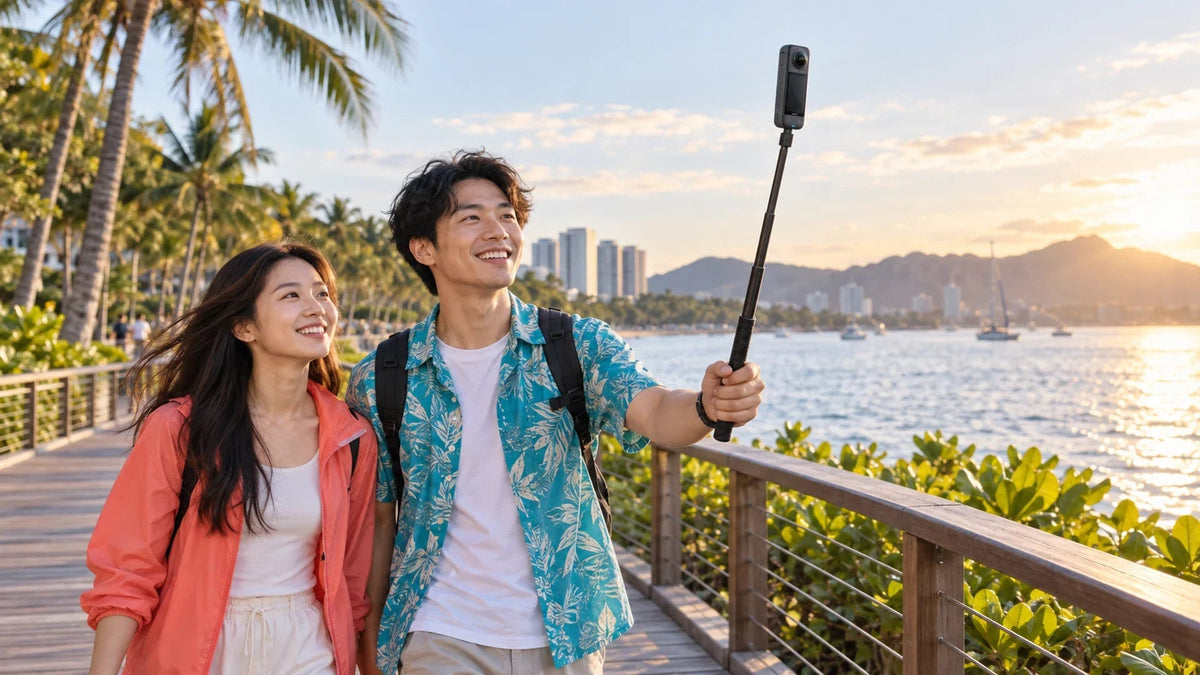
If your Insta360 selfie stick appears in the footage, first check that the camera and stick form one straight line and that you are using a supported 360 capture workflow. Then inspect a short stitched export in the Insta360 app or Studio. An angled adapter, protruding cable, bent extension or unsuitable recording mode can change the result.
The photograph shows a real stick because another camera is photographing the rig. The invisible effect belongs to the supported footage produced by the 360 camera. It does not make the physical accessory disappear from an ordinary photograph.
That distinction saves a surprising amount of troubleshooting. Check the recording you are actually trying to deliver, rather than judging the accessory by how it looks on the table or in someone else’s picture.
Understand Where the Invisible Effect Comes From
A dual-lens 360 camera combines two very wide views into one image. The camera-and-stick geometry matters around the area beneath the camera where the views are stitched. Keeping the support aligned helps the supported workflow produce its intended result.
It is not a promise that any pole, mount, hand or cable in any position will be erased. A standard single-lens recording does not provide the ordinary two-lens stitching workflow. Check the specific camera and mode rather than assuming that the word “invisible” on an accessory applies to every capture.
The Insta360 X5 is a relevant example. For model selection rather than a fault in an existing rig, use the Insta360 camera comparison. A newer camera is not the first remedy for a misaligned mount.
Keep the Camera and Stick on One Centreline
The Invisible Effect Starts with a Straight Rig
The physical stick remains visible to another camera photographing the scene.
01 Keep One Centreline
Avoid Protruding MountsCheck the joint, adapters, cables and any bending at full extension.
02 Use a Supported Mode
Check the Capture ModeA single-lens recording does not provide the ordinary dual-lens workflow.
03 Inspect the Export
Review a Short ClipUse the correct accessory settings and inspect the bottom of the frame.
Look along the assembled rig before recording. The camera body should continue the line of the stick, rather than sit at an angle on a joint or an offset bracket. Check the supported mounting instructions for the exact camera and accessory.
Remove unnecessary protrusions for the test. A USB cable, bulky mount or third-party fitting can extend beyond the area the stitching process handles. Do not route a cable across a lens or use a loose connection just to hide it.
Extend the stick only as much as the shot needs. A very long extension can flex or move; Insta360 notes that extended sticks may not achieve complete invisibility. Reducing the extension is a useful comparison when the support appears only at maximum reach.
Use a controlled standing or slow walking test in a clear place. Check the mount is secure and the lenses are protected during handling. Do not troubleshoot a handheld rig while riding or driving.
Check the Capture Mode Before the Important Shot
Confirm the selected mode on the camera itself. A familiar-looking preview does not establish that the camera is recording the intended kind of file.
| Capture or viewing situation | What to verify |
|---|---|
| Ordinary dual-lens 360 recording | Supported camera, correct alignment and the intended stitching workflow. |
| Single-lens recording | Do not assume ordinary dual-lens invisible-stick behaviour. |
| A special mode with an invisible-stick feature | Check the exact model and mode instructions, including its export requirements. |
| A camera or app preview | Compare with a short final export before deciding the recording is unusable. |
| A separate photograph of the physical rig | The visible stick is expected in that photograph. |
Special capture modes and software erasers are separate features with their own limits. They are not a substitute for checking whether the original shot used the supported setup. Make a short test before a trip or a one-time event.
Inspect Accessories, Shadows and Nearby Objects

If the bare rig works but the fully equipped rig does not, add accessories back one at a time. Check the correct lens-guard or accessory selection in the editing workflow where applicable.
Close objects can expose stitching differences. Give faces and important details appropriate space from the camera, and avoid placing a face directly across the side seam. A hand reaching close to the camera is a different problem from a thin, straight support beneath it.
A shadow also needs a separate explanation: it lies on the photographed scene and is not the same object as the support beneath the camera. Consider the sun position and framing instead of expecting the invisible-stick effect to remove every shadow.
Underwater shooting adds a different optical environment. Use the supported dive-case workflow and settings for the exact camera, rather than transferring an ordinary on-land test result to an underwater rig.
Judge a Short Final Export, Not Only the Preview
Retain the original files and open a short representative clip in the current supported Insta360 app or Studio. Select the accessory settings that match what was actually fitted.
Manufacturer guidance explains that preview stitching can differ from final output. Export a short section and inspect the bottom of the frame as well as the main subject. Scrub through movement, because an issue visible only during a turn can be missed in a single still frame.
For a repeatable comparison, record a simple clip with a straight, moderately extended rig, then change one suspected factor. Compare that result with the problem clip using the same supported viewing and export path. This is a practical diagnostic, not a claim that every mount will produce an identical result.
Once the image is satisfactory, the Insta360 editing and backup guide helps organise the originals and the deliverable. Keep the source footage until the final export and recovery copy have been checked.
Replace Only What the Test Points To

Match the camera, selected capture mode and supported editing workflow.

Check camera compatibility, straight alignment and the extension needed for the shot.
If the problem follows a bent or offset accessory and disappears with a supported straight rig, replacing that accessory is more targeted than replacing the camera. If it appears only in one viewer, investigate the workflow before buying hardware.
If it persists in a correctly assembled supported setup and final export, keep a short sample, camera and software versions, mode details and a photograph of the rig for the Support Specialist. Avoid a long public upload containing private footage when a brief sanitised example will explain the issue.
The practical answer: check the centreline, verify the mode and inspect an exported clip. Buy the accessory for the actual shot and camera, rather than treating “invisible” as a universal promise.
Frequently Asked Questions
Why is an invisible selfie stick visible in my video?
Check for an angled or offset mount, a protruding cable, flex at long extension, an unsuitable capture mode or a stitching setting that does not match the accessories. Test a short final export.
Should the stick disappear in a photo taken by another person?
No. That photograph records the physical camera and stick from outside. The supported invisible-stick effect is part of the footage produced by the 360 camera.
Does invisible-stick stitching work in single-lens mode?
Do not assume it does. The ordinary effect relies on the supported dual-lens 360 workflow. Separate special modes or software erasers have their own model-specific requirements.
Why does a longer extension make the stick appear?
A longer support can flex or move outside the intended geometry. Reduce the extension and keep the camera and stick aligned to compare the result.
Can the camera preview look worse than the export?
Yes. Supported app or Studio export can use a different stitching process from a preview. Inspect a short final file before deciding that the captured footage is unusable.
Will the invisible-stick effect remove its shadow?
Do not rely on it. A shadow is part of the scene, rather than the support directly under the camera. Change the lighting angle or framing where possible.


