



Insta360 Link 2 Pro 4K AI Tracking Webcam
A More Considered View of Every Presentation Insta360 Link 2 Pro brings a larger imaging sensor, a moving two-axis gimbal and more focused audio to a compact USB webcam. It follows a presenter as they move, focuses on nearby objects and offers useful ways to share a whiteboard or desktop. From client calls and teaching to a live product demonstration, its camera controls and Link Controller tools help you build a more considered presentation from your computer. Highlights A Clearer View 1/1.3-inch sensor, F1.9 aperture, Dual Native ISO and HDR. Up to 4K30 video, with 1080p60 available in supported physical-camera modes. Framing That Moves with You Two-axis gimbal with AI tracking and configurable tracking areas. Phase-detection autofocus from 12 cm, with up to 4× digital zoom. A More Flexible Desktop Setup Dual microphones with Standard, Wide, Focus and Original audio modes. Magnetic mount, gesture controls, Whiteboard and DeskView modes. Key Features Give the Image More to Work with The 1/1.3-inch sensor and F1.9 lens provide a strong starting point for detailed webcam video. Dual Native ISO and HDR help balance changing brightness, while phase-detection autofocus can keep a face or an object in focus from 12 cm. Suitable lighting still improves the result, particularly when presenting fine details. Follow the Presenter, Rather than a Fixed Crop Link 2 Pro physically pans and tilts its camera on a two-axis gimbal to follow movement. Choose single-person or group tracking, then use Link Controller to define tracking and pause-track areas where appropriate. Gesture controls offer another way to activate tracking, adjust zoom or switch to a whiteboard without reaching for the computer. Choose How the Room Is Heard The directional and omnidirectional microphones work with four selectable audio treatments. Standard suits everyday use, Wide prioritises voices in front of the camera, and Focus concentrates on a speaker approximately one metre ahead. Original turns noise reduction off to preserve more of the surrounding sound. Select the mode for the room and make a quick audio check before the meeting. Show the Work as Clearly as the Speaker Whiteboard Mode helps detect and enhance a suitable board, with recognition markers supplied for supported setups. DeskView tilts towards your work surface for documents, sketches or a practical demonstration. Native portrait capture supports a vertical workflow, but positioning the camera for vertical shooting requires a suitable tripod, sold separately. Keep Basic Use Simple and Advanced Tools Deliberate Connect by USB and select the physical camera and microphone in a supported meeting or recording app for basic use. Link Controller adds image controls, scene presets, overlays, a teleprompter and supported virtual-camera effects. Virtual Camera does not support 50 or 60 fps, and effects such as Natural Bokeh depend on the computer’s operating system and graphics hardware. Build a Wider Presentation System Compatible Elgato Stream Deck controls can provide access to camera settings and presets. The optional Insta360 Wave speakerphone can form a WaveLink Pro setup that directs the camera towards the active speaker. Optional InSight meeting tools require an account and internet connection, with some premium features requiring a separate subscription; those services and accessories are not included in the Standard Bundle. Understand the Privacy Position Tilting the camera down by 90° enters Privacy Mode and disables its video and microphone functions. It also tilts down into Sleep Mode after ten seconds when no platform is using it. Software that starts receiving a camera or audio stream can wake the device, so the privacy position should be understood alongside the controls in your meeting app. Summary Choose Link 2 Pro for a computer-based presentation setup that benefits from mechanical tracking, a larger sensor, close autofocus and flexible audio pickup. Its USB connection and magnetic mount keep everyday use straightforward, while the software tools offer room to develop a more capable teaching, meeting or creator workspace. Frequently Asked Questions Does Link 2 Pro Physically Follow Me?ExpandCollapse Yes. Its two-axis gimbal pans and tilts to follow supported single-person or group movement. Link Controller can customise tracking behaviour and areas. This listing is the moving-gimbal Link 2 Pro, rather than the fixed-camera Link 2C Pro. Can Every Meeting App Use 4K at 60 fps?ExpandCollapse No. The camera supports up to 4K30; supported physical-camera modes offer 1080p60. The receiving app may impose a lower limit, and Insta360 Virtual Camera does not support 50 or 60 fps. Check both the selected source and the app’s settings. Do I Need Link Controller for Basic Calls?ExpandCollapse No. Basic USB video and audio can be selected directly in supported software. Link Controller is needed for its advanced controls and virtual-camera effects. Windows ARM is not supported by Link Controller, and some effects have additional macOS, processor or graphics requirements. How Does Privacy Mode Work?ExpandCollapse Manually tilting the camera down by 90° disables video and microphone functions in Privacy Mode. The webcam also sleeps after ten seconds when no platform is using it. An app that requests the camera or audio stream can wake it automatically, as can manually lifting the camera or reconnecting USB. What Is Included in the Standard Bundle?ExpandCollapse The package includes one Link 2 Pro, one magnetic mount, four recognition markers, one USB-C cable and one USB-C to USB-A adapter. A tripod, carry case, Wave speakerphone, Stream Deck and optional paid services are separate purchases.
Pickup available at 3005, Ubi Avenue 3, #01-88
Usually ready in 2-4 Business Day (Excluding Public Holiday)
Insta360 Link 2 Pro 4K AI Tracking Webcam
Description
A More Considered View of Every Presentation
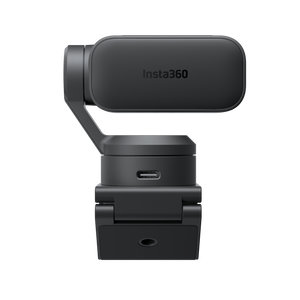
Insta360 Link 2 Pro brings a larger imaging sensor, a moving two-axis gimbal and more focused audio to a compact USB webcam. It follows a presenter as they move, focuses on nearby objects and offers useful ways to share a whiteboard or desktop. From client calls and teaching to a live product demonstration, its camera controls and Link Controller tools help you build a more considered presentation from your computer.
Highlights
A Clearer View
- 1/1.3-inch sensor, F1.9 aperture, Dual Native ISO and HDR.
- Up to 4K30 video, with 1080p60 available in supported physical-camera modes.
Framing That Moves with You
- Two-axis gimbal with AI tracking and configurable tracking areas.
- Phase-detection autofocus from 12 cm, with up to 4× digital zoom.
A More Flexible Desktop Setup
- Dual microphones with Standard, Wide, Focus and Original audio modes.
- Magnetic mount, gesture controls, Whiteboard and DeskView modes.
Key Features
Give the Image More to Work with
The 1/1.3-inch sensor and F1.9 lens provide a strong starting point for detailed webcam video. Dual Native ISO and HDR help balance changing brightness, while phase-detection autofocus can keep a face or an object in focus from 12 cm. Suitable lighting still improves the result, particularly when presenting fine details.
Follow the Presenter, Rather than a Fixed Crop
Link 2 Pro physically pans and tilts its camera on a two-axis gimbal to follow movement. Choose single-person or group tracking, then use Link Controller to define tracking and pause-track areas where appropriate. Gesture controls offer another way to activate tracking, adjust zoom or switch to a whiteboard without reaching for the computer.
Choose How the Room Is Heard
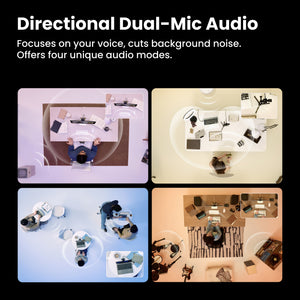
The directional and omnidirectional microphones work with four selectable audio treatments. Standard suits everyday use, Wide prioritises voices in front of the camera, and Focus concentrates on a speaker approximately one metre ahead. Original turns noise reduction off to preserve more of the surrounding sound. Select the mode for the room and make a quick audio check before the meeting.
Show the Work as Clearly as the Speaker
Whiteboard Mode helps detect and enhance a suitable board, with recognition markers supplied for supported setups. DeskView tilts towards your work surface for documents, sketches or a practical demonstration. Native portrait capture supports a vertical workflow, but positioning the camera for vertical shooting requires a suitable tripod, sold separately.
Keep Basic Use Simple and Advanced Tools Deliberate
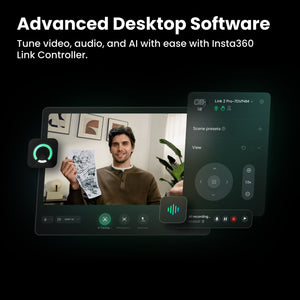
Connect by USB and select the physical camera and microphone in a supported meeting or recording app for basic use. Link Controller adds image controls, scene presets, overlays, a teleprompter and supported virtual-camera effects. Virtual Camera does not support 50 or 60 fps, and effects such as Natural Bokeh depend on the computer’s operating system and graphics hardware.
Build a Wider Presentation System
Compatible Elgato Stream Deck controls can provide access to camera settings and presets. The optional Insta360 Wave speakerphone can form a WaveLink Pro setup that directs the camera towards the active speaker. Optional InSight meeting tools require an account and internet connection, with some premium features requiring a separate subscription; those services and accessories are not included in the Standard Bundle.
Understand the Privacy Position
Tilting the camera down by 90° enters Privacy Mode and disables its video and microphone functions. It also tilts down into Sleep Mode after ten seconds when no platform is using it. Software that starts receiving a camera or audio stream can wake the device, so the privacy position should be understood alongside the controls in your meeting app.
Summary
Choose Link 2 Pro for a computer-based presentation setup that benefits from mechanical tracking, a larger sensor, close autofocus and flexible audio pickup. Its USB connection and magnetic mount keep everyday use straightforward, while the software tools offer room to develop a more capable teaching, meeting or creator workspace.
Frequently Asked Questions
Does Link 2 Pro Physically Follow Me?
Yes. Its two-axis gimbal pans and tilts to follow supported single-person or group movement. Link Controller can customise tracking behaviour and areas. This listing is the moving-gimbal Link 2 Pro, rather than the fixed-camera Link 2C Pro.
Can Every Meeting App Use 4K at 60 fps?
No. The camera supports up to 4K30; supported physical-camera modes offer 1080p60. The receiving app may impose a lower limit, and Insta360 Virtual Camera does not support 50 or 60 fps. Check both the selected source and the app’s settings.
Do I Need Link Controller for Basic Calls?
No. Basic USB video and audio can be selected directly in supported software. Link Controller is needed for its advanced controls and virtual-camera effects. Windows ARM is not supported by Link Controller, and some effects have additional macOS, processor or graphics requirements.
How Does Privacy Mode Work?
Manually tilting the camera down by 90° disables video and microphone functions in Privacy Mode. The webcam also sleeps after ten seconds when no platform is using it. An app that requests the camera or audio stream can wake it automatically, as can manually lifting the camera or reconnecting USB.
What Is Included in the Standard Bundle?
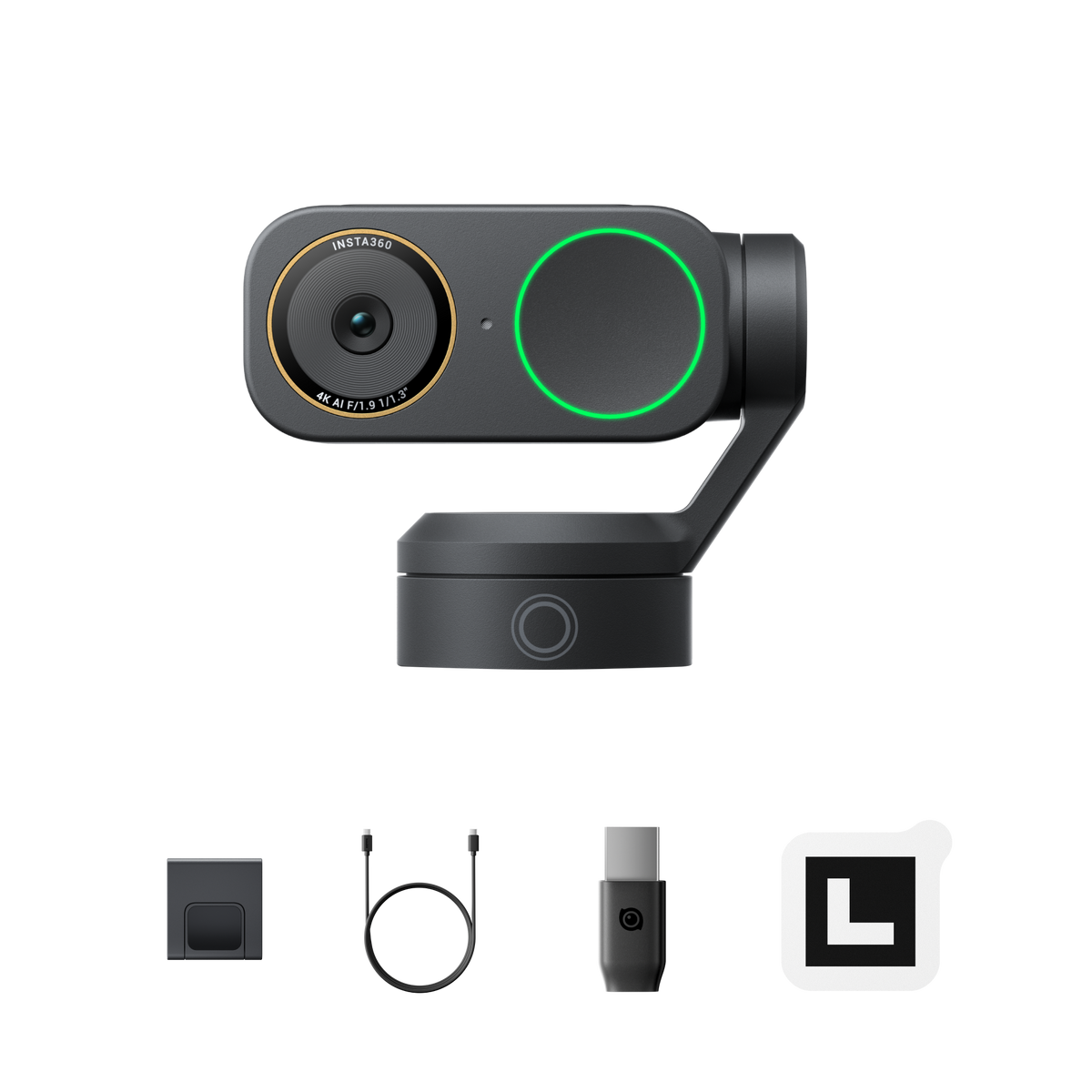
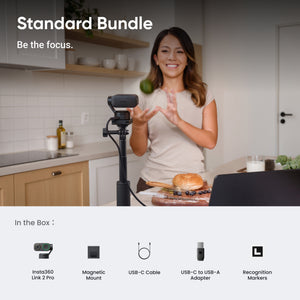
The package includes one Link 2 Pro, one magnetic mount, four recognition markers, one USB-C cable and one USB-C to USB-A adapter. A tripod, carry case, Wave speakerphone, Stream Deck and optional paid services are separate purchases.
Specs
Insta360 Link 2 Pro 4K AI Tracking Webcam
Insta360 Link 2 Pro combines a larger imaging sensor, mechanical tracking and selectable dual-microphone audio in a USB webcam for meetings, teaching and presentations. The table covers capture formats, software requirements, mounting and the equipment included in the Standard Bundle. Available modes depend on the selected physical or virtual camera source, the receiving application and the computer’s capabilities. Advanced effects have additional operating-system and graphics requirements. Optional accessories and paid services are separate purchases, while the supplied magnetic mount supports everyday desktop positioning.
| Specification | Details |
|---|---|
| Imaging and Optics | |
| Sensor and lens | 1/1.3-inch sensor; F1.9 aperture; 24 mm equivalent focal length |
| Focus and field of view | Phase-detection autofocus; focus distance 12 cm to infinity; 83.9° diagonal and 71.4° horizontal field of view |
| Zoom | Up to 4× digital zoom |
| Image control | Dual Native ISO 100–3200; HDR; ±3 EV exposure compensation; 2000–10000 K white balance; shutter 1/8000–1/30 second |
| Video Capture | |
| Landscape modes | 4K at 30/25/24 fps; 1080p and 720p at 60/50/30/25/24 fps; 360p at 30/25/24 fps |
| Portrait modes | 4K at 30/25/24 fps; 1080p and 720p at 60/50/30/25/24 fps; suitable tripod required for vertical positioning |
| Video formats | H.264 and MJPEG; manufacturer excludes H.264 for 4K and for 1080p60 portrait mode |
| Virtual Camera frame rate | 50 fps and 60 fps are not supported by Insta360 Virtual Camera; receiving applications may further limit resolution or frame rate |
| Audio and Tracking | |
| Microphones | Dual microphones: one directional and one omnidirectional, with AI noise reduction and beamforming |
| Audio modes | Standard, Wide, Focus and Original; Focus prioritises a voice approximately 1 m in front; Original disables noise reduction |
| Gimbal | Two-axis; yaw ±282° and pitch ±180° |
| AI tracking and controls | Single-person and group tracking; configurable tracking and pause-track areas; touch key and supported gesture controls |
| Presentation modes | Whiteboard, Smart Whiteboard, DeskView and supported portrait capture; some modes require Link Controller or Virtual Camera |
| Computer and Software Compatibility | |
| Basic USB workflow | Select the physical camera and microphone in compatible conferencing or recording software; basic use does not require Link Controller |
| Link Controller operating systems | Windows 10 or later; ARM-based Windows not supported. macOS 11 or later; Virtual Camera requires macOS 13 or later |
| Manufacturer computer baseline | Intel Core i5 fifth generation or later and at least 8 GB RAM; advanced features require i5 tenth generation or later and at least 16 GB RAM |
| Background Blur and Background Replacer | Windows: NVIDIA GPUs supported; AMD compatibility varies and the exact GPU needs checking. Mac: macOS 13 or later |
| Green Screen limits | Windows: NVIDIA GTX 1050 Ti or newer, or non-NVIDIA GPUs, up to 4K; NVIDIA below GTX 1050 Ti unsupported. Apple Silicon Mac: up to 4K; Intel Mac: up to 1080p |
| Natural Bokeh limits | Windows: NVIDIA GTX 1080 or RTX 2060 or newer; AMD unsupported. Mac: M1 or newer; Intel unsupported. Maximum resolution depends on the exact GPU |
| Natural Bokeh resolution | Manufacturer lists 4K on desktop GPUs with compute capability 8.6 or higher, and laptop GPUs with 8.9 or higher. Lower configurations have lower limits; confirm the exact GPU rather than assuming every compatible GPU supports 4K |
| Beautify and Makeup | Use Virtual Camera; 4K is currently supported only on macOS with Apple M1 or later, or Intel i5 or later |
| Integration and optional services | Compatible Stream Deck control; optional WaveLink Pro setup with Insta360 Wave. InSight requires account login and internet; some premium features require a separate subscription |
| Connection, Mounting and Privacy | |
| Connection and power | USB-C with USB 2.0 interface; included USB-C to USB-A adapter; 5 V / 1 A supply required |
| USB setup | Use the included cable, directly connected to the computer or a dock with its own power supply |
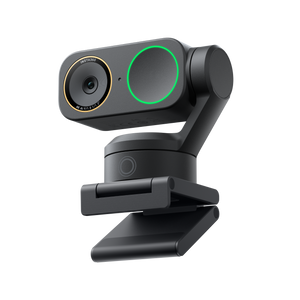
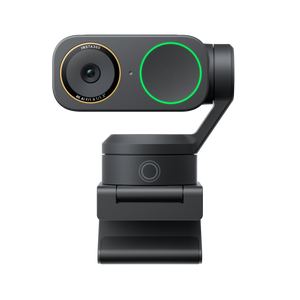
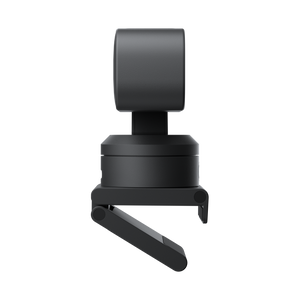
| Mounting | Magnetic mount with 1/4-inch mounting point for a suitable external tripod |
| Privacy and sleep | Tilt down 90° to disable video and microphone in Privacy Mode; automatically tilts down after 10 seconds unused. Software requesting the stream, manual repositioning or USB reconnection can wake it |
| Physical and Support | |
| Dimensions | 71.3 × 58.9 × 38 mm (W × H × D) |
| Net weight | Approximately 102.5 g without magnetic mount; 167.5 g with magnetic mount |
| Operating temperature | 0°C to 40°C |
| Standard Bundle contents | 1 Link 2 Pro, 1 magnetic mount, 4 recognition markers, 1 USB-C cable and 1 USB-C to USB-A adapter |
| Warranty | 1 year |