

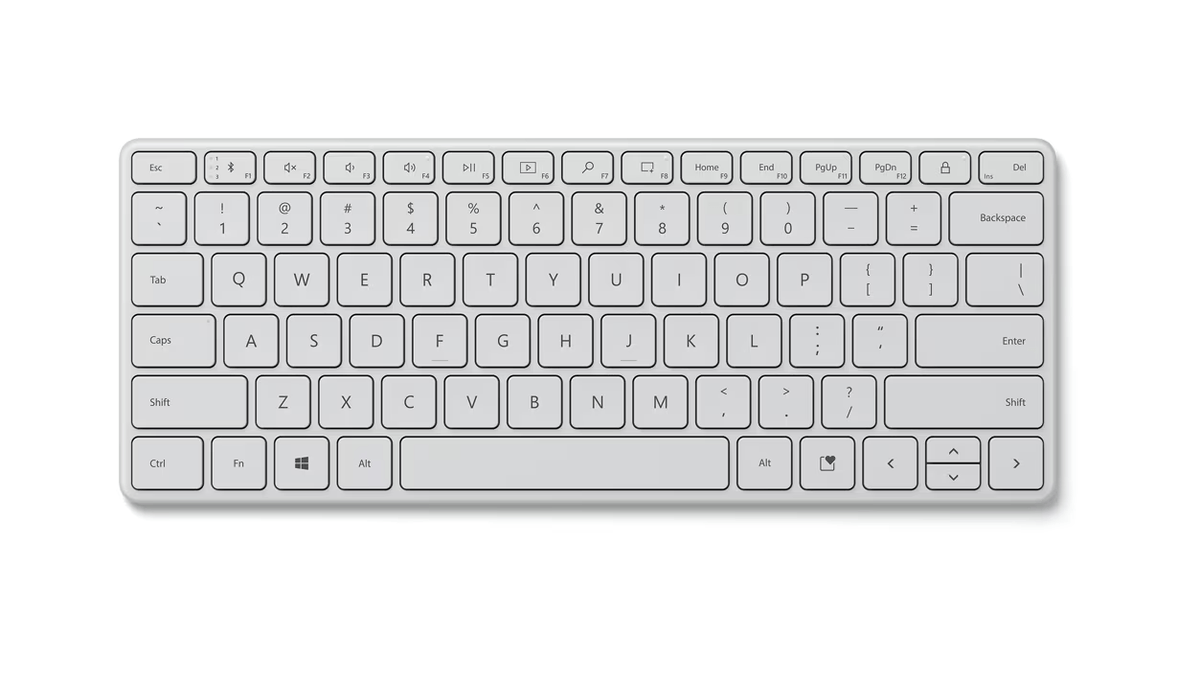


Microsoft Designer Compact Bluetooth Keyboard
Seamless Typing and Innovative Functionality at Your Fingertips Embrace the new age of productivity with the Microsoft Designer Compact Bluetooth Keyboard. This expertly crafted keyboard, with its sleek design and cutting-edge features, redefines typing. From space-saving elegance to seamless multi-device connectivity, it's designed to cater to the needs of the modern-day professional. Key Features Sleek Design, Premium Finish Aesthetic appeal meets functionality in a sophisticated design. The perfect companion for the contemporary workspace. Space-Saving Elegance A compact and efficient design to maximize desk space. Style and functionality in a compact form. Screen Snipping Key Capture and manage content effortlessly. A tool that simplifies your workflow and typing experience. Expressive Input Key Enhance communication with emojis, symbols, and more. Quick access to expressive elements for engaging interaction. Optimized Key Spacing and Travel Fast and fluid typing experience. A smooth transition of thoughts onto the screen. Multi-Device Connectivity Seamlessly connect and switch between up to three devices. Enhancing multitasking capabilities across platforms. Low-Profile Angle Ergonomically designed for comfort and convenience. Facilitates easy mouse access, contributing to productivity. Conclusion The Microsoft Designer Compact Bluetooth Keyboard is more than just a typing tool; it's a symbol of Microsoft's commitment to enhancing digital productivity. With innovative features like the Screen Snipping key, Expressive Input key, and ergonomic design, it becomes an essential part of an efficient and stylish workflow. Whether you are multitasking across devices or expressing yourself with emojis, this keyboard adapts to your needs, offering a typing experience that is both pleasurable and productive. Unveil the future of typing and elevate your productivity journey with a keyboard that is truly designed for the modern professional.
商品説明
Seamless Typing and Innovative Functionality at Your Fingertips
Embrace the new age of productivity with the Microsoft Designer Compact Bluetooth Keyboard. This expertly crafted keyboard, with its sleek design and cutting-edge features, redefines typing. From space-saving elegance to seamless multi-device connectivity, it's designed to cater to the needs of the modern-day professional.
Key Features
Sleek Design, Premium Finish
- Aesthetic appeal meets functionality in a sophisticated design.
- The perfect companion for the contemporary workspace.
Space-Saving Elegance
- A compact and efficient design to maximize desk space.
- Style and functionality in a compact form.
Screen Snipping Key
- Capture and manage content effortlessly.
- A tool that simplifies your workflow and typing experience.
Expressive Input Key
- Enhance communication with emojis, symbols, and more.
- Quick access to expressive elements for engaging interaction.
Optimized Key Spacing and Travel
- Fast and fluid typing experience.
- A smooth transition of thoughts onto the screen.
Multi-Device Connectivity
- Seamlessly connect and switch between up to three devices.
- Enhancing multitasking capabilities across platforms.
Low-Profile Angle
- Ergonomically designed for comfort and convenience.
- Facilitates easy mouse access, contributing to productivity.
Conclusion
The Microsoft Designer Compact Bluetooth Keyboard is more than just a typing tool; it's a symbol of Microsoft's commitment to enhancing digital productivity. With innovative features like the Screen Snipping key, Expressive Input key, and ergonomic design, it becomes an essential part of an efficient and stylish workflow. Whether you are multitasking across devices or expressing yourself with emojis, this keyboard adapts to your needs, offering a typing experience that is both pleasurable and productive. Unveil the future of typing and elevate your productivity journey with a keyboard that is truly designed for the modern professional.
仕様
| Specification | Details |
|---|---|
| Connection Interface | Bluetooth® Low Energy 5.0 |
| Wireless Frequency | 2.4 GHz frequency range |
| Wireless Range | 10 metres (33 feet) in an open area; up to 5 metres (17 feet) in a typical office environment |
| Compatibility | Microsoft Windows 11 Home/Pro / 10 / 8.1*; Device must support Bluetooth® 4.0 or higher |
| Dimensions | 284.07×110.77×9.05 mm (11.18×4.36×0.35 in) |
| Weight | 288 g (10.16 oz.) (including batteries) |
| Battery | 4 CR2032 Lithium coin batteries (included and pre-installed) |
| Battery Life | Up to 36 months |
| Colours | Matte Black, Glacier |
| Warranty | 1-year limited warranty |
| Technology Details | Bluetooth LE 5.0; Dedicated Expressive Input (emoji) and Screen snipping keys; Scissor keyset, 1.35 mm low profile key travel |
| Product Feature Performance | Multi-host support: Connect up to 3 devices; Power On/Off Switch; Advanced features: Swift Pair for easy connect |
| Keys | Activation: Moving (scissor keys); Layout: QWERTY, full row of function keys (F1–F12); Dedicated buttons for Windows shortcuts, media controls, expressive input, screen snipping and more |