




Insta360 Selfie Stick Wrist Strap
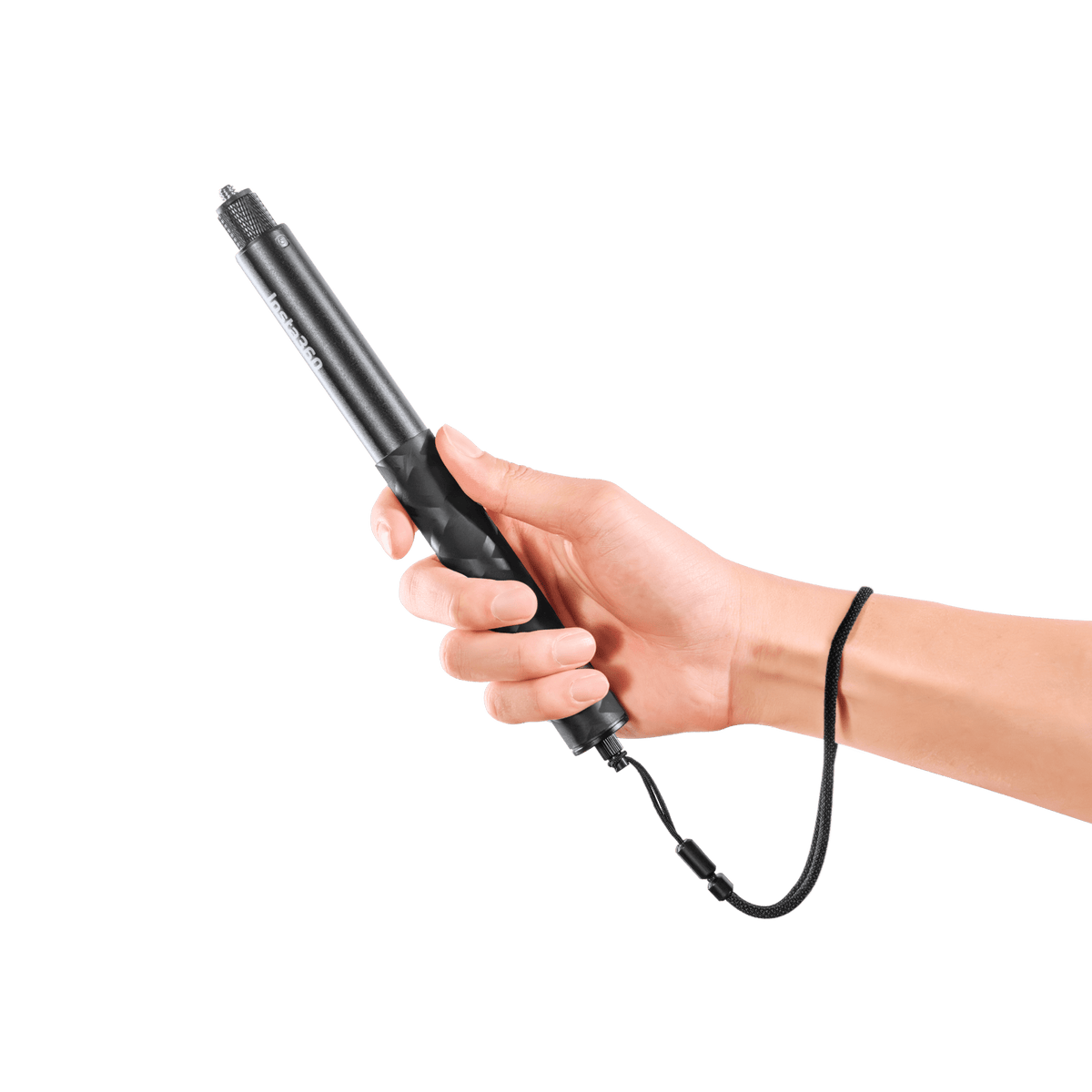
Keep a Useful Connection Within Reach A wrist strap adds a retaining connection while you carry and use a compatible selfie stick. This Insta360 set includes both a comfortable Standard Strap for everyday recording and an Adjustable Strap for a closer fit during more active use. Attach the chosen strap to the stick’s suitable mounting point, check the connection and keep the stick in hand while framing the next shot. Highlights Includes one Standard Strap and one Adjustable Strap. Standard Strap suits comfortable everyday use. Adjustable Strap provides a closer fit for more active recording. Connects through a compatible selfie stick’s 1/4-inch mounting point. Camera and selfie stick are supplied separately. Key Features Choose the Strap for the Activity Both strap styles are included in one package. The Standard Strap is intended for comfortable casual use, while the Adjustable Strap allows a closer wrist fit for more active recording. Choose the one that suits the activity and the way you are handling the stick, then check its fit before starting. Use the Correct Selfie-Stick Connection The wrist strap connects through a suitable 1/4-inch mounting point at the bottom of a compatible selfie stick. Confirm that your stick has the required socket and follow its own accessory instructions. This is a selfie-stick accessory rather than a direct camera clip or a replacement camera mounting base. Keep the Connection Secure Check that the strap’s fastener is firmly seated before using the selfie stick. If the connection feels loose, stop and tighten it again. The retaining connection helps reduce the chance of an accidental drop, but it does not make the stick or camera immune to a fall. Adjust for a Comfortable Wrist Fit Pass your hand through the chosen strap. With the Adjustable Strap, set the fit so it stays close to the wrist without unnecessary looseness. Keep the strap clear of obstructions and maintain a secure grip when operating the selfie stick or camera. Add Retention Without Buying Two Separate Products The package provides both strap styles, making it easy to change the arrangement between casual recording and a more active session. The stick and camera remain separate equipment. Inspect the strap and connection as part of preparing the camera kit, particularly after a pull, impact or change of setup. Summary Insta360 Selfie Stick Wrist Strap supplies Standard and Adjustable straps together for a compatible selfie-stick setup. Select the style, secure the threaded connection and check the wrist fit before recording. It is a simple way to add retention while keeping normal control of the camera and stick. Frequently Asked Questions Are Both Strap Styles Included?ExpandCollapse Yes. One Standard Strap and one Adjustable Strap are supplied in the same package. There is no need to choose a separate strap-style variant for this set. Does It Attach Directly to the Camera?ExpandCollapse It is intended for the suitable 1/4-inch mounting socket at the bottom of a compatible selfie stick. It is not a direct camera mount. The camera and selfie stick are separate. Which Strap Should I Use?ExpandCollapse The manufacturer describes the Standard Strap for casual use and the Adjustable Strap for more active recording. Choose the appropriate style and check the fit and attachment before the activity. Will It Fit Every Selfie Stick?ExpandCollapse Check the stick’s bottom mounting point and accessory instructions. A stick without a suitable compatible socket is not covered simply because it is called a selfie stick. Does It Guarantee Protection from Drops?ExpandCollapse It adds a retaining connection but does not guarantee that the equipment cannot fall or be damaged. Keep a secure grip, inspect the strap and tighten the connection again if it feels loose.
Pickup available at 3005, Ubi Avenue 3, #01-88
通常2〜4日で準備が完了します
Insta360 Selfie Stick Wrist Strap
商品説明
Keep a Useful Connection Within Reach
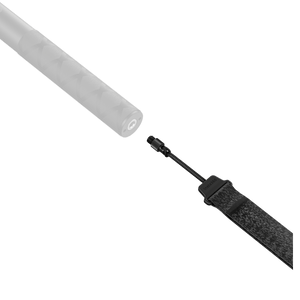
A wrist strap adds a retaining connection while you carry and use a compatible selfie stick. This Insta360 set includes both a comfortable Standard Strap for everyday recording and an Adjustable Strap for a closer fit during more active use. Attach the chosen strap to the stick’s suitable mounting point, check the connection and keep the stick in hand while framing the next shot.
Highlights
- Includes one Standard Strap and one Adjustable Strap.
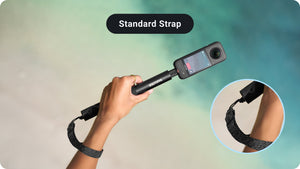
- Standard Strap suits comfortable everyday use.
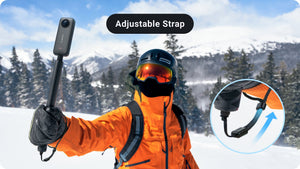
- Adjustable Strap provides a closer fit for more active recording.
- Connects through a compatible selfie stick’s 1/4-inch mounting point.
- Camera and selfie stick are supplied separately.
Key Features
Choose the Strap for the Activity
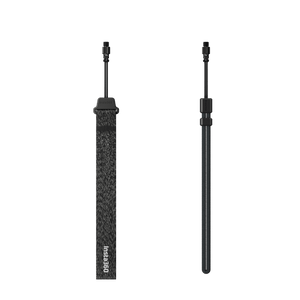
Both strap styles are included in one package. The Standard Strap is intended for comfortable casual use, while the Adjustable Strap allows a closer wrist fit for more active recording. Choose the one that suits the activity and the way you are handling the stick, then check its fit before starting.
Use the Correct Selfie-Stick Connection
The wrist strap connects through a suitable 1/4-inch mounting point at the bottom of a compatible selfie stick. Confirm that your stick has the required socket and follow its own accessory instructions. This is a selfie-stick accessory rather than a direct camera clip or a replacement camera mounting base.
Keep the Connection Secure
Check that the strap’s fastener is firmly seated before using the selfie stick. If the connection feels loose, stop and tighten it again. The retaining connection helps reduce the chance of an accidental drop, but it does not make the stick or camera immune to a fall.
Adjust for a Comfortable Wrist Fit
Pass your hand through the chosen strap. With the Adjustable Strap, set the fit so it stays close to the wrist without unnecessary looseness. Keep the strap clear of obstructions and maintain a secure grip when operating the selfie stick or camera.
Add Retention Without Buying Two Separate Products
The package provides both strap styles, making it easy to change the arrangement between casual recording and a more active session. The stick and camera remain separate equipment. Inspect the strap and connection as part of preparing the camera kit, particularly after a pull, impact or change of setup.
Summary
Insta360 Selfie Stick Wrist Strap supplies Standard and Adjustable straps together for a compatible selfie-stick setup. Select the style, secure the threaded connection and check the wrist fit before recording. It is a simple way to add retention while keeping normal control of the camera and stick.
Frequently Asked Questions
Are Both Strap Styles Included?
Yes. One Standard Strap and one Adjustable Strap are supplied in the same package. There is no need to choose a separate strap-style variant for this set.
Does It Attach Directly to the Camera?
It is intended for the suitable 1/4-inch mounting socket at the bottom of a compatible selfie stick. It is not a direct camera mount. The camera and selfie stick are separate.
Which Strap Should I Use?
The manufacturer describes the Standard Strap for casual use and the Adjustable Strap for more active recording. Choose the appropriate style and check the fit and attachment before the activity.
Will It Fit Every Selfie Stick?
Check the stick’s bottom mounting point and accessory instructions. A stick without a suitable compatible socket is not covered simply because it is called a selfie stick.
Does It Guarantee Protection from Drops?
It adds a retaining connection but does not guarantee that the equipment cannot fall or be damaged. Keep a secure grip, inspect the strap and tighten the connection again if it feels loose.
仕様
Insta360 Selfie Stick Wrist Strap
This accessory set provides two wrist-strap styles for a compatible Insta360 selfie stick. The Standard Strap is intended for casual use, while the Adjustable Strap allows a closer wrist fit for more active recording. The connection uses the stick’s suitable bottom mounting socket rather than the camera’s lens or quick-release system. Check the stick’s instructions, secure the fastener and inspect the chosen strap before use. Camera and selfie stick are separate.
| Specification | Details |
|---|---|
| Connection and Fit | |
| Attachment Point | Suitable 1/4-inch mounting socket at the bottom of a compatible selfie stick |
| Standard Strap | Comfortable strap for casual recording |
| Adjustable Strap | Adjustable wrist fit for more active recording |
| Camera Connection | Through the selfie-stick setup; not a direct camera mounting base |
| Package | |
| Included | 1 Standard Strap; 1 Adjustable Strap |
| Separate Equipment | Camera and compatible selfie stick |
| Preparation and Use | |
| Connection Check | Fit securely and retighten if the fastener feels loose |
| Wrist Fit | Adjust the chosen strap before recording |
| Handling | Maintain control of the stick; inspect the strap and connection after a pull or impact |