



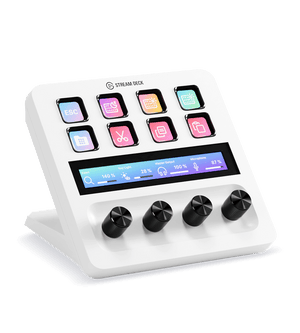
Elgato Stream Deck + LCD Key and Dial Controller
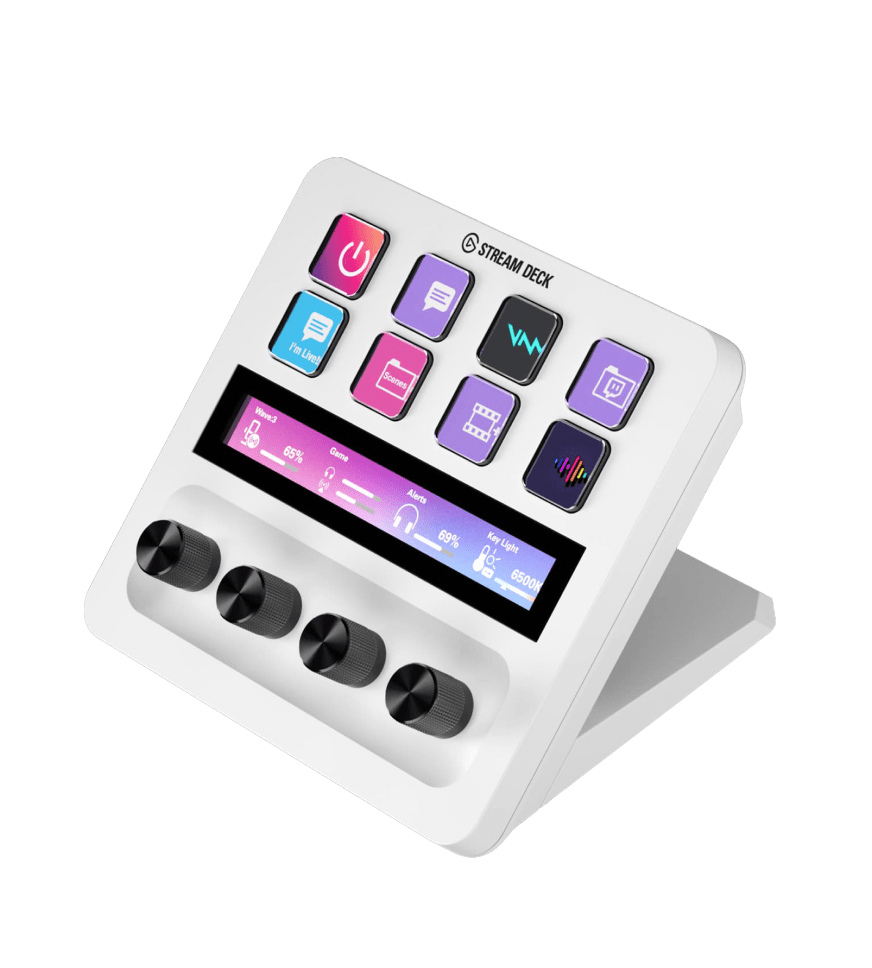
Bring precise adjustments and one-touch control to the same desk Stream Deck + combines LCD shortcut keys, four rotary dials and a touch strip. Tap a key to switch a scene, turn a dial to adjust a supported audio channel and swipe the strip to change pages. It serves a production desk as well as a workstation with repeated editing and meeting tasks. Key Features Eight customisable LCD keys for software actions Four rotary encoders with push functions Touch strip for live readouts and page navigation Stream Deck app and compatible plug-ins for app-specific control Planning Your Setup Build a page around the way you work. Keep volume and monitoring on dials, put essential commands on keys and use a profile for each app. Check that your preferred plug-in exposes the dial adjustments you want before assigning them. Summary Choose Stream Deck + when you need analogue-style control for repeatable adjustments as well as shortcuts for discrete actions. Frequently Asked Questions Can I adjust volume with the dials?ExpandCollapse Yes, through supported audio actions or plug-ins. Configure the channels you want in Stream Deck. Do the dials also work as buttons?ExpandCollapse Yes. Each rotary encoder has a push action. Can I set up profiles for different apps?ExpandCollapse Yes. Configure profiles and folder layouts in the Stream Deck desktop app. What does the strip display?ExpandCollapse It shows labels or feedback from configured dial actions and supports page gestures. How does it connect?ExpandCollapse Connect the included USB-C cable to a supported computer.
3005, Ubi Avenue 3, #01-88で受け取り可能
通常2〜4日で準備が完了します
Elgato Stream Deck + LCD Key and Dial Controller
商品説明
Bring precise adjustments and one-touch control to the same desk
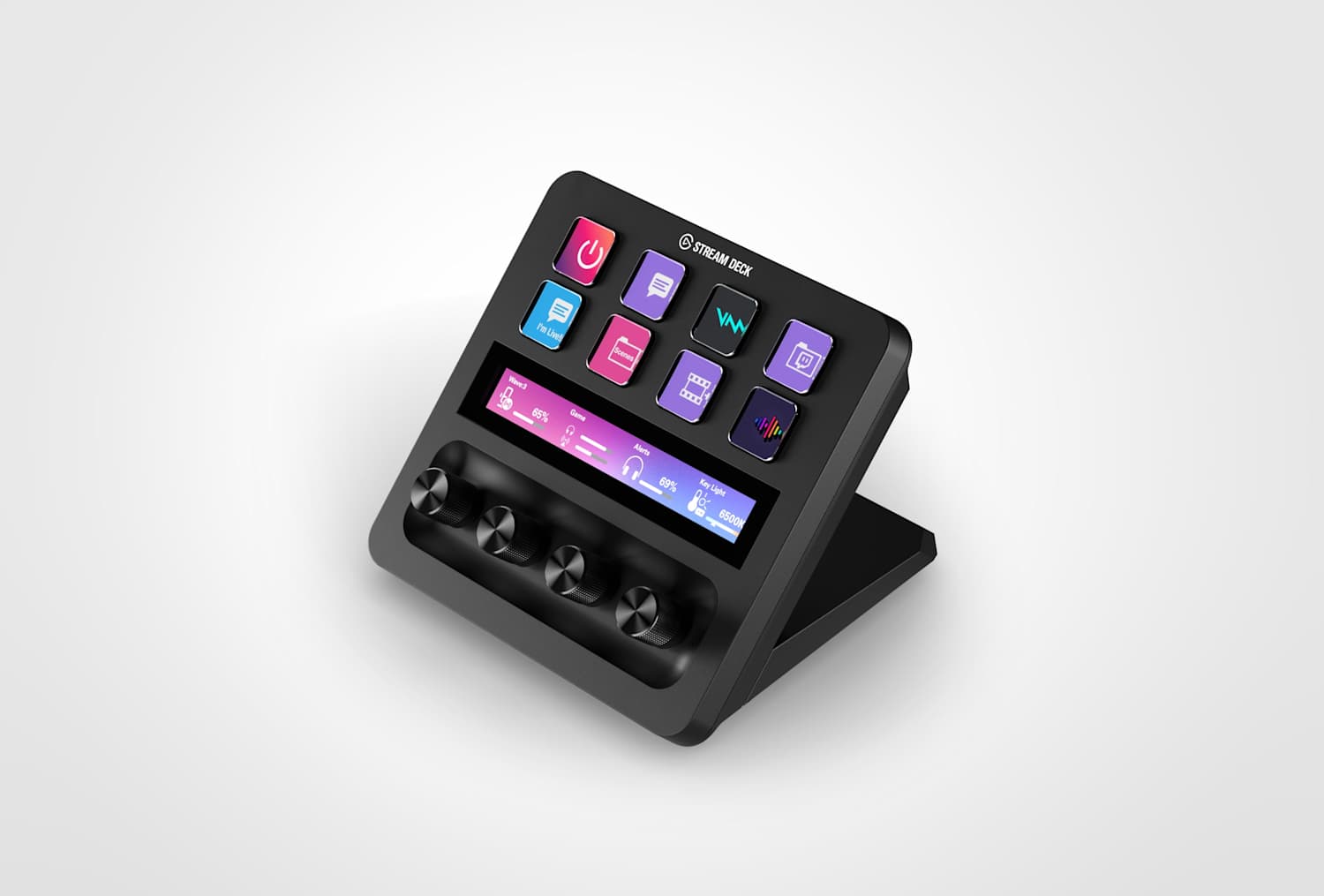
Stream Deck + combines LCD shortcut keys, four rotary dials and a touch strip. Tap a key to switch a scene, turn a dial to adjust a supported audio channel and swipe the strip to change pages. It serves a production desk as well as a workstation with repeated editing and meeting tasks.
Key Features
- Eight customisable LCD keys for software actions
- Four rotary encoders with push functions
- Touch strip for live readouts and page navigation
- Stream Deck app and compatible plug-ins for app-specific control
Planning Your Setup
Build a page around the way you work. Keep volume and monitoring on dials, put essential commands on keys and use a profile for each app. Check that your preferred plug-in exposes the dial adjustments you want before assigning them.
Summary
Choose Stream Deck + when you need analogue-style control for repeatable adjustments as well as shortcuts for discrete actions.
Frequently Asked Questions
Can I adjust volume with the dials?
Yes, through supported audio actions or plug-ins. Configure the channels you want in Stream Deck.
Do the dials also work as buttons?
Yes. Each rotary encoder has a push action.
Can I set up profiles for different apps?
Yes. Configure profiles and folder layouts in the Stream Deck desktop app.
What does the strip display?
It shows labels or feedback from configured dial actions and supports page gestures.
How does it connect?
Connect the included USB-C cable to a supported computer.
仕様
Elgato Stream Deck + LCD Key and Dial Controller
Stream Deck + combines LCD shortcut keys, four rotary dials and a touch strip. Tap a key to switch a scene, turn a dial to adjust a supported audio channel and swipe the strip to change pages. It serves a production desk as well as a workstation with repeated editing and meeting tasks.
| Specification | Details |
|---|---|
| Controls and Display | |
| Keys | 8 customisable LCD keys |
| Dials | 4 push-enabled 360° encoders |
| LCD touch strip | 108 × 14 mm |
| Connectivity and Size | |
| Host interface | USB 2.0, USB-C |
| Configuration | Elgato Stream Deck desktop app |
| Dimensions and weight | 140 × 138 × 110 mm, 465 g |
| In the box | Stream Deck +, 1.5 m USB-C cable and quick-start guide |