



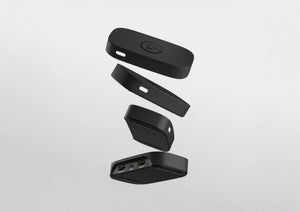
Elgato Game Capture Neo HDMI Capture Card
Record a smooth Full HD stream while you play in 4K HDR Elgato Game Capture Neo connects an unencrypted HDMI source to a compatible computer or iPad for up to 1080p60 recording. HDMI passthrough lets you play through a connected display at up to 4K60 HDR, while the capture feed stays at a manageable Full HD resolution for streaming and editing. Highlights Recording Up to 1080p60 capture for Full HD streams and recording Display Up to 4K60 HDR HDMI passthrough for the connected display Connection USB 3.0 data connection over USB-C 90 g device with a compact 123 x 65 x 20 mm enclosure Key Features Play on the main display while recording Full HD Connect a compatible console to the HDMI input and keep the gaming monitor on the passthrough output. The display can receive supported 4K60 HDR while the computer records up to 1080p60. This keeps the play experience separate from the smaller file or stream you want to produce. Give streams a dependable Full HD source Full HD at up to 60 fps is useful for live streams, short clips and game demonstrations. The recording resolution, broadcast bitrate and screen output are set in different places. Confirm that your capture app sees the right frame rate before you tune the stream or record a longer session. Connect to a suitable computer over USB-C Use the included USB cable and a compatible USB 3.0 host connection. If the computer offers several USB-C ports, make sure the port you choose has the required data capability. Test video with a direct connection first, then introduce any hub or other USB accessories one at a time. Check the HDMI feed before recording An unencrypted HDMI source is needed for capture. Use the console's recording-compatible output and check that your monitor accepts the selected passthrough mode. For a camera or demonstration source, confirm that its HDMI feed stays active and shows only the image you want people to see. Keep the setup small enough to move The compact enclosure can sit beside a console or a laptop making a temporary capture station easier to set up. Leave room for the HDMI and USB cables to bend naturally. The capture card can be moved between compatible hosts if you transfer or recreate the recording settings for that arrangement. Summary Game Capture Neo is a sensible choice when Full HD recording is enough and you want a compatible 4K HDR display for play or preview. It suits first streams, casual console recordings and compact workstations. Use a higher-capacity capture card if the recording itself must be saved in 4K. Frequently Asked Questions Can Game Capture Neo record at 4K?ExpandCollapse It records at up to 1080p60. A compatible display can receive up to 4K60 HDR through the HDMI passthrough. Does it work with a console and a laptop?ExpandCollapse Yes, when the console supplies supported unencrypted HDMI, the laptop meets the host requirements, and its connected USB port supports USB 3.0 data. Can I use an iPad as the capture host?ExpandCollapse Elgato lists iPadOS 17 or later and a suitable USB 3.0 connection. Check the iPad and adapter specifications before connecting. Do the HDMI cables come in the box?ExpandCollapse Elgato lists a USB-C data cable. Supply suitable HDMI cables for your source and optional display. Can it capture protected HDMI video?ExpandCollapse Use a supported unencrypted HDMI signal. HDCP-protected content cannot be recorded.
3005, Ubi Avenue 3, #01-88で受け取り可能
通常2〜4日で準備が完了します
Elgato Game Capture Neo HDMI Capture Card
商品説明
Record a smooth Full HD stream while you play in 4K HDR
Elgato Game Capture Neo connects an unencrypted HDMI source to a compatible computer or iPad for up to 1080p60 recording. HDMI passthrough lets you play through a connected display at up to 4K60 HDR, while the capture feed stays at a manageable Full HD resolution for streaming and editing.
Highlights
Recording
- Up to 1080p60 capture for Full HD streams and recording
Display
- Up to 4K60 HDR HDMI passthrough for the connected display
Connection
- USB 3.0 data connection over USB-C
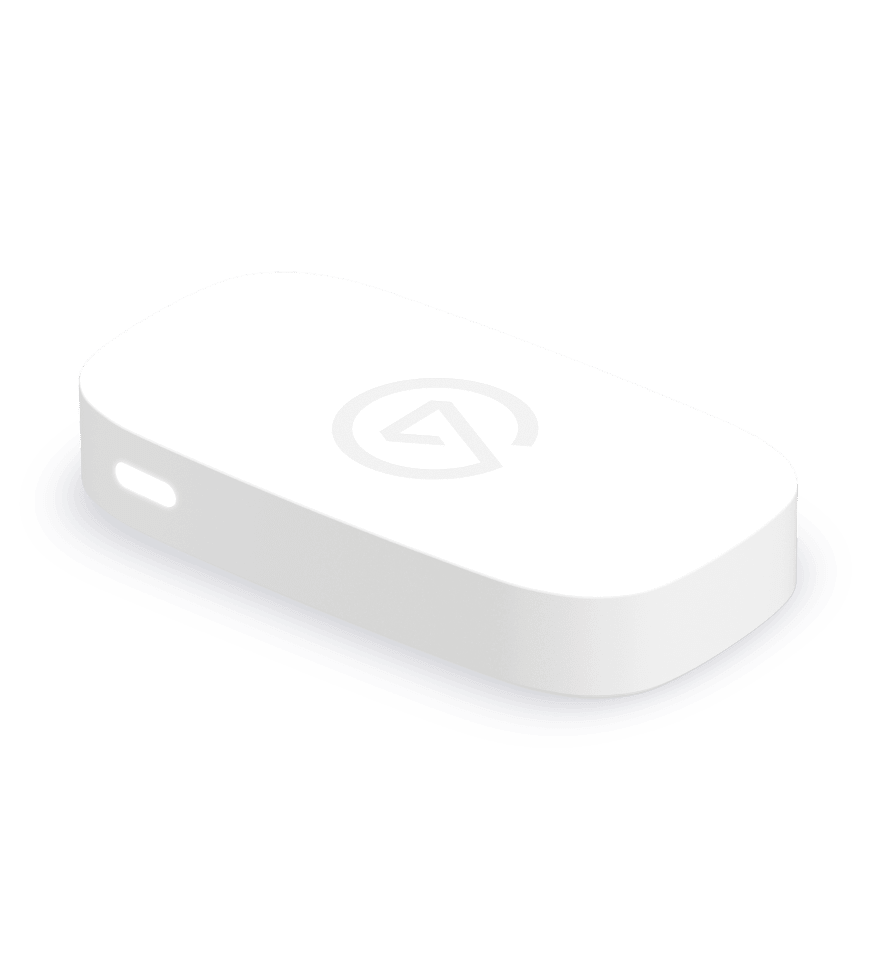
- 90 g device with a compact 123 x 65 x 20 mm enclosure
Key Features
Play on the main display while recording Full HD
Connect a compatible console to the HDMI input and keep the gaming monitor on the passthrough output. The display can receive supported 4K60 HDR while the computer records up to 1080p60. This keeps the play experience separate from the smaller file or stream you want to produce.
Give streams a dependable Full HD source
Full HD at up to 60 fps is useful for live streams, short clips and game demonstrations. The recording resolution, broadcast bitrate and screen output are set in different places. Confirm that your capture app sees the right frame rate before you tune the stream or record a longer session.
Connect to a suitable computer over USB-C
Use the included USB cable and a compatible USB 3.0 host connection. If the computer offers several USB-C ports, make sure the port you choose has the required data capability. Test video with a direct connection first, then introduce any hub or other USB accessories one at a time.
Check the HDMI feed before recording
An unencrypted HDMI source is needed for capture. Use the console's recording-compatible output and check that your monitor accepts the selected passthrough mode. For a camera or demonstration source, confirm that its HDMI feed stays active and shows only the image you want people to see.
Keep the setup small enough to move
The compact enclosure can sit beside a console or a laptop making a temporary capture station easier to set up. Leave room for the HDMI and USB cables to bend naturally. The capture card can be moved between compatible hosts if you transfer or recreate the recording settings for that arrangement.
Summary
Game Capture Neo is a sensible choice when Full HD recording is enough and you want a compatible 4K HDR display for play or preview. It suits first streams, casual console recordings and compact workstations. Use a higher-capacity capture card if the recording itself must be saved in 4K.
Frequently Asked Questions
Can Game Capture Neo record at 4K?
It records at up to 1080p60. A compatible display can receive up to 4K60 HDR through the HDMI passthrough.
Does it work with a console and a laptop?
Yes, when the console supplies supported unencrypted HDMI, the laptop meets the host requirements, and its connected USB port supports USB 3.0 data.
Can I use an iPad as the capture host?
Elgato lists iPadOS 17 or later and a suitable USB 3.0 connection. Check the iPad and adapter specifications before connecting.
Do the HDMI cables come in the box?
Elgato lists a USB-C data cable. Supply suitable HDMI cables for your source and optional display.
Can it capture protected HDMI video?
Use a supported unencrypted HDMI signal. HDCP-protected content cannot be recorded.
仕様
Elgato Game Capture Neo HDMI Capture Card
Game Capture Neo separates the Full HD recording feed from the higher-resolution HDMI passthrough. A compatible display can receive up to 4K60 HDR while the host records up to 1080p60. The capture path uses USB 3.0, so confirm the computer’s port, minimum hardware and support for the source’s unencrypted HDMI signal.
| Specification | Details |
|---|---|
| Capture and Display | |
| Video input | Unencrypted HDMI |
| Recording resolution | Up to 1920 x 1080 at 60 fps |
| HDMI passthrough | Up to 4K at 60 Hz with HDR |
| Video output | HDMI passthrough to an external display |
| Signal routing | Separate HDMI display passthrough and Full HD USB capture stream. |
| Host and Software | |
| Host connection | USB 3.0 data connection via USB-C |
| Supported operating systems | Windows 10 64-bit or later, macOS 12 or later, or iPadOS 17 or later |
| Capture software | Elgato Studio on supported hosts and compatible capture applications |
| Windows host | Intel Core i5 6th generation or AMD Ryzen 7 class and GeForce GTX 10 series or better |
| Mac host | Apple M1 or supported Intel Core i5 quad-core and compatible graphics |
| Memory | 8 GB or more |
| Physical Design and Box Contents | |
| Dimensions | 123 x 65 x 20 mm |
| Device weight | 90 g |
| Box contents | Game Capture Neo and 1 m USB 3.0 data cable |