TP-Link Archer BN800 BN19000 Tri-Band WiFi 8 Router
A stronger foundation for a connected home TP-Link Archer BN800, also known as Archer 8 Ultra, combines tri-band WiFi 8 with a substantial wired network hub. Its two 10Gbps connections and four 2.5Gbps LAN ports suit a home with fast broadband, a NAS, workstations and entertainment equipment that need more than a basic router. An internal antenna array keeps the design self-contained, while Tether management, guest networking and supported EasyMesh expansion help you organise the network around the way your home is used. Highlights Wireless and wired capacity BN19000-class tri-band wireless across 2.4GHz, 5GHz and 6GHz, with 18 internal antennas. Two 10Gbps WAN/LAN connections, four 2.5Gbps LAN ports and one Gigabit LAN port. The SFP+/RJ45 combo is one shared connection. A considered home-network setup Router, access point and supported EasyMesh agent modes. Tether app management, separate guest and IoT networks, WPA3 and supported HomeShield services. Supplied essentials Router, power cord, RJ45 Ethernet cable and Quick Installation Guide. 3-year warranty. Internet service, a required broadband modem or ONT, and optional optical modules are separate. Key Features Put fast wired connections to work Use a suitable 10Gbps port for a compatible internet handoff or demanding local device, then connect other equipment through the 2.5Gbps and Gigabit ports. The SFP+ and RJ45 sides of the combo connection cannot operate as two independent ports. Match the cable, transceiver where required, receiving device and broadband plan to the speed you want from the connection. Give different devices room to connect The three wireless bands provide options for compatible newer clients and existing equipment. The published band rates add to the BN19000 wireless class; they are not one device's download speed. Placement, walls, interference, regional channel permissions and the client radio still affect the result. Use the antenna operating mode that suits the installation and test the rooms you use most. Understand the WiFi 8 feature roadmap TP-Link describes the BN800 as a WiFi 8 router, with some reliability functions planned for future software updates. The manufacturer also notes that the device may not support every mandatory feature in the final IEEE 802.11bn specification. Check the current firmware capabilities when planning a deployment. Compatible client hardware is needed for corresponding wireless functions. Keep access organised Separate guest and IoT networks let you apply a more deliberate access policy for visitors and connected devices. Supported VPN client and server functions offer further connection options. HomeShield includes services with different availability and subscription conditions, so choose the protection and parental-control functions you actually need. Maintain current firmware and a strong administrator password. Expand within the right ecosystem Use compatible EasyMesh equipment when extending this router's managed wireless network. Check the exact models and firmware before relying on a particular mesh feature. Deco and Omada use their own management platforms. A compatible USB WiFi 6E adapter can also help a supported computer access the 6GHz band, but it does not become a WiFi 8 client. Summary Archer BN800 is a substantial home-network gateway for buyers who want tri-band wireless alongside useful 10Gbps and 2.5Gbps connections. Plan the broadband handoff and wired equipment first, then confirm wireless client support and the current firmware feature set. It provides a practical route into a newer wireless generation while keeping the network's physical connections and day-to-day administration clear. Frequently Asked Questions Will a single device download at 19Gbps?ExpandCollapse No. BN19000 combines the advertised physical link rates of three wireless bands. A client's connection, signal conditions, Ethernet path and internet service determine its practical throughput. Are all advertised WiFi 8 functions available immediately?ExpandCollapse Some functions require compatible clients or future firmware. TP-Link states that the router may not implement every mandatory feature of the final IEEE 802.11bn specification. Check the current release notes for functions essential to your setup. Can the SFP+ and RJ45 combo connectors both be used?ExpandCollapse They share one logical 10Gbps WAN/LAN connection. Use the supported optical module or the RJ45 connector for that connection; they do not provide two independent ports. Can it work with my existing modem, ONT or mesh system?ExpandCollapse It supports an appropriate Ethernet broadband handoff and supported router/access point modes. Confirm your provider's settings. Mesh expansion requires compatible EasyMesh equipment and firmware; Deco and Omada do not automatically join the same managed mesh. Is internet service or a HomeShield subscription included?ExpandCollapse Internet service is separate. The package includes the router, power cord, Ethernet cable and installation guide. Some HomeShield functions have separate subscription requirements.
Produk Tambahan (1)
Pengambilan tersedia di 3005, Ubi Avenue 3, #01-88
Biasanya siap dalam 2-4 hari kerja (tidak termasuk hari libur)
TP-Link Archer BN800 BN19000 Tri-Band WiFi 8 Router
Deskripsi
A stronger foundation for a connected home
TP-Link Archer BN800, also known as Archer 8 Ultra, combines tri-band WiFi 8 with a substantial wired network hub. Its two 10Gbps connections and four 2.5Gbps LAN ports suit a home with fast broadband, a NAS, workstations and entertainment equipment that need more than a basic router. An internal antenna array keeps the design self-contained, while Tether management, guest networking and supported EasyMesh expansion help you organise the network around the way your home is used.
Highlights
Wireless and wired capacity
- BN19000-class tri-band wireless across 2.4GHz, 5GHz and 6GHz, with 18 internal antennas.
- Two 10Gbps WAN/LAN connections, four 2.5Gbps LAN ports and one Gigabit LAN port. The SFP+/RJ45 combo is one shared connection.
A considered home-network setup
- Router, access point and supported EasyMesh agent modes.
- Tether app management, separate guest and IoT networks, WPA3 and supported HomeShield services.
Supplied essentials
- Router, power cord, RJ45 Ethernet cable and Quick Installation Guide.
- 3-year warranty. Internet service, a required broadband modem or ONT, and optional optical modules are separate.
Key Features
Put fast wired connections to work
Use a suitable 10Gbps port for a compatible internet handoff or demanding local device, then connect other equipment through the 2.5Gbps and Gigabit ports. The SFP+ and RJ45 sides of the combo connection cannot operate as two independent ports. Match the cable, transceiver where required, receiving device and broadband plan to the speed you want from the connection.

Give different devices room to connect
The three wireless bands provide options for compatible newer clients and existing equipment. The published band rates add to the BN19000 wireless class; they are not one device's download speed. Placement, walls, interference, regional channel permissions and the client radio still affect the result. Use the antenna operating mode that suits the installation and test the rooms you use most.
Understand the WiFi 8 feature roadmap
TP-Link describes the BN800 as a WiFi 8 router, with some reliability functions planned for future software updates. The manufacturer also notes that the device may not support every mandatory feature in the final IEEE 802.11bn specification. Check the current firmware capabilities when planning a deployment. Compatible client hardware is needed for corresponding wireless functions.
Keep access organised
Separate guest and IoT networks let you apply a more deliberate access policy for visitors and connected devices. Supported VPN client and server functions offer further connection options. HomeShield includes services with different availability and subscription conditions, so choose the protection and parental-control functions you actually need. Maintain current firmware and a strong administrator password.

Expand within the right ecosystem
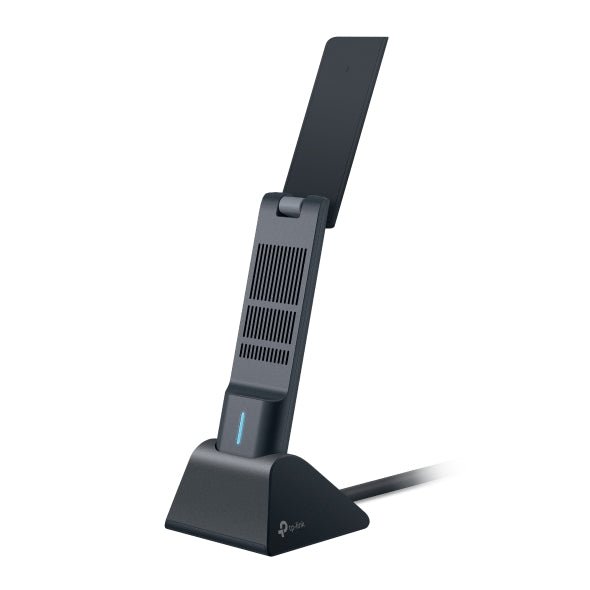
Use compatible EasyMesh equipment when extending this router's managed wireless network. Check the exact models and firmware before relying on a particular mesh feature. Deco and Omada use their own management platforms. A compatible USB WiFi 6E adapter can also help a supported computer access the 6GHz band, but it does not become a WiFi 8 client.

Summary
Archer BN800 is a substantial home-network gateway for buyers who want tri-band wireless alongside useful 10Gbps and 2.5Gbps connections. Plan the broadband handoff and wired equipment first, then confirm wireless client support and the current firmware feature set. It provides a practical route into a newer wireless generation while keeping the network's physical connections and day-to-day administration clear.
Frequently Asked Questions
Will a single device download at 19Gbps?
No. BN19000 combines the advertised physical link rates of three wireless bands. A client's connection, signal conditions, Ethernet path and internet service determine its practical throughput.
Are all advertised WiFi 8 functions available immediately?
Some functions require compatible clients or future firmware. TP-Link states that the router may not implement every mandatory feature of the final IEEE 802.11bn specification. Check the current release notes for functions essential to your setup.
Can the SFP+ and RJ45 combo connectors both be used?
They share one logical 10Gbps WAN/LAN connection. Use the supported optical module or the RJ45 connector for that connection; they do not provide two independent ports.
Can it work with my existing modem, ONT or mesh system?
It supports an appropriate Ethernet broadband handoff and supported router/access point modes. Confirm your provider's settings. Mesh expansion requires compatible EasyMesh equipment and firmware; Deco and Omada do not automatically join the same managed mesh.
Is internet service or a HomeShield subscription included?
Internet service is separate. The package includes the router, power cord, Ethernet cable and installation guide. Some HomeShield functions have separate subscription requirements.
Spesifikasi
TP-Link Archer BN800 BN19000 Tri-Band WiFi 8 Router
Archer BN800 is a tri-band home router with multi-gigabit Ethernet connections and TP-Link's advertised WiFi 8 platform. The grouped specifications separate wireless signalling, shared and independent wired ports, management, physical installation and supplied equipment. Wireless class figures are combined physical rates, not guaranteed application throughput. Feature availability depends on regional permissions, clients and firmware; some WiFi 8 reliability functions require future updates, and the manufacturer does not promise every mandatory feature of the final standard.
| Specification | Details |
|---|---|
| Wireless and Clients | |
| Wireless platform | Tri-band WiFi 8 as advertised by TP-Link; IEEE 802.11bn/be/ax with relevant legacy support. Final-standard and firmware conditions apply. |
| Published physical rates | 6GHz up to 11,528Mbps; 5GHz up to 5,764Mbps; 2.4GHz up to 1,376Mbps. |
| Antenna system | 18 internal antennas; three antenna operating modes. |
| Operating modes | Router, access point and supported EasyMesh agent modes. |
| Feature availability | Some advertised WiFi 8 reliability functions are planned for future firmware. Regional channel permissions and compatible clients are required. |
| Ports and Local Connectivity | |
| Ethernet | One shared 10Gbps SFP+/RJ45 WAN/LAN connection; one separate 10Gbps RJ45 WAN/LAN port; four 2.5Gbps LAN ports; one Gigabit LAN port. |
| Combo-port use | Choose SFP+ or RJ45 for the shared connection. An appropriate optical module is separate when required. |
| USB | One USB 3.0 port for supported sharing functions. |
| Controls | Reset, power, WPS, WiFi and LED buttons; supported NFC setup/connection functions. |
| Management and Security | |
| Administration | Tether app and compatible JavaScript-enabled browser; TP-Link ID and remote services where supported. |
| Network services | IPv4/IPv6, supported dynamic/static IP and PPPoE connections, DDNS and NAT forwarding. |
| Access and encryption | Guest and IoT networks; WPA3, WPA2 and supported enterprise authentication. |
| VPN | Supported OpenVPN, WireGuard, L2TP and PPTP client/server functions; configure protocols appropriate to your security policy. |
| HomeShield and QoS | Supported security, parental-control and traffic-priority services; some functions require a subscription. |
| Mesh | Compatible EasyMesh models and firmware; separate from Deco and Omada management. |
| Physical Design and Environment | |
| Dimensions | 226 x 98 x 245.6mm (W x D x H). |
| Operating conditions | 0-40�C; 10-90% RH, non-condensing. |
| Package | Router, power cord, RJ45 Ethernet cable and Quick Installation Guide. |
| Warranty | 3 years |
Produk Tambahan