



Insta360 Quick Reader Portable SSD
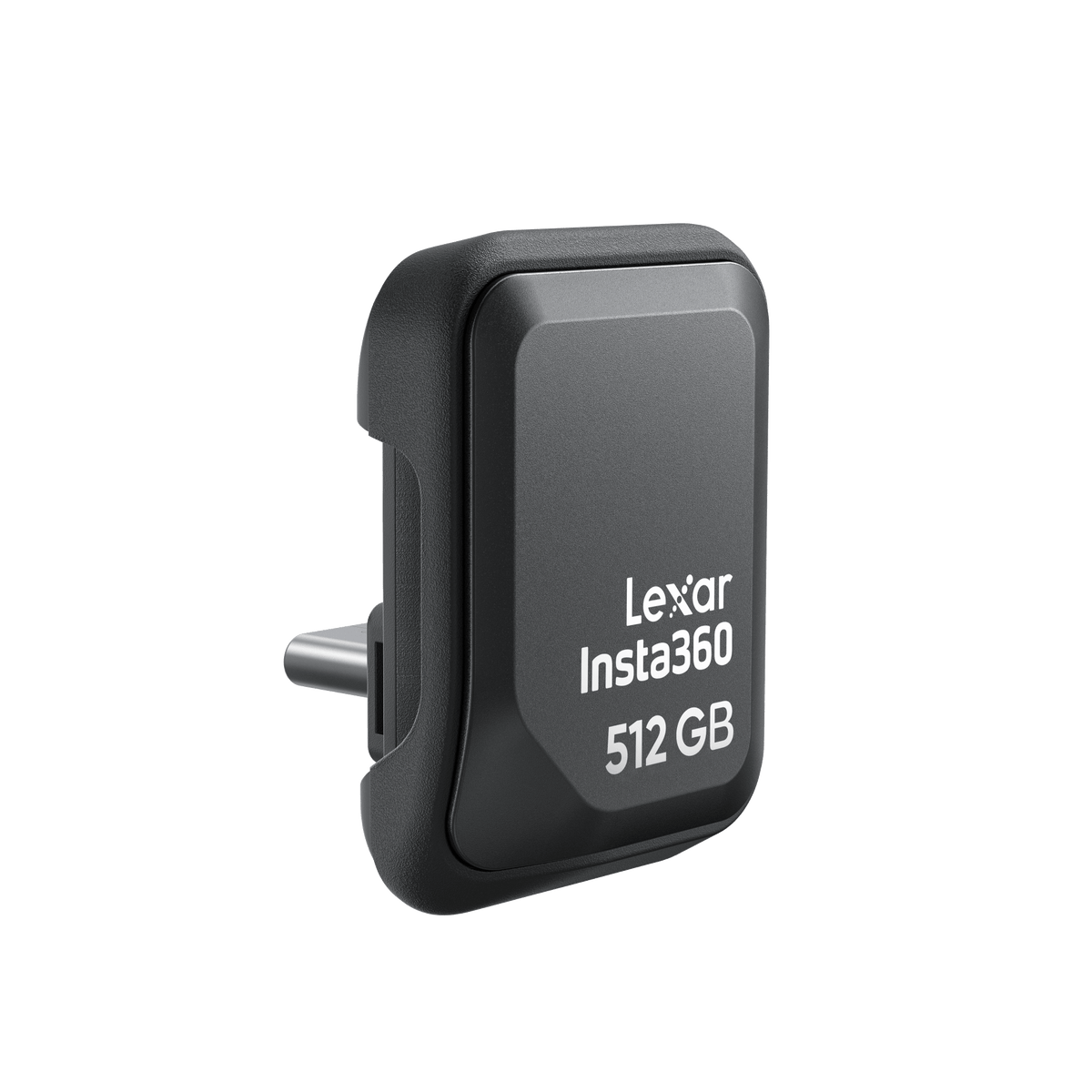
From the Camera to the Edit with Fewer Transfers Keep footage moving through the shooting day. Insta360 Quick Reader Portable SSD combines built-in solid-state storage with a direct USB-C connection, allowing a compatible camera to record to the reader before you connect it to a supported phone, tablet or computer. Co-developed with Lexar, it gives creators a compact storage and transfer tool for capturing, reviewing and preparing footage without first copying everything into the phone’s internal storage. Highlights Built-in SSD storage with a direct USB-C connection. Up to 420 MB/s sequential read and write speeds. USB 3.2 Gen 1 connection with a 5 Gbps interface. Direct recording from specified compatible Insta360 cameras. Mobile editing access through the Insta360 App on supported devices. Key Features Record Directly to the Reader Connect the reader using the mounting arrangement specified for your camera and confirm its connection message before recording. New footage is then saved to the attached reader by default. This separates the working storage from the camera’s microSD card and makes the recorded files easier to carry into the next stage of the workflow. Move Between Shooting and Reviewing After recording, unplug the reader from the camera and connect it to a compatible USB-C device. Review and transfer footage on a computer, or access supported camera media through the Insta360 App on a phone or tablet. The reader uses a physical connection, so this transfer route does not depend on establishing a camera Wi-Fi link. Keep More Working Space on the Phone Accessing files from external storage can reduce the need to copy a complete shooting session into the phone before deciding which clips to use. Authorise the correct storage folder when prompted by the app. The result is a more deliberate workflow for reviewing clips, selecting material and retaining the original files on the reader. Use the Available Transfer Bandwidth The manufacturer rates sequential reading and writing at up to 420 MB/s. Actual results depend on the connected device, connection, file sizes and working conditions. A 5 Gbps USB interface describes the link rather than a guaranteed file-transfer rate, so allow practical transfer time when planning an edit or delivery. Fit the Camera Connection Correctly The package includes camera-specific all-weather covers and a USB-C port spacer. Follow the fitting instructions for the exact camera rather than treating the exposed USB-C connection as waterproof. The reader itself is not waterproof. Remove the accessory cover and reinstall the original camera USB cover when returning to the camera’s normal sealed configuration. Carry a Compact Storage Tool The reader weighs approximately 5.4 g and measures 29.7 × 21.9 × 18.4 mm. It can also serve as external recording storage for a smartphone that explicitly supports that function. Keep a separate backup of important footage and confirm the intended camera and mobile-device workflow before a demanding shoot. Summary Insta360 Quick Reader Portable SSD brings camera recording, portable storage and USB-C file access into one compact accessory. Match it to a supported camera, fit the correct cover or spacer and carry the footage directly to a compatible editing device. Its value is a simpler capture-to-review routine, with transfer performance and mobile functions determined by the equipment used. Frequently Asked Questions Which Cameras Can Record to This Reader?ExpandCollapse It supports X6, X5, X4 Air and Ace Pro 2. Keep the camera firmware updated and use the fitting arrangement specified for the exact model. The supplied all-weather covers are for X5/X4 Air and Ace Pro 2; camera compatibility does not mean a separate cover for every model is included. Does It Need a Separate Memory Card or Battery?ExpandCollapse It contains built-in SSD storage and connects directly over USB-C. It does not require a microSD card to provide that storage or a separate reader battery. Compatible camera recording and editing-device operation remain subject to the connected equipment. Can I Edit from a Phone or Tablet?ExpandCollapse On supported devices, connect the reader and select its media folder when the Insta360 App requests access. Supported mobile systems include Android, iOS and HarmonyOS. For computer file access, the manufacturer lists Windows, macOS and Linux. Device ports, software and file support still matter. Is It Waterproof with the Camera?ExpandCollapse The reader itself is not waterproof. The specified all-weather covers help protect the supported connection from rain and splashes; they do not make the reader suitable for submersion. Follow the exact camera fitting instructions and restore the original USB cover after removing the reader. Can It Record Video Directly from My Smartphone?ExpandCollapse Only if the phone and recording application support recording to external USB storage. A USB-C port alone does not establish that function. Check the phone, application, recording format and connection requirements before relying on it for a shoot.
Pengambilan tersedia di 3005, Ubi Avenue 3, #01-88
Biasanya siap dalam 2-4 hari kerja (tidak termasuk hari libur)
Insta360 Quick Reader Portable SSD
Deskripsi
From the Camera to the Edit with Fewer Transfers
Keep footage moving through the shooting day. Insta360 Quick Reader Portable SSD combines built-in solid-state storage with a direct USB-C connection, allowing a compatible camera to record to the reader before you connect it to a supported phone, tablet or computer. Co-developed with Lexar, it gives creators a compact storage and transfer tool for capturing, reviewing and preparing footage without first copying everything into the phone’s internal storage.
Highlights
- Built-in SSD storage with a direct USB-C connection.
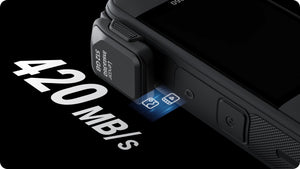
- Up to 420 MB/s sequential read and write speeds.
- USB 3.2 Gen 1 connection with a 5 Gbps interface.
- Direct recording from specified compatible Insta360 cameras.
- Mobile editing access through the Insta360 App on supported devices.
Key Features
Record Directly to the Reader
Connect the reader using the mounting arrangement specified for your camera and confirm its connection message before recording. New footage is then saved to the attached reader by default. This separates the working storage from the camera’s microSD card and makes the recorded files easier to carry into the next stage of the workflow.
Move Between Shooting and Reviewing
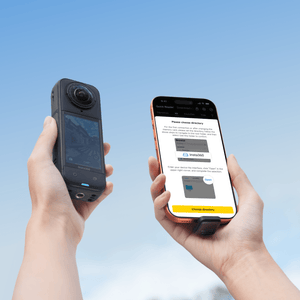
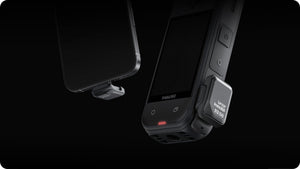
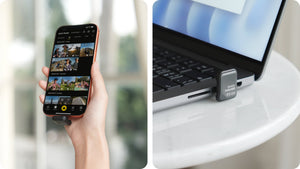
After recording, unplug the reader from the camera and connect it to a compatible USB-C device. Review and transfer footage on a computer, or access supported camera media through the Insta360 App on a phone or tablet. The reader uses a physical connection, so this transfer route does not depend on establishing a camera Wi-Fi link.
Keep More Working Space on the Phone
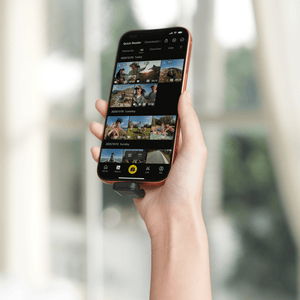
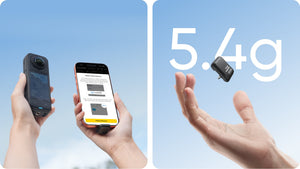
Accessing files from external storage can reduce the need to copy a complete shooting session into the phone before deciding which clips to use. Authorise the correct storage folder when prompted by the app. The result is a more deliberate workflow for reviewing clips, selecting material and retaining the original files on the reader.
Use the Available Transfer Bandwidth
The manufacturer rates sequential reading and writing at up to 420 MB/s. Actual results depend on the connected device, connection, file sizes and working conditions. A 5 Gbps USB interface describes the link rather than a guaranteed file-transfer rate, so allow practical transfer time when planning an edit or delivery.
Fit the Camera Connection Correctly
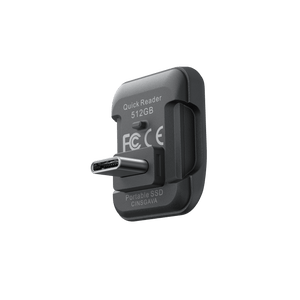
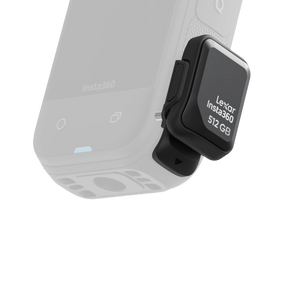
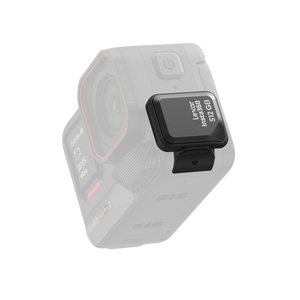
The package includes camera-specific all-weather covers and a USB-C port spacer. Follow the fitting instructions for the exact camera rather than treating the exposed USB-C connection as waterproof. The reader itself is not waterproof. Remove the accessory cover and reinstall the original camera USB cover when returning to the camera’s normal sealed configuration.
Carry a Compact Storage Tool
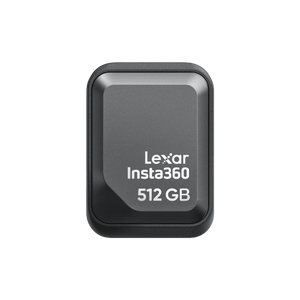
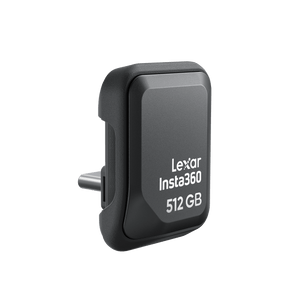
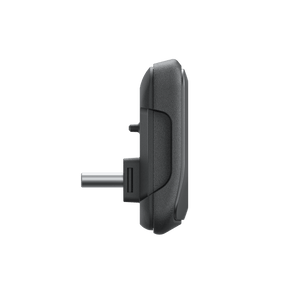
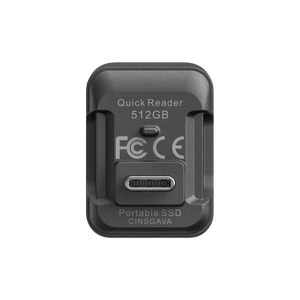
The reader weighs approximately 5.4 g and measures 29.7 × 21.9 × 18.4 mm. It can also serve as external recording storage for a smartphone that explicitly supports that function. Keep a separate backup of important footage and confirm the intended camera and mobile-device workflow before a demanding shoot.
Summary
Insta360 Quick Reader Portable SSD brings camera recording, portable storage and USB-C file access into one compact accessory. Match it to a supported camera, fit the correct cover or spacer and carry the footage directly to a compatible editing device. Its value is a simpler capture-to-review routine, with transfer performance and mobile functions determined by the equipment used.
Frequently Asked Questions
Which Cameras Can Record to This Reader?
It supports X6, X5, X4 Air and Ace Pro 2. Keep the camera firmware updated and use the fitting arrangement specified for the exact model. The supplied all-weather covers are for X5/X4 Air and Ace Pro 2; camera compatibility does not mean a separate cover for every model is included.
Does It Need a Separate Memory Card or Battery?
It contains built-in SSD storage and connects directly over USB-C. It does not require a microSD card to provide that storage or a separate reader battery. Compatible camera recording and editing-device operation remain subject to the connected equipment.
Can I Edit from a Phone or Tablet?
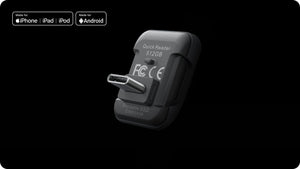
On supported devices, connect the reader and select its media folder when the Insta360 App requests access. Supported mobile systems include Android, iOS and HarmonyOS. For computer file access, the manufacturer lists Windows, macOS and Linux. Device ports, software and file support still matter.
Is It Waterproof with the Camera?
The reader itself is not waterproof. The specified all-weather covers help protect the supported connection from rain and splashes; they do not make the reader suitable for submersion. Follow the exact camera fitting instructions and restore the original USB cover after removing the reader.
Can It Record Video Directly from My Smartphone?
Only if the phone and recording application support recording to external USB storage. A USB-C port alone does not establish that function. Check the phone, application, recording format and connection requirements before relying on it for a shoot.
Spesifikasi
Insta360 Quick Reader Portable SSD
Insta360 Quick Reader Portable SSD combines solid-state storage with a USB-C connection for compatible camera recording and file access. Its compact design lets you move footage from the camera to a supported editing device without a camera Wi-Fi transfer. Sequential speeds are maximums rather than guaranteed results for every phone or computer. Use the correct camera fitting, keep the connection dry and confirm device support for the intended recording or editing workflow. The included covers and spacer are listed separately from camera compatibility.
| Specification | Details |
|---|---|
| Storage and Interface | |
| Built-in Storage | 512 GB SSD |
| Connection | USB-C; USB 3.2 Gen 1, 5 Gbps |
| Sequential Read and Write | Up to 420 MB/s each; actual performance depends on the connected device and conditions |
| Camera Recording | Direct external recording on supported cameras; the reader becomes the default recording destination while connected |
| Compatibility | |
| Compatible Cameras | X6, X5, X4 Air and Ace Pro 2 |
| Mobile Systems | Android, iOS and HarmonyOS, with compatible USB-C hardware and software |
| Computer Systems | Windows, macOS and Linux |
| Phone External Recording | Requires a phone and application that support recording to external storage |
| Physical Design and Environment | |
| Dimensions | 29.7 × 21.9 × 18.4 mm |
| Weight | Approximately 5.4 g |
| Materials | Plastic, silicone and aluminium alloy |
| Operating Temperature | −25°C to 55°C |
| Storage Temperature | −40°C to 85°C |
| Water Protection | Reader is not waterproof; follow the exact cover and camera instructions |
| Included Items | |
| In the Box | Quick Reader Portable SSD, X5/X4 Air All-Weather Cover, Ace Pro 2 All-Weather Cover and USB-C Port Spacer |
| Separate Equipment | Camera, phone, tablet and computer |