


Antigravity Quick Reader
Move from Flight to Footage Start working with your A1 recordings while the aircraft stays powered down. Antigravity Quick Reader accepts the drone’s microSD card and connects directly to a compatible device, giving you a wired route into your editing workflow. The compact reader combines USB-C and Lightning connections with USB 3.0 support. Use it to move footage to your phone, tablet or computer without keeping the drone running solely for a wireless transfer. Highlights Designed for the Antigravity A1 footage workflow. Read the aircraft’s removable microSD card with the drone powered off. USB-C and Lightning connections in one compact accessory. USB 3.0 support for wired transfers. Manufacturer-listed support for iOS, Android, macOS and Windows. Supported mobile file operations through the Antigravity app. Key Features Keep the Aircraft Powered Down Switch off the A1 before removing its microSD card, then insert the card into the reader. The footage is accessed from the card rather than streamed through the aircraft, leaving the drone ready to be packed away or prepared separately for its next flight. Choose the Connector for Your Device Open the cap over the required connector and connect the reader to a compatible USB-C or Lightning port. Both connection types are part of the same accessory, so you can move between supported devices without choosing a separate reader edition. Bring Files into Your Workflow On a supported mobile device, open the Antigravity app and follow its transfer instructions. The app supports downloading, exporting, deleting and other supported file operations. Desktop compatibility also extends the reader’s role beyond your phone, with the connected device and card affecting the practical transfer performance. Use the Right Recording Source The Quick Reader workflow is for the A1 microSD card. It does not export recordings from the Vision Goggles. Keep original filenames unchanged during transfer and allow file operations to finish before disconnecting the reader. Summary Antigravity Quick Reader is a compact addition for A1 owners who want a direct connection between removable footage storage and their editing device. Choose the appropriate connector, use a compatible card and follow the current app instructions to transfer your recordings. Frequently Asked Questions Do I Need to Power On the Drone?ExpandCollapse No. Power off the A1 before removing its microSD card. Put the card into the Quick Reader, connect the reader to your compatible device and follow the app instructions. The footage is read from the card. Does It Have USB-C and Lightning Connections?ExpandCollapse Yes. The reader has both connection types, with protective caps. Open the required cap and use the connector that matches your compatible device. It is one reader, not two separate editions. Which Devices Does It Support?ExpandCollapse Antigravity lists iOS, Android, macOS and Windows support. Your device needs a compatible connection, and supported mobile file operations use the Antigravity app. Check the current app and device requirements before use. Can It Export Recordings from Vision Goggles?ExpandCollapse No. The current A1 manual specifically says the Quick Reader does not support exporting data from the Vision Goggles. Use the supported goggles workflow for those recordings. Can I Rename Files While Transferring Them?ExpandCollapse The manufacturer instructs users not to change footage filenames during Quick Reader transfer. Complete the transfer and any app operations before disconnecting the reader or organising copies of the files.
Pengambilan tersedia di 3005, Ubi Avenue 3, #01-88
Biasanya siap dalam 2-4 hari kerja (tidak termasuk hari libur)
Antigravity Quick Reader
Deskripsi
Move from Flight to Footage
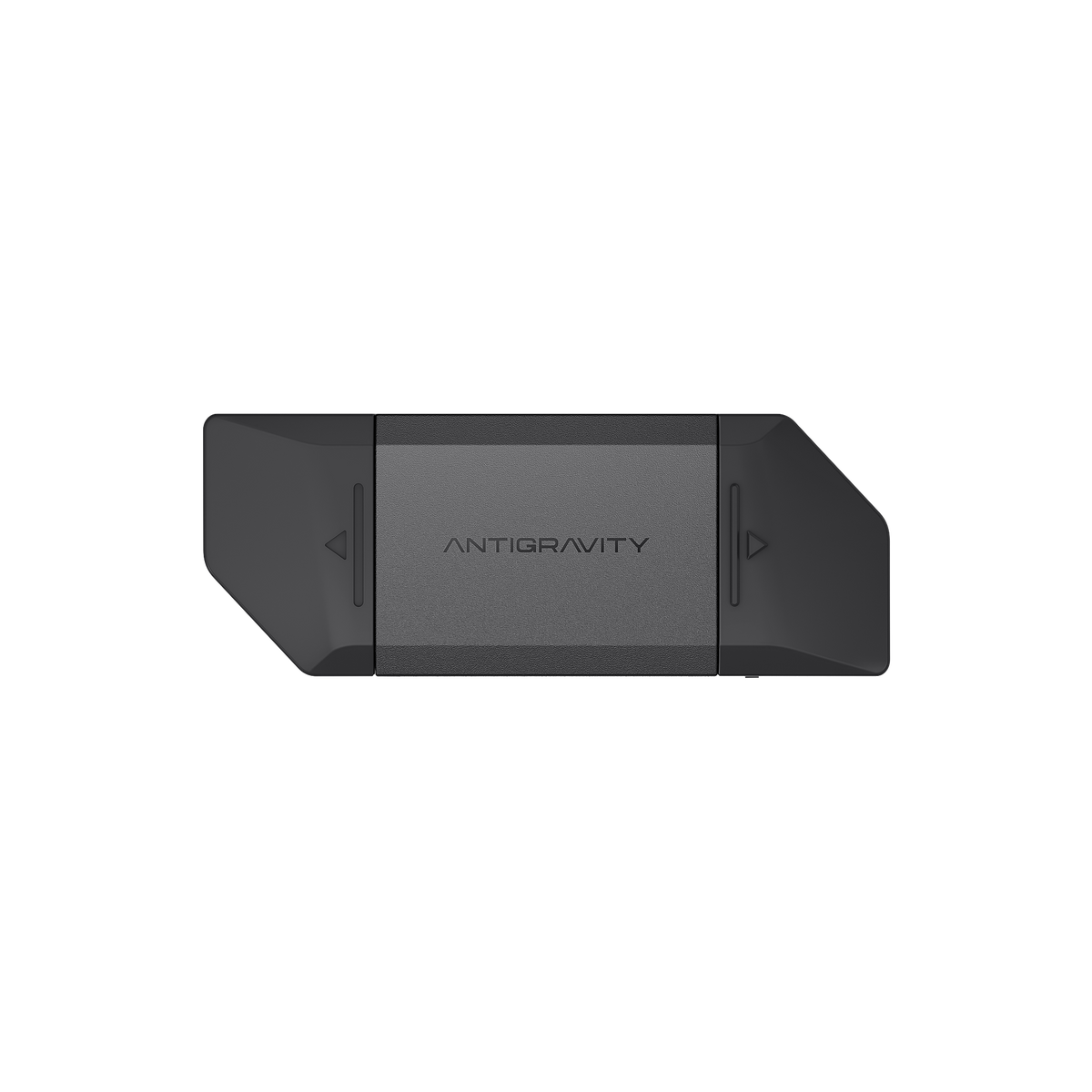
Start working with your A1 recordings while the aircraft stays powered down. Antigravity Quick Reader accepts the drone’s microSD card and connects directly to a compatible device, giving you a wired route into your editing workflow.
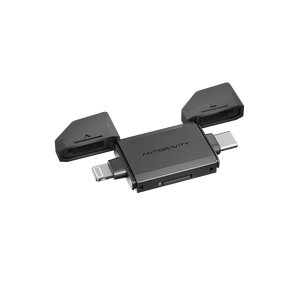
The compact reader combines USB-C and Lightning connections with USB 3.0 support. Use it to move footage to your phone, tablet or computer without keeping the drone running solely for a wireless transfer.
Highlights
- Designed for the Antigravity A1 footage workflow.
- Read the aircraft’s removable microSD card with the drone powered off.
- USB-C and Lightning connections in one compact accessory.
- USB 3.0 support for wired transfers.
- Manufacturer-listed support for iOS, Android, macOS and Windows.
- Supported mobile file operations through the Antigravity app.
Key Features
Keep the Aircraft Powered Down
Switch off the A1 before removing its microSD card, then insert the card into the reader. The footage is accessed from the card rather than streamed through the aircraft, leaving the drone ready to be packed away or prepared separately for its next flight.
Choose the Connector for Your Device
Open the cap over the required connector and connect the reader to a compatible USB-C or Lightning port. Both connection types are part of the same accessory, so you can move between supported devices without choosing a separate reader edition.
Bring Files into Your Workflow
On a supported mobile device, open the Antigravity app and follow its transfer instructions. The app supports downloading, exporting, deleting and other supported file operations. Desktop compatibility also extends the reader’s role beyond your phone, with the connected device and card affecting the practical transfer performance.
Use the Right Recording Source
The Quick Reader workflow is for the A1 microSD card. It does not export recordings from the Vision Goggles. Keep original filenames unchanged during transfer and allow file operations to finish before disconnecting the reader.
Summary
Antigravity Quick Reader is a compact addition for A1 owners who want a direct connection between removable footage storage and their editing device. Choose the appropriate connector, use a compatible card and follow the current app instructions to transfer your recordings.
Frequently Asked Questions
Do I Need to Power On the Drone?
No. Power off the A1 before removing its microSD card. Put the card into the Quick Reader, connect the reader to your compatible device and follow the app instructions. The footage is read from the card.
Does It Have USB-C and Lightning Connections?
Yes. The reader has both connection types, with protective caps. Open the required cap and use the connector that matches your compatible device. It is one reader, not two separate editions.
Which Devices Does It Support?
Antigravity lists iOS, Android, macOS and Windows support. Your device needs a compatible connection, and supported mobile file operations use the Antigravity app. Check the current app and device requirements before use.
Can It Export Recordings from Vision Goggles?
No. The current A1 manual specifically says the Quick Reader does not support exporting data from the Vision Goggles. Use the supported goggles workflow for those recordings.
Can I Rename Files While Transferring Them?
The manufacturer instructs users not to change footage filenames during Quick Reader transfer. Complete the transfer and any app operations before disconnecting the reader or organising copies of the files.
Spesifikasi
Antigravity Quick Reader
Antigravity Quick Reader provides a wired route from your A1 microSD card to a compatible phone, tablet or computer. Its USB-C and Lightning connectors support the device connection, while the Antigravity app handles supported mobile transfer and footage operations. The aircraft can remain powered off during this process. These specifications describe the reader and supported workflow. They do not imply built-in recording storage or support for exporting footage from the Vision Goggles.
| Connections and Compatibility | |
|---|---|
| Device Connections | USB-C and Lightning connectors with protective caps |
| Transfer Interface | USB 3.0 support; actual speed depends on card, device and connection |
| Supported Platforms | iOS, Android, macOS and Windows as listed by Antigravity |
| Mobile Software | Antigravity app for supported transfer and file operations |
| Recording and File Workflow | |
| Recording Source | Removable microSD card from Antigravity A1 |
| Aircraft Power | Aircraft can remain powered off while card footage is accessed |
| File Operations | Supported download, export, delete and other app operations |
| Vision Goggles Export | Not supported by the Quick Reader |
| File Handling | Do not modify footage filenames during transfer |
| Package and Warranty | |
| Included | 1 × Antigravity Quick Reader with USB-C and Lightning connections |
| Required Separately | A1 microSD footage card and a compatible phone, tablet or computer |
| Warranty | 3 months |
Device, card and current software requirements apply. Use the correct connector and complete file operations before disconnecting the reader. No transfer-speed figure or storage capacity is promised.