

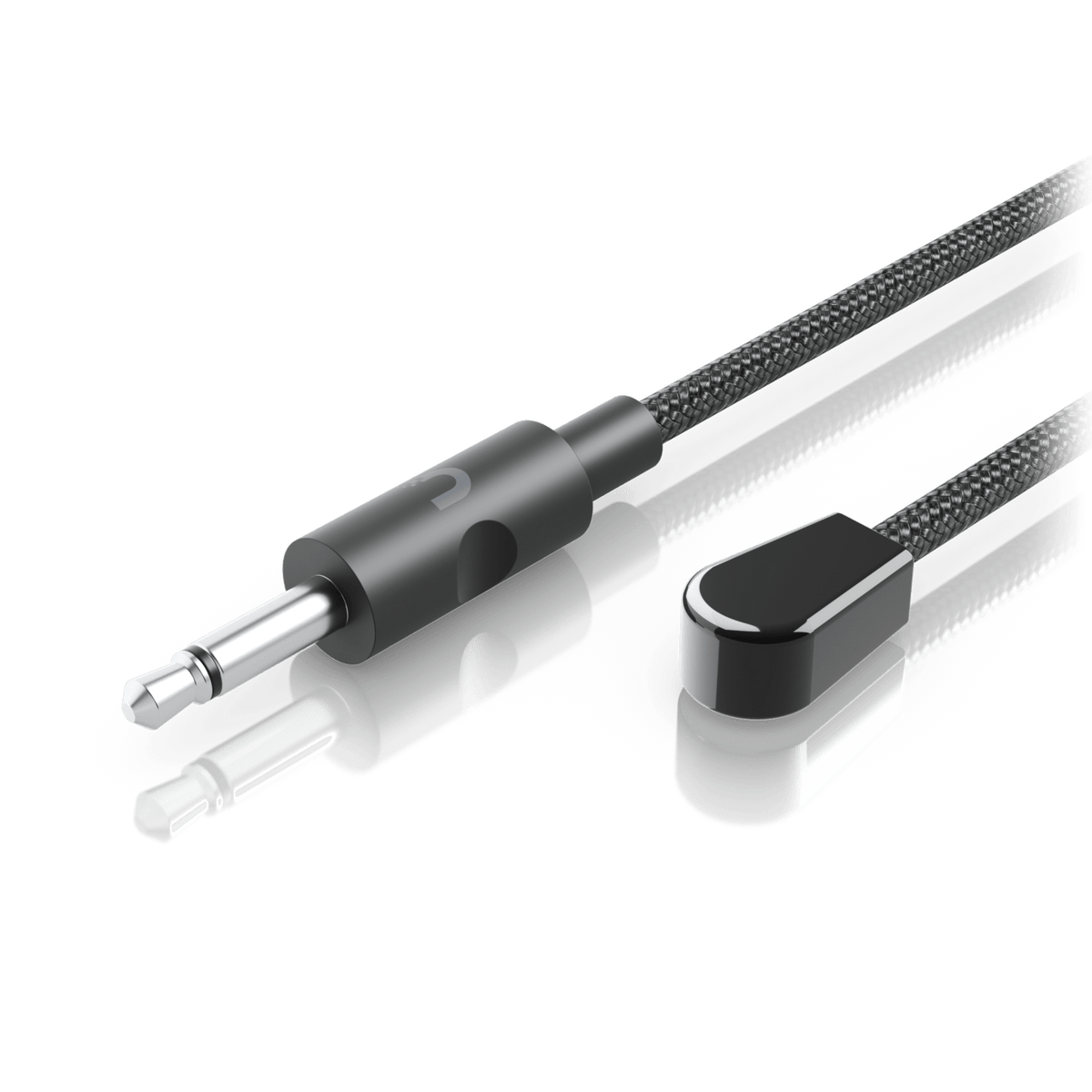



Ubiquiti UACC-Cable-IR-Blaster Infrared Transmitter Cable
Carry Remote Commands to the Equipment Complete the device-control end of a supported UniFi AV installation with the Ubiquiti IR Blaster. It carries infrared commands from an Enterprise Audio/Video Bridge to adjacent equipment. The 1.5 m cable gives installers room to position the emitter near the target device, while its 3.5 mm TS plug connects to the bridge’s IR interface. Choose it for the transmitting end of the control path. Highlights Purpose-Built IR Transmission Sends remote-control signals from the Enterprise Audio/Video Bridge to adjacent devices. The transmitting accessory for a supported EAV-Bridge IR control path. Practical Cable Assembly 1.5 m cable with a 3.5 mm TS plug. Lightweight 16 g assembly with PVC construction. For Indoor AV Installations Infrared output with a published 940 nm wavelength. Indoor, IPX0-rated accessory; confirm positioning and control compatibility. Key Features Put the Emitter Where Commands Are Needed Position the blaster at the equipment receiving the infrared command. Its role is to transmit signals from the connected EAV-Bridge to that nearby device. Plan the emitter position around the target’s infrared sensor, then test the intended remote commands before completing the installation. Match the Correct End of the Control Path An IR blaster sends the command; an IR receiver captures it from a remote control. They perform different roles and use different plug configurations. Select this transmitter for the emitting end, and add the matching receiver separately where the system design needs an infrared pickup point. Keep the Connection Simple The integrated 1.5 m cable and 3.5 mm TS plug form one compact assembly for the supported bridge connection. The cable provides positioning flexibility around nearby AV equipment. A matching connector alone does not establish compatibility with an unrelated control system. Commission the Complete IR Workflow Use current official bridge firmware and a supported UniFi Network version, then confirm the control path with the intended equipment. The blaster handles infrared commands; the bridge provides the AV-over-IP functions. This accessory does not replace an HDMI connection or create a video link on its own. Summary The Ubiquiti IR Blaster adds the transmitting endpoint for infrared control through a supported Enterprise Audio/Video Bridge installation. Its compact cable assembly is easy to position near the equipment being controlled. Select the correct accessory at each end and verify the complete control workflow before commissioning. Frequently Asked Questions What Does the IR Blaster Do?ExpandCollapse It transmits infrared remote-control signals from an Enterprise Audio/Video Bridge to adjacent equipment. Place the emitter appropriately for the target device’s infrared sensor and test the commands needed for the installation. How Is It Different from the IR Receiver?ExpandCollapse The blaster emits commands towards the equipment being controlled. The IR receiver picks up commands from a remote control so they can be forwarded through the bridge. The accessories are separate and have different functions. Which Bridge Is It Designed For?ExpandCollapse Ubiquiti lists it for the Enterprise Audio/Video Bridge. Confirm the intended IR control workflow using current official bridge firmware and a supported UniFi Network version. Compatibility with unrelated IR systems is not established by the plug size alone. How Long Is the Cable and Which Plug Does It Use?ExpandCollapse The cable is 1.5 m long and uses a 3.5 mm TS plug. The matching Ubiquiti IR receiver uses a TRS plug, so choose the accessory for the correct role rather than treating them as interchangeable. Is the Bridge Included and Can I Use It Outdoors?ExpandCollapse The EAV-Bridge and IR receiver are separate products. The blaster is specified for indoor use and has an IPX0 rating, so it has no rated protection against water.
Pickup available at 3005, Ubi Avenue 3, #01-88
일반적으로 2~4일 후 준비 완료
Ubiquiti UACC-Cable-IR-Blaster Infrared Transmitter Cable
제품 설명
Carry Remote Commands to the Equipment
Complete the device-control end of a supported UniFi AV installation with the Ubiquiti IR Blaster. It carries infrared commands from an Enterprise Audio/Video Bridge to adjacent equipment. The 1.5 m cable gives installers room to position the emitter near the target device, while its 3.5 mm TS plug connects to the bridge’s IR interface. Choose it for the transmitting end of the control path.
Highlights
Purpose-Built IR Transmission
- Sends remote-control signals from the Enterprise Audio/Video Bridge to adjacent devices.
- The transmitting accessory for a supported EAV-Bridge IR control path.
Practical Cable Assembly
- 1.5 m cable with a 3.5 mm TS plug.
- Lightweight 16 g assembly with PVC construction.
For Indoor AV Installations
- Infrared output with a published 940 nm wavelength.
- Indoor, IPX0-rated accessory; confirm positioning and control compatibility.
Key Features
Put the Emitter Where Commands Are Needed
Position the blaster at the equipment receiving the infrared command. Its role is to transmit signals from the connected EAV-Bridge to that nearby device. Plan the emitter position around the target’s infrared sensor, then test the intended remote commands before completing the installation.
Match the Correct End of the Control Path
An IR blaster sends the command; an IR receiver captures it from a remote control. They perform different roles and use different plug configurations. Select this transmitter for the emitting end, and add the matching receiver separately where the system design needs an infrared pickup point.
Keep the Connection Simple
The integrated 1.5 m cable and 3.5 mm TS plug form one compact assembly for the supported bridge connection. The cable provides positioning flexibility around nearby AV equipment. A matching connector alone does not establish compatibility with an unrelated control system.
Commission the Complete IR Workflow
Use current official bridge firmware and a supported UniFi Network version, then confirm the control path with the intended equipment. The blaster handles infrared commands; the bridge provides the AV-over-IP functions. This accessory does not replace an HDMI connection or create a video link on its own.
Summary
The Ubiquiti IR Blaster adds the transmitting endpoint for infrared control through a supported Enterprise Audio/Video Bridge installation. Its compact cable assembly is easy to position near the equipment being controlled. Select the correct accessory at each end and verify the complete control workflow before commissioning.
Frequently Asked Questions
What Does the IR Blaster Do?
It transmits infrared remote-control signals from an Enterprise Audio/Video Bridge to adjacent equipment. Place the emitter appropriately for the target device’s infrared sensor and test the commands needed for the installation.
How Is It Different from the IR Receiver?
The blaster emits commands towards the equipment being controlled. The IR receiver picks up commands from a remote control so they can be forwarded through the bridge. The accessories are separate and have different functions.
Which Bridge Is It Designed For?
Ubiquiti lists it for the Enterprise Audio/Video Bridge. Confirm the intended IR control workflow using current official bridge firmware and a supported UniFi Network version. Compatibility with unrelated IR systems is not established by the plug size alone.
How Long Is the Cable and Which Plug Does It Use?
The cable is 1.5 m long and uses a 3.5 mm TS plug. The matching Ubiquiti IR receiver uses a TRS plug, so choose the accessory for the correct role rather than treating them as interchangeable.
Is the Bridge Included and Can I Use It Outdoors?
The EAV-Bridge and IR receiver are separate products. The blaster is specified for indoor use and has an IPX0 rating, so it has no rated protection against water.
사양
Ubiquiti UACC-Cable-IR-Blaster Infrared Transmitter Cable
The Ubiquiti IR Blaster is an infrared transmitting accessory for the Enterprise Audio/Video Bridge. Its integrated cable and emitter carry remote-control commands from the bridge to adjacent equipment. The specifications below describe the cable, optical output and installation limits. Use it at the transmitting end of the intended control path, with supported bridge software and suitable emitter positioning. The bridge and any receiving accessory are separate products.
| Specification | Details |
|---|---|
| Function and Compatibility | |
| Function | Transmits infrared remote-control signals from Enterprise Audio/Video Bridge to adjacent devices. |
| Supported Host | Ubiquiti Enterprise Audio/Video Bridge; IR operation depends on supported firmware and configuration. |
| Cable and Signal | |
| Cable Length | 1.5 m |
| Connector | 3.5 mm TS plug |
| Supported Media | Infrared |
| Wavelength | 940 nm; published operating wavelength 930–940 nm |
| Construction and Installation | |
| Material | Polyvinyl (PVC) |
| Published Weight | 16 g |
| Environment and Water Protection | Indoor use; IPX0 |
| Operating Limits and Compliance | |
| Operating and Storage Temperature | −40 to 80°C; connected bridge has separate environmental limits. |
| Operating Humidity | 5–80% relative humidity, non-condensing |
| Compliance | RoHS; manufacturer-declared NDAA compliant |