

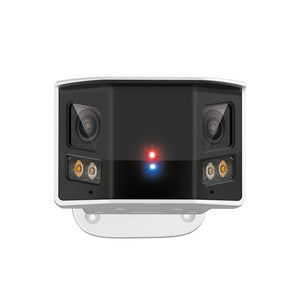
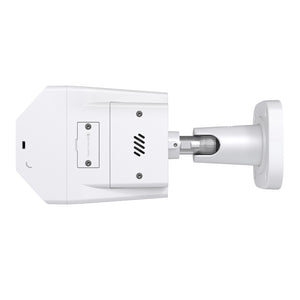
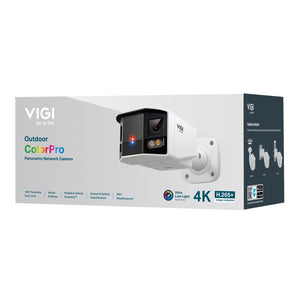
TP-Link InSight S385DPS 8MP Panoramic PoE Security Camera
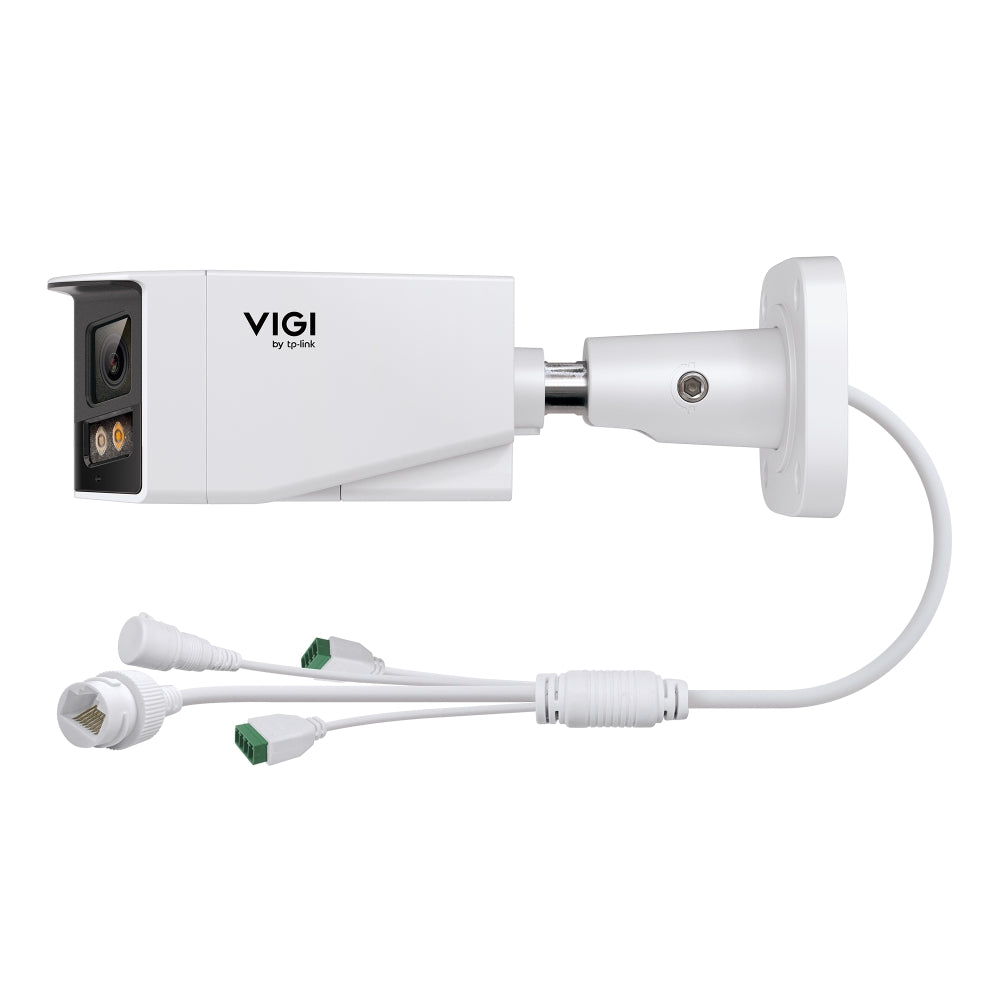
See the whole frontage in one connected view The TP-Link InSight S385DPS is designed for a wide frontage, loading area or open courtyard. Two image sensors combine into a panoramic view with a published 180° horizontal field of view. This helps retain context across a wide scene, rather than requiring an operator to mentally join separate narrow views. A wired PoE connection carries data and power to the camera, while VIGI management and supported event detection help turn a continuous video stream into something easier to monitor. Match the recorder, storage and lighting settings to the actual scene before relying on the system for important evidence. Highlights A view matched to the site 8MP network video with a stitched panoramic view. ColorPro low-light imaging with an F1.0 optical design. Useful events and audio Supported people/vehicle event classification and detection zones. Two-way audio and active sound/light deterrence. A planned recording system Wired PoE connection and compatible network recording. Memory-card recording is supported; card and recorder sold separately. Key Features Frame the view before choosing the position Two image sensors combine into a panoramic view with a published 180° horizontal field of view. This helps retain context across a wide scene, rather than requiring an operator to mentally join separate narrow views. Set the mounting height and direction around the detail that matters to the site. A broad view helps with context, but a distant face or vehicle can still occupy too few pixels for identification. Test the finished view at the working distance rather than treating a high resolution as a guarantee of forensic detail. Use illumination for the scene IR and white illumination with manufacturer reference range up to 50M; actual useful range depends on the scene. IR and white-light modes serve different needs. Visible illumination can retain colour, while infrared can be more discreet. Reflections, rain, glare and moving subjects affect useful detail. Adjust exposure, detection zones and lighting after installation, and review a sample recorded at night rather than relying only on a daylight image. Focus attention on useful events Human and vehicle classification can help organise supported events, with intrusion and line-crossing rules available for a planned installation. Position boundaries around meaningful access routes and test them with normal site activity. Analytics remain assistance rather than a guarantee that every incident is detected. Recorder and software support determine which events and search functions are available. Make audio part of the system deliberately Built-in dual microphones and speaker; two-way audio; audio input/output interfaces. Decide whether audio is needed for the location and configure access and retention appropriately. Where active deterrence is supported, use the sound/light functions deliberately instead of making every movement a warning event. A clear view, sensible alerts and a suitable response process work together. Plan where footage will be kept A compatible microSD card can provide local recording, and a suitable NVR or VMS can centralise storage. The camera supports cards up to the manufacturer-listed limit; cards are purchased separately. Match resolution, codec, event support, recording bandwidth and retention time before selecting the recorder. Cloud management does not by itself establish an included cloud-recording subscription. Install the complete connection A supported PoE source can carry power and data on the same Ethernet cable. The manufacturer specifies PoE+ for this model; size the port and total switch budget accordingly. Seal cable entries, protect external connections and check the mounting surface. IP67 weather protection and IK10 impact resistance; correct installation required. Summary Choose the InSight S385DPS when its 8MP panoramic view matches the area being monitored. Its value comes from a complete installation: appropriate framing, dependable power, useful detection settings and recording that retains the detail the site needs. Frequently Asked Questions Does this camera need an NVR?ExpandCollapse A compatible microSD card can provide local recording, while an NVR or VMS centralises storage. Check the recorder’s exact resolution, codec and event compatibility. Cloud management does not automatically include cloud recording. Does it support two-way audio?ExpandCollapse Yes. The manufacturer lists a built-in microphone and speaker. Configure audio and any active-deterrence functions for the actual site. What power source is required?ExpandCollapse 12V DC ± 5%, Max. 18W, 5.5 mm Coaxial Power Plug; PoE: 802.3at, Class 4, Max. 21W A compatible supply and sufficient shared PoE budget are required. Will night images always remain in colour?ExpandCollapse Colour performance depends on available light, exposure, movement and the configured illumination mode. White illumination can support colour recording; IR mode and scene conditions can produce a different result. Test recorded footage in the actual conditions. What should I check before choosing a mount?ExpandCollapse Match the exact camera body and hardware revision to the manufacturer’s accessory compatibility list. Confirm the cable route, junction-box space and sealing method. A pole bracket can require a separate compatible junction box.
추가 상품 (2)
3005, Ubi Avenue 3, #01-88에서 픽업 가능
일반적으로 2~4일 후 준비 완료
TP-Link InSight S385DPS 8MP Panoramic PoE Security Camera
제품 설명
See the whole frontage in one connected view
The TP-Link InSight S385DPS is designed for a wide frontage, loading area or open courtyard. Two image sensors combine into a panoramic view with a published 180° horizontal field of view. This helps retain context across a wide scene, rather than requiring an operator to mentally join separate narrow views. A wired PoE connection carries data and power to the camera, while VIGI management and supported event detection help turn a continuous video stream into something easier to monitor. Match the recorder, storage and lighting settings to the actual scene before relying on the system for important evidence.
Highlights
A view matched to the site
- 8MP network video with a stitched panoramic view.
- ColorPro low-light imaging with an F1.0 optical design.
Useful events and audio
- Supported people/vehicle event classification and detection zones.
- Two-way audio and active sound/light deterrence.
A planned recording system
- Wired PoE connection and compatible network recording.
- Memory-card recording is supported; card and recorder sold separately.
Key Features
Frame the view before choosing the position
Two image sensors combine into a panoramic view with a published 180° horizontal field of view. This helps retain context across a wide scene, rather than requiring an operator to mentally join separate narrow views. Set the mounting height and direction around the detail that matters to the site. A broad view helps with context, but a distant face or vehicle can still occupy too few pixels for identification. Test the finished view at the working distance rather than treating a high resolution as a guarantee of forensic detail.
Use illumination for the scene
IR and white illumination with manufacturer reference range up to 50M; actual useful range depends on the scene. IR and white-light modes serve different needs. Visible illumination can retain colour, while infrared can be more discreet. Reflections, rain, glare and moving subjects affect useful detail. Adjust exposure, detection zones and lighting after installation, and review a sample recorded at night rather than relying only on a daylight image.
Focus attention on useful events
Human and vehicle classification can help organise supported events, with intrusion and line-crossing rules available for a planned installation. Position boundaries around meaningful access routes and test them with normal site activity. Analytics remain assistance rather than a guarantee that every incident is detected. Recorder and software support determine which events and search functions are available.
Make audio part of the system deliberately
Built-in dual microphones and speaker; two-way audio; audio input/output interfaces. Decide whether audio is needed for the location and configure access and retention appropriately. Where active deterrence is supported, use the sound/light functions deliberately instead of making every movement a warning event. A clear view, sensible alerts and a suitable response process work together.
Plan where footage will be kept
A compatible microSD card can provide local recording, and a suitable NVR or VMS can centralise storage. The camera supports cards up to the manufacturer-listed limit; cards are purchased separately. Match resolution, codec, event support, recording bandwidth and retention time before selecting the recorder. Cloud management does not by itself establish an included cloud-recording subscription.
Install the complete connection
A supported PoE source can carry power and data on the same Ethernet cable. The manufacturer specifies PoE+ for this model; size the port and total switch budget accordingly. Seal cable entries, protect external connections and check the mounting surface. IP67 weather protection and IK10 impact resistance; correct installation required.
Summary
Choose the InSight S385DPS when its 8MP panoramic view matches the area being monitored. Its value comes from a complete installation: appropriate framing, dependable power, useful detection settings and recording that retains the detail the site needs.
Frequently Asked Questions
Does this camera need an NVR?
A compatible microSD card can provide local recording, while an NVR or VMS centralises storage. Check the recorder’s exact resolution, codec and event compatibility. Cloud management does not automatically include cloud recording.
Does it support two-way audio?
Yes. The manufacturer lists a built-in microphone and speaker. Configure audio and any active-deterrence functions for the actual site.
What power source is required?
12V DC ± 5%, Max. 18W, 5.5 mm Coaxial Power Plug; PoE: 802.3at, Class 4, Max. 21W A compatible supply and sufficient shared PoE budget are required.
Will night images always remain in colour?
Colour performance depends on available light, exposure, movement and the configured illumination mode. White illumination can support colour recording; IR mode and scene conditions can produce a different result. Test recorded footage in the actual conditions.
What should I check before choosing a mount?
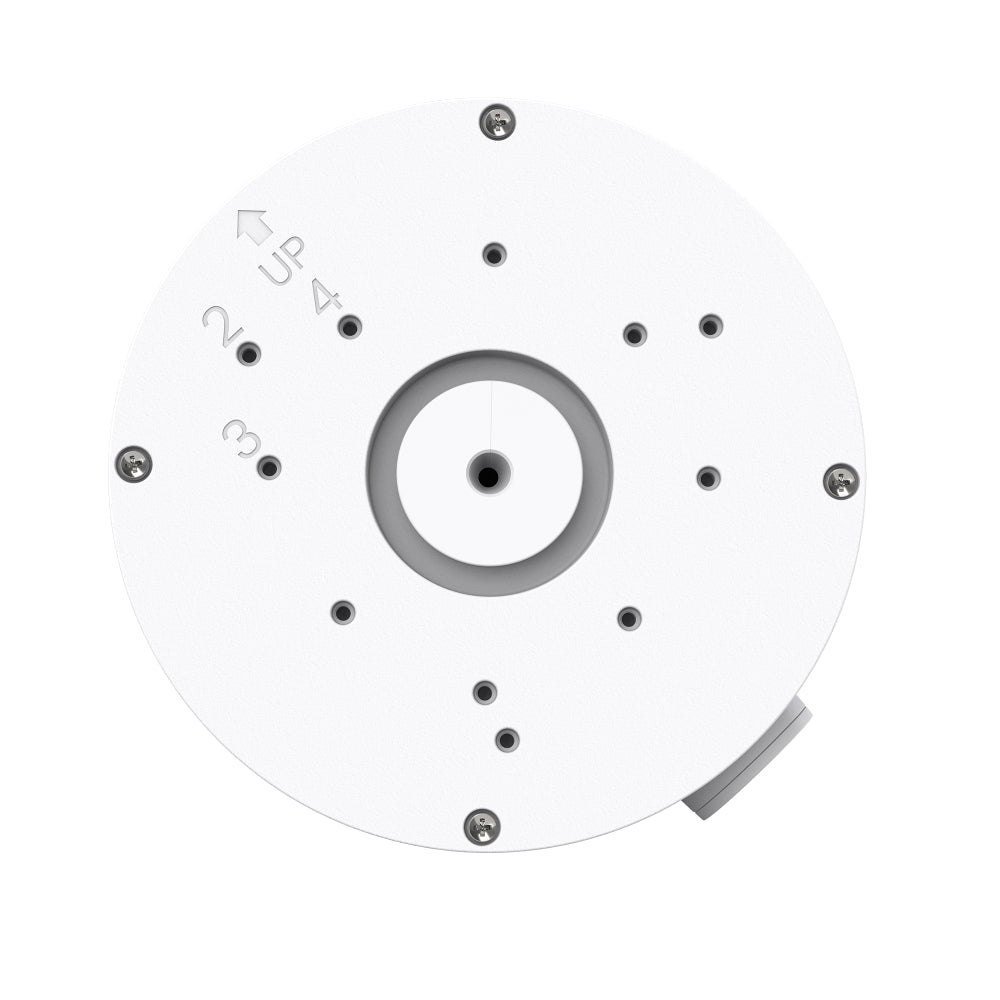
Match the exact camera body and hardware revision to the manufacturer’s accessory compatibility list. Confirm the cable route, junction-box space and sealing method. A pole bracket can require a separate compatible junction box.
사양
TP-Link InSight S385DPS 8MP Panoramic PoE Security Camera
A wired 8MP bullet network camera for the scene and recording requirements of a business surveillance system. The grouped specifications distinguish image formation, event detection, audio, storage and installation. Select a suitable recorder and power source, then match the lens, illumination and detection rules to the actual view. Performance depends on lighting, movement, firmware and recording configuration. Accessories and storage media are separate unless expressly included.
| Specification | Details |
|---|---|
| Imaging and Optics | |
| Image sensor | Dual 1/1.79” Progressive Scan CMOS |
| Maximum resolution | 5456×1520 |
| Lens and view | Dual fixed lenses; confirm the supplied regional lens revision before using a focal-length-dependent design. |
| Aperture | Dual F1.0 |
| Frame rate | Up to 25fps at 50Hz or 24fps at 60Hz; people counting or object-attribute analysis limits the stream to 20fps. |
| Night illumination | IR and white illumination with manufacturer reference range up to 50M; actual useful range depends on the scene. |
| Dynamic range | 120 dB |
| Detection and Audio | |
| Detection | Human/vehicle classification, intrusion, line crossing and region-entry/exit events; available functions depend on firmware and recorder support. |
| Audio | Built-in dual microphones and speaker; two-way audio; audio input/output interfaces. |
| Deterrence | Supported sound/light active deterrence; configure according to site requirements. |
| Recording and Network | |
| Ethernet | 1 RJ45 10/100M Self-Adaptive Ethernet Port, PoE |
| Video compression | H.265+/H.265/H.264+/H.264 for the main stream; recorder compatibility required. |
| Local storage | MicroSD card supported up to 512GB, purchased separately. |
| Management and integration | VIGI app and supported web/VMS tools; verify ONVIF profiles, codec and smart-event support with the exact recorder. |
| Power and Installation | |
| Power input and consumption | 12V DC ± 5%, Max. 18W, 5.5 mm Coaxial Power Plug; PoE: 802.3at, Class 4, Max. 21W |
| Protection | IP67 weather protection and IK10 impact resistance; correct installation required. |
| Dimensions | 266 × 116 × 90 mm (L × W × H). |
| Device weight | 1.12 kg |
| Mounting | Match the supplied camera bracket and exact model to the mounting surface; external cable joints require appropriate protection. |
| Environment and Package | |
| Temperature | Operating −30°C to 60°C; storage −40°C to 60°C. |
| Humidity | 95% RH or less, non-condensing. |
| Included equipment | Camera, mounting accessories, waterproof cable attachments and Quick Start Guide. |
| Warranty | 5 years |
추가 상품