

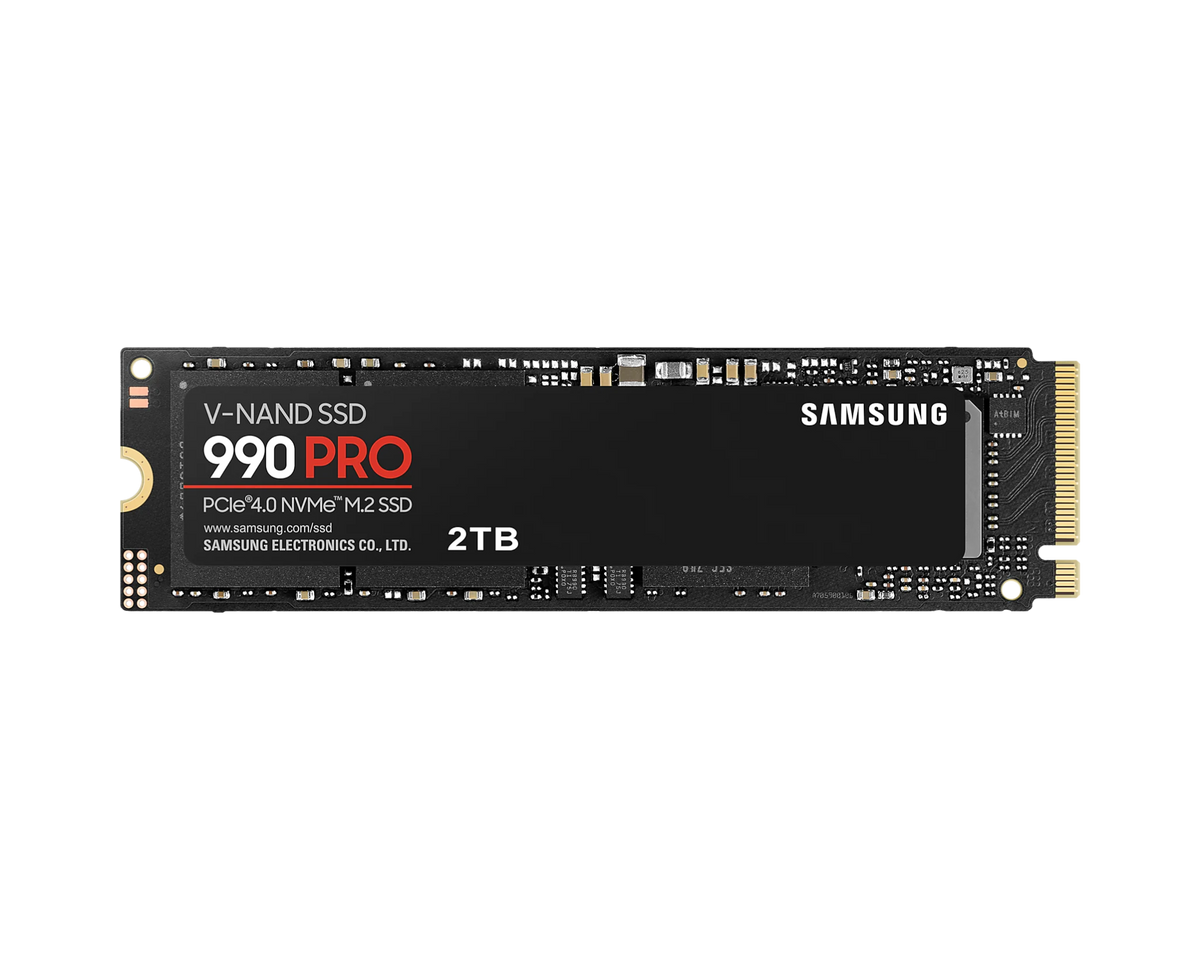


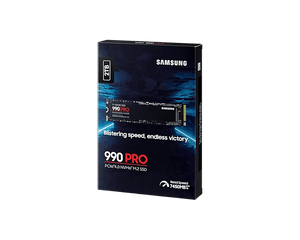




Samsung 990 PRO NVMe M.2 SSD
Put demanding games and creative projects on fast PCIe 4.0 storage Samsung 990 PRO gives compatible PCs a fast internal workspace for game libraries, applications and creative files. Its PCIe 4.0 NVMe interface delivers sequential reads up to 7,450MB/s and writes up to 6,900MB/s under Samsung test conditions, supported by Samsung V-NAND TLC flash, dedicated DRAM and an in-house controller. This listing is the bare M.2 2280 module without a factory heatsink. It suits systems with an appropriate cooling arrangement and can also support a PS5 storage upgrade when a suitable additional cooling structure and the console's installation requirements are met. Highlights Fast storage for active workloads PCIe 4.0 x4 with NVMe 2.0 and up to 7,450MB/s read and 6,900MB/s write Dedicated LPDDR4 cache for an active working drive Cooling that fits your system Bare M.2 2280 format for an appropriate motherboard or separately provided cooling solution Nickel-coated controller, heat-spreader label and Dynamic Thermal Guard Management and endurance Samsung Magician drive-health, firmware and supported data-migration tools Limited warranty with a total bytes written (TBW) limit; check the selected drive's terms in Specs Key Features Keep active projects close at hand A fast internal SSD is a useful home for frequently accessed applications, games and project files. The 990 PRO combines Samsung V-NAND TLC flash with a PCIe 4.0 x4 connection for high sequential throughput, helping compatible systems handle large transfers and storage-intensive work. It is also backward compatible with PCIe 3.0, where the older connection limits achievable throughput. Performance with its conditions kept clear Samsung publishes sequential reads up to 7,450MB/s and writes up to 6,900MB/s under its test conditions. Fast sequential transfers help with moving large files, while random-access performance matters when a workload uses many smaller reads and writes. Published writing performance uses Intelligent TurboWrite; actual results depend on the drive, firmware, host hardware and configuration. Check the selected drive's performance ratings in Specs rather than treating a family maximum as a guaranteed result for every workload. Thermal management alongside your cooling plan The nickel-coated controller helps manage heat, the heat-spreader label supports NAND heat control and Dynamic Thermal Guard regulates operation as temperatures change. These built-in measures work alongside suitable system cooling. The bare module has no factory heatsink, so confirm the host's cooling arrangement and clearance rather than treating its thermal-control features as a replacement for an appropriate cooling solution. Power efficiency for an active storage workload Samsung pairs its in-house controller with a low-power design to support efficient high-performance storage. Power use changes between active transfers and idle states, so the right comparison depends on the workload as well as peak speed. Check the drive's stated operating and power conditions when planning a system. Actual consumption depends on the drive, workload and power state; the efficiency focus is not a promise of a particular laptop battery-life gain. Plan for your working files and writing demands Dedicated LPDDR4 cache works alongside Samsung's controller and flash in the drive's performance design. Plan storage space around the games, applications and project files you keep active, and consider how frequently the workload writes new data. Rated total bytes written describes a writing-endurance limit, rather than the amount of data held at once. Warranty coverage is limited by the stated period or the selected drive's rated TBW, whichever occurs first; its exact ratings and terms are kept in Specs. Useful visibility into drive condition On supported systems, Samsung Magician provides drive management and health monitoring, with firmware and data-migration functions available according to the operating system and connection. TRIM, automatic garbage collection and S.M.A.R.T. support complement those tools. Check for current firmware and keep a separate backup before maintenance or migration; software features do not replace backup. Choose the correct slot and installation arrangement Confirm that your PC accepts an M.2 2280 PCIe NVMe drive, together with the required mounting and cooling clearance. For PS5 expansion, provide a suitable heatsink or heat-transfer structure that meets Sony's space requirements and update the console software before installation. The drive is supplied without a factory heatsink. Check that your host provides suitable M.2 mounting hardware and cooling before installation. Security features with host requirements AES 256-bit full-disk encryption, TCG Opal 2.0 and IEEE 1667 support are available for compatible software and system configurations. Encryption needs suitable host support and setup; it is not automatically enabled simply by installing the SSD. Keep a separate copy of important files and select security settings that suit the operating system and storage environment. Summary Samsung 990 PRO is a strong fit for compatible PCIe 4.0 systems needing fast working storage with dedicated cache, thermal management and clear endurance ratings. Choose the capacity for your games or creative workspace, and confirm the host connection and cooling arrangement for the bare M.2 module.
Pickup available at 3005, Ubi Avenue 3, #01-88
일반적으로 2~4일 후 준비 완료
Samsung 990 PRO NVMe M.2 SSD
제품 설명
Put demanding games and creative projects on fast PCIe 4.0 storage
Samsung 990 PRO gives compatible PCs a fast internal workspace for game libraries, applications and creative files. Its PCIe 4.0 NVMe interface delivers sequential reads up to 7,450MB/s and writes up to 6,900MB/s under Samsung test conditions, supported by Samsung V-NAND TLC flash, dedicated DRAM and an in-house controller.
This listing is the bare M.2 2280 module without a factory heatsink. It suits systems with an appropriate cooling arrangement and can also support a PS5 storage upgrade when a suitable additional cooling structure and the console's installation requirements are met.
Highlights
Fast storage for active workloads
- PCIe 4.0 x4 with NVMe 2.0 and up to 7,450MB/s read and 6,900MB/s write
- Dedicated LPDDR4 cache for an active working drive
Cooling that fits your system
- Bare M.2 2280 format for an appropriate motherboard or separately provided cooling solution
- Nickel-coated controller, heat-spreader label and Dynamic Thermal Guard
Management and endurance
- Samsung Magician drive-health, firmware and supported data-migration tools
- Limited warranty with a total bytes written (TBW) limit; check the selected drive's terms in Specs
Key Features
Keep active projects close at hand
A fast internal SSD is a useful home for frequently accessed applications, games and project files. The 990 PRO combines Samsung V-NAND TLC flash with a PCIe 4.0 x4 connection for high sequential throughput, helping compatible systems handle large transfers and storage-intensive work. It is also backward compatible with PCIe 3.0, where the older connection limits achievable throughput.
Performance with its conditions kept clear
Samsung publishes sequential reads up to 7,450MB/s and writes up to 6,900MB/s under its test conditions. Fast sequential transfers help with moving large files, while random-access performance matters when a workload uses many smaller reads and writes. Published writing performance uses Intelligent TurboWrite; actual results depend on the drive, firmware, host hardware and configuration. Check the selected drive's performance ratings in Specs rather than treating a family maximum as a guaranteed result for every workload.
Thermal management alongside your cooling plan
The nickel-coated controller helps manage heat, the heat-spreader label supports NAND heat control and Dynamic Thermal Guard regulates operation as temperatures change. These built-in measures work alongside suitable system cooling. The bare module has no factory heatsink, so confirm the host's cooling arrangement and clearance rather than treating its thermal-control features as a replacement for an appropriate cooling solution.
Power efficiency for an active storage workload
Samsung pairs its in-house controller with a low-power design to support efficient high-performance storage. Power use changes between active transfers and idle states, so the right comparison depends on the workload as well as peak speed. Check the drive's stated operating and power conditions when planning a system. Actual consumption depends on the drive, workload and power state; the efficiency focus is not a promise of a particular laptop battery-life gain.
Plan for your working files and writing demands
Dedicated LPDDR4 cache works alongside Samsung's controller and flash in the drive's performance design. Plan storage space around the games, applications and project files you keep active, and consider how frequently the workload writes new data. Rated total bytes written describes a writing-endurance limit, rather than the amount of data held at once. Warranty coverage is limited by the stated period or the selected drive's rated TBW, whichever occurs first; its exact ratings and terms are kept in Specs.
Useful visibility into drive condition
On supported systems, Samsung Magician provides drive management and health monitoring, with firmware and data-migration functions available according to the operating system and connection. TRIM, automatic garbage collection and S.M.A.R.T. support complement those tools. Check for current firmware and keep a separate backup before maintenance or migration; software features do not replace backup.
Choose the correct slot and installation arrangement
Confirm that your PC accepts an M.2 2280 PCIe NVMe drive, together with the required mounting and cooling clearance. For PS5 expansion, provide a suitable heatsink or heat-transfer structure that meets Sony's space requirements and update the console software before installation. The drive is supplied without a factory heatsink. Check that your host provides suitable M.2 mounting hardware and cooling before installation.
Security features with host requirements
AES 256-bit full-disk encryption, TCG Opal 2.0 and IEEE 1667 support are available for compatible software and system configurations. Encryption needs suitable host support and setup; it is not automatically enabled simply by installing the SSD. Keep a separate copy of important files and select security settings that suit the operating system and storage environment.
Summary
Samsung 990 PRO is a strong fit for compatible PCIe 4.0 systems needing fast working storage with dedicated cache, thermal management and clear endurance ratings. Choose the capacity for your games or creative workspace, and confirm the host connection and cooling arrangement for the bare M.2 module.
사양
Samsung 990 PRO NVMe M.2 SSD
Samsung 990 PRO is a bare M.2 2280 SSD with PCIe 4.0 x4 and NVMe 2.0. Samsung V-NAND TLC, an in-house controller and dedicated LPDDR4 cache support demanding game and creative storage workloads. Performance and power figures depend on capacity, firmware, host hardware and configuration; published write results use Intelligent TurboWrite. A compatible NVMe slot and appropriate cooling are required, including a suitable additional cooling structure for PS5 installation. Dimensions and weight describe the bare drive, with warranty ending at the stated period or TBW limit first.
| Specification | Details |
|---|---|
| Storage and Performance | |
| Flash / controller | Samsung V-NAND TLC; Samsung in-house controller |
| Interface | PCIe 4.0 x4; NVMe 2.0 |
| Backward compatibility | PCIe 3.0; host link limits apply |
| DRAM cache | LPDDR4: 1GB on 1TB; 2GB on 2TB; 4GB on 4TB |
| Sequential read / write | Up to 7,450 / 6,900MB/s |
| Random read, QD32 / 16 threads | 1TB up to 1.2M; 2TB 1.4M; 4TB 1.6M IOPS; 4KB |
| Random write, QD32 / 16 threads | Up to 1.55M IOPS; 4KB |
| Random read / write, QD1 / one thread | Up to 22,000 / 80,000 IOPS; 4KB |
| Physical Specifications | |
| Form factor | M.2 2280; bare module without factory heatsink |
| Bare-drive dimensions | Maximum 80 × 22 × 2.3mm |
| Bare-drive weight | Maximum 9g; retail and shipping packaging excluded |
| Power and Operating Conditions | |
| Supply voltage | 3.3V ±5% |
| Average active read / write, 1TB | 5.5W / 5.2W |
| Average active read / write, 2TB | 6.1W / 5.5W |
| Average active read / write, 4TB | 6.5W / 5.7W |
| Idle with APST | 1TB up to 50mW; 2TB / 4TB up to 55mW |
| L1.2 low power | 1TB / 2TB up to 5mW; 4TB up to 5.8mW |
| Operating temperature | 0–70°C; S.M.A.R.T. reading; proper airflow recommended |
| Non-operating temperature | −40–85°C |
| Humidity | 5–95%, non-condensing |
| Thermal management | Nickel-coated controller; heat-spreader label; Dynamic Thermal Guard |
| Host cooling | Appropriate cooling required |
| Reliability and Security | |
| Rated write endurance | 1TB 600TBW; 2TB 1,200TBW; 4TB 2,400TBW |
| Limited warranty | Five years or rated TBW, whichever occurs first |
| Endurance test standard | JESD218 |
| MTBF | 1.5 million hours |
| Non-operating shock | 1,500G; 0.5ms; three axes |
| Non-operating vibration | 20G; 20–2,000Hz |
| Encryption | AES 256-bit; TCG Opal 2.0; IEEE 1667 |
| Security configuration | Compatible host and software required |
| Drive maintenance | TRIM with OS support; automatic garbage collection; S.M.A.R.T. |
| Compatibility Software and Package | |
| PC host | Compatible M.2 2280 PCIe NVMe slot, mounting and cooling clearance |
| PS5 requirements | Current console software and separate suitable heatsink or heat-transfer structure |
| PS5 cooling clearance | Must meet Sony M.2 space requirements |
| Management software | Samsung Magician; supported health, firmware, management and data-migration functions |
| In the box | Samsung 990 PRO SSD; warranty statement |
| Mounting hardware | Confirm suitable M.2 fixing hardware with the host |
Up-to performance uses Samsung IOmeter 1.1.0 with the SSD as a secondary drive in a fan-cooled desktop. Published writes use Intelligent TurboWrite within its supported transfer window. Firmware, hardware and system configuration affect results; power figures use Samsung datasheet test conditions.
Usable capacity may be lower than labelled capacity. MTBF is a statistical population rating, not guaranteed individual service life. Samsung Magician internal-SSD health checks, firmware updates and data migration require supported Windows; other features vary by OS, connection and product. Hardware encryption requires suitable host support and configuration.