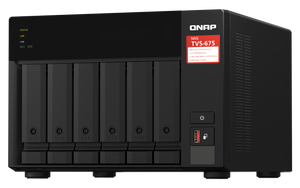
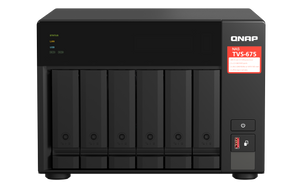
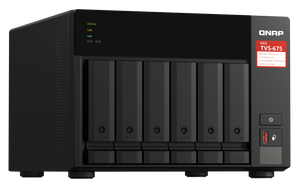


QNAP TVS-675 6-Bay Dual 2.5GbE Tower NAS
Shared Storage with Room for Faster Workflows Give a busy team one organised place for project files, backups and shared media. The TVS-675 combines an eight-core x86 processor, six SATA drive bays and dual 2.5GbE networking in a desktop chassis. Dedicated M.2 slots and two PCIe slots let you plan SSD storage and supported network upgrades around the work, while QTS and QuTS hero provide a choice of storage-management platforms. Highlights A Practical Storage Foundation Six SATA bays for compatible hard drives or SSDs 8GB DDR4 supplied with supported expansion to 64GB Separate SSD and Network Paths Two M.2 slots accept compatible SATA or PCIe NVMe SSDs Two PCIe Gen 3 x4 slots for supported expansion cards Useful Connections Dual 2.5GbE for compatible faster networks USB transfers and HDMI output for supported local applications Key Features Keep Shared Work Organised Centralise documents, media and backup jobs without placing every working copy on a separate computer. Individual accounts, shared-folder permissions and supported Windows AD or LDAP integration help administrators control access. The eight-core Zhaoxin processor and expandable memory support several services, but file access, backups and applications still share the same system resources. Give SSDs a Defined Role The dedicated M.2 slots support compatible SATA SSDs or PCIe NVMe SSDs for supported storage pools or cache arrangements. This leaves the six main bays available for the storage layout you choose. The NVMe connection is PCIe Gen 3 x1 per slot, so an SSD’s advertised peak speed is not the NAS slot speed. Shut the system down before installing or removing M.2 drives. Build the Network around the Workload Two 2.5GbE ports can improve transfers when the switch, client and storage support the same speed. Supported port aggregation helps distribute traffic across multiple connections; it does not turn an ordinary single client connection into a 5Gbps link. The two PCIe Gen 3 x4 slots accept compatible network or storage cards, subject to card dimensions, drivers and QNAP’s compatibility list. Choose QTS or QuTS hero Deliberately QTS provides ext4-based storage, while supported QuTS hero installation offers ZFS-based data management. Switching operating systems erases and reinitialises storage, so make an independent backup first. QuTS hero needs at least 8GB RAM; inline deduplication requires at least 16GB. Choose the platform and memory configuration before loading production data. Run Useful Services without Losing Sight of Capacity Supported apps cover file synchronisation, backup, containers, virtual machines and multimedia. HDMI and the integrated graphics processor support appropriate local-display applications, with software and codec requirements checked separately. Virtual machines need their own licensed operating systems and sufficient RAM. Drives, expansion cards and any required licences are selected separately to suit the deployment. Plan Surveillance and Recovery Together A supported QVR installation can record compatible IP cameras while the NAS also provides storage services. Free recording channels, additional channel licences, camera bitrate and available processing power are separate considerations. Configure recording retention and keep important footage or business data on a separate backup target. Snapshots and RAID can support recovery, but neither replaces an independent copy. Summary The TVS-675 suits teams that want a flexible six-bay storage platform with separate SSD slots and a clear network expansion path. Select compatible drives, choose the storage operating system and size the memory, network and backup plan around the actual workload. Are Hard Drives and SSDs Included?ExpandCollapse No. The NAS is diskless. Choose compatible SATA hard drives or SSDs for the six main bays and compatible M.2 SATA or NVMe SSDs if needed. Check the exact drive model against the current QNAP compatibility list. Can I Use Both SATA and NVMe M.2 SSDs?ExpandCollapse The two dedicated M.2 2280 slots support compatible SATA 6Gb/s or PCIe Gen 3 x1 NVMe SSDs. Configure their storage or cache role for the selected operating system. M.2 drives are not hot-swappable. Can I Add 10GbE Later?ExpandCollapse A compatible PCIe network card can add faster networking. Check the exact card, operating system, available slot and size limits. The built-in ports remain two 2.5GbE connections; a 10GbE card is not included. Can I Upgrade the Memory or Change the Operating System?ExpandCollapse The supplied 8GB DDR4 configuration supports up to 64GB using supported matched modules. QTS and QuTS hero are supported, but changing systems erases and reinitialises storage. Back up first and meet the memory requirements of the selected features. Does RAID Replace a Backup?ExpandCollapse No. RAID can help availability after certain drive failures. It cannot provide an independent copy after accidental deletion, ransomware or loss of the NAS. Use supported snapshots where appropriate and keep a separate, tested backup. How Many Camera Channels Are Included?ExpandCollapse QVR Pro includes eight recording channels. Current QVR Surveillance has two standard channels plus six more after QNAP-ID activation, for eight in that application. They are separate entitlements, not sixteen for one recorder. Additional channels need matching licences, an application limit check and workload sizing. QVR Pro Client playback beyond fourteen days requires Gold or Unlimited Playback; this does not itself delete older recordings.
Add-ons (2)
Pickup available at 3005, Ubi Avenue 3, #01-88
일반적으로 2~4일 후 준비 완료
QNAP TVS-675 6-Bay Dual 2.5GbE Tower NAS
제품 설명
Shared Storage with Room for Faster Workflows
Give a busy team one organised place for project files, backups and shared media. The TVS-675 combines an eight-core x86 processor, six SATA drive bays and dual 2.5GbE networking in a desktop chassis. Dedicated M.2 slots and two PCIe slots let you plan SSD storage and supported network upgrades around the work, while QTS and QuTS hero provide a choice of storage-management platforms.
Highlights
A Practical Storage Foundation
- Six SATA bays for compatible hard drives or SSDs
- 8GB DDR4 supplied with supported expansion to 64GB
Separate SSD and Network Paths
- Two M.2 slots accept compatible SATA or PCIe NVMe SSDs
- Two PCIe Gen 3 x4 slots for supported expansion cards
Useful Connections
- Dual 2.5GbE for compatible faster networks
- USB transfers and HDMI output for supported local applications
Key Features
Keep Shared Work Organised
Centralise documents, media and backup jobs without placing every working copy on a separate computer. Individual accounts, shared-folder permissions and supported Windows AD or LDAP integration help administrators control access. The eight-core Zhaoxin processor and expandable memory support several services, but file access, backups and applications still share the same system resources.
Give SSDs a Defined Role
The dedicated M.2 slots support compatible SATA SSDs or PCIe NVMe SSDs for supported storage pools or cache arrangements. This leaves the six main bays available for the storage layout you choose. The NVMe connection is PCIe Gen 3 x1 per slot, so an SSD’s advertised peak speed is not the NAS slot speed. Shut the system down before installing or removing M.2 drives.
Build the Network around the Workload
Two 2.5GbE ports can improve transfers when the switch, client and storage support the same speed. Supported port aggregation helps distribute traffic across multiple connections; it does not turn an ordinary single client connection into a 5Gbps link. The two PCIe Gen 3 x4 slots accept compatible network or storage cards, subject to card dimensions, drivers and QNAP’s compatibility list.
Choose QTS or QuTS hero Deliberately
QTS provides ext4-based storage, while supported QuTS hero installation offers ZFS-based data management. Switching operating systems erases and reinitialises storage, so make an independent backup first. QuTS hero needs at least 8GB RAM; inline deduplication requires at least 16GB. Choose the platform and memory configuration before loading production data.
Run Useful Services without Losing Sight of Capacity
Supported apps cover file synchronisation, backup, containers, virtual machines and multimedia. HDMI and the integrated graphics processor support appropriate local-display applications, with software and codec requirements checked separately. Virtual machines need their own licensed operating systems and sufficient RAM. Drives, expansion cards and any required licences are selected separately to suit the deployment.
Plan Surveillance and Recovery Together
A supported QVR installation can record compatible IP cameras while the NAS also provides storage services. Free recording channels, additional channel licences, camera bitrate and available processing power are separate considerations. Configure recording retention and keep important footage or business data on a separate backup target. Snapshots and RAID can support recovery, but neither replaces an independent copy.
Summary
The TVS-675 suits teams that want a flexible six-bay storage platform with separate SSD slots and a clear network expansion path. Select compatible drives, choose the storage operating system and size the memory, network and backup plan around the actual workload.
Are Hard Drives and SSDs Included?
No. The NAS is diskless. Choose compatible SATA hard drives or SSDs for the six main bays and compatible M.2 SATA or NVMe SSDs if needed. Check the exact drive model against the current QNAP compatibility list.
Can I Use Both SATA and NVMe M.2 SSDs?
The two dedicated M.2 2280 slots support compatible SATA 6Gb/s or PCIe Gen 3 x1 NVMe SSDs. Configure their storage or cache role for the selected operating system. M.2 drives are not hot-swappable.
Can I Add 10GbE Later?
A compatible PCIe network card can add faster networking. Check the exact card, operating system, available slot and size limits. The built-in ports remain two 2.5GbE connections; a 10GbE card is not included.
Can I Upgrade the Memory or Change the Operating System?
The supplied 8GB DDR4 configuration supports up to 64GB using supported matched modules. QTS and QuTS hero are supported, but changing systems erases and reinitialises storage. Back up first and meet the memory requirements of the selected features.
Does RAID Replace a Backup?
No. RAID can help availability after certain drive failures. It cannot provide an independent copy after accidental deletion, ransomware or loss of the NAS. Use supported snapshots where appropriate and keep a separate, tested backup.
How Many Camera Channels Are Included?
QVR Pro includes eight recording channels. Current QVR Surveillance has two standard channels plus six more after QNAP-ID activation, for eight in that application. They are separate entitlements, not sixteen for one recorder. Additional channels need matching licences, an application limit check and workload sizing. QVR Pro Client playback beyond fourteen days requires Gold or Unlimited Playback; this does not itself delete older recordings.
사양
QNAP TVS-675 6-Bay Dual 2.5GbE Tower NAS
The TVS-675 combines six SATA drive bays, dedicated M.2 connections and dual 2.5GbE networking in a desktop NAS. Its eight-core x86 processor supports file sharing, backup and suitable applications. Choose compatible drives, memory and optional expansion cards, then plan QTS or QuTS hero before initialising storage. Camera workloads require appropriate licensing, storage, network capacity and independent recovery arrangements.
| Specification | Details |
|---|---|
| Processor and Memory | |
| Processor | Zhaoxin KX-U6580; 8 cores / 8 threads at 2.5GHz; 64-bit x86 |
| Graphics and Encryption | Zhaoxin C-960 Graphics; AES-NI acceleration |
| Memory | 8GB DDR4 SODIMM supplied; 2 slots; up to 64GB using 2 × 32GB supported matching modules |
| Flash | 5GB with dual-boot OS protection |
| Drive Storage | |
| Main Drive Bays | 6 × 3.5-inch SATA 6Gb/s bays; compatible 3.5-inch HDDs or 2.5-inch SATA SSDs |
| M.2 Storage | 2 × M.2 2280 SATA 6Gb/s or PCIe Gen 3 x1 NVMe slots |
| Service and Supply | Main SATA bays support hot swapping; M.2 drives do not. Drives supplied separately |
| QTS RAID | Single disk, JBOD, RAID 0, 1, 5, 6, 10 and supported RAID 50 layouts; minimum drive counts apply |
| Networking and Expansion | |
| Ethernet | 2 × 2.5GbE RJ45; 2.5G / 1G / 100M |
| Network Functions | Supported port trunking, jumbo frames and Wake-on-LAN on the 2.5GbE ports; compatible network configuration required |
| PCIe | 2 × PCIe Gen 3 x4 slots; compatible cards supplied separately |
| Expansion-Card Space | Up to 190 × 111.15 × 18.76mm; wider cards may occupy the adjacent slot’s space |
| Connections and Controls | |
| USB | 2 × USB 3.2 Gen 2 Type-A at 10Gbps; 2 × USB 3.2 Gen 1 |
| HDMI | 1 × HDMI 2.0; up to 3840 × 2160 at 60Hz with supported software/display |
| Controls and Indicators | Power, reset and USB copy buttons; drive, status, LAN, USB and M.2 indicators; buzzer; Kensington slot |
| Operating System | |
| Platform | QTS by default; QuTS hero supported. Switching systems erases and reinitialises storage |
| Memory Requirements | QuTS hero: at least 8GB RAM; inline deduplication: at least 16GB; application needs are additional |
| Concurrent File Connections | Manufacturer CIFS reference up to 2,000 with maximum memory; workload-dependent |
| Storage and Recovery | |
| File Systems | QTS uses ext4; QuTS hero uses ZFS. Operating-system selection changes storage features and layouts |
| Protection | Supported RAID, snapshots, snapshot replication and storage-health monitoring; configure and test recovery |
| Backup | Hybrid Backup Sync supports local, remote and supported cloud targets; HDP for supported PC/VM protection depends on current application requirements |
| Data Safety | RAID and local snapshots are not independent backups; retain a separate, up-to-date and tested copy |
| File Services and Applications | |
| Protocols | Supported SMB/CIFS, NFS, FTP/SFTP, WebDAV and iSCSI services; enable only the services required |
| Access Control | Local users/groups, Windows AD or LDAP integration, shared-folder permissions and supported encryption |
| Virtualisation | Virtualization Station and Container Station on supported firmware; RAM, storage, guest licences and application requirements apply |
| Cloud and Remote Access | Supported cloud-gateway, synchronisation and remote-access applications; third-party subscriptions may be separate |
| Surveillance and Camera Channels | |
| Maximum Camera Channels | Model- and workload-dependent; no fixed guaranteed hardware maximum is published. Confirm camera settings, memory, playback and other applications with the manufacturer selector |
| Application Channel Ceilings | QVR Pro: 128; QVR Surveillance: 1,024 global software limits. These are not this NAS’s performance rating; matching licences and hardware capacity still apply |
| QVR Pro Free Channels | 8 recording channels in a supported QVR Pro installation; minimum 4GB RAM and supported Container Station required |
| QVR Surveillance Free Channels | 2 standard plus 6 additional channels after QNAP-ID linking and offer activation; 8 total in that application |
| Additional Channels | Matching paid licences are separate. The chosen application’s channel limit and NAS/workload capacity both apply |
| Recording Capacity Reference | QTS profile: 66 channels estimated by the manufacturer selector for the supplied 8GB configuration; not a guaranteed maximum |
| Reference Workload | 1080p H.264 at 30fps and 4.096Mbps per camera; recording only, no local playback or AI; reference storage and RAID |
| Playback and Retention | QVR Pro Client playback beyond 14 days requires Gold or Unlimited Playback; this is separate from configured recording retention |
| Camera Compatibility | Check camera model/firmware and stream settings against the selected QVR compatibility list |
| Power and Environment | |
| Power Supply | Single 250W PSU; 100–240V AC, 50/60Hz |
| Power Consumption | 41.897W disk standby; 60.794W typical operating in manufacturer testing; actual usage varies |
| Cooling | 3 × 80mm fans, 12V DC |
| Temperature and Humidity | Operating 0–40°C; storage −20–70°C; 5–95% RH non-condensing, wet-bulb limit 27°C |
| Physical and Package | |
| Form Factor | Tower |
| Dimensions H × W × D | 180.2 × 264.3 × 279.6mm; excludes foot pad, which can add up to 30mm |
| Weight | 7kg net; 7.8kg gross |
| Included | NAS, Ethernet cable, power cord, drive screws, 2 M.2 heatsinks, drive-tray keys and installation guide |
| Warranty | 3 years |
| Compatible Accessories | |
| NASCare | NASCare for 5–8 Bays; optional ACE service with model and configuration eligibility confirmed before activation |
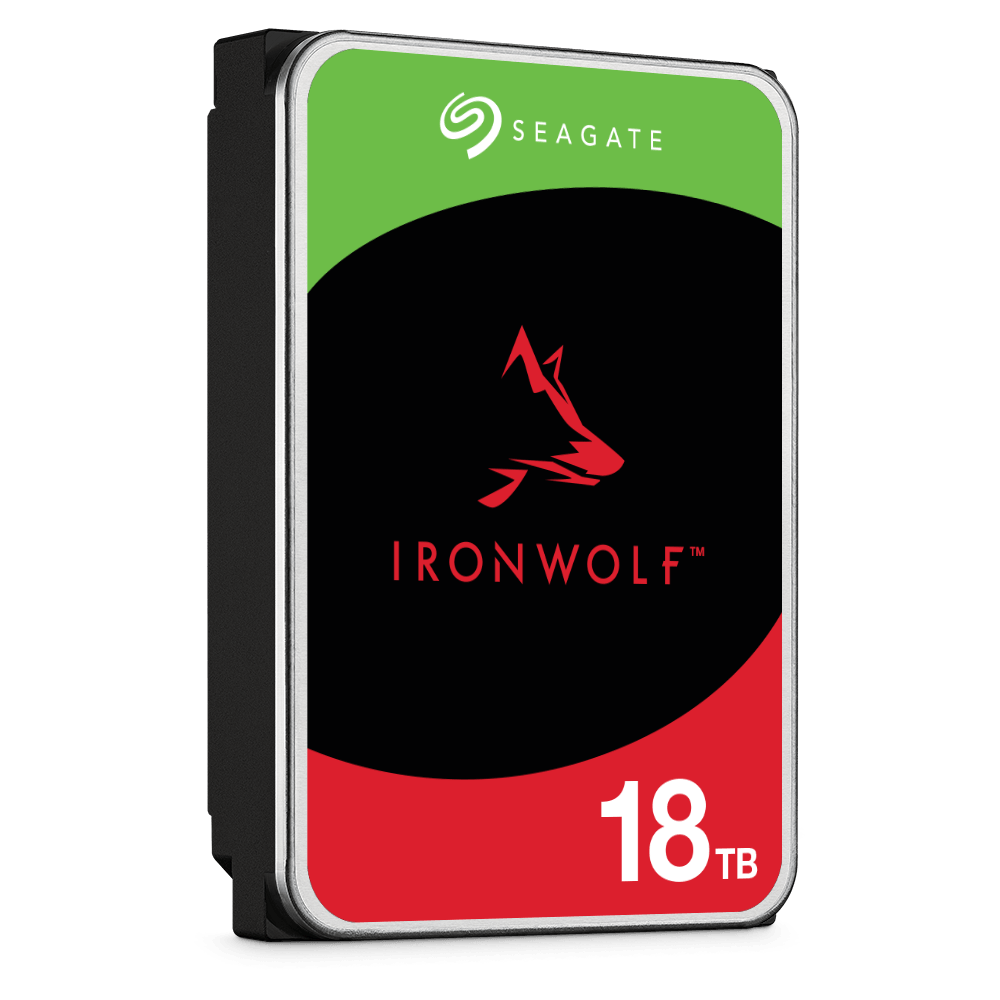
| NAS HDD Reference | Seagate IronWolf 2TB ST2000VN003; QNAP tested subpart ST2000VN003-3CW102, firmware SC60. Drives sold separately; verify the supplied drive |
Add-ons


NASCare Extended Warranty with Loaner Unit for 5-8 Bays