QNAP TS-253E TS-x53E Series 2-Bay Tower NAS
Compact Storage with a Clear Role in Your Business Give a small office, branch location or dedicated backup task its own organised storage platform. The QNAP TS-253E combines two SATA bays with an Intel Celeron J6412 processor, dual 2.5GbE networking and separate M.2 NVMe slots. Dual HDMI outputs add a local display option for supported applications. The compact enclosure keeps deployment practical where space is limited, while QNAP’s storage and backup tools let you build a consistent routine for shared files and important business information. Highlights Storage That Fits Your Work 2 hot-swappable SATA bays for compatible hard disks or SATA SSDs, with drives supplied separately. Two dedicated M.2 NVMe slots for SSD storage or supported cache configurations. A Faster Shared Workspace Two 2.5GbE ports for supported multi-link configurations or separate network connections. Intel Celeron J6412 quad-core processing with 8GB DDR4 memory supplied. Options Beyond File Sharing Dual HDMI outputs for supported local display and monitoring applications. QTS applications for backup, synchronisation, media and virtualised workloads. Key Features Storage with Room to Plan Two SATA bays keep the storage layout straightforward for a branch file server, backup destination or focused application. With two suitable drives, RAID 1 can maintain service after a single drive fails. The two M.2 slots offer a separate place for SSD workloads. Choose compatible disks and plan the required usable space after redundancy, snapshots and system reservations. Networking Built Around Shared Access Two 2.5GbE Ethernet ports help remove a common bottleneck when compatible computers and switches are ready for faster networking. Use them for supported port-trunking configurations or separate network connections. Combining links requires the appropriate network and client setup; it does not turn one ordinary 2.5GbE connection into a 5GbE connection. Actual file-transfer speed also depends on the drives, file sizes and workload. A Dedicated Place for SSD Workloads Two M.2 2280 PCIe Gen 3 x2 slots let you add compatible NVMe SSDs without occupying the SATA bays. Use supported SSD cache or storage-pool configurations to suit frequently accessed files and applications. QTS also offers Qtier for compatible tiered-storage arrangements. Select suitable SSDs and cooling for the workload, and power the NAS down before installing or removing M.2 storage. Keep Work Organised and Backups Deliberate Centralised shared folders give Windows, Mac and Linux users a common place for authorised files. Qsync helps keep working folders synchronised, while Hybrid Backup Sync can schedule copies to another NAS, supported cloud storage or a USB destination. Time Machine support provides a Mac backup option. Set permissions, retention and recovery checks deliberately so that a backup is useful when you need it. Choose the Operating System Before You Build QTS provides a familiar app-based environment for shared storage and everyday NAS tasks. QuTS hero is also supported for a ZFS-based deployment, with different storage features and memory requirements. It requires at least 8GB RAM, and inline deduplication requires at least 16GB. Changing between the systems erases and reinitialises storage, so make a complete external backup and follow the manufacturer’s migration procedure before switching. More Possibilities for Your Workspace Intel UHD Graphics and two HDMI 1.4b outputs supporting up to 3840 × 2160 at 30Hz provide options for supported local-display and media applications. Virtualization Station and Container Station can run suitable virtual machines or containers, subject to available memory and application requirements. Media codecs, guest operating systems and surveillance functions may need separate software or licences. Plan these workloads alongside file services rather than treating the NAS as an unlimited replacement for a dedicated server. Practical Connections and a Clear Upgrade Path The built-in networking and two M.2 slots cover the core connections in this compact platform. Supported USB expansion enclosures can provide an additional storage route; this model does not have a PCIe expansion-card slot. Two 10Gbps USB Type-A ports and USB One Touch Copy support convenient transfers to or from suitable external storage. Build Protection into the Routine RAID can help maintain access after a drive failure, and snapshots can help recover earlier file versions when configured appropriately. Neither replaces an independent backup. Keep the NAS and applications updated, use individual accounts and multi-factor authentication where supported, and avoid exposing administration directly to the internet. A separate, up-to-date copy of important files remains essential for hardware failure, accidental deletion and ransomware recovery. Surveillance with Clear Channel Entitlements Record compatible IP cameras with a supported QVR installation. QVR Pro includes eight recording channels. Current QVR Surveillance provides two standard channels plus six more after QNAP-ID activation, giving eight free channels in that application. Larger systems need the matching channel licences and a storage, network and workload assessment. Choose camera compatibility, bitrate, retention and playback requirements together; free channel counts are not a promise that every camera quality or workload will run at the same capacity. Summary The TS-253E combines compact two-bay storage with dual 2.5GbE, separate NVMe slots and dual local-display outputs. It is a focused option for business files, backups or supported monitoring applications in a small office or branch. Choose compatible drives, confirm the memory configuration before an upgrade and keep important data in a separate backup as well as on the NAS. Frequently Asked Questions Are Hard Disks or SSDs Included?ExpandCollapse No. The TS-253E is supplied as a diskless NAS. Choose compatible 3.5-inch SATA hard disks or 2.5-inch SATA SSDs for the main bays, and compatible M.2 2280 NVMe SSDs if required. Check the exact drive model against QNAP’s compatibility list. Storage, optional expansion hardware and any additional software licences are separate. Can the M.2 Slots Be Used for Storage as Well as Cache?ExpandCollapse Yes. Supported M.2 NVMe SSDs can be used for a storage pool or an appropriate cache configuration, depending on the operating system and setup. QTS also supports compatible Qtier arrangements. M.2 drives are not hot-swappable; shut the NAS down before installation or removal and use suitable cooling. Can I Upgrade the Memory?ExpandCollapse The supplied configuration has 8GB DDR4 memory. Current QNAP hardware specifications describe two SODIMM slots supporting up to 16GB using two matching 8GB modules. Earlier hardware and manuals include non-expandable configurations, so confirm the actual unit’s memory slots before ordering an upgrade. Use QNAP-supported modules matched to that hardware. Can I Change Between QTS and QuTS hero?ExpandCollapse Yes, this model supports both operating systems, with QTS as the default. The change erases and reinitialises NAS storage. Make a complete backup outside the NAS, follow the current manufacturer procedure, then restore the data. QuTS hero needs at least 8GB RAM, with at least 16GB for inline deduplication; application features and storage layouts differ between the systems. Does RAID Replace a Backup?ExpandCollapse No. RAID is intended to improve availability after certain drive failures. It does not provide a separate copy when files are deleted, encrypted by ransomware or lost with the NAS itself. Use snapshots where appropriate, and keep a current independent backup on another device or service. Check that important files can actually be restored. How Many Camera Channels Are Included?ExpandCollapse QVR Pro includes eight camera-recording channels. Current QVR Surveillance starts with two standard channels; link the NAS to QNAP ID and activate the additional six to use eight at no channel charge. These are separate application entitlements, not sixteen licences for one recorder. Additional channels require matching licences and workload sizing. QVR Pro Client playback beyond fourteen days requires Gold or Unlimited Playback; that rule does not itself delete older recordings.
추가 상품 (2)
3005, Ubi Avenue 3, #01-88에서 픽업 가능
일반적으로 2~4일 후 준비 완료
QNAP TS-253E TS-x53E Series 2-Bay Tower NAS
제품 설명
Compact Storage with a Clear Role in Your Business
Give a small office, branch location or dedicated backup task its own organised storage platform. The QNAP TS-253E combines two SATA bays with an Intel Celeron J6412 processor, dual 2.5GbE networking and separate M.2 NVMe slots. Dual HDMI outputs add a local display option for supported applications. The compact enclosure keeps deployment practical where space is limited, while QNAP’s storage and backup tools let you build a consistent routine for shared files and important business information.
Highlights
Storage That Fits Your Work
- 2 hot-swappable SATA bays for compatible hard disks or SATA SSDs, with drives supplied separately.
- Two dedicated M.2 NVMe slots for SSD storage or supported cache configurations.
A Faster Shared Workspace
- Two 2.5GbE ports for supported multi-link configurations or separate network connections.
- Intel Celeron J6412 quad-core processing with 8GB DDR4 memory supplied.
Options Beyond File Sharing
- Dual HDMI outputs for supported local display and monitoring applications.
- QTS applications for backup, synchronisation, media and virtualised workloads.
Key Features
Storage with Room to Plan
Two SATA bays keep the storage layout straightforward for a branch file server, backup destination or focused application. With two suitable drives, RAID 1 can maintain service after a single drive fails. The two M.2 slots offer a separate place for SSD workloads. Choose compatible disks and plan the required usable space after redundancy, snapshots and system reservations.
Networking Built Around Shared Access
Two 2.5GbE Ethernet ports help remove a common bottleneck when compatible computers and switches are ready for faster networking. Use them for supported port-trunking configurations or separate network connections. Combining links requires the appropriate network and client setup; it does not turn one ordinary 2.5GbE connection into a 5GbE connection. Actual file-transfer speed also depends on the drives, file sizes and workload.
A Dedicated Place for SSD Workloads
Two M.2 2280 PCIe Gen 3 x2 slots let you add compatible NVMe SSDs without occupying the SATA bays. Use supported SSD cache or storage-pool configurations to suit frequently accessed files and applications. QTS also offers Qtier for compatible tiered-storage arrangements. Select suitable SSDs and cooling for the workload, and power the NAS down before installing or removing M.2 storage.
Keep Work Organised and Backups Deliberate
Centralised shared folders give Windows, Mac and Linux users a common place for authorised files. Qsync helps keep working folders synchronised, while Hybrid Backup Sync can schedule copies to another NAS, supported cloud storage or a USB destination. Time Machine support provides a Mac backup option. Set permissions, retention and recovery checks deliberately so that a backup is useful when you need it.
Choose the Operating System Before You Build
QTS provides a familiar app-based environment for shared storage and everyday NAS tasks. QuTS hero is also supported for a ZFS-based deployment, with different storage features and memory requirements. It requires at least 8GB RAM, and inline deduplication requires at least 16GB. Changing between the systems erases and reinitialises storage, so make a complete external backup and follow the manufacturer’s migration procedure before switching.
More Possibilities for Your Workspace
Intel UHD Graphics and two HDMI 1.4b outputs supporting up to 3840 × 2160 at 30Hz provide options for supported local-display and media applications. Virtualization Station and Container Station can run suitable virtual machines or containers, subject to available memory and application requirements. Media codecs, guest operating systems and surveillance functions may need separate software or licences. Plan these workloads alongside file services rather than treating the NAS as an unlimited replacement for a dedicated server.
Practical Connections and a Clear Upgrade Path
The built-in networking and two M.2 slots cover the core connections in this compact platform. Supported USB expansion enclosures can provide an additional storage route; this model does not have a PCIe expansion-card slot. Two 10Gbps USB Type-A ports and USB One Touch Copy support convenient transfers to or from suitable external storage.
Build Protection into the Routine
RAID can help maintain access after a drive failure, and snapshots can help recover earlier file versions when configured appropriately. Neither replaces an independent backup. Keep the NAS and applications updated, use individual accounts and multi-factor authentication where supported, and avoid exposing administration directly to the internet. A separate, up-to-date copy of important files remains essential for hardware failure, accidental deletion and ransomware recovery.
Surveillance with Clear Channel Entitlements
Record compatible IP cameras with a supported QVR installation. QVR Pro includes eight recording channels. Current QVR Surveillance provides two standard channels plus six more after QNAP-ID activation, giving eight free channels in that application. Larger systems need the matching channel licences and a storage, network and workload assessment. Choose camera compatibility, bitrate, retention and playback requirements together; free channel counts are not a promise that every camera quality or workload will run at the same capacity.
Summary
The TS-253E combines compact two-bay storage with dual 2.5GbE, separate NVMe slots and dual local-display outputs. It is a focused option for business files, backups or supported monitoring applications in a small office or branch. Choose compatible drives, confirm the memory configuration before an upgrade and keep important data in a separate backup as well as on the NAS.
Frequently Asked Questions
Are Hard Disks or SSDs Included?
No. The TS-253E is supplied as a diskless NAS. Choose compatible 3.5-inch SATA hard disks or 2.5-inch SATA SSDs for the main bays, and compatible M.2 2280 NVMe SSDs if required. Check the exact drive model against QNAP’s compatibility list. Storage, optional expansion hardware and any additional software licences are separate.
Can the M.2 Slots Be Used for Storage as Well as Cache?
Yes. Supported M.2 NVMe SSDs can be used for a storage pool or an appropriate cache configuration, depending on the operating system and setup. QTS also supports compatible Qtier arrangements. M.2 drives are not hot-swappable; shut the NAS down before installation or removal and use suitable cooling.
Can I Upgrade the Memory?
The supplied configuration has 8GB DDR4 memory. Current QNAP hardware specifications describe two SODIMM slots supporting up to 16GB using two matching 8GB modules. Earlier hardware and manuals include non-expandable configurations, so confirm the actual unit’s memory slots before ordering an upgrade. Use QNAP-supported modules matched to that hardware.
Can I Change Between QTS and QuTS hero?
Yes, this model supports both operating systems, with QTS as the default. The change erases and reinitialises NAS storage. Make a complete backup outside the NAS, follow the current manufacturer procedure, then restore the data. QuTS hero needs at least 8GB RAM, with at least 16GB for inline deduplication; application features and storage layouts differ between the systems.
Does RAID Replace a Backup?
No. RAID is intended to improve availability after certain drive failures. It does not provide a separate copy when files are deleted, encrypted by ransomware or lost with the NAS itself. Use snapshots where appropriate, and keep a current independent backup on another device or service. Check that important files can actually be restored.
How Many Camera Channels Are Included?
QVR Pro includes eight camera-recording channels. Current QVR Surveillance starts with two standard channels; link the NAS to QNAP ID and activate the additional six to use eight at no channel charge. These are separate application entitlements, not sixteen licences for one recorder. Additional channels require matching licences and workload sizing. QVR Pro Client playback beyond fourteen days requires Gold or Unlimited Playback; that rule does not itself delete older recordings.
사양
QNAP TS-253E TS-x53E Series 2-Bay Tower NAS
QNAP TS-253E is a two-bay desktop NAS for shared storage, backup and supported camera recording. Dual 2.5GbE and two M.2 slots offer flexible network and SSD configurations. Select compatible drives and a supported operating system before initialisation. Size memory, recording licences and retention for the workload, and check the supplied board before memory upgrades.
| Specification | Details |
|---|---|
| Processor and Memory | |
| Processor | Intel Celeron J6412; 4 cores / 4 threads; burst up to 2.6GHz |
| Architecture and Graphics | 64-bit x86; Intel UHD Graphics; AES-NI encryption acceleration |
| System Memory | 8GB DDR4 supplied; current SODIMM hardware supports up to 16GB (2 × 8GB). Confirm the unit’s hardware revision before upgrading. |
| Flash | 4GB with dual-boot OS protection |
| Drive Storage | |
| SATA Bays | 2 × 3.5-inch SATA 6Gb/s; compatible with 3.5-inch SATA HDDs and 2.5-inch SATA SSDs |
| Drive Service | SATA bays support hot swapping; M.2 SSDs do not |
| M.2 Slots | 2 × M.2 2280 PCIe Gen 3 x2 NVMe |
| Drive Supply | Diskless; HDDs and SSDs supplied separately |
| Networking and Expansion | |
| Ethernet | 2 × RJ45 2.5GbE; 2.5G / 1G / 100M / 10M |
| Network Functions | Port trunking, Wake-on-LAN and jumbo frames; suitable network configuration required |
| Storage Expansion | Supported USB expansion enclosures; no PCIe expansion-card slot |
| Ports and Controls | |
| USB | 2 × USB 3.2 Gen 2 Type-A, 10Gbps; 2 × USB 2.0 |
| Display | 2 × HDMI 1.4b; up to 3840 × 2160 at 30Hz |
| Controls and Security | Power, reset and USB copy buttons; status indicators; buzzer; Kensington security slot |
| Operating System and Data Protection | |
| Operating System | QTS by default; QuTS hero supported. Switching systems erases and reinitialises storage |
| QuTS hero Memory | At least 8GB; inline deduplication requires at least 16GB |
| File Systems | QTS uses ext4; QuTS hero uses ZFS. Select the supported OS before initialising storage |
| QTS RAID | Single disk, JBOD, RAID 0 and RAID 1; requires the appropriate number of disks in each group |
| QuTS hero RAID | Single disk, stripe and mirror |
| SSD and Block Storage | Supported SSD cache/pools, TRIM, health monitoring and iSCSI targets/LUNs; QTS Qtier and QuTS hero cache designs differ |
| Snapshots | QTS x86 with at least 4GB RAM: up to 1,024 per NAS and 256 per volume/block LUN; QuTS hero platform: up to 65,536, subject to model, resources and free space |
| Replication | Snapshot Replica requires compatible NAS using the same OS; SnapSync is available on supported QuTS hero deployments |
| RAID Management | Supported hot-spare, rebuild, scrubbing and expansion depend on installed drives, OS and RAID layout |
| Surveillance | |
| Maximum Camera Channels | Model-dependent. QNAP does not publish a fixed, guaranteed maximum for this configuration; camera settings and the complete NAS workload determine capacity |
| Application Channel Ceilings | QVR Pro: up to 128; QVR Surveillance: up to 1,024. These are software ceilings, not this NAS’s guaranteed capacity; matching licences are required above the included allowance |
| Included Camera Channels | QVR Pro: 8. QVR Surveillance: 2 standard plus 6 free channels after QNAP ID activation, giving 8. These are separate app entitlements |
| QVR Selector Estimate | QTS: 57 estimated recording channels; QuTS hero needs separate sizing. Reference uses the selected 8GB factory configuration; not a certified maximum |
| Estimate Workload | 1080p H.264, 30fps, 4.096Mbps per camera; recording only, no AI or local playback; manufacturer reference drives/RAID |
| Recording Requirements | Supported OS/app versions and Container Station. QVR Pro requires at least 4GB RAM; QVR Surveillance application minimum is 1GB. The OS and workload may need more |
| Cameras and Video | Check exact camera and firmware compatibility; supported MJPEG/H.264/H.265 streams. Client HEVC decoding or other codec terms may apply |
| QVR Pro Playback | Client playback beyond 14 days requires Gold or Unlimited Playback; this does not set recording retention or automatically delete older files |
| Applications and Security | |
| File Sharing | SMB/CIFS, NFS, FTP/SFTP and supported WebDAV services for Windows, Mac and Linux clients |
| Users and Permissions | Local users/groups, Windows AD/LDAP integration, Windows ACL and supported quotas |
| Backup and Sync | Hybrid Backup Sync to supported USB/NAS/cloud destinations; Time Machine and Qsync. HDP for PC/VM supports compatible Windows, VMware and Hyper-V workloads with at least 4GB RAM and supported firmware |
| Virtualisation and Containers | Virtualization Station for supported guests with at least 4GB RAM; Container Station for supported Docker and LXC/LXD workloads. Reserve workload resources; guest licences are separate |
| Security and Monitoring | Storage encryption, two-step verification, firewall/access blocking, alerts, logs and SNMP on supported firmware |
| Photos and Media | Supported Qfile Pro, QuMagie and media apps; display, acceleration, codecs and subscriptions depend on hardware and app |
| Physical and Environment | |
| Form Factor | Desktop tower |
| Dimensions | 165 × 102 × 220.6mm (H × W × D), excluding feet; foot height may be up to 30mm |
| Temperature | Operating 0–40°C; storage −20–70°C |
| Humidity | 5–95% RH, non-condensing; wet-bulb 27°C |
| Power and Cooling | |
| Power Supply | 60/65W external adapter; 100–240V AC |
| Typical Power | 24.238W operating; 20.943W disk standby |
| Cooling | 1 × 70mm fan, 12V DC |
| Package and Warranty | |
| Included | NAS enclosure with drive trays, AC adapter, power cord, one Ethernet cable, drive-mounting screws and quick installation guide; M.2 screws and two drive-tray keys |
| Standard NAS Warranty | 3 years |
| Compatible Accessories | |
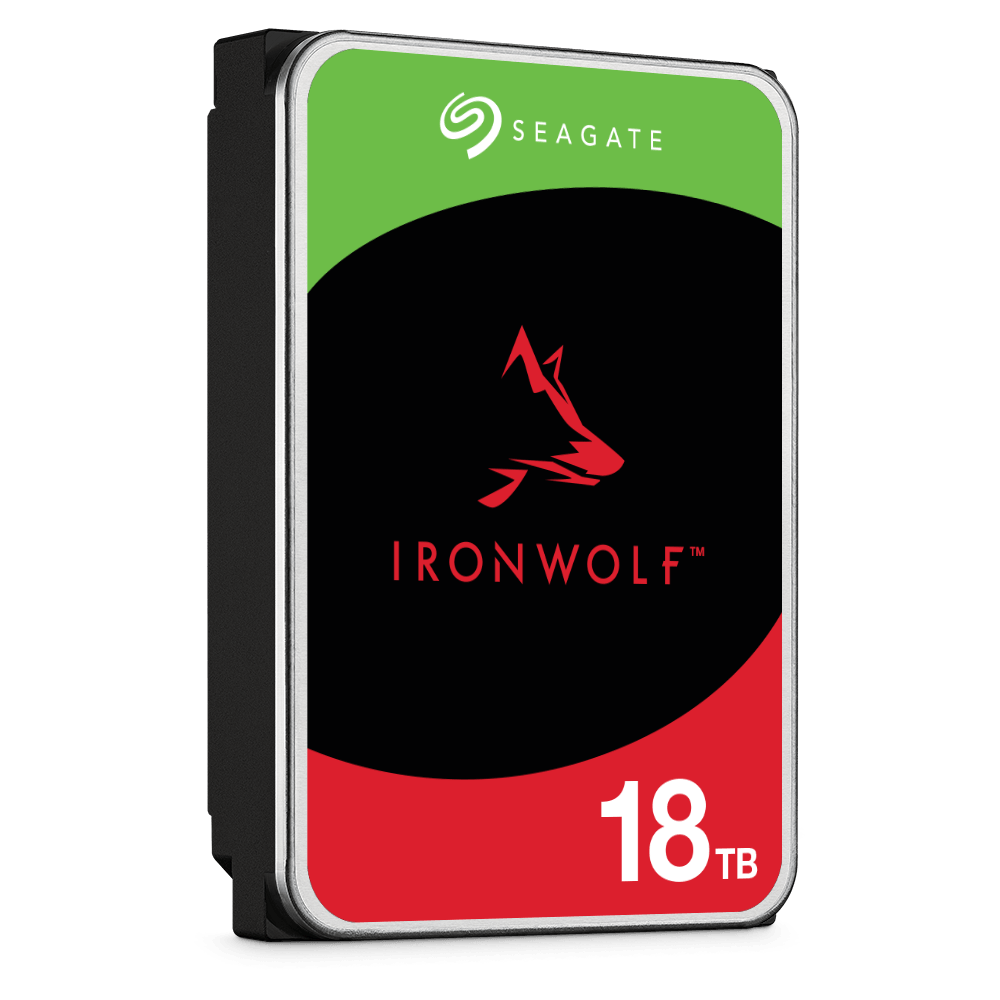
| NAS Hard Drive | Seagate IronWolf 2TB NAS HDD ST2000VN003; optional, sold separately. Other capacities require exact-model compatibility checks. |
Camera estimates depend on the OS, RAM, drives, RAID, bitrate, playback and AI workload. Apply the selected app’s channel ceiling and licence allowance separately. RAID and local snapshots do not replace an independent backup.
추가 상품