

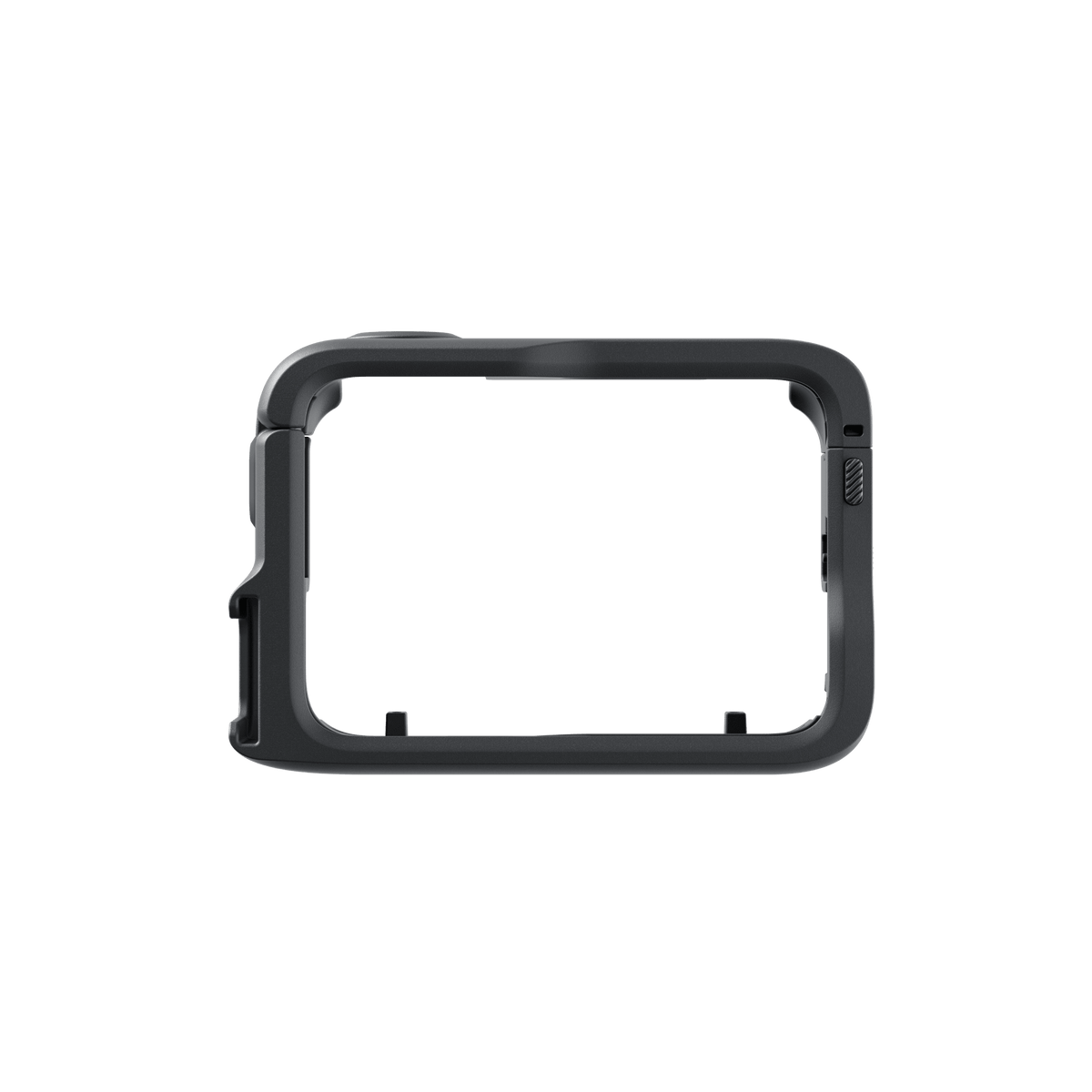





Insta360 GO Ultra Utility Frame
Build a More Versatile GO Ultra Setup Keep the GO Ultra camera and Action Pod together in a fitted frame, then adapt the setup to the scene. Quick-release mounting points support portrait or landscape positioning with compatible GO Ultra mounts, while a cold shoe gives you a place for an external accessory. An accessible release switch lets the Standalone Camera come out without removing the frame. Highlights Encloses the GO Ultra Action Pod with its camera installed. Quick-release mounting points for horizontal or vertical setups. Cold shoe for a compatible light, microphone or other accessory. Access to the camera release switch and main controls. 43g frame supplied on its own. Key Features Keep the Camera and Action Pod in One Frame Place the Action Pod with the GO Ultra camera installed into the open frame, then close it until it clicks. The fitted enclosure keeps the recording setup together while leaving the intended controls accessible. It is a camera frame rather than a waterproof Dive Case. Change the Mounting Orientation The magnetic mounting points work with the GO Ultra Quick Release Mount or Pivot Stand. These supported accessories let you change between horizontal and vertical placement using the camera-specific connection. Both mounts are sold separately; use the compatible mount already in your kit where available. Add a Useful Cold-Shoe Accessory The universal cold shoe provides a physical attachment point for an appropriate microphone, light or other accessory. Check the chosen accessory’s fit and its separate connection or power requirements. The frame supplies the mount; it does not add an audio input, light or microphone to the camera package. Release the Standalone Camera More Easily The frame includes an accessible release switch so the GO Ultra camera can be taken out of the Action Pod without first removing the frame. This is useful when alternating between a Pod-based setup and the smaller Standalone Camera. Support the camera as you release it. Use the Intended Latches and Controls Press the release buttons on both sides to open the Utility Frame. Position the camera-and-Pod assembly correctly and close the frame fully. Before recording, check that the closure and the connected mount are secure and that any added accessory leaves the controls and lens clear. Summary The Utility Frame suits a GO Ultra setup that moves between mounted recording, external accessories and Standalone Camera use. It combines quick-release mounting points, a cold shoe and access to the camera release. Choose the correct separate mount for the scene and keep the frame’s role distinct from a waterproof housing. Frequently Asked Questions Does It Fit the Standalone Camera Alone?ExpandCollapse The frame is shaped for the GO Ultra Action Pod with the camera installed. Its release switch lets you remove the Standalone Camera from the Pod without removing the Utility Frame. Are the Quick Release Mount and Pivot Stand Included?ExpandCollapse No. The package contains one Utility Frame. The GO Ultra Quick Release Mount, Pivot Stand, camera, Action Pod and cold-shoe accessories are separate. Can I Switch Between Portrait and Landscape?ExpandCollapse Yes. Use the frame’s magnetic mounting points with a compatible GO Ultra Quick Release Mount or Pivot Stand. Check that the chosen connection locks securely in the required orientation. Does the Cold Shoe Add Microphone Connectivity?ExpandCollapse It provides a physical accessory mount. A microphone or other accessory still needs its own supported connection and, where applicable, power arrangement. No microphone or light is included. Is This a Waterproof Dive Case?ExpandCollapse No. It is a utility mounting frame. Follow the camera and Action Pod’s own water-use instructions; the frame does not create a sealed underwater housing.
Add-ons (1)
Pickup available at 3005, Ubi Avenue 3, #01-88
일반적으로 2~4일 후 준비 완료
Insta360 GO Ultra Utility Frame
제품 설명
Build a More Versatile GO Ultra Setup
Keep the GO Ultra camera and Action Pod together in a fitted frame, then adapt the setup to the scene. Quick-release mounting points support portrait or landscape positioning with compatible GO Ultra mounts, while a cold shoe gives you a place for an external accessory. An accessible release switch lets the Standalone Camera come out without removing the frame.
Highlights
- Encloses the GO Ultra Action Pod with its camera installed.
- Quick-release mounting points for horizontal or vertical setups.
- Cold shoe for a compatible light, microphone or other accessory.
- Access to the camera release switch and main controls.
- 43g frame supplied on its own.
Key Features
Keep the Camera and Action Pod in One Frame
Place the Action Pod with the GO Ultra camera installed into the open frame, then close it until it clicks. The fitted enclosure keeps the recording setup together while leaving the intended controls accessible. It is a camera frame rather than a waterproof Dive Case.
Change the Mounting Orientation
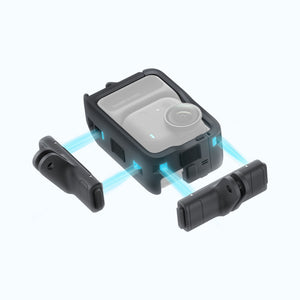
The magnetic mounting points work with the GO Ultra Quick Release Mount or Pivot Stand. These supported accessories let you change between horizontal and vertical placement using the camera-specific connection. Both mounts are sold separately; use the compatible mount already in your kit where available.
Add a Useful Cold-Shoe Accessory
The universal cold shoe provides a physical attachment point for an appropriate microphone, light or other accessory. Check the chosen accessory’s fit and its separate connection or power requirements. The frame supplies the mount; it does not add an audio input, light or microphone to the camera package.
Release the Standalone Camera More Easily
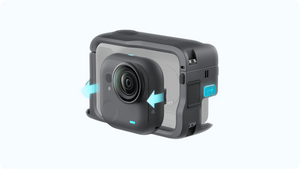
The frame includes an accessible release switch so the GO Ultra camera can be taken out of the Action Pod without first removing the frame. This is useful when alternating between a Pod-based setup and the smaller Standalone Camera. Support the camera as you release it.
Use the Intended Latches and Controls
Press the release buttons on both sides to open the Utility Frame. Position the camera-and-Pod assembly correctly and close the frame fully. Before recording, check that the closure and the connected mount are secure and that any added accessory leaves the controls and lens clear.
Summary
The Utility Frame suits a GO Ultra setup that moves between mounted recording, external accessories and Standalone Camera use. It combines quick-release mounting points, a cold shoe and access to the camera release. Choose the correct separate mount for the scene and keep the frame’s role distinct from a waterproof housing.
Frequently Asked Questions
Does It Fit the Standalone Camera Alone?
The frame is shaped for the GO Ultra Action Pod with the camera installed. Its release switch lets you remove the Standalone Camera from the Pod without removing the Utility Frame.
Are the Quick Release Mount and Pivot Stand Included?
No. The package contains one Utility Frame. The GO Ultra Quick Release Mount, Pivot Stand, camera, Action Pod and cold-shoe accessories are separate.
Can I Switch Between Portrait and Landscape?
Yes. Use the frame’s magnetic mounting points with a compatible GO Ultra Quick Release Mount or Pivot Stand. Check that the chosen connection locks securely in the required orientation.
Does the Cold Shoe Add Microphone Connectivity?
It provides a physical accessory mount. A microphone or other accessory still needs its own supported connection and, where applicable, power arrangement. No microphone or light is included.
Is This a Waterproof Dive Case?
No. It is a utility mounting frame. Follow the camera and Action Pod’s own water-use instructions; the frame does not create a sealed underwater housing.
사양
Insta360 GO Ultra Utility Frame
The Insta360 GO Ultra Utility Frame encloses the Action Pod with its camera installed and provides additional mounting options. Magnetic mounting points work with the separate GO Ultra Quick Release Mount or Pivot Stand, while the cold shoe supports an appropriate external accessory. The camera release remains accessible for Standalone Camera use. This package contains the frame only. The physical figures below apply to the frame, without the camera, Pod or added accessories.
| Specification | Details |
|---|---|
| Compatibility and Mounting | |
| Compatible System | Insta360 GO Ultra camera installed in its Action Pod |
| Mounting Points | Magnetic quick-release points for supported portrait or landscape setups |
| Compatible Mounts | GO Ultra Quick Release Mount or Pivot Stand, sold separately |
| Accessory Attachment | Universal cold shoe; accessory connection and power remain separate |
| Construction | |
| Frame Weight | 43 g |
| Dimensions | 83 × 62 × 33 mm |
| Materials | Plastic and metal |
| Package and Use | |
| Included | 1 Utility Frame |
| Control Access | Shutter button, release buttons, camera release switch and power button |
| Installation | Open with both release buttons; insert the camera-and-Pod assembly and close until it clicks |
Add-ons

