








Insta360 GO Ultra Charging Base
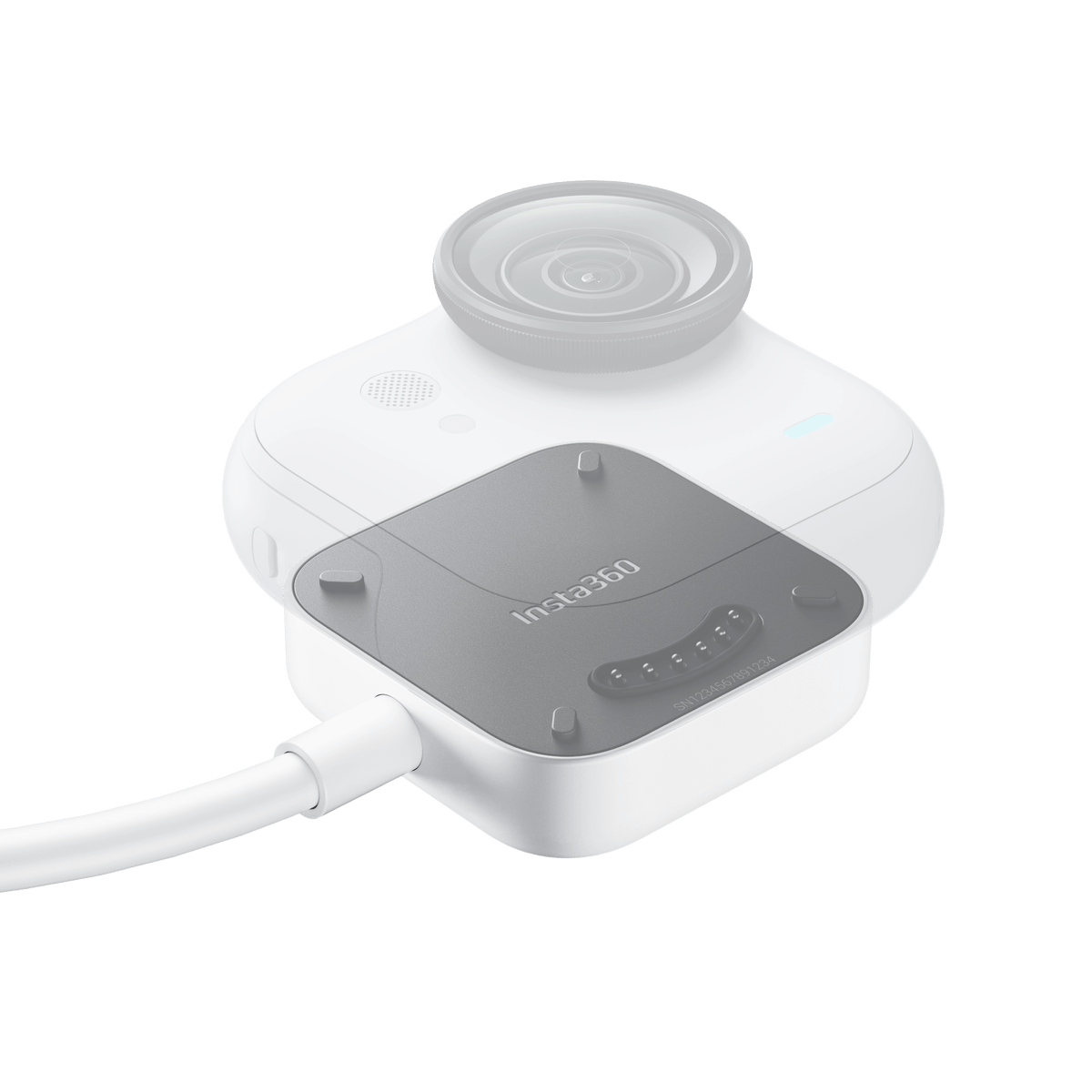
More Time Filming with GO Ultra Keep the small camera ready without carrying the Action Pod into every shot. The GO Ultra Charging Base connects directly to the standalone camera through its rear contacts, with a one-metre USB-C cable reaching a suitable external power source. Recharge between takes, supply power during supported recording settings or connect to a phone or computer for file transfers. Its low-profile shape also works with the Magnet Pendant for a lighter wearable setup. Highlights Direct charging connection for the GO Ultra standalone camera. Reaches 80% in around 12 minutes with a suitable 5 V/3 A charger and camera powered off. One-metre cable with USB-C and Pogo Pin connections. Compatible with the GO Ultra Magnet Pendant and Quick Release Safety Cord. Supports file transfers to compatible phones and computers. Key Features Charge Without the Action Pod Align the contacts on the back of the standalone camera with the base, then connect the USB-C end to a suitable power source. When the camera is switched off, the base can fast-charge its battery. The manufacturer’s 80%-in-12-minutes figure uses a 5 V/3 A charger; actual charging time depends on the power source and conditions. Keep a Supported Recording Session Powered The one-metre cable lets a separate power bank supply the camera while you film. When the camera is on, the base supplies operating power rather than charging the battery. For extended power use, the manufacturer specifies 30 fps at 30°C or below and excludes 4K60 fps and 2.7K60 fps. Choose settings for the full recording session rather than assuming every mode supports continuous external power. A Compact Wearable Connection Pair the base with the GO Ultra Magnet Pendant or Quick Release Safety Cord to position the camera while using an external power source. The base itself weighs 43 g. The camera, pendant, safety cord and power bank are separate equipment, so choose the complete mounting arrangement to suit the activity and keep the cable secure. Move Footage Through the Same Connection With the camera powered on, the base can connect to a compatible smartphone or computer for file transfer. Select the camera’s file-transfer mode when prompted. On iOS, open the Insta360 app before selecting the transfer function. This provides another route for moving footage when the Action Pod is elsewhere. Keep the Contacts Clean and Dry Attach the camera and base in a clean, dry place. Check both sets of charging contacts before connecting them and clean with a soft, dry cloth. Avoid liquid detergents, perfumes and cosmetic residues, which can damage contact surfaces. Keep charging equipment away from flammable materials. Summary The GO Ultra Charging Base adds a compact direct power and transfer connection to the standalone camera. Use it to recharge between takes or supply a supported recording setup from an external source, with clear limits for extended powered use. Add the appropriate pendant, safety cord and power supply separately to complete the setup. Does It Charge GO Ultra While Recording?ExpandCollapse When the camera is powered on, the base supplies operating power but does not charge the battery. For long-term power supply, the manufacturer specifies 30 fps at 30°C or below; 4K60 fps and 2.7K60 fps are not supported for that use. Is a Power Bank or Wall Charger Included?ExpandCollapse No. The package contains one GO Ultra Charging Base with its one-metre cable. A suitable external power source, the camera and mounting accessories are separate. How Fast Does It Charge?ExpandCollapse With the camera powered off and a suitable 5 V/3 A charger, the manufacturer states approximately 12 minutes to reach 80%. Actual charging performance depends on the charger, battery and environment. Can I Transfer Files Through the Base?ExpandCollapse Yes. With the camera on, connect to a compatible phone or computer and select file-transfer mode. On iOS, open the Insta360 app first. Does It Fit Other GO Cameras?ExpandCollapse This base is designed for the GO Ultra standalone camera. It is not the GO 3/GO 3S Quick Reader or a universal USB charging cradle.
Pickup available at 3005, Ubi Avenue 3, #01-88
일반적으로 2~4일 후 준비 완료
Insta360 GO Ultra Charging Base
제품 설명
More Time Filming with GO Ultra
Keep the small camera ready without carrying the Action Pod into every shot. The GO Ultra Charging Base connects directly to the standalone camera through its rear contacts, with a one-metre USB-C cable reaching a suitable external power source. Recharge between takes, supply power during supported recording settings or connect to a phone or computer for file transfers. Its low-profile shape also works with the Magnet Pendant for a lighter wearable setup.
Highlights
- Direct charging connection for the GO Ultra standalone camera.
- Reaches 80% in around 12 minutes with a suitable 5 V/3 A charger and camera powered off.
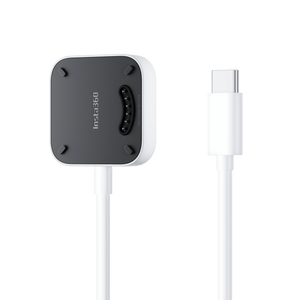
- One-metre cable with USB-C and Pogo Pin connections.
- Compatible with the GO Ultra Magnet Pendant and Quick Release Safety Cord.
- Supports file transfers to compatible phones and computers.
Key Features
Charge Without the Action Pod
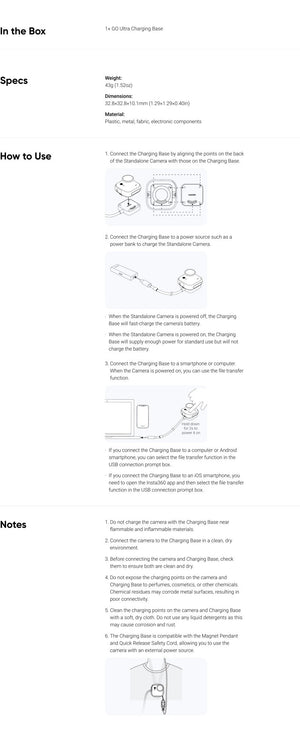
Align the contacts on the back of the standalone camera with the base, then connect the USB-C end to a suitable power source. When the camera is switched off, the base can fast-charge its battery. The manufacturer’s 80%-in-12-minutes figure uses a 5 V/3 A charger; actual charging time depends on the power source and conditions.
Keep a Supported Recording Session Powered
The one-metre cable lets a separate power bank supply the camera while you film. When the camera is on, the base supplies operating power rather than charging the battery. For extended power use, the manufacturer specifies 30 fps at 30°C or below and excludes 4K60 fps and 2.7K60 fps. Choose settings for the full recording session rather than assuming every mode supports continuous external power.
A Compact Wearable Connection
Pair the base with the GO Ultra Magnet Pendant or Quick Release Safety Cord to position the camera while using an external power source. The base itself weighs 43 g. The camera, pendant, safety cord and power bank are separate equipment, so choose the complete mounting arrangement to suit the activity and keep the cable secure.
Move Footage Through the Same Connection
With the camera powered on, the base can connect to a compatible smartphone or computer for file transfer. Select the camera’s file-transfer mode when prompted. On iOS, open the Insta360 app before selecting the transfer function. This provides another route for moving footage when the Action Pod is elsewhere.
Keep the Contacts Clean and Dry
Attach the camera and base in a clean, dry place. Check both sets of charging contacts before connecting them and clean with a soft, dry cloth. Avoid liquid detergents, perfumes and cosmetic residues, which can damage contact surfaces. Keep charging equipment away from flammable materials.
Summary
The GO Ultra Charging Base adds a compact direct power and transfer connection to the standalone camera. Use it to recharge between takes or supply a supported recording setup from an external source, with clear limits for extended powered use. Add the appropriate pendant, safety cord and power supply separately to complete the setup.
Does It Charge GO Ultra While Recording?
When the camera is powered on, the base supplies operating power but does not charge the battery. For long-term power supply, the manufacturer specifies 30 fps at 30°C or below; 4K60 fps and 2.7K60 fps are not supported for that use.
Is a Power Bank or Wall Charger Included?
No. The package contains one GO Ultra Charging Base with its one-metre cable. A suitable external power source, the camera and mounting accessories are separate.
How Fast Does It Charge?
With the camera powered off and a suitable 5 V/3 A charger, the manufacturer states approximately 12 minutes to reach 80%. Actual charging performance depends on the charger, battery and environment.
Can I Transfer Files Through the Base?
Yes. With the camera on, connect to a compatible phone or computer and select file-transfer mode. On iOS, open the Insta360 app first.
Does It Fit Other GO Cameras?
This base is designed for the GO Ultra standalone camera. It is not the GO 3/GO 3S Quick Reader or a universal USB charging cradle.
사양
Insta360 GO Ultra Charging Base
This charging base connects to the rear contacts of the GO Ultra standalone camera and ends in a USB-C connection for an external power source or compatible data device. Charging and powered recording are different functions: a switched-off camera can fast-charge, while a switched-on camera receives operating power without charging its battery. The camera and power supply are separate. Follow the recording limits below when planning an extended powered session.
| Specification | Details |
|---|---|
| Power and Connectivity | |
| Compatibility | GO Ultra standalone camera |
| Connections | Pogo Pin camera contacts and USB-C |
| Cable Length | 1 m |
| Fast Charging | Approximately 80% in 12 minutes with 5 V/3 A charger; camera powered off |
| Powered Recording | 30 fps at 30°C or below for extended use; excludes 4K60 fps and 2.7K60 fps |
| File Transfer | Supported with camera on and compatible phone or computer |
| Physical Design | |
| Weight | 43 g |
| Base Dimensions | 32.8 × 32.8 × 10.1 mm |
| Materials | Plastic, metal, fabric and electronic components |
| Package and Care | |
| Included | 1 GO Ultra Charging Base |
| Compatible Mounting Accessories | GO Ultra Magnet Pendant and Quick Release Safety Cord; separate |
| Separate Equipment | Camera, power source and mounting accessories |
| Contact Care | Attach clean and dry; wipe with soft, dry cloth; avoid chemicals and liquid detergents |