

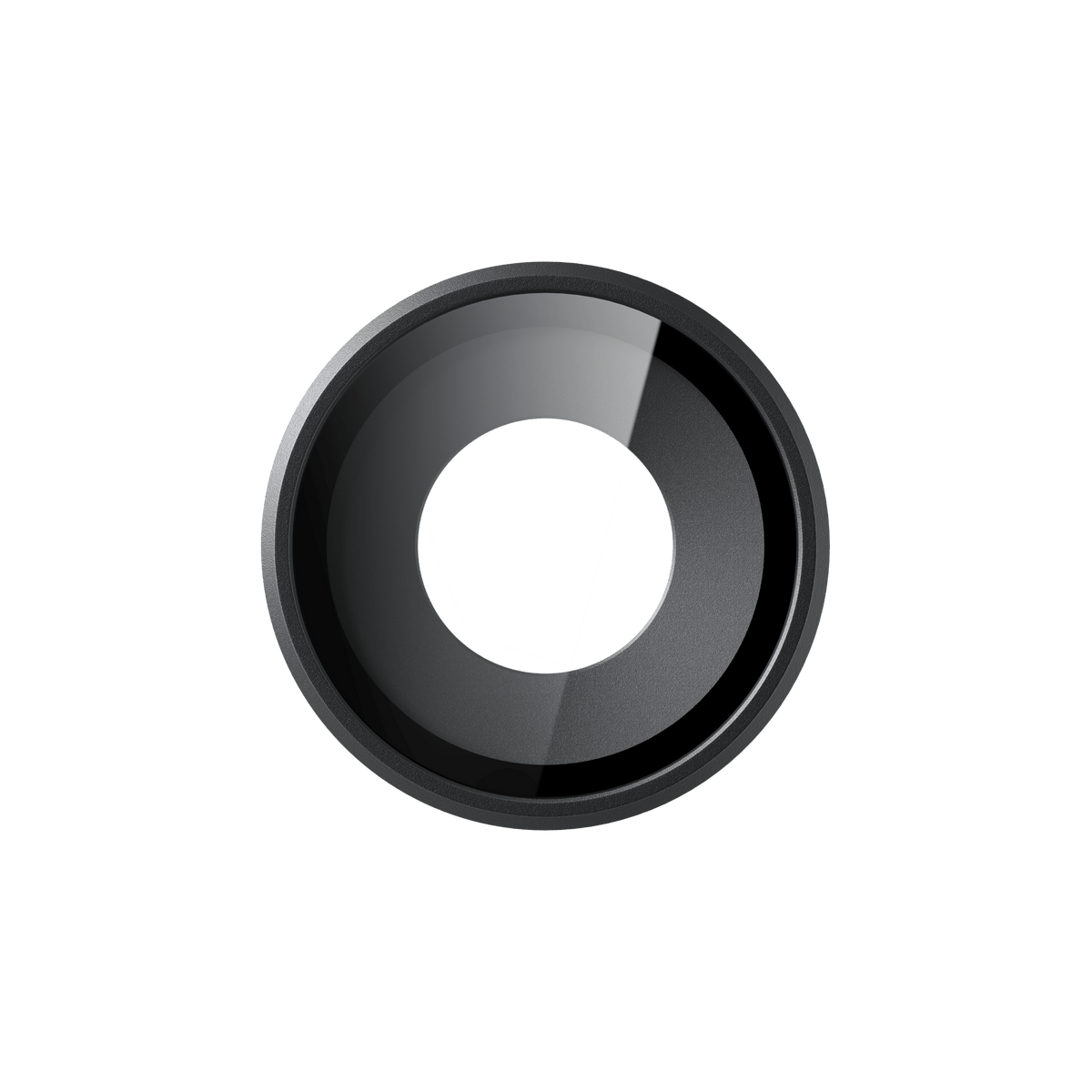


Insta360 GO Ultra AquaLens
A Clearer View Beneath the Surface Prepare the GO Ultra Standalone Camera for underwater recording with an optical cover made for that environment. AquaLens replaces the standard Lens Guard and is intended to improve underwater image clarity. Fit it carefully in a clean, dry space, then return to the standard guard when shooting above water. It is a different accessory from a Dive Case. Highlights Optical lens designed for GO Ultra underwater recording. Replaces the standard Lens Guard for this use. 8g glass-and-metal construction. One AquaLens and one lens cloth included. Not compatible with the GO Ultra Dive Case. Key Features Use Optics Intended for Underwater Recording Water changes how a camera sees through its front cover. AquaLens is designed for high-definition underwater images with the GO Ultra Standalone Camera. It is not the standard everyday Lens Guard, and the manufacturer does not recommend it for non-underwater scenes. Install It in a Clean and Dry Environment Check that the AquaLens and camera lens area are clean and dry. Turn the installed standard guard anticlockwise to remove it, then fit AquaLens and turn clockwise to secure it. Tighten it fully as instructed so water does not enter the lens area and affect image quality. Keep the Dive Case Arrangement Separate AquaLens is not compatible with the GO Ultra Dive Case. When using that case, fit the standard lens guard supplied with the camera instead. The lens does not replace the case or provide a new waterproof-depth rating; use the camera within its own water-use limits. Change Back Carefully After the Water Remove excess moisture before changing covers. Dry the lens threads and surrounding surfaces using the manufacturer’s sequence, then reinstall the standard Lens Guard for above-water recording. This preparation helps avoid trapping moisture that could fog the view during a later session. Carry a Small Dedicated Optical Accessory The lens weighs 8g and measures 31.2 × 31.2 × 6.5 mm. Glass and metal form the compact optical assembly, with a lens cloth included for appropriate cleaning. Dry AquaLens thoroughly before storing it in a cool, dry location. The camera and standard Lens Guard are not supplied in this package. Summary Choose AquaLens for GO Ultra underwater recording when using the Standalone Camera in the supported configuration. Its dedicated optics, small size and included cloth make it easy to keep with the kit. Fit it dry, observe the camera’s own water-use limits and change back to the standard Lens Guard after the underwater session. Frequently Asked Questions Is AquaLens the Same as the Standard Lens Guard?ExpandCollapse No. AquaLens is designed for underwater image clarity. It replaces the standard Lens Guard for that use, and the manufacturer recommends changing back for non-underwater recording. Can I Use It Inside the GO Ultra Dive Case?ExpandCollapse No. AquaLens is not compatible with the Dive Case. Use the standard lens guard supplied with GO Ultra when using that case. Does It Increase the Camera’s Waterproof Depth?ExpandCollapse No new depth rating is established by this accessory. Follow the GO Ultra camera’s own water-use limits and the instructions for the complete setup. AquaLens is an optical accessory rather than a Dive Case. How Do I Fit It?ExpandCollapse Work in a clean, dry environment. Remove the existing guard by turning anticlockwise, then fit AquaLens and turn clockwise to secure it fully. Check that the lens and camera lens area are clean and dry first. How Do I Avoid Fogging After Underwater Use?ExpandCollapse Remove excess moisture, dry the lens threads and surrounding surfaces using the manufacturer’s drying sequence, and only then reinstall the standard guard. Dry AquaLens thoroughly before storing it in a cool, dry place.
Pickup available at 3005, Ubi Avenue 3, #01-88
일반적으로 2~4일 후 준비 완료
Insta360 GO Ultra AquaLens
제품 설명
A Clearer View Beneath the Surface
Prepare the GO Ultra Standalone Camera for underwater recording with an optical cover made for that environment. AquaLens replaces the standard Lens Guard and is intended to improve underwater image clarity. Fit it carefully in a clean, dry space, then return to the standard guard when shooting above water. It is a different accessory from a Dive Case.
Highlights
- Optical lens designed for GO Ultra underwater recording.
- Replaces the standard Lens Guard for this use.
- 8g glass-and-metal construction.
- One AquaLens and one lens cloth included.
- Not compatible with the GO Ultra Dive Case.
Key Features
Use Optics Intended for Underwater Recording
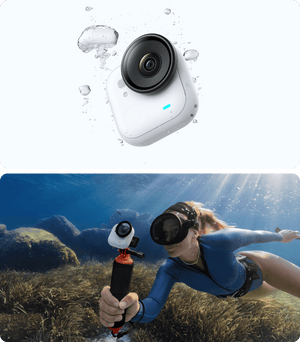
Water changes how a camera sees through its front cover. AquaLens is designed for high-definition underwater images with the GO Ultra Standalone Camera. It is not the standard everyday Lens Guard, and the manufacturer does not recommend it for non-underwater scenes.
Install It in a Clean and Dry Environment
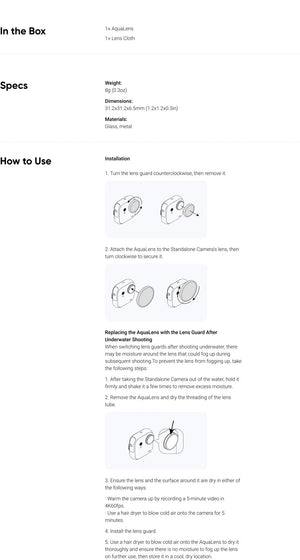
Check that the AquaLens and camera lens area are clean and dry. Turn the installed standard guard anticlockwise to remove it, then fit AquaLens and turn clockwise to secure it. Tighten it fully as instructed so water does not enter the lens area and affect image quality.
Keep the Dive Case Arrangement Separate
AquaLens is not compatible with the GO Ultra Dive Case. When using that case, fit the standard lens guard supplied with the camera instead. The lens does not replace the case or provide a new waterproof-depth rating; use the camera within its own water-use limits.
Change Back Carefully After the Water
Remove excess moisture before changing covers. Dry the lens threads and surrounding surfaces using the manufacturer’s sequence, then reinstall the standard Lens Guard for above-water recording. This preparation helps avoid trapping moisture that could fog the view during a later session.
Carry a Small Dedicated Optical Accessory
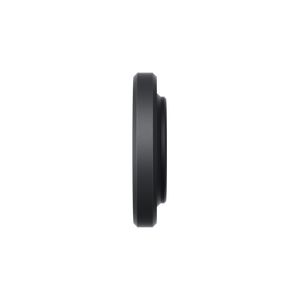
The lens weighs 8g and measures 31.2 × 31.2 × 6.5 mm. Glass and metal form the compact optical assembly, with a lens cloth included for appropriate cleaning. Dry AquaLens thoroughly before storing it in a cool, dry location. The camera and standard Lens Guard are not supplied in this package.
Summary
Choose AquaLens for GO Ultra underwater recording when using the Standalone Camera in the supported configuration. Its dedicated optics, small size and included cloth make it easy to keep with the kit. Fit it dry, observe the camera’s own water-use limits and change back to the standard Lens Guard after the underwater session.
Frequently Asked Questions
Is AquaLens the Same as the Standard Lens Guard?
No. AquaLens is designed for underwater image clarity. It replaces the standard Lens Guard for that use, and the manufacturer recommends changing back for non-underwater recording.
Can I Use It Inside the GO Ultra Dive Case?
No. AquaLens is not compatible with the Dive Case. Use the standard lens guard supplied with GO Ultra when using that case.
Does It Increase the Camera’s Waterproof Depth?
No new depth rating is established by this accessory. Follow the GO Ultra camera’s own water-use limits and the instructions for the complete setup. AquaLens is an optical accessory rather than a Dive Case.
How Do I Fit It?
Work in a clean, dry environment. Remove the existing guard by turning anticlockwise, then fit AquaLens and turn clockwise to secure it fully. Check that the lens and camera lens area are clean and dry first.
How Do I Avoid Fogging After Underwater Use?
Remove excess moisture, dry the lens threads and surrounding surfaces using the manufacturer’s drying sequence, and only then reinstall the standard guard. Dry AquaLens thoroughly before storing it in a cool, dry place.
사양
Insta360 GO Ultra AquaLens
The Insta360 GO Ultra AquaLens is an optical cover for underwater recording with the Standalone Camera. It replaces the standard Lens Guard for that purpose and should be changed back for above-water scenes. The package includes one AquaLens and a lens cloth. Installation requires a clean, dry lens area and a fully secured fitting. AquaLens is not compatible with the Dive Case and does not establish a higher waterproof-depth rating for the camera.
| Specification | Details |
|---|---|
| Optical Use and Fit | |
| Compatible Camera | Insta360 GO Ultra Standalone Camera |
| Intended Use | Optical cover for underwater image clarity |
| Lens-Guard Arrangement | Replaces the standard Lens Guard; change back for non-underwater shooting |
| Dive Case | Not compatible; use the standard supplied Lens Guard with the Dive Case |
| Construction | |
| Lens Weight | 8 g |
| Dimensions | 31.2 × 31.2 × 6.5 mm |
| Materials | Glass and metal |
| Package and Care | |
| Included | 1 AquaLens; 1 lens cloth |
| Fitting | Clean and dry environment; turn clockwise to secure fully |
| After Water Use | Dry lens threads and surrounding surfaces before refitting the standard guard; dry the accessory before storage |