







Insta360 GO Ultra Action Mount
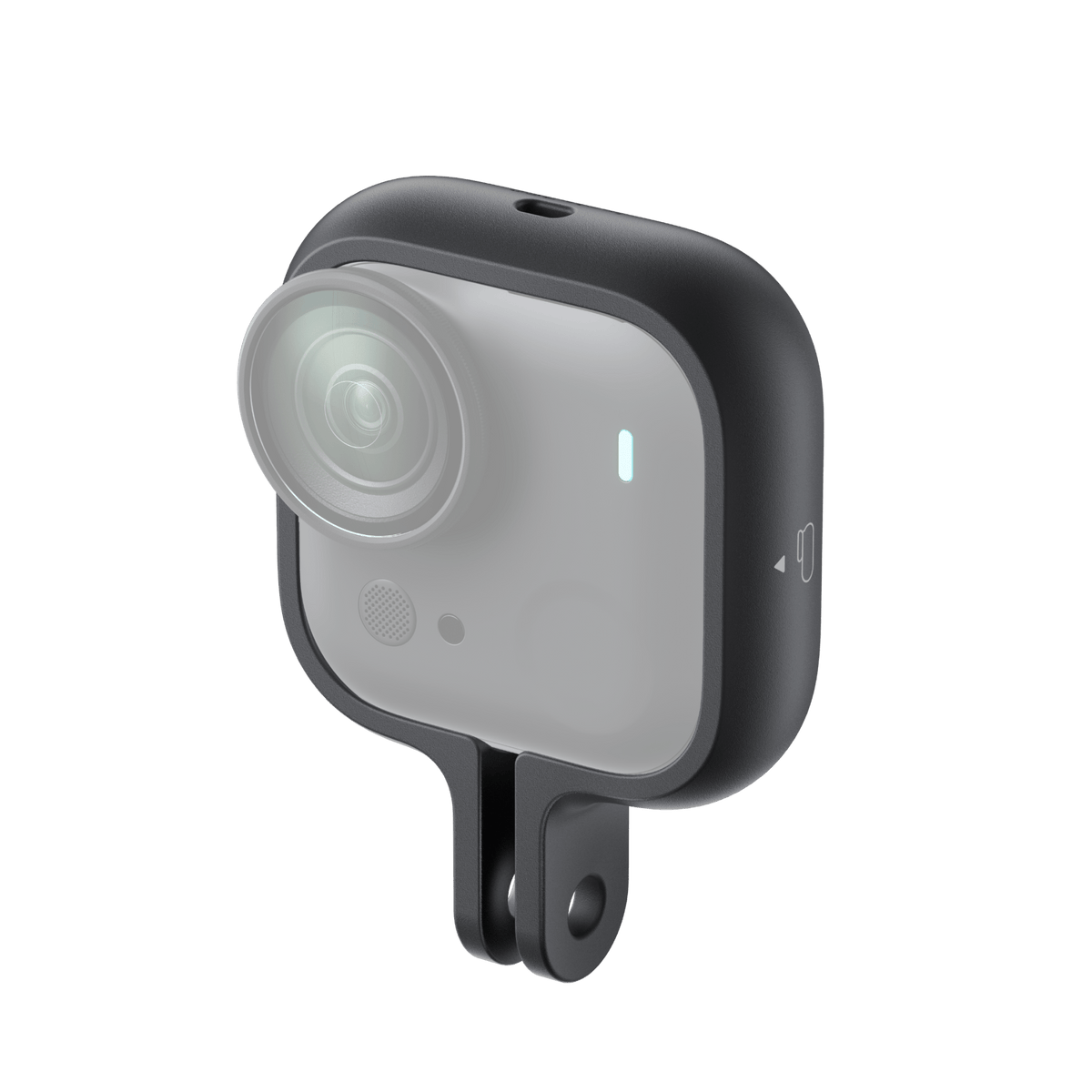
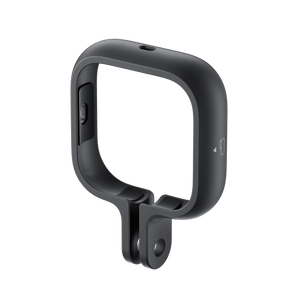
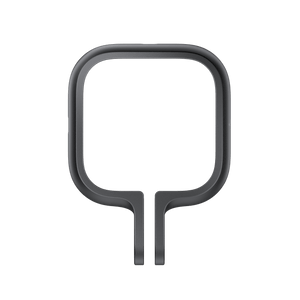
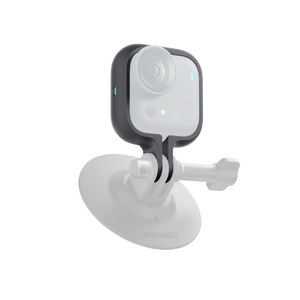
A Light Frame for a More Active View Keep the GO Ultra Standalone Camera close to the action without adding a bulky cage. This wraparound mount holds the small camera in landscape or portrait orientation and connects it to supported mounting accessories. Its low weight and open rear design keep the setup compact while allowing heat to escape during recording. Highlights Designed for the GO Ultra Standalone Camera. Landscape and portrait mounting with alignment marks. Lightweight 7.6g plastic-and-magnet construction. Two-prong connection for supported camera mounts. One Action Mount and four anti-slip rings included. Key Features Frame the Shot Your Way Fit the camera horizontally for a landscape view or vertically for a portrait setup. Follow the direction marks on the mount so the camera sits in the intended position. Check the live image before recording, particularly when moving between different mounting positions. Keep the Camera Setup Small At 7.6g, the mount adds little weight to the Standalone Camera. The frame surrounds the camera without enclosing it in a sealed housing. This suits compact mounted recording where a full camera-and-Action-Pod arrangement would be unnecessarily large. Connect to Supported Accessories The two-prong mounting connection can be used with the appropriate supported adapter or accessory. A 1/4-inch to 3-Prong Adapter is one of the manufacturer’s illustrated arrangements and is sold separately. Match the complete mount to the activity rather than relying on the camera frame alone. Leave Room for Heat to Escape The minimalist design leaves the camera’s rear heat-dissipation area exposed. It is a mechanical mount, not an active cooling system. The camera can become hot during recording, so avoid touching a hot surface and let it cool after use. Fit It Gently and Check the Connection Gently widen the frame when installing or removing the camera. Excessive force can deform or break the mount. Seat the camera fully, use the supplied anti-slip rings where instructed, and check the completed connection before beginning an active recording. Summary Choose this mount for a compact GO Ultra Standalone Camera setup with flexible portrait and landscape positioning. The light frame, supported two-prong connection and included anti-slip rings provide a practical starting point. Add the correct mounting accessory for the activity and check the fit before recording. Frequently Asked Questions Does This Hold the Camera or the Action Pod?ExpandCollapse It is designed for the GO Ultra Standalone Camera. It does not enclose the Action Pod and is not a universal frame for other camera models. Can I Mount the Camera Vertically?ExpandCollapse Yes. The frame supports portrait and landscape positioning. Follow the orientation marks on the mount and confirm that the camera is seated correctly before use. What Is Included?ExpandCollapse One Action Mount and four anti-slip rings are included. The camera, Action Pod, thumb screw, mounting adapter and other illustrated accessories are not included in this package. Does It Cool the Camera?ExpandCollapse The open design leaves room for heat dissipation, but it does not provide powered cooling. The camera can get hot; avoid touching it while hot and allow it to cool after recording. How Should I Install the Camera?ExpandCollapse Gently widen the frame and insert the camera in the orientation shown by the marks. Do not force or overstretch the mount. Connect it to a supported accessory and check the attachment before recording.
Pickup available at 3005, Ubi Avenue 3, #01-88
일반적으로 2~4일 후 준비 완료
Insta360 GO Ultra Action Mount
제품 설명
A Light Frame for a More Active View
Keep the GO Ultra Standalone Camera close to the action without adding a bulky cage. This wraparound mount holds the small camera in landscape or portrait orientation and connects it to supported mounting accessories. Its low weight and open rear design keep the setup compact while allowing heat to escape during recording.
Highlights
- Designed for the GO Ultra Standalone Camera.
- Landscape and portrait mounting with alignment marks.
- Lightweight 7.6g plastic-and-magnet construction.
- Two-prong connection for supported camera mounts.
- One Action Mount and four anti-slip rings included.
Key Features
Frame the Shot Your Way
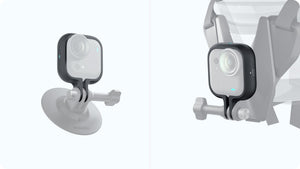
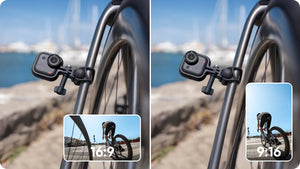
Fit the camera horizontally for a landscape view or vertically for a portrait setup. Follow the direction marks on the mount so the camera sits in the intended position. Check the live image before recording, particularly when moving between different mounting positions.
Keep the Camera Setup Small
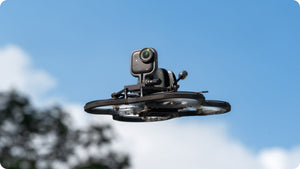
At 7.6g, the mount adds little weight to the Standalone Camera. The frame surrounds the camera without enclosing it in a sealed housing. This suits compact mounted recording where a full camera-and-Action-Pod arrangement would be unnecessarily large.
Connect to Supported Accessories
The two-prong mounting connection can be used with the appropriate supported adapter or accessory. A 1/4-inch to 3-Prong Adapter is one of the manufacturer’s illustrated arrangements and is sold separately. Match the complete mount to the activity rather than relying on the camera frame alone.
Leave Room for Heat to Escape
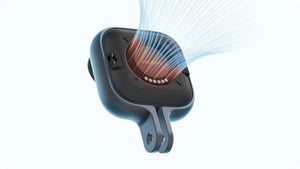
The minimalist design leaves the camera’s rear heat-dissipation area exposed. It is a mechanical mount, not an active cooling system. The camera can become hot during recording, so avoid touching a hot surface and let it cool after use.
Fit It Gently and Check the Connection
Gently widen the frame when installing or removing the camera. Excessive force can deform or break the mount. Seat the camera fully, use the supplied anti-slip rings where instructed, and check the completed connection before beginning an active recording.
Summary
Choose this mount for a compact GO Ultra Standalone Camera setup with flexible portrait and landscape positioning. The light frame, supported two-prong connection and included anti-slip rings provide a practical starting point. Add the correct mounting accessory for the activity and check the fit before recording.
Frequently Asked Questions
Does This Hold the Camera or the Action Pod?
It is designed for the GO Ultra Standalone Camera. It does not enclose the Action Pod and is not a universal frame for other camera models.
Can I Mount the Camera Vertically?
Yes. The frame supports portrait and landscape positioning. Follow the orientation marks on the mount and confirm that the camera is seated correctly before use.
What Is Included?
One Action Mount and four anti-slip rings are included. The camera, Action Pod, thumb screw, mounting adapter and other illustrated accessories are not included in this package.
Does It Cool the Camera?
The open design leaves room for heat dissipation, but it does not provide powered cooling. The camera can get hot; avoid touching it while hot and allow it to cool after recording.
How Should I Install the Camera?
Gently widen the frame and insert the camera in the orientation shown by the marks. Do not force or overstretch the mount. Connect it to a supported accessory and check the attachment before recording.
사양
Insta360 GO Ultra Action Mount
The Insta360 GO Ultra Action Mount holds the Standalone Camera for compact landscape or portrait recording. It uses a two-prong connection for supported mounting accessories and leaves the camera’s heat-dissipation area exposed. The package contains one frame and four anti-slip rings; the camera and any additional mounting adapter are separate. The figures below describe the mount itself. Fit the camera gently, follow the orientation marks and check every connection before use.
| Specification | Details |
|---|---|
| Compatibility and Mounting | |
| Compatible Camera | Insta360 GO Ultra Standalone Camera |
| Orientation | Landscape or portrait, following the alignment marks |
| Connection | Two-prong mounting interface; supported mounting accessory required |
| Construction | |
| Mount Weight | 7.6 g |
| Dimensions | 68 × 50 × 13.5 mm |
| Materials | Plastic and magnet |
| Package and Handling | |
| Included | 1 Action Mount; 4 anti-slip rings |
| Separate Equipment | Camera, Action Pod and additional mounting accessories |
| Fitting and Heat | Do not overstretch the frame; avoid touching a hot camera and let it cool after use |