

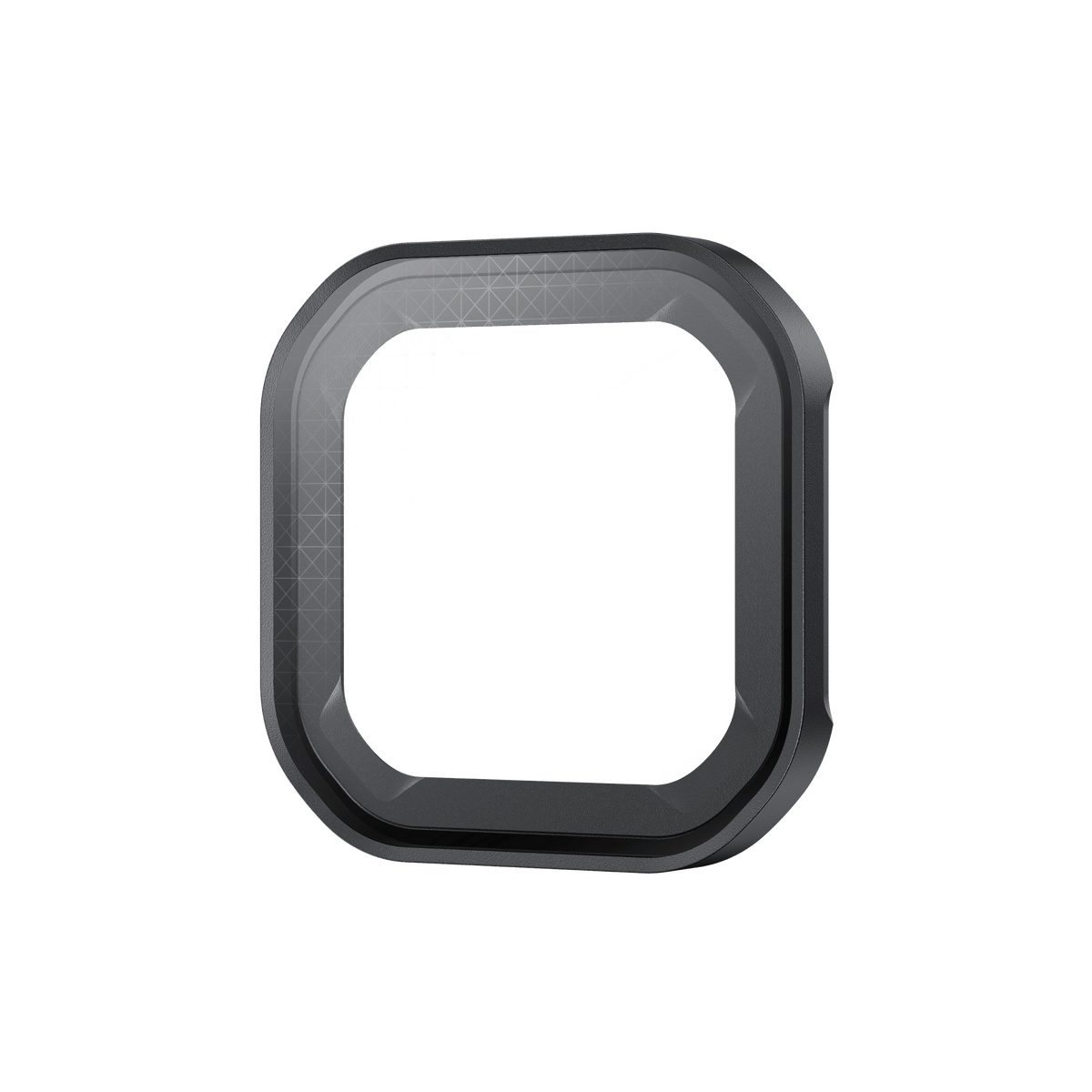


Insta360 Ace Pro 2 Star Filter
Turn Points of Light into Part of the Story Give bright points of light a deliberate starburst effect with Insta360 Ace Pro 2 Star Filter. Street lighting, reflected sunlight, fireworks and night-time traffic can become part of the composition during capture, rather than an effect added later. The lightweight glass accessory fits over the camera lens after the silicone guard is removed. Update the camera firmware, select Star Filter in Lens Master and test the result in the lighting you intend to record. Highlights Optical starburst effect for Insta360 Ace Pro 2. Suited to strong, direct point-light sources. Camera Lens Master setting supports the correct filter workflow. Approximately 7.3 g and 40 × 40 × 6 mm. Carry case and lens cloth included. Key Features Build the Effect into the Shot The filter gives suitable light sources a starburst appearance while recording. Compose the highlights as part of the image, then review a short clip before continuing. Because the treatment is captured optically, it is a different creative decision from applying a removable effect later in editing. Choose Clear Points of Light Strong direct sources such as street lamps, vehicle lights and bright reflections produce a more visible effect than weak or diffused light. The manufacturer’s examples also include fireworks and sunlight. The filter does not create light, so the scene still needs suitable illumination and camera exposure. Use the Camera’s Filter Setting Install current camera firmware. After attaching the filter, open the shortcut menu and select Accessories, then Lens Master, then Star Filter. When you remove the filter, restore the silicone lens guard and return Lens Master to Standard. Keep the physical fitting and camera setting in step. Attach the Filter with Care Remove the silicone lens guard, align the filter with the camera lens and press gently while keeping it flat. The aluminium-alloy and glass accessory is compact, but it still needs a clean, secure fit. Do not touch the optical surface with fingers; oil marks can degrade the starburst effect. Keep It Dry between Creative Sessions Mount and remove the filter in a clean, dry environment. Avoid wet conditions with the filter installed, and protect it from drops, impacts and hard objects. Remove a damaged filter immediately and use the supplied carry case for storage and transport. Summary Insta360 Ace Pro 2 Star Filter is a focused creative tool for scenes with distinctive points of light. Choose suitable lighting, fit the filter cleanly and use the matching Lens Master setting. A short test recording helps you judge the effect before committing it to a longer sequence. Frequently Asked Questions When Is the Starburst Effect Most Visible?ExpandCollapse Use strong, direct point-light sources such as street lamps, car lights or bright reflections. Weak or diffused light can produce a reduced or unnoticeable effect. Check a test shot in the actual scene. Do I Need to Change a Camera Setting?ExpandCollapse Yes. Update the camera firmware, then open Accessories > Lens Master > Star Filter from the shortcut menu after fitting. When the filter is removed, restore the silicone guard and change Lens Master back to Standard. Does It Work Like the Black Mist Filter?ExpandCollapse They provide different optical treatments. Star Filter creates starburst patterns around suitable light sources. Black Mist softens highlights and portrait rendering. Choose the treatment you want to record rather than treating the two accessories as interchangeable. Which Camera and Fitting Does It Use?ExpandCollapse This offer is specified for Insta360 Ace Pro 2. Remove the silicone lens guard, align the filter centrally and press it gently while keeping it flat. Do not infer fit for other Ace models from the filter’s appearance. What Is Included and How Should I Store It?ExpandCollapse The package includes one Star Filter, one Carry Case and one Lens Cloth. Keep the optical surfaces clean and dry, avoid wet conditions, and store the filter in the supplied case when it is not attached.
Pickup available at 3005, Ubi Avenue 3, #01-88
일반적으로 2~4일 후 준비 완료
Insta360 Ace Pro 2 Star Filter
제품 설명
Turn Points of Light into Part of the Story
Give bright points of light a deliberate starburst effect with Insta360 Ace Pro 2 Star Filter. Street lighting, reflected sunlight, fireworks and night-time traffic can become part of the composition during capture, rather than an effect added later. The lightweight glass accessory fits over the camera lens after the silicone guard is removed. Update the camera firmware, select Star Filter in Lens Master and test the result in the lighting you intend to record.
Highlights
- Optical starburst effect for Insta360 Ace Pro 2.
- Suited to strong, direct point-light sources.
- Camera Lens Master setting supports the correct filter workflow.
- Approximately 7.3 g and 40 × 40 × 6 mm.
- Carry case and lens cloth included.
Key Features
Build the Effect into the Shot
The filter gives suitable light sources a starburst appearance while recording. Compose the highlights as part of the image, then review a short clip before continuing. Because the treatment is captured optically, it is a different creative decision from applying a removable effect later in editing.
Choose Clear Points of Light
Strong direct sources such as street lamps, vehicle lights and bright reflections produce a more visible effect than weak or diffused light. The manufacturer’s examples also include fireworks and sunlight. The filter does not create light, so the scene still needs suitable illumination and camera exposure.
Use the Camera’s Filter Setting
Install current camera firmware. After attaching the filter, open the shortcut menu and select Accessories, then Lens Master, then Star Filter. When you remove the filter, restore the silicone lens guard and return Lens Master to Standard. Keep the physical fitting and camera setting in step.
Attach the Filter with Care
Remove the silicone lens guard, align the filter with the camera lens and press gently while keeping it flat. The aluminium-alloy and glass accessory is compact, but it still needs a clean, secure fit. Do not touch the optical surface with fingers; oil marks can degrade the starburst effect.
Keep It Dry between Creative Sessions
Mount and remove the filter in a clean, dry environment. Avoid wet conditions with the filter installed, and protect it from drops, impacts and hard objects. Remove a damaged filter immediately and use the supplied carry case for storage and transport.
Summary
Insta360 Ace Pro 2 Star Filter is a focused creative tool for scenes with distinctive points of light. Choose suitable lighting, fit the filter cleanly and use the matching Lens Master setting. A short test recording helps you judge the effect before committing it to a longer sequence.
Frequently Asked Questions
When Is the Starburst Effect Most Visible?
Use strong, direct point-light sources such as street lamps, car lights or bright reflections. Weak or diffused light can produce a reduced or unnoticeable effect. Check a test shot in the actual scene.
Do I Need to Change a Camera Setting?
Yes. Update the camera firmware, then open Accessories > Lens Master > Star Filter from the shortcut menu after fitting. When the filter is removed, restore the silicone guard and change Lens Master back to Standard.
Does It Work Like the Black Mist Filter?
They provide different optical treatments. Star Filter creates starburst patterns around suitable light sources. Black Mist softens highlights and portrait rendering. Choose the treatment you want to record rather than treating the two accessories as interchangeable.
Which Camera and Fitting Does It Use?
This offer is specified for Insta360 Ace Pro 2. Remove the silicone lens guard, align the filter centrally and press it gently while keeping it flat. Do not infer fit for other Ace models from the filter’s appearance.
What Is Included and How Should I Store It?
The package includes one Star Filter, one Carry Case and one Lens Cloth. Keep the optical surfaces clean and dry, avoid wet conditions, and store the filter in the supplied case when it is not attached.
사양
Insta360 Ace Pro 2 Star Filter
This optical Star Filter is specified for Insta360 Ace Pro 2. The compact glass and aluminium-alloy accessory works with the camera’s Lens Master workflow after the firmware has been updated. Its effect depends on suitable strong point-light sources, clean optical surfaces and the recording conditions. Remove the silicone lens guard before fitting, avoid wet use and restore the Standard setting when the filter is removed. The camera is separate from the filter, carry case and cloth supplied here.
| Specification | Details |
|---|---|
| Effect and Compatibility | |
| Compatible Camera | Insta360 Ace Pro 2 |
| Optical Treatment | Starburst effect around suitable point-light sources |
| Best-Suited Lighting | Strong, direct light sources; effect reduced with weak or diffused light |
| Firmware | Update camera firmware for the full feature set |
| Physical Details | |
| Dimensions | 40 × 40 × 6 mm |
| Weight | Approximately 7.3 g |
| Materials | Aluminium alloy and glass |
| Camera Workflow | |
| Before Fitting | Remove the silicone lens guard; clean and dry the lens and filter |
| Fitted Setting | Accessories > Lens Master > Star Filter |
| After Removal | Reinstall silicone lens guard; select Lens Master > Standard |
| Use and Storage | Avoid wet conditions, impacts and finger marks; use the carry case |
| Included Items | |
| In the Box | 1 Star Filter, 1 Carry Case and 1 Lens Cloth |
| Separate Equipment | Camera |