

D-Link DGS-3130-54TS 54-Port Gigabit Layer 3 Stackable Switch
A Managed Foundation for Connected Teams The D-Link DGS-3130-54TS combines 48 × gigabit rj45 access with two 10GBASE-T and 4 10G SFP+ uplinks. It brings switching, dynamic routing and physical stacking into a rackmount platform for business networks that need organised connectivity, clear traffic separation and practical room for expansion. VLANs, access controls and monitoring tools help keep day-to-day administration consistent. Choose the uplink optics, cables and any optional power equipment to suit the installation; published link rates describe interface capability rather than guaranteed application throughput. Highlights Connectivity That Suits the Installation 48 × Gigabit RJ45 2 × 10GBASE-T and 4 × 10G SFP+ uplinks Dedicated non-PoE access switching Control and Resilience IPv4/IPv6 Layer 3 routing including OSPF and RIP Physical stacking with ring or chain topology VLAN segmentation and eight traffic-priority queues Administration and Protection Web interface and command-line administration 802.1X authentication and DHCP snooping 5-year warranty Key Features Build Around the Right Access Ports 48 Gigabit copper ports connect the devices that support everyday work. Separate 10G copper and SFP+ uplinks provide a faster path towards aggregation switches and suitable servers. Select cabling and endpoint interfaces for the intended speed. Keep Uplink Choices Flexible Two 10GBASE-T ports and 4 10G SFP+ slots let the network combine copper and optical uplinks. Compatible optics or direct-attach cables are selected separately. Interfaces used for physical stacking are part of this same port set, so reserve them when planning the uplink layout. Grow with a Co-ordinated Physical Stack Up to six 54-port models in a physical stack. Mixed stacks allow up to nine units with a maximum combined stack cost of 12: a 30-port model counts as one and a 54-port model counts as two. Stacking bandwidth is up to 80 Gbps per device and uses 10G interfaces. A stack can simplify administration across multiple units and support a redundant ring design when correctly cabled. Physical stacking is different from virtual management, and the available forwarding and uplink design still need to match the workload. Route Between Network Segments IPv4/IPv6 routing supports static routes, RIP/RIPng and OSPFv2/v3, with policy-based routing and VRRP tools for a suitably designed network. Use these functions to organise traffic between departments, services or VLANs while keeping access policies deliberate. Route-table limits and the upstream firewall or gateway remain part of the overall design. Keep Shared Services Organised VLANs, link aggregation, spanning-tree protocols and Ethernet Ring Protection Switching help structure a resilient Layer 2 network. Eight QoS queues provide traffic-priority controls, while IGMP and MLD snooping help manage multicast distribution. The resulting performance depends on a sound topology and correctly configured endpoints. Make Administration Easier to Maintain A separate out-of-band management port and serial console support administration without consuming the normal data-port count. USB 2.0 supports documented configuration, image and log tasks. Authentication, DHCP snooping, access-control lists and monitoring tools help support consistent operations. Dual images and configuration files provide useful options when planning controlled firmware changes. Summary The DGS-3130-54TS brings Gigabit access, 10G uplinks and Layer 3 management together in a stackable business switch. Its value is in a balanced network design: suitable access links, deliberate segmentation, properly sized uplinks. Select compatible optics and any optional power equipment around the exact deployment. Frequently Asked Questions Which Ports Provide 10-Gigabit Connections?ExpandCollapse Two 10GBASE-T ports and 4 SFP+ slots provide the 10G uplink interfaces. The 48 access ports are Gigabit RJ45 connections. Console and out-of-band management ports are for administration rather than extra data connections. Does This Switch Supply PoE?ExpandCollapse This is a non-PoE model. It does not supply operating power to access points, cameras or other devices through its data ports. Use an appropriate PoE switch or injector where the connected equipment requires power. How Many Switches Can Be Stacked?ExpandCollapse Up to six 54-port models in a physical stack. Mixed stacks allow up to nine units with a maximum combined stack cost of 12: a 30-port model counts as one and a 54-port model counts as two. Stacking bandwidth is up to 80 Gbps per device and uses 10G interfaces. Are SFP Modules and Stacking Cables Included?ExpandCollapse Select compatible optical modules or direct-attach cables separately for the intended link. Match the transceiver standard, fibre type, reach and switch compatibility. Where a 10G interface is used for stacking, include that allocation in the port plan. Can the Switch Route Between VLANs?ExpandCollapse Yes. The documented Layer 3 functions include IPv4/IPv6 static routing, RIP/RIPng and OSPFv2/v3, alongside VLAN segmentation and access controls. It is a managed switch rather than a complete substitute for the internet gateway, firewall or security services. IPv4 PIM-SM multicast routing is documented for standalone operation only. What Should Be Checked Before Installation?ExpandCollapse Confirm the rack space, ventilation, mains supply, uplink media. Dimensions, bare-device weight and power figures vary by hardware revision; confirm the supplied unit when planning a tight rack or power installation. The warranty is 5 years. Optional backup-power equipment and optics require their own exact compatibility check.
추가 상품 (3)
3005, Ubi Avenue 3, #01-88에서 픽업 가능
일반적으로 2~4일 후 준비 완료
D-Link DGS-3130-54TS 54-Port Gigabit Layer 3 Stackable Switch
제품 설명
A Managed Foundation for Connected Teams
The D-Link DGS-3130-54TS combines 48 × gigabit rj45 access with two 10GBASE-T and 4 10G SFP+ uplinks. It brings switching, dynamic routing and physical stacking into a rackmount platform for business networks that need organised connectivity, clear traffic separation and practical room for expansion.
VLANs, access controls and monitoring tools help keep day-to-day administration consistent. Choose the uplink optics, cables and any optional power equipment to suit the installation; published link rates describe interface capability rather than guaranteed application throughput.
Highlights
Connectivity That Suits the Installation
- 48 × Gigabit RJ45
- 2 × 10GBASE-T and 4 × 10G SFP+ uplinks
- Dedicated non-PoE access switching
Control and Resilience
- IPv4/IPv6 Layer 3 routing including OSPF and RIP
- Physical stacking with ring or chain topology
- VLAN segmentation and eight traffic-priority queues
Administration and Protection
- Web interface and command-line administration
- 802.1X authentication and DHCP snooping
- 5-year warranty
Key Features
Build Around the Right Access Ports
48 Gigabit copper ports connect the devices that support everyday work. Separate 10G copper and SFP+ uplinks provide a faster path towards aggregation switches and suitable servers. Select cabling and endpoint interfaces for the intended speed.
Keep Uplink Choices Flexible
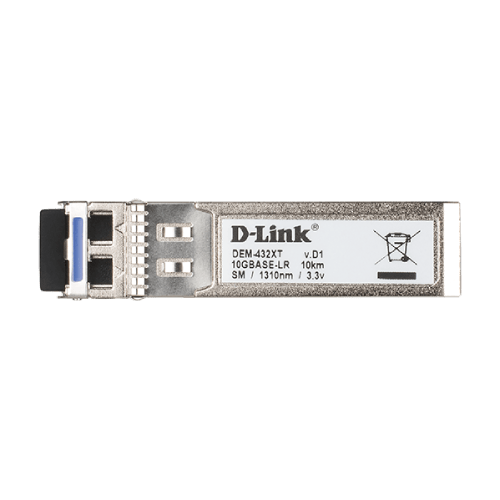
Two 10GBASE-T ports and 4 10G SFP+ slots let the network combine copper and optical uplinks. Compatible optics or direct-attach cables are selected separately. Interfaces used for physical stacking are part of this same port set, so reserve them when planning the uplink layout.
Grow with a Co-ordinated Physical Stack
Up to six 54-port models in a physical stack. Mixed stacks allow up to nine units with a maximum combined stack cost of 12: a 30-port model counts as one and a 54-port model counts as two. Stacking bandwidth is up to 80 Gbps per device and uses 10G interfaces. A stack can simplify administration across multiple units and support a redundant ring design when correctly cabled. Physical stacking is different from virtual management, and the available forwarding and uplink design still need to match the workload.
Route Between Network Segments
IPv4/IPv6 routing supports static routes, RIP/RIPng and OSPFv2/v3, with policy-based routing and VRRP tools for a suitably designed network. Use these functions to organise traffic between departments, services or VLANs while keeping access policies deliberate. Route-table limits and the upstream firewall or gateway remain part of the overall design.
Keep Shared Services Organised
VLANs, link aggregation, spanning-tree protocols and Ethernet Ring Protection Switching help structure a resilient Layer 2 network. Eight QoS queues provide traffic-priority controls, while IGMP and MLD snooping help manage multicast distribution. The resulting performance depends on a sound topology and correctly configured endpoints.
Make Administration Easier to Maintain
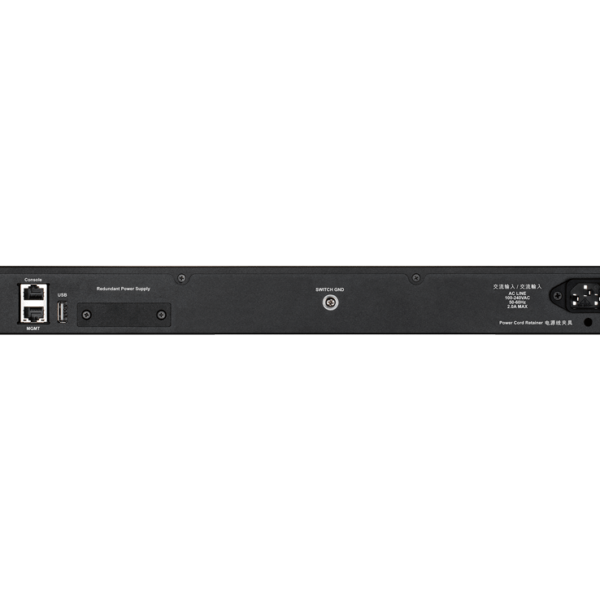
A separate out-of-band management port and serial console support administration without consuming the normal data-port count. USB 2.0 supports documented configuration, image and log tasks. Authentication, DHCP snooping, access-control lists and monitoring tools help support consistent operations. Dual images and configuration files provide useful options when planning controlled firmware changes.
Summary
The DGS-3130-54TS brings Gigabit access, 10G uplinks and Layer 3 management together in a stackable business switch. Its value is in a balanced network design: suitable access links, deliberate segmentation, properly sized uplinks. Select compatible optics and any optional power equipment around the exact deployment.
Frequently Asked Questions
Which Ports Provide 10-Gigabit Connections?
Two 10GBASE-T ports and 4 SFP+ slots provide the 10G uplink interfaces. The 48 access ports are Gigabit RJ45 connections. Console and out-of-band management ports are for administration rather than extra data connections.
Does This Switch Supply PoE?
This is a non-PoE model. It does not supply operating power to access points, cameras or other devices through its data ports. Use an appropriate PoE switch or injector where the connected equipment requires power.
How Many Switches Can Be Stacked?
Up to six 54-port models in a physical stack. Mixed stacks allow up to nine units with a maximum combined stack cost of 12: a 30-port model counts as one and a 54-port model counts as two. Stacking bandwidth is up to 80 Gbps per device and uses 10G interfaces.
Are SFP Modules and Stacking Cables Included?
Select compatible optical modules or direct-attach cables separately for the intended link. Match the transceiver standard, fibre type, reach and switch compatibility. Where a 10G interface is used for stacking, include that allocation in the port plan.
Can the Switch Route Between VLANs?
Yes. The documented Layer 3 functions include IPv4/IPv6 static routing, RIP/RIPng and OSPFv2/v3, alongside VLAN segmentation and access controls. It is a managed switch rather than a complete substitute for the internet gateway, firewall or security services. IPv4 PIM-SM multicast routing is documented for standalone operation only.
What Should Be Checked Before Installation?
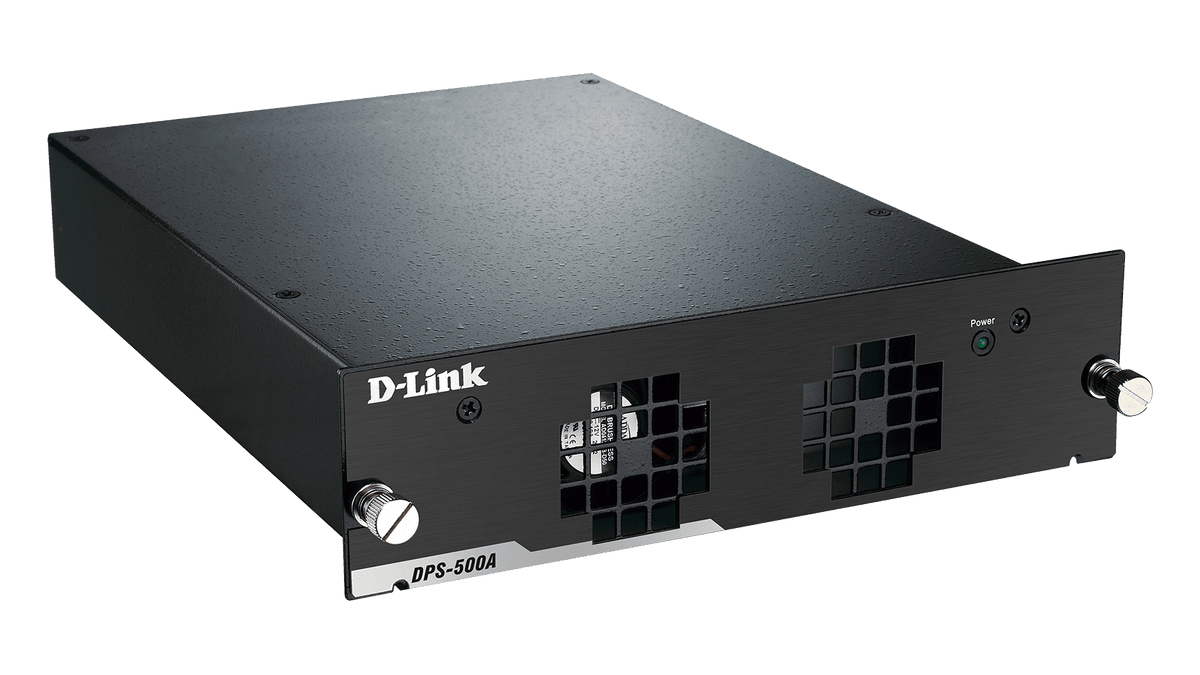
Confirm the rack space, ventilation, mains supply, uplink media. Dimensions, bare-device weight and power figures vary by hardware revision; confirm the supplied unit when planning a tight rack or power installation. The warranty is 5 years. Optional backup-power equipment and optics require their own exact compatibility check.
사양
D-Link DGS-3130-54TS 54-Port Gigabit Layer 3 Stackable Switch
The D-Link DGS-3130-54TS is a non-PoE Layer 3 stackable switch for managed business networks. The specifications below distinguish its Gigabit copper access interfaces from the separate 10G uplinks and administrative connections. They also cover routing, physical stacking, power planning and installation conditions. Published mechanical and power ranges cover documented hardware revisions; confirm the supplied revision before planning a tight rack or power installation.
| Specification | Details |
|---|---|
| Interfaces and Switching | |
| Access Interfaces | 48 × Gigabit RJ45 |
| 10G Uplinks | 2 × 10GBASE-T RJ45; 4 × 10G SFP+ slots |
| Administrative Interfaces | RJ45 serial console; separate RJ45 out-of-band management port; USB 2.0 Type-A |
| Switching Capacity | 216 Gbps |
| Packet Forwarding | 161 Mpps |
| MAC and Packet Handling | 16K MAC entries; 9K-byte jumbo frames; 4 MB packet buffer |
| Stacking and Resilience | |
| Physical Stacking | Up to six 54-port models in a physical stack. Mixed stacks allow up to nine units with a maximum combined stack cost of 12: a 30-port model counts as one and a 54-port model counts as two. Stacking bandwidth is up to 80 Gbps per device and uses 10G interfaces. |
| Virtual Management | Up to 32 devices using Single IP Management; distinct from physical stacking |
| Link and Loop Protection | Up to 32 link-aggregation groups with eight ports per group; STP/RSTP/MSTP; ERPS v1/v2 |
| Operational Resilience | Dual firmware images and configuration files; optional compatible external backup power |
| VLANs and Routing | |
| VLANs | Up to 4K VLAN groups; VLAN IDs 1–4094; 802.1Q, Q-in-Q, voice, surveillance, private and MAC-based VLAN functions |
| IP Interfaces | 128 |
| Routing Protocols | IPv4/IPv6 static routing; RIP/RIPng; OSPFv2/v3; VRRPv2/v3; policy-based routing; ECMP |
| Routing Capacity | 1,024 shared hardware route entries; up to 512 IPv4 or 256 IPv6 static routes. IPv6 entries consume twice the shared entry resource. |
| Multicast | IGMP/MLD snooping up to 1,024 groups each; IPv4 PIM-SM routing in standalone mode only |
| Traffic Control and Security | |
| Quality of Service | Eight queues; strict priority, WRR and WDRR scheduling; congestion and rate controls |
| Access Control | Up to 1,536 ingress and 512 egress ACL entries; IPv4/IPv6 and Layer 2 filtering |
| Authentication | 802.1X; RADIUS/TACACS+; web-based and MAC-based access controls |
| Network Protection | DHCP snooping; DHCPv6 and IPv6 RA guards; Dynamic ARP Inspection; IP source guard; storm control and Safeguard Engine |
| Administration and Diagnostics | |
| Management | Web GUI over HTTP/HTTPS; serial CLI; SSH; SNMP v1/v2c/v3; D-Link DNA and compatible D-View management |
| Monitoring | sFlow; syslog; RMON; LLDP/LLDP-MED; cable diagnostics and optical DDM; Ethernet OAM 802.3ah/802.1ag/Y.1731 |
| Power and Installation | |
| Power Supply | 100–240V AC; 50/60 Hz |
| PoE Output | Not supported |
| Maximum Published Consumption | 46.19–50.62W |
| Cooling | Active fan cooling; fan configuration and acoustic figures depend on hardware revision |
| Dimensions W × D × H | 440 × 290–310 × 44 mm |
| Bare-Device Weight | 3.72–4.2 kg |
| Hardware Revision Note | Mechanical and power ranges cover documented A/B revisions. Confirm the supplied hardware before installation; the access/uplink arrangement shown above is common to these revisions. |
| Operating Environment | 0–50 °C; 10–90% RH |
| Storage Environment | −40–70 °C; 5–90% RH |
| Warranty | 5 years |
추가 상품