



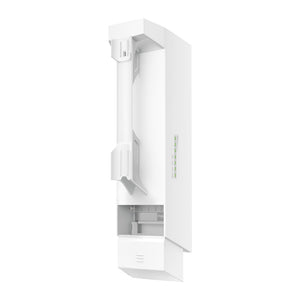
TP-Link EAP100-Bridge KIT N300 Outdoor Wireless Bridge
Connect nearby spaces without a new cable route The TP-Link EAP100-Bridge KIT connects two locations over a dedicated 2.4GHz wireless link. A matched pair of bridge units is useful for a camera position, small outbuilding or other nearby network point where running a new data cable is inconvenient. Directional antennas, PoE power and an outdoor-ready enclosure support a planned installation, while the Ethernet ports provide a straightforward connection at each end. Highlights A matched point-to-point link Two bridge units with automatic pairing for a simpler initial connection. Up to 500M advertised transmission distance with suitable line of sight. Practical network connections Up to 300Mbps wireless signalling on 2.4GHz. Three 10/100Mbps Ethernet ports per unit; not a Gigabit bridge. Designed for installation IP65-rated enclosure with pole-mounting hardware. Supported PoE or 12V DC power and compatible Omada management. Key Features Reach the network point that cabling cannot easily serve A wireless bridge links a source network to a second location, such as a nearby workshop, gate camera or detached office. Position one unit at each end and align the directional antennas. Both ends still need appropriate power and a local Ethernet connection. The kit transports an existing network connection; it does not create an internet service or replace a broadband subscription. Start with a matched pair The kit contains two bridge units intended to work together. Automatic pairing reduces the initial steps needed to form the link, while supported management tools help check alignment and operation. Complete the installation by changing management credentials, applying the appropriate wireless settings and testing the link under the traffic expected at the site. Understand the wireless and wired limits The radio advertises up to 300Mbps on 2.4GHz, but each Ethernet port is 10/100Mbps. Those figures describe different parts of the connection and must not be added together or treated as guaranteed application throughput. For heavier transfers or Gigabit backhaul, select a bridge with the appropriate wired ports and radio capacity. Interference and the usable path also affect performance. Plan the path before selecting the range The manufacturer’s up-to-500M figure is a reference result, rather than a guaranteed distance through walls, trees or neighbouring buildings. A clear path, suitable mounting height, correct alignment and local radio conditions matter. Consider vegetation growth and moving obstructions as well as the conditions on installation day. Test useful throughput at both ends before relying on the link for important work. Install the outdoor units and protect the power equipment The bridge enclosure is rated IP65 and the manufacturer documents Ethernet surge protection, subject to correct installation. Seal cable entries, use suitable cable and grounding, and follow the supplied mounting guide. Passive PoE adapters supplied with a kit are for protected indoor use, not exposed outdoor mounting. Power options and pack details must match the exact supplied hardware. Bring the link into a manageable network Standalone management is available, with compatible Omada management for supported central monitoring and configuration. The installed hardware and firmware determine the available topology and management functions. This listing is positioned as a point-to-point pair; plan any point-to-multipoint expansion against the exact firmware and controller support rather than assuming unlimited additional endpoints. Summary The EAP100-Bridge KIT is a compact option for a nearby point-to-point network link where modest traffic and Fast Ethernet connections are sufficient. A matched pair, careful alignment and a suitable power arrangement make it useful for extending access without a new cable route. Frequently Asked Questions Does one kit include both ends of the link?ExpandCollapse Yes. The manufacturer’s kit contains two EAP100-Bridge units with mounting hardware. Install one at each end of the planned point-to-point connection. Is this a Gigabit wireless bridge?ExpandCollapse No. Each unit has three 10/100Mbps Ethernet ports. The 300Mbps figure is the advertised wireless signalling rate, not the usable speed of one wired connection. Will it work through buildings or trees over 500M?ExpandCollapse The up-to-500M figure is not an obstruction guarantee. Plan a suitable clear path, mounting height and antenna alignment. Radio interference, vegetation and other obstacles can reduce usable distance and throughput. How are the two bridge units powered?ExpandCollapse Each unit needs a suitable power source. The product supports standard PoE and documented DC/passive-PoE options. Check the exact unit label and supplied kit; passive PoE adapters must be kept in a dry protected location. Do I need an Omada controller to form the link?ExpandCollapse A compatible controller is not required for basic standalone setup. Use supported Omada management when central monitoring or configuration is needed, with firmware and controller versions matched to the bridge hardware.
追加商品 (1)
3005, Ubi Avenue 3, #01-88で受け取り可能
通常2〜4日で準備が完了します
TP-Link EAP100-Bridge KIT N300 Outdoor Wireless Bridge
商品説明
Connect nearby spaces without a new cable route
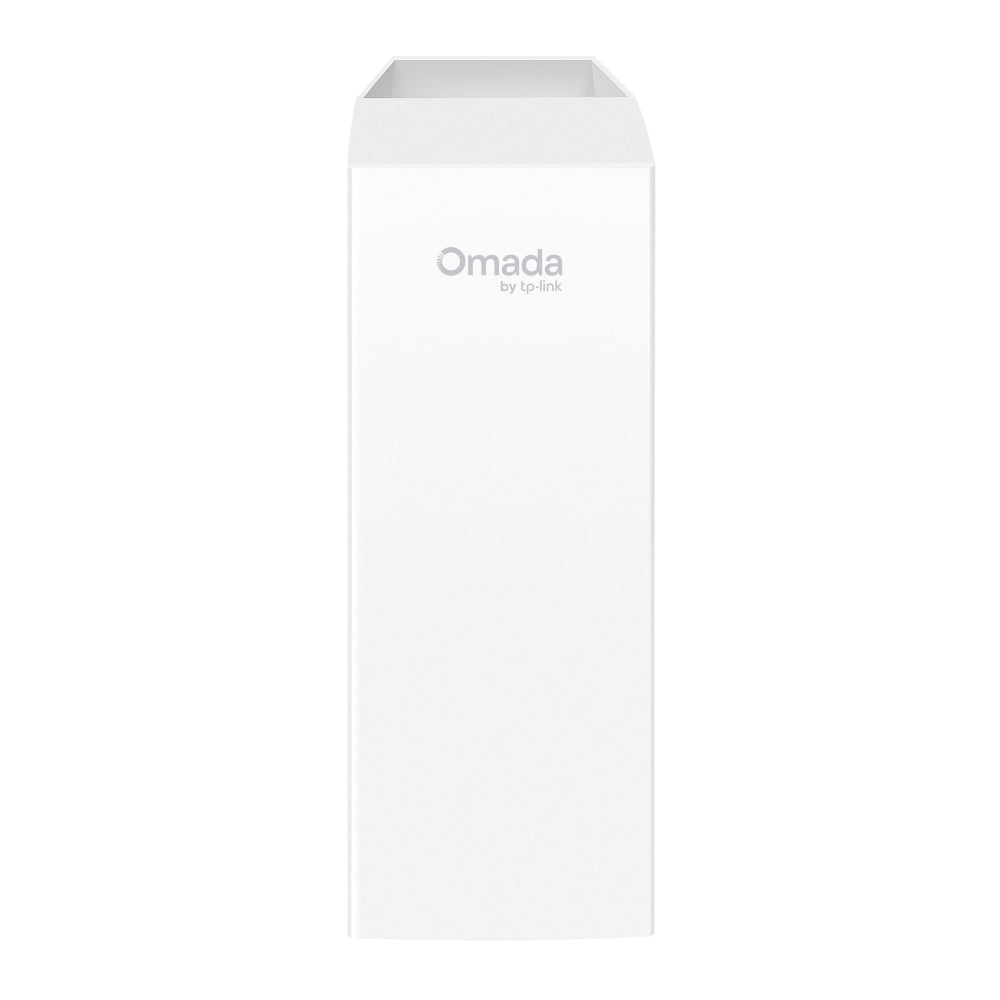
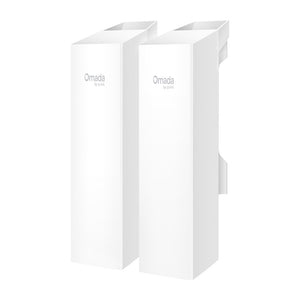
The TP-Link EAP100-Bridge KIT connects two locations over a dedicated 2.4GHz wireless link. A matched pair of bridge units is useful for a camera position, small outbuilding or other nearby network point where running a new data cable is inconvenient. Directional antennas, PoE power and an outdoor-ready enclosure support a planned installation, while the Ethernet ports provide a straightforward connection at each end.
Highlights
A matched point-to-point link
- Two bridge units with automatic pairing for a simpler initial connection.
- Up to 500M advertised transmission distance with suitable line of sight.
Practical network connections
- Up to 300Mbps wireless signalling on 2.4GHz.
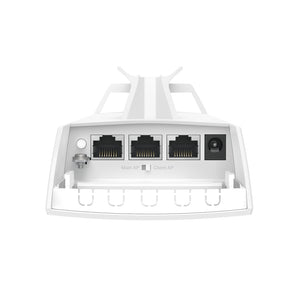
- Three 10/100Mbps Ethernet ports per unit; not a Gigabit bridge.
Designed for installation
- IP65-rated enclosure with pole-mounting hardware.
- Supported PoE or 12V DC power and compatible Omada management.
Key Features
Reach the network point that cabling cannot easily serve
A wireless bridge links a source network to a second location, such as a nearby workshop, gate camera or detached office. Position one unit at each end and align the directional antennas. Both ends still need appropriate power and a local Ethernet connection. The kit transports an existing network connection; it does not create an internet service or replace a broadband subscription.
Start with a matched pair
The kit contains two bridge units intended to work together. Automatic pairing reduces the initial steps needed to form the link, while supported management tools help check alignment and operation. Complete the installation by changing management credentials, applying the appropriate wireless settings and testing the link under the traffic expected at the site.
Understand the wireless and wired limits
The radio advertises up to 300Mbps on 2.4GHz, but each Ethernet port is 10/100Mbps. Those figures describe different parts of the connection and must not be added together or treated as guaranteed application throughput. For heavier transfers or Gigabit backhaul, select a bridge with the appropriate wired ports and radio capacity. Interference and the usable path also affect performance.
Plan the path before selecting the range
The manufacturer’s up-to-500M figure is a reference result, rather than a guaranteed distance through walls, trees or neighbouring buildings. A clear path, suitable mounting height, correct alignment and local radio conditions matter. Consider vegetation growth and moving obstructions as well as the conditions on installation day. Test useful throughput at both ends before relying on the link for important work.
Install the outdoor units and protect the power equipment
The bridge enclosure is rated IP65 and the manufacturer documents Ethernet surge protection, subject to correct installation. Seal cable entries, use suitable cable and grounding, and follow the supplied mounting guide. Passive PoE adapters supplied with a kit are for protected indoor use, not exposed outdoor mounting. Power options and pack details must match the exact supplied hardware.
Bring the link into a manageable network
Standalone management is available, with compatible Omada management for supported central monitoring and configuration. The installed hardware and firmware determine the available topology and management functions. This listing is positioned as a point-to-point pair; plan any point-to-multipoint expansion against the exact firmware and controller support rather than assuming unlimited additional endpoints.
Summary
The EAP100-Bridge KIT is a compact option for a nearby point-to-point network link where modest traffic and Fast Ethernet connections are sufficient. A matched pair, careful alignment and a suitable power arrangement make it useful for extending access without a new cable route.
Frequently Asked Questions
Does one kit include both ends of the link?
Yes. The manufacturer’s kit contains two EAP100-Bridge units with mounting hardware. Install one at each end of the planned point-to-point connection.
Is this a Gigabit wireless bridge?
No. Each unit has three 10/100Mbps Ethernet ports. The 300Mbps figure is the advertised wireless signalling rate, not the usable speed of one wired connection.
Will it work through buildings or trees over 500M?
The up-to-500M figure is not an obstruction guarantee. Plan a suitable clear path, mounting height and antenna alignment. Radio interference, vegetation and other obstacles can reduce usable distance and throughput.
How are the two bridge units powered?
Each unit needs a suitable power source. The product supports standard PoE and documented DC/passive-PoE options. Check the exact unit label and supplied kit; passive PoE adapters must be kept in a dry protected location.
Do I need an Omada controller to form the link?
A compatible controller is not required for basic standalone setup. Use supported Omada management when central monitoring or configuration is needed, with firmware and controller versions matched to the bridge hardware.
仕様
TP-Link EAP100-Bridge KIT N300 Outdoor Wireless Bridge
A matched pair of 2.4GHz wireless bridge units for linking nearby network locations. Each unit has three Fast Ethernet ports and directional antennas, with supported PoE or DC power. The advertised wireless rate and transmission distance are reference figures, not a guaranteed Ethernet throughput or coverage result. This table describes the point-to-point kit; additional topology features and power-pack contents depend on the supplied hardware and firmware.
| Specification | Details |
|---|---|
| Wireless Link | |
| Wireless standard | IEEE 802.11b/g/n on 2.4GHz; N300 class. |
| Signal rate | Up to 300Mbps advertised wireless PHY rate; practical throughput is lower and the wired ports are 100Mbps. |
| Transmission distance | Up to 500M manufacturer reference with suitable line of sight, alignment and radio conditions. |
| Antennas | Internal 2 × 2 dual-polarised directional MIMO antennas; 8dBi at 2.4GHz; published 70° horizontal/vertical beamwidth. |
| Topology | Matched point-to-point pair with automatic pairing. Any point-to-multipoint expansion requires exact hardware/firmware support confirmation. |
| Network and Management | |
| Ethernet per unit | 3 × 10/100Mbps RJ45 ports; one port accepts supported PoE input. No Gigabit Ethernet. |
| Administration | Standalone web management or compatible Omada hardware/software controller and app. |
| Network functions | Supported VLAN, guest access, wireless encryption, rate controls, schedules and configuration maintenance, depending on installed software. |
| Monitoring | Supported alignment tools, logging, firmware updates and configuration backup; functions depend on hardware/firmware. |
| Power and Installation | |
| Power input | 12V DC or supported PoE input; standard IEEE 802.3af and hardware-specific passive-PoE options. Verify passive voltage/polarity on the supplied unit. |
| Power consumption | Published regional maximum 4.8W per unit; exact hardware data applies. |
| Outdoor construction | IP65-rated enclosure for correct installation; published 6kV Ethernet surge/lightning protection requires appropriate grounding and cable installation. |
| Mounting | Pole mounting with included hardware; follow the supplied installation guide for supported mounting arrangements. |
| Dimensions per unit | Approximately 79 × 60 × 224 mm (W × D × H). |
| Device weight | Latest hardware datasheet lists 0.27kg per main unit; excludes adapters, mount and packaging. |
| Environment and Kit | |
| Temperature | Operating and storage −40°C to 70°C. |
| Humidity | Operating 10–90% RH; storage 5–90% RH, non-condensing. |
| Kit contents | Two bridge units, mounting hardware and Installation Guide; manufacturer kit documentation also lists two passive PoE adapters and cords. Regional pack contents may vary. |
| Power-equipment placement | Passive PoE adapters require a dry protected location; the bridge enclosure rating does not apply to the adapters. |
| Warranty | 5 years |
追加商品

