

Elgato Stream Deck XL 32-Key LCD Control Surface
Keep a production workflow visible across 32 keys Elgato Stream Deck XL gives broadcast, editing and multi-app desks room to keep more commands on the first page. Set up a grid for OBS scenes, microphones, markers and other supported actions. Each key can carry a label or icon that makes the layout easier to read at a glance. Key Features Thirty-two customisable LCD keys Large key grid for scene, audio and software layouts Folders, profiles and multi-actions in the Stream Deck app Magnetic desktop stand and removable USB-C cable Planning Your Setup Lay out urgent live controls before secondary tools. When several people share a production desk, use clear labels for microphones, sources and scenes, and test profiles with the apps running in their intended windows. Summary Choose Stream Deck XL when a large visible key layout matters more than keeping the controller as small as possible. Frequently Asked Questions What is the difference from Stream Deck + XL?ExpandCollapse Stream Deck XL has a 32-key grid. Stream Deck + XL adds dedicated dials and a touch strip on its own layout. Does it include a stand?ExpandCollapse Yes. A magnetic desktop stand is supplied. Can I switch scenes in OBS Studio?ExpandCollapse Use the supported Stream Deck integration to configure scene and source controls. Can I keep a different layout per application?ExpandCollapse Yes. Build separate profiles or folders in the Stream Deck desktop app. How does XL connect to the computer?ExpandCollapse It uses a USB 2.0 interface through the included USB-C cable.
3005, Ubi Avenue 3, #01-88で受け取り可能
通常2〜4日で準備が完了します
Elgato Stream Deck XL 32-Key LCD Control Surface
商品説明
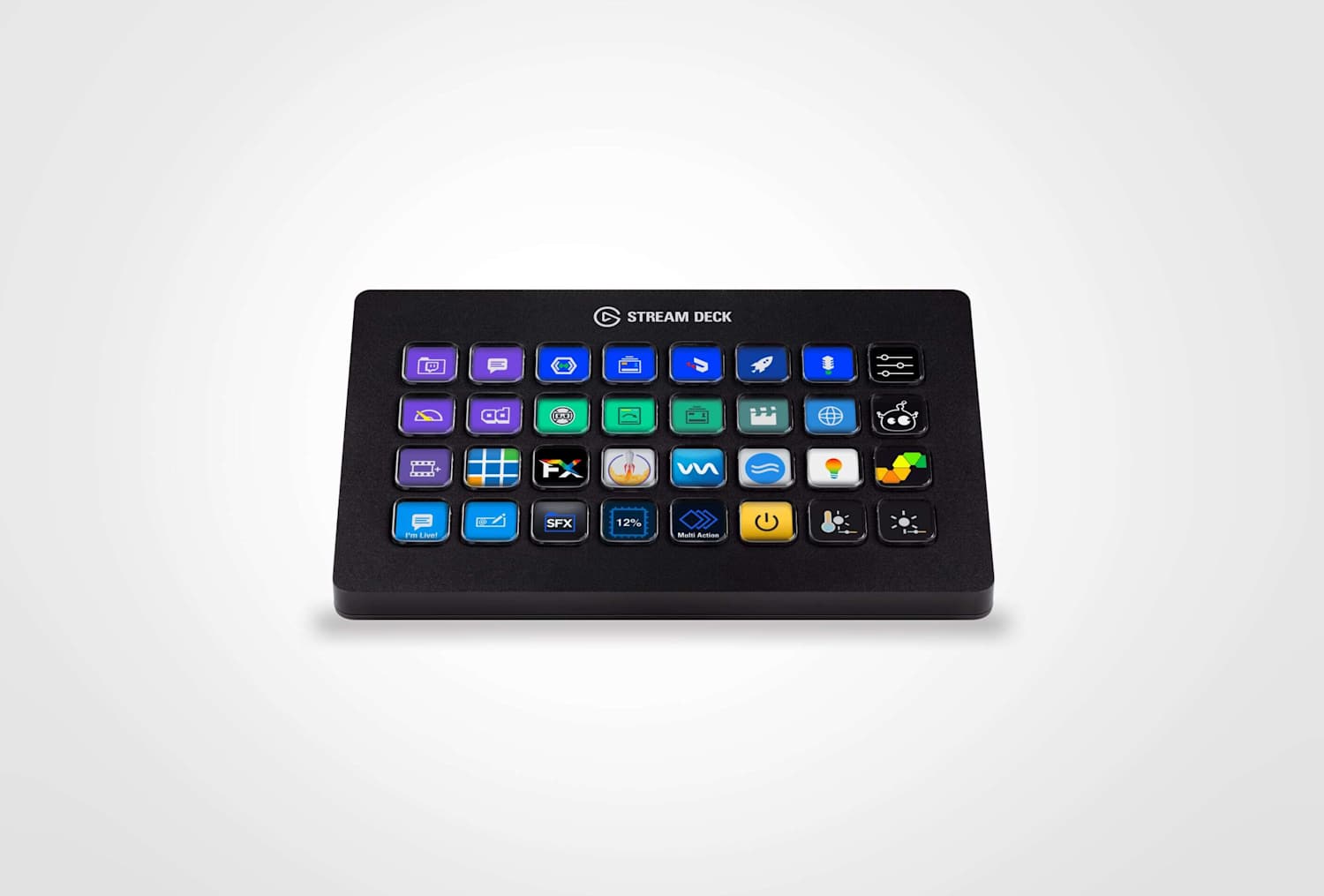
Keep a production workflow visible across 32 keys
Elgato Stream Deck XL gives broadcast, editing and multi-app desks room to keep more commands on the first page. Set up a grid for OBS scenes, microphones, markers and other supported actions. Each key can carry a label or icon that makes the layout easier to read at a glance.
Key Features
- Thirty-two customisable LCD keys
- Large key grid for scene, audio and software layouts
- Folders, profiles and multi-actions in the Stream Deck app
- Magnetic desktop stand and removable USB-C cable
Planning Your Setup
Lay out urgent live controls before secondary tools. When several people share a production desk, use clear labels for microphones, sources and scenes, and test profiles with the apps running in their intended windows.
Summary
Choose Stream Deck XL when a large visible key layout matters more than keeping the controller as small as possible.
Frequently Asked Questions
What is the difference from Stream Deck + XL?
Stream Deck XL has a 32-key grid. Stream Deck + XL adds dedicated dials and a touch strip on its own layout.
Does it include a stand?
Yes. A magnetic desktop stand is supplied.
Can I switch scenes in OBS Studio?
Use the supported Stream Deck integration to configure scene and source controls.
Can I keep a different layout per application?
Yes. Build separate profiles or folders in the Stream Deck desktop app.
How does XL connect to the computer?
It uses a USB 2.0 interface through the included USB-C cable.
仕様
Elgato Stream Deck XL 32-Key LCD Control Surface
Elgato Stream Deck XL gives broadcast, editing and multi-app desks room to keep more commands on the first page. Set up a grid for OBS scenes, microphones, markers and other supported actions. Each key can carry a label or icon that makes the layout easier to read at a glance.
| Specification | Details |
|---|---|
| Control Layout | |
| Keys | 32 customisable LCD keys |
| Software | Elgato Stream Deck desktop app |
| Stand | Magnetic desktop stand |
| Hardware | |
| Connection | USB 2.0, USB-C |
| Dimensions and weight | 182 × 112 × 34 mm, 410 g without stand |
| Contents | Controller, stand, 1.5 m USB-C cable and quick-start guide |