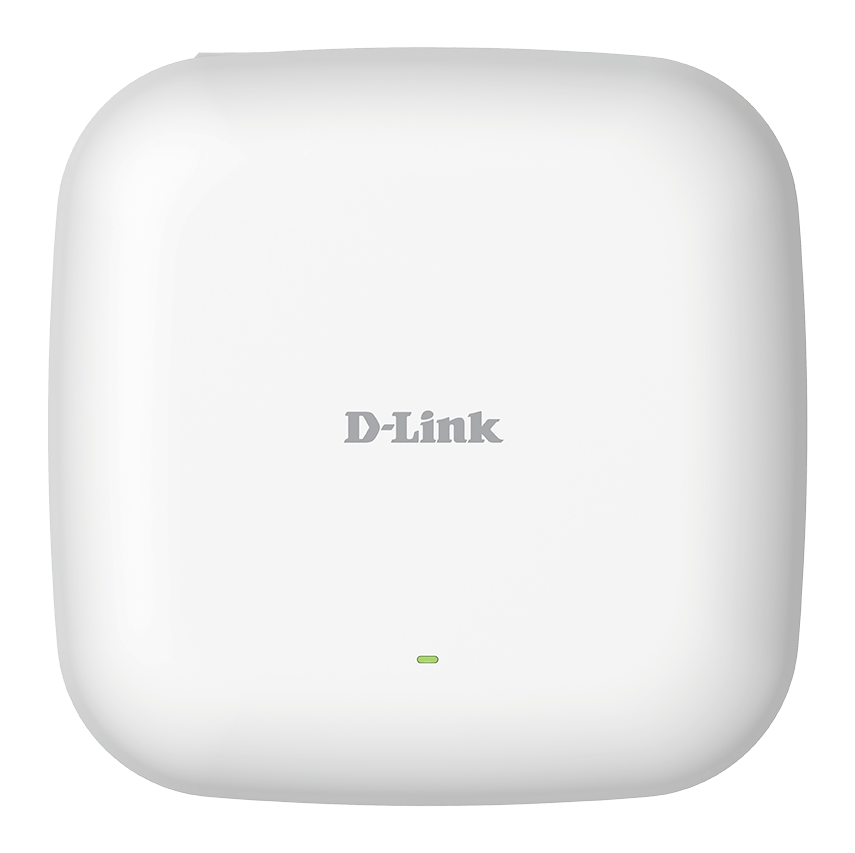


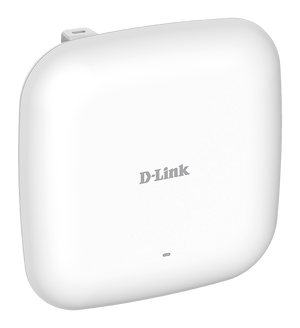


D-Link DAP-X2810 Nuclias Connect AX1800 Wi-Fi 6 Access Point
Business Wi-Fi 6 with a Clear Management Path The D-Link DAP-X2810 brings AX1800 simultaneous dual-band Wi-Fi 6 to indoor business spaces. 2× 2 MIMO and the Wi-Fi 6 radio platform support compatible clients, while Gigabit Ethernet connectivity connects the access point to the wired network. Its role, placement and upstream capacity should be selected around the devices and applications that actually use the site. Configure an individual unit locally or use compatible Nuclias Connect firmware with a suitable software host or controller. The software is free to download; hosting and controller hardware remain separate requirements. This is distinct from D-Lite Cloud or a guaranteed included hosted service. Highlights Dual-Band Wi-Fi 6 AX1800 wireless class; simultaneous 2.4 GHz and 5 GHz 2× 2 MIMO radio design Radio rates depend on client capability and installation conditions Wired Connectivity and Power 1 Gigabit Ethernet data port Separate RJ45 console for administration PoE or a suitable separately selected DC supply Management and Installation Standalone or compatible Nuclias Connect management Indoor installation with compatible mounting and network arrangements 5 years hardware warranty Key Features Plan Wireless Capacity Around the Clients AX1800 describes the combined wireless class, not a speed guaranteed to every device. The 2× 2 radio arrangement and features such as MU-MIMO help compatible clients share the wireless network. Real performance depends on signal conditions, interference, client capabilities, channel planning and the wired network behind the access point. A site survey is more useful than an unsupported coverage-radius promise. Keep the Wired Connection Clearly Defined The access point has one Gigabit Ethernet data uplink and a separate RJ45 console. The console supports administration and is not a second LAN port. Match the PoE switch or injector and cabling to the required data speed; an ordinary Gigabit power source does not create a 2.5 GbE link. Manage Supported Access Points Together Nuclias Connect provides a route to central configuration and monitoring using supported firmware and a suitable host or controller. A standalone deployment remains possible. Confirm the access-point firmware and controller compatibility for the features required; a free software download does not include cloud hosting, a hardware controller or a service-level commitment. Match the Power Source Before Installation Use IEEE 802.3at PoE+ or 12 V DC 2.5 A; optional adapter not included. The published consumption is 19.44W maximum. Plan both the per-port requirement and the total switch power budget. A published DC-input rating is not a promise that a DC adapter or PoE injector is included with the order. Separate Guest and Business Access Supported authentication and access controls let the administrator configure access around the intended users. Keep the gateway, firewall, VLANs and authentication services aligned with the selected mode. Guest isolation or WPA3 support does not remove the need for maintained firmware, sensible credentials and a properly configured network. Install for the Actual Space and Network Allow suitable mounting clearance, ventilation or outdoor access for servicing, and a cable route appropriate to the site. The device dimensions and weight describe the access point rather than the shipping parcel. No access point alone guarantees uninterrupted coverage, seamless roaming for every client or a particular internet speed. Summary The DAP-X2810 combines AX1800 dual-band Wi-Fi 6 with Gigabit wired connectivity and a compatible Nuclias Connect management path. Choose the installation around the actual clients, power source, network infrastructure and indoor placement requirements. Frequently Asked Questions Does It Include D-Lite Cloud Management?ExpandCollapse This model is documented for standalone administration and compatible Nuclias Connect management. It is not a D-Lite Cloud access point. Nuclias Connect software is free to download, while a suitable host, compatible controller or hosting arrangement remains separate. How Many Ethernet Data Ports Are Available?ExpandCollapse 1 × 10/100/1000 Mbps PoE LAN; separate RJ45 console, reset and DC input. The console is for administration and is not an additional data uplink. What Power Source Is Required?ExpandCollapse Use IEEE 802.3at PoE+ or 12 V DC 2.5 A; optional adapter not included. Published consumption is 19.44W maximum. Confirm the power equipment supplied with your order and plan the upstream switch or injector budget; a compatible power source may need to be ordered separately. Does AX1800 Mean Every Device Gets That Speed?ExpandCollapse No. It describes the combined wireless class, rather than one client’s application throughput. The device’s radio capabilities, signal, interference, channel configuration and shared airtime affect its connection. The wired network, router and internet service can impose further limits. Can It Be Installed Outdoors?ExpandCollapse This is an indoor access point. Install it within the published temperature and humidity limits using appropriate mounting and cable arrangements. Choose a verified outdoor model when the unit must be exposed to outdoor conditions. What Warranty Is Provided?ExpandCollapse The hardware warranty is 5 years. Controller hardware, hosting, installation services and internet connectivity are separate from the access point’s hardware warranty.
Add-ons (2)
Pickup available at 3005, Ubi Avenue 3, #01-88
Usually ready in 2-4 Business Day (Excluding Public Holiday)
D-Link DAP-X2810 Nuclias Connect AX1800 Wi-Fi 6 Access Point
Paglalarawan
Business Wi-Fi 6 with a Clear Management Path
The D-Link DAP-X2810 brings AX1800 simultaneous dual-band Wi-Fi 6 to indoor business spaces. 2× 2 MIMO and the Wi-Fi 6 radio platform support compatible clients, while Gigabit Ethernet connectivity connects the access point to the wired network. Its role, placement and upstream capacity should be selected around the devices and applications that actually use the site.
Configure an individual unit locally or use compatible Nuclias Connect firmware with a suitable software host or controller. The software is free to download; hosting and controller hardware remain separate requirements. This is distinct from D-Lite Cloud or a guaranteed included hosted service.
Highlights
Dual-Band Wi-Fi 6
- AX1800 wireless class; simultaneous 2.4 GHz and 5 GHz
- 2× 2 MIMO radio design
- Radio rates depend on client capability and installation conditions
Wired Connectivity and Power
- 1 Gigabit Ethernet data port
- Separate RJ45 console for administration
- PoE or a suitable separately selected DC supply
Management and Installation
- Standalone or compatible Nuclias Connect management
- Indoor installation with compatible mounting and network arrangements
- 5 years hardware warranty
Key Features
Plan Wireless Capacity Around the Clients
AX1800 describes the combined wireless class, not a speed guaranteed to every device. The 2× 2 radio arrangement and features such as MU-MIMO help compatible clients share the wireless network. Real performance depends on signal conditions, interference, client capabilities, channel planning and the wired network behind the access point. A site survey is more useful than an unsupported coverage-radius promise.
Keep the Wired Connection Clearly Defined
The access point has one Gigabit Ethernet data uplink and a separate RJ45 console. The console supports administration and is not a second LAN port. Match the PoE switch or injector and cabling to the required data speed; an ordinary Gigabit power source does not create a 2.5 GbE link.
Manage Supported Access Points Together
Nuclias Connect provides a route to central configuration and monitoring using supported firmware and a suitable host or controller. A standalone deployment remains possible. Confirm the access-point firmware and controller compatibility for the features required; a free software download does not include cloud hosting, a hardware controller or a service-level commitment.
Match the Power Source Before Installation
Use IEEE 802.3at PoE+ or 12 V DC 2.5 A; optional adapter not included. The published consumption is 19.44W maximum. Plan both the per-port requirement and the total switch power budget. A published DC-input rating is not a promise that a DC adapter or PoE injector is included with the order.
Separate Guest and Business Access
Supported authentication and access controls let the administrator configure access around the intended users. Keep the gateway, firewall, VLANs and authentication services aligned with the selected mode. Guest isolation or WPA3 support does not remove the need for maintained firmware, sensible credentials and a properly configured network.
Install for the Actual Space and Network
Allow suitable mounting clearance, ventilation or outdoor access for servicing, and a cable route appropriate to the site. The device dimensions and weight describe the access point rather than the shipping parcel. No access point alone guarantees uninterrupted coverage, seamless roaming for every client or a particular internet speed.
Summary
The DAP-X2810 combines AX1800 dual-band Wi-Fi 6 with Gigabit wired connectivity and a compatible Nuclias Connect management path. Choose the installation around the actual clients, power source, network infrastructure and indoor placement requirements.
Frequently Asked Questions
Does It Include D-Lite Cloud Management?
This model is documented for standalone administration and compatible Nuclias Connect management. It is not a D-Lite Cloud access point. Nuclias Connect software is free to download, while a suitable host, compatible controller or hosting arrangement remains separate.
How Many Ethernet Data Ports Are Available?
1 × 10/100/1000 Mbps PoE LAN; separate RJ45 console, reset and DC input. The console is for administration and is not an additional data uplink.
What Power Source Is Required?
Use IEEE 802.3at PoE+ or 12 V DC 2.5 A; optional adapter not included. Published consumption is 19.44W maximum. Confirm the power equipment supplied with your order and plan the upstream switch or injector budget; a compatible power source may need to be ordered separately.
Does AX1800 Mean Every Device Gets That Speed?
No. It describes the combined wireless class, rather than one client’s application throughput. The device’s radio capabilities, signal, interference, channel configuration and shared airtime affect its connection. The wired network, router and internet service can impose further limits.
Can It Be Installed Outdoors?
This is an indoor access point. Install it within the published temperature and humidity limits using appropriate mounting and cable arrangements. Choose a verified outdoor model when the unit must be exposed to outdoor conditions.
What Warranty Is Provided?
The hardware warranty is 5 years. Controller hardware, hosting, installation services and internet connectivity are separate from the access point’s hardware warranty.
Mga detalye
D-Link DAP-X2810 Nuclias Connect AX1800 Wi-Fi 6 Access Point
The DAP-X2810 is a simultaneous dual-band Wi-Fi 6 access point with a AX1800 wireless class and 2× 2 MIMO operation. Its Gigabit data connection and PoE input should be matched to the upstream network and power budget. Administration can be standalone or through a compatible Nuclias Connect deployment. The indoor unit requires suitable mounting and cable clearance. Radio performance depends on clients, configuration and the installation environment.
| Specification | Details |
|---|---|
| Wireless and Antennas | |
| Wireless Standards | IEEE 802.11a/b/g/n/ac/ax; Wi-Fi 6 dual-band |
| Wireless Class and MIMO | AX1800; 2× 2 |
| Maximum Signal Rates | 2.4 GHz up to 575 Mbps; 5 GHz up to 1200 Mbps |
| Antenna System | Two dual-band internal antennas; 3.2 dBi at 2.4 GHz and 4.3 dBi at 5 GHz |
| Radio Technologies | MU-MIMO, band steering and airtime fairness; actual functions depend on firmware and mode |
| Frequency Availability | 2.4 GHz and regional 5 GHz channels; country regulations and configured region apply |
| Interfaces and Deployment | |
| Ethernet Data and Console | 1 × 10/100/1000 Mbps PoE LAN; separate RJ45 console, reset and DC input |
| Operating Modes | Access Point, WDS and WDS with AP; modes depend on supported firmware |
| PoE Output | Not specified; additional data ports or console must not be treated as powered outputs |
| Management and Security | |
| Management | Standalone administration or compatible Nuclias Connect |
| Central Administration Requirements | Compatible Nuclias Connect firmware and a suitable software host or controller; hosting/controller hardware separate |
| Wireless Security | WPA/WPA2/WPA3 Personal/Enterprise, SSID broadcast control, MAC access control and internal RADIUS |
| Guest and Network Controls | Captive portal, WLAN partitioning and traffic controls; controller/firmware configuration applies |
| Power and Installation | |
| Power Input | IEEE 802.3at PoE+ or 12 V DC 2.5 A; optional adapter not included |
| Published Consumption | 19.44W maximum |
| Mounting | Indoor wall or ceiling mounting with suitable clearance and compatible hardware |
| Power Accessories | Confirm whether the ordered configuration includes the required compatible power equipment |
| Physical and Environment | |
| Dimensions | 170 × 170 × 28 mm |
| Device Weight | 477.4 g |
| Temperature | Operating 0–40 °C; storage −20–65 °C |
| Humidity | Operating 10–90%; storage 5–95% |
| Certification | Manufacturer lists CE/FCC and applicable regional approvals; actual supplied certification applies |
| Warranty and Required Equipment | |
| Hardware Warranty | 5 years |
| Network Requirements | Suitable router/gateway, Ethernet cabling and compatible power source; internet service where required |
| Performance Conditions | Signal rates and wireless class are maximum references, not measured throughput, site coverage or an internet-speed guarantee |
Add-ons


D-Link DGS-1210-10MP 10-Port Gigabit PoE+ Smart Managed Switch