


Elgato Stream Deck Neo LCD Shortcut Controller
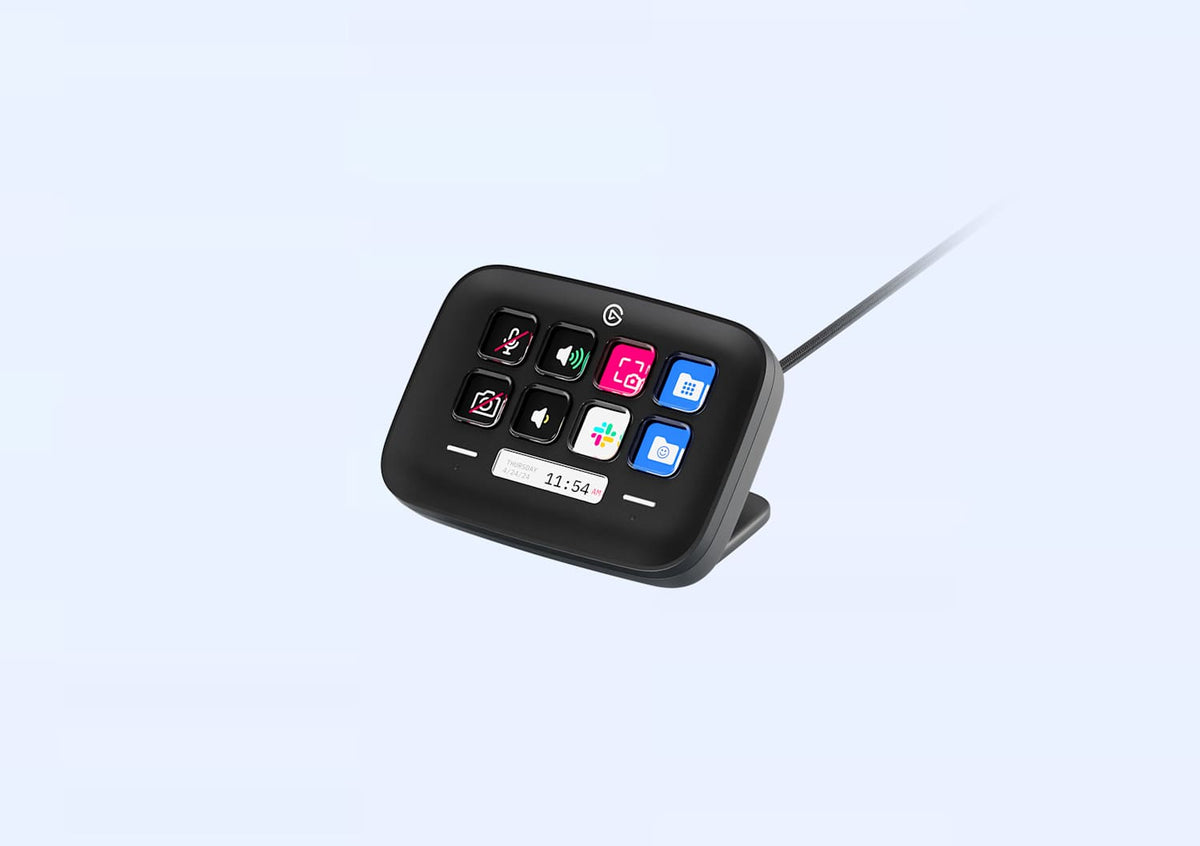
Keep everyday shortcuts within reach Elgato Stream Deck Neo gives eight LCD keys to tasks you use repeatedly, such as switching an OBS scene, opening a project folder or running a meeting shortcut. The separate information strip leaves those keys available for actions while the touch points help move between pages. Highlights LCD shortcuts Eight individually customisable LCD shortcut keys Page navigation Two touch points for moving between action pages Status and connection Customisable Infobar for at-a-glance information USB-C connectivity with the Stream Deck desktop app Key Features Visible everyday shortcuts Assign useful commands and clear icons to the eight keys. Put the actions you use repeatedly on the first page. Dedicated page touch points Move between pages without taking up any of the LCD keys. Use separate pages for meetings, editing or live production. At-a-glance information The customisable Infobar gives status or other useful feedback on its own display area. Choose information you need while working. Configure for your apps Install the Stream Deck desktop app on a supported computer. Use compatible plug-ins or standard hotkeys for the apps you run. Summary Choose Stream Deck Neo when you want a compact daily controller with a readable status strip and simple page navigation. Frequently Asked Questions Can I change what each key does?ExpandCollapse Yes. Assign supported actions, icons, folders and profiles in the Stream Deck app. What do the two touch points do?ExpandCollapse They provide quick page navigation without using one of the eight LCD keys. Will it work with OBS Studio?ExpandCollapse Yes. Use the supported Stream Deck integration and configure your scene or source actions in the app. Does it connect wirelessly?ExpandCollapse It connects to your computer by USB-C. Which desktop systems does Elgato list?ExpandCollapse Elgato lists Windows 11 or later and macOS 13 or later for this model.
3005, Ubi Avenue 3, #01-88에서 픽업 가능
일반적으로 2~4일 후 준비 완료
Elgato Stream Deck Neo LCD Shortcut Controller
제품 설명
Keep everyday shortcuts within reach
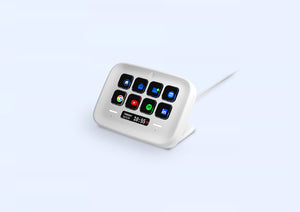
Elgato Stream Deck Neo gives eight LCD keys to tasks you use repeatedly, such as switching an OBS scene, opening a project folder or running a meeting shortcut. The separate information strip leaves those keys available for actions while the touch points help move between pages.
Highlights
LCD shortcuts
- Eight individually customisable LCD shortcut keys
Page navigation
- Two touch points for moving between action pages
Status and connection
- Customisable Infobar for at-a-glance information
- USB-C connectivity with the Stream Deck desktop app
Key Features
Visible everyday shortcuts
Assign useful commands and clear icons to the eight keys. Put the actions you use repeatedly on the first page.
Dedicated page touch points
Move between pages without taking up any of the LCD keys. Use separate pages for meetings, editing or live production.
At-a-glance information
The customisable Infobar gives status or other useful feedback on its own display area. Choose information you need while working.
Configure for your apps
Install the Stream Deck desktop app on a supported computer. Use compatible plug-ins or standard hotkeys for the apps you run.
Summary
Choose Stream Deck Neo when you want a compact daily controller with a readable status strip and simple page navigation.
Frequently Asked Questions
Can I change what each key does?
Yes. Assign supported actions, icons, folders and profiles in the Stream Deck app.
What do the two touch points do?
They provide quick page navigation without using one of the eight LCD keys.
Will it work with OBS Studio?
Yes. Use the supported Stream Deck integration and configure your scene or source actions in the app.
Does it connect wirelessly?
It connects to your computer by USB-C.
Which desktop systems does Elgato list?
Elgato lists Windows 11 or later and macOS 13 or later for this model.
사양
Elgato Stream Deck Neo LCD Shortcut Controller
Stream Deck Neo pairs eight programmable LCD keys with two separate page-navigation touch points and a status strip. The Stream Deck app manages actions, profiles and compatible integrations. The controller uses a USB connection to the host, with configuration and available actions dependent on the software and operating system in use.
| Specification | Details |
|---|---|
| Controls | |
| Keys | 8 customisable LCD keys |
| Navigation | 2 touch points and customisable Infobar |
| Connection and Software | |
| Host interface | USB-C, USB 2.0 |
| Supported desktop systems | Windows 11 or later, macOS 13 or later |
| Configuration | Elgato Stream Deck app |
| Physical | |
| Dimensions and weight | 107 × 26 × 78 mm, 210 g |