



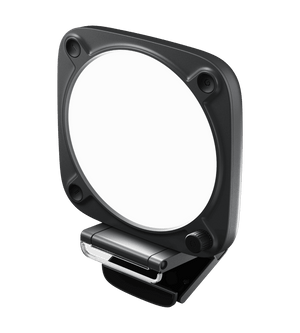
Elgato Key Light Neo USB LED Monitor Light
Give calls and streams a more even, natural light Elgato Key Light Neo clips above a compatible display to light the person on camera from the front. Its diffused panel and adjustable white balance make it easier to keep your face visible when a window, ceiling light or changing daylight makes the picture uneven. Highlights Light quality Diffused monitor-mounted light for calls, filming and live streaming Colour control Adjustable 2,900-7,000 K colour temperature Power and placement Up to 1,000 lumens with suitable external power Onboard control with optional Wi-Fi and Control Center Key Features Put a softer light close to the camera Key Light Neo mounts at the monitor, close to where you look during calls or a desk stream. Position it to even out shadows across your face and keep the desk surface free. Start gently and raise the brightness while looking at the camera image to avoid glare or flattened highlights. Choose warmer or cooler light to suit the room Adjust the colour temperature across the stated range to match the other lighting. A warmer setting can blend with a room lamp, while a cooler setting can suit daylight. If you record regularly in the same place, use a repeatable light and camera setup so footage looks consistent. Know how power affects light output The supplied USB connection can work with compatible host power, but the available light output is tied to the power source. Use suitable external power when you need the brightest supported configuration. This matters where daylight changes through the day or a single small panel is doing most of the lighting. Make adjustments without moving the panel Use direct controls for simple changes, or Control Center over a supported Wi-Fi setup when you want to adjust the light while looking at your picture. A monitor mount is useful when the light stays in one place. Check clearance for the display edge and leave room for the cable. Summary Key Light Neo suits an everyday desk that needs more even lighting for calls, classes or a compact stream. It is easiest to use when the monitor offers a good mounting point and the chosen USB power source can provide the brightness you need. Start with a comfortable position, then adjust the light to match the room. Frequently Asked Questions Can I plug Key Light Neo into a monitor or dock?ExpandCollapse Yes, if the port supplies suitable USB power. Check its output, since brightness depends on how much power it can deliver. Do I need Wi-Fi to switch the light on?ExpandCollapse No. Use the onboard controls for everyday adjustments. Wi-Fi and Control Center are optional for remote control. How much brighter is external power?ExpandCollapse Elgato rates the panel at about 400 lumens from 4.5 W USB-A, 700 from 7.5 W USB-C and up to 1,000 with a suitable external source. Does the monitor mount come with it?ExpandCollapse Yes. The included mount has a 1/4-inch thread. Check that the display has a stable top edge and enough clearance. Can I make the light warmer for video calls?ExpandCollapse Yes. Set the tone anywhere from 2,900 K to 7,000 K to suit your camera and surrounding light.
3005, Ubi Avenue 3, #01-88에서 픽업 가능
일반적으로 2~4일 후 준비 완료
Elgato Key Light Neo USB LED Monitor Light
제품 설명
Give calls and streams a more even, natural light
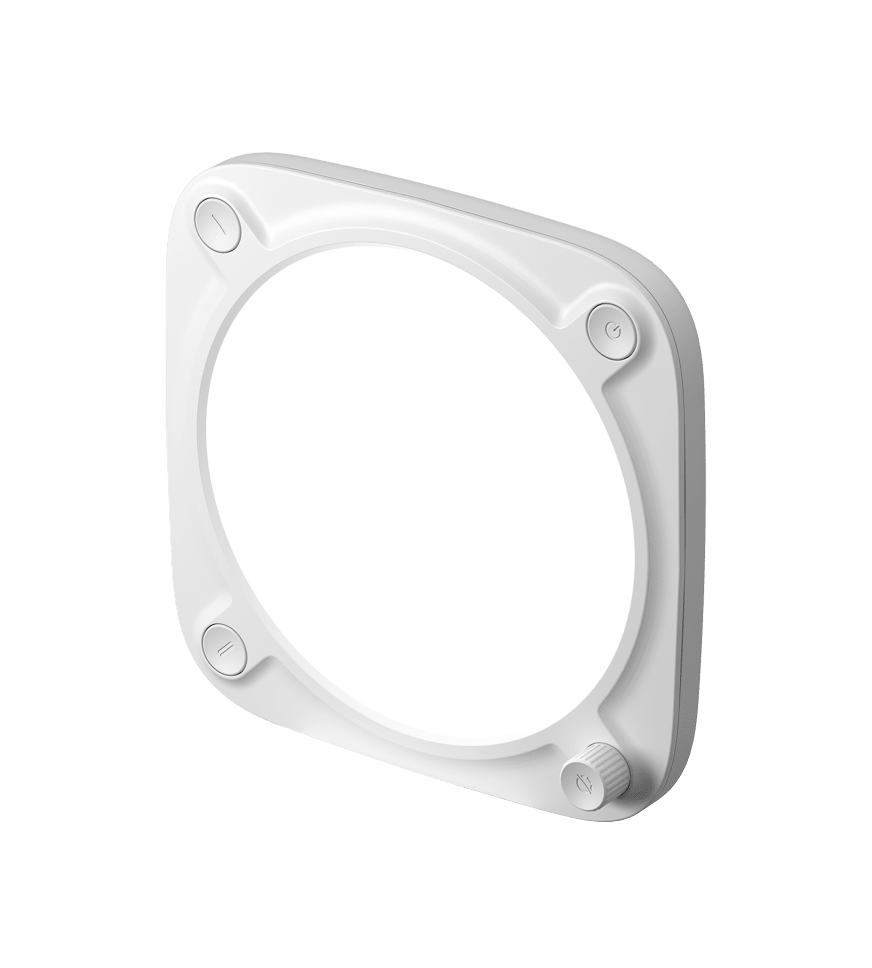
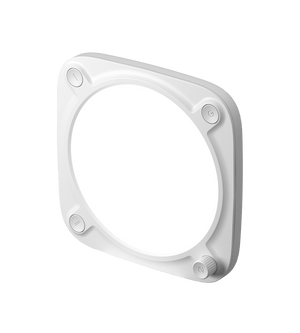
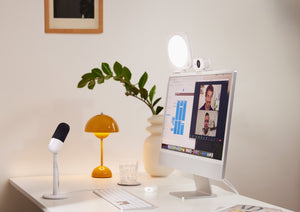
Elgato Key Light Neo clips above a compatible display to light the person on camera from the front. Its diffused panel and adjustable white balance make it easier to keep your face visible when a window, ceiling light or changing daylight makes the picture uneven.
Highlights
Light quality
- Diffused monitor-mounted light for calls, filming and live streaming
Colour control
- Adjustable 2,900-7,000 K colour temperature
Power and placement
- Up to 1,000 lumens with suitable external power
- Onboard control with optional Wi-Fi and Control Center
Key Features
Put a softer light close to the camera
Key Light Neo mounts at the monitor, close to where you look during calls or a desk stream. Position it to even out shadows across your face and keep the desk surface free. Start gently and raise the brightness while looking at the camera image to avoid glare or flattened highlights.
Choose warmer or cooler light to suit the room
Adjust the colour temperature across the stated range to match the other lighting. A warmer setting can blend with a room lamp, while a cooler setting can suit daylight. If you record regularly in the same place, use a repeatable light and camera setup so footage looks consistent.
Know how power affects light output
The supplied USB connection can work with compatible host power, but the available light output is tied to the power source. Use suitable external power when you need the brightest supported configuration. This matters where daylight changes through the day or a single small panel is doing most of the lighting.
Make adjustments without moving the panel
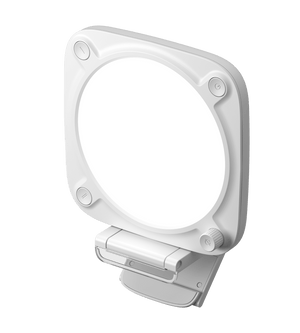
Use direct controls for simple changes, or Control Center over a supported Wi-Fi setup when you want to adjust the light while looking at your picture. A monitor mount is useful when the light stays in one place. Check clearance for the display edge and leave room for the cable.
Summary
Key Light Neo suits an everyday desk that needs more even lighting for calls, classes or a compact stream. It is easiest to use when the monitor offers a good mounting point and the chosen USB power source can provide the brightness you need. Start with a comfortable position, then adjust the light to match the room.
Frequently Asked Questions
Can I plug Key Light Neo into a monitor or dock?
Yes, if the port supplies suitable USB power. Check its output, since brightness depends on how much power it can deliver.
Do I need Wi-Fi to switch the light on?
No. Use the onboard controls for everyday adjustments. Wi-Fi and Control Center are optional for remote control.
How much brighter is external power?
Elgato rates the panel at about 400 lumens from 4.5 W USB-A, 700 from 7.5 W USB-C and up to 1,000 with a suitable external source.
Does the monitor mount come with it?
Yes. The included mount has a 1/4-inch thread. Check that the display has a stable top edge and enough clearance.
Can I make the light warmer for video calls?
Yes. Set the tone anywhere from 2,900 K to 7,000 K to suit your camera and surrounding light.
사양
Elgato Key Light Neo USB LED Monitor Light
Key Light Neo is a diffused monitor-mounted panel with adjustable brightness and colour temperature. It can run from supported USB power, with different light output available at different power levels. The panel has onboard controls and supports compatible Wi-Fi control through Control Center. Check the display mount and chosen power source before installation.
| Specification | Details |
|---|---|
| Light Output | |
| Brightness at 4.5 W USB-A | 400 lumens |
| Brightness at 7.5 W USB-C | 700 lumens |
| Maximum output | Up to 1,000 lumens using suitable external USB power |
| Colour temperature | 2,900-7,000 K |
| Colour rendering | CRI above 94 |
| Power consumption | Up to 15 W |
| Connectivity and Control | |
| Connection | USB-C for power or optional 2.4/5 GHz Wi-Fi control |
| Adjustment | Onboard controls and Elgato Control Center |
| Mount | Monitor mount with 1/4-inch thread |
| Optional Wi-Fi host | Control Center for supported Windows, macOS, Android, iOS and iPadOS versions |
| Dimensions and Box Contents | |
| Dimensions | 38 x 150 x 150 mm (D x W x H) |
| Device weight | 246 g |
| Included | Key Light Neo, monitor mount, 1 m USB-C to USB-A cable, 1.5 m USB-A extension and USB-A to USB-C adapter |
| Installation | Monitor mounting bracket, with clearance needed at the display edge for the light and power cable. |