


Antigravity A1 Replacement Lens Kit
Restore the View Without Replacing the Drone A scuffed outer lens can interrupt an otherwise well-planned shoot. The Antigravity A1 Replacement Lens Kit provides a dedicated route to replacing damaged lenses while keeping your existing aircraft. This Double Lens Pack includes two genuine glass lenses and the tools needed for the replacement and cleaning process. Highlights Original Optical Components The replacement lenses are made specifically for A1’s camera assembly. Their matched shape and glass construction provide the correct component for restoring a damaged outer lens. Two Lenses in One Kit The supplied Double Lens Pack contains two replacement lenses, with separate lens cases and the accompanying cleaning and fitting tools. There is no need to source a generic replacement lens. A Prepared Replacement Process Work through the manufacturer’s instructions in a controlled indoor space. The included tools support careful removal, cleaning and installation before the required stitching calibration. Key Features Glass Lenses Made for A1 Each replacement lens measures 16 mm in diameter and 1 mm in thickness, with a stated lens weight of 2.26 g. These are replacement camera lenses for A1, rather than corrective inserts for Vision Goggles. Dedicated Fitting Tools The toolkit includes a lens grip tool and removal tool, helping you handle the replacement procedure using the manufacturer’s intended equipment. Cleaning and Handling Essentials A blower, brush, disposable gloves, two lens cloths and two cleaning wipes help you prepare the work area and handle the optical surfaces with care. Two lens cases are also included. Indoor Preparation and Calibration Carry out the replacement in a clean, dust-free indoor environment with relative humidity below 60%. Follow the camera-stitching calibration guide after changing a lens before judging the finished 360 image. Summary Keep an A1-specific lens replacement kit ready for a damaged outer lens, with two replacement lenses and a coordinated toolset in one pack. Follow the fitting guide closely and complete stitching calibration afterwards. If you are unsure about the procedure or there is damage beyond the lens, seek a Specialist assessment before proceeding. Frequently Asked Questions Does this kit include one lens or two?ExpandCollapse This supplied offer is the Double Lens Pack. It includes two replacement lenses, two lens cases and the replacement toolkit. It is not the separate Single Lens Pack. Is this kit for Vision Goggles?ExpandCollapse No. It is designed for the camera lenses on Antigravity A1. It does not replace the Vision Goggles’ viewing lenses or provide prescription correction. Can I replace the lens outdoors?ExpandCollapse Use a clean, dust-free indoor space with relative humidity below 60%, as specified by Antigravity. Avoid an outdoor or humid replacement environment where dust or moisture can enter the assembly. Do I need to calibrate A1 after replacement?ExpandCollapse Yes. Follow the manufacturer’s camera-stitching calibration guide after replacing a lens. This is a required part of preparing the camera for its next recording. Will this repair other camera damage?ExpandCollapse The kit provides replacement outer lenses and fitting tools. It does not repair sensors, internal camera components or other damage to the aircraft; those issues need separate assessment.
Pickup available at 3005, Ubi Avenue 3, #01-88
일반적으로 2~4일 후 준비 완료
Antigravity A1 Replacement Lens Kit
제품 설명
Restore the View Without Replacing the Drone
A scuffed outer lens can interrupt an otherwise well-planned shoot. The Antigravity A1 Replacement Lens Kit provides a dedicated route to replacing damaged lenses while keeping your existing aircraft. This Double Lens Pack includes two genuine glass lenses and the tools needed for the replacement and cleaning process.
Highlights
Original Optical Components
The replacement lenses are made specifically for A1’s camera assembly. Their matched shape and glass construction provide the correct component for restoring a damaged outer lens.
Two Lenses in One Kit
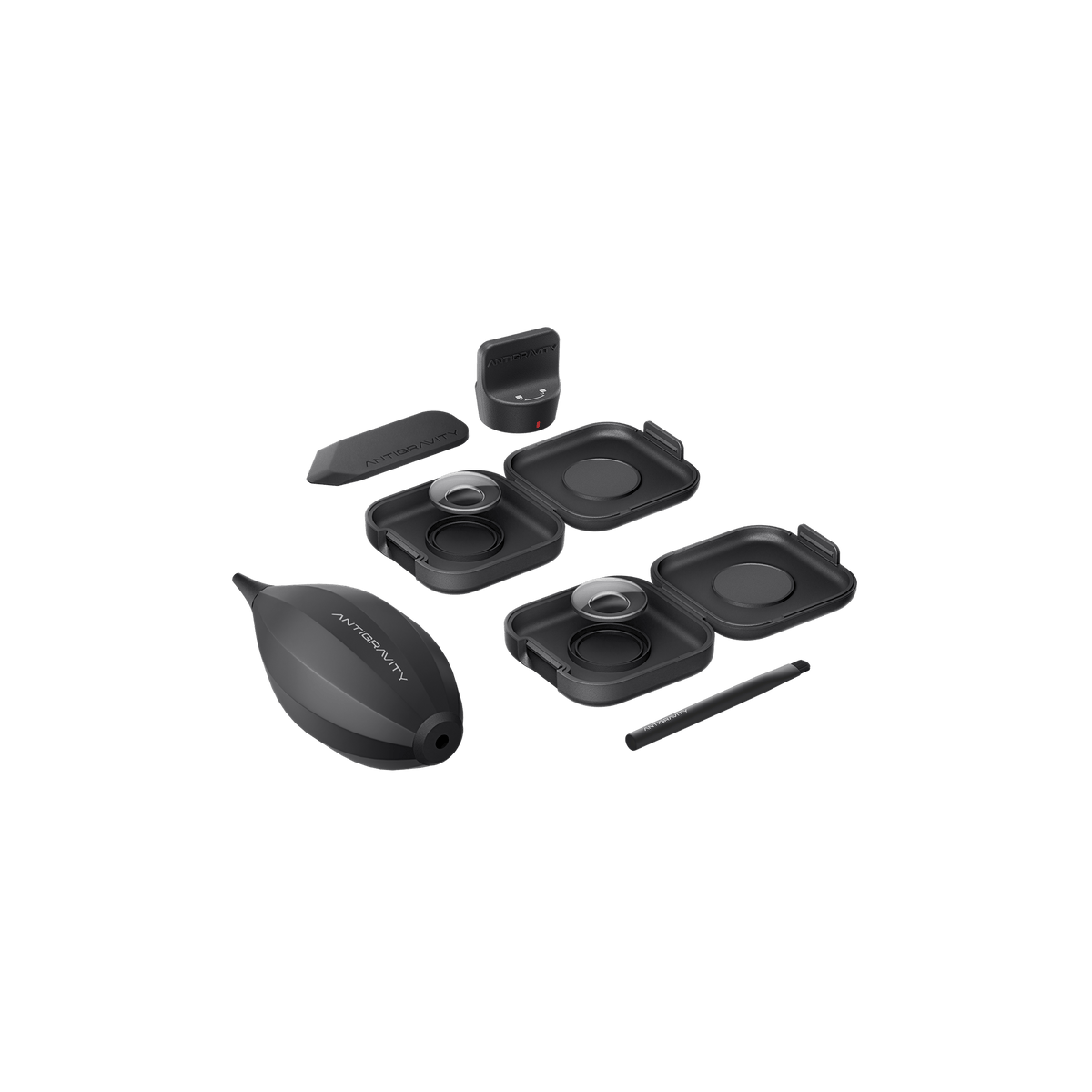
The supplied Double Lens Pack contains two replacement lenses, with separate lens cases and the accompanying cleaning and fitting tools. There is no need to source a generic replacement lens.
A Prepared Replacement Process
Work through the manufacturer’s instructions in a controlled indoor space. The included tools support careful removal, cleaning and installation before the required stitching calibration.
Key Features
Glass Lenses Made for A1
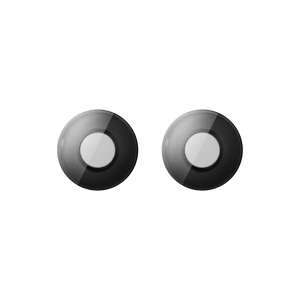
Each replacement lens measures 16 mm in diameter and 1 mm in thickness, with a stated lens weight of 2.26 g. These are replacement camera lenses for A1, rather than corrective inserts for Vision Goggles.
Dedicated Fitting Tools
The toolkit includes a lens grip tool and removal tool, helping you handle the replacement procedure using the manufacturer’s intended equipment.
Cleaning and Handling Essentials
A blower, brush, disposable gloves, two lens cloths and two cleaning wipes help you prepare the work area and handle the optical surfaces with care. Two lens cases are also included.
Indoor Preparation and Calibration
Carry out the replacement in a clean, dust-free indoor environment with relative humidity below 60%. Follow the camera-stitching calibration guide after changing a lens before judging the finished 360 image.
Summary
Keep an A1-specific lens replacement kit ready for a damaged outer lens, with two replacement lenses and a coordinated toolset in one pack. Follow the fitting guide closely and complete stitching calibration afterwards. If you are unsure about the procedure or there is damage beyond the lens, seek a Specialist assessment before proceeding.
Frequently Asked Questions
Does this kit include one lens or two?
This supplied offer is the Double Lens Pack. It includes two replacement lenses, two lens cases and the replacement toolkit. It is not the separate Single Lens Pack.
Is this kit for Vision Goggles?
No. It is designed for the camera lenses on Antigravity A1. It does not replace the Vision Goggles’ viewing lenses or provide prescription correction.
Can I replace the lens outdoors?
Use a clean, dust-free indoor space with relative humidity below 60%, as specified by Antigravity. Avoid an outdoor or humid replacement environment where dust or moisture can enter the assembly.
Do I need to calibrate A1 after replacement?
Yes. Follow the manufacturer’s camera-stitching calibration guide after replacing a lens. This is a required part of preparing the camera for its next recording.
Will this repair other camera damage?
The kit provides replacement outer lenses and fitting tools. It does not repair sensors, internal camera components or other damage to the aircraft; those issues need separate assessment.
사양
Antigravity A1 Replacement Lens Kit
The Antigravity A1 Replacement Lens Kit in this listing is the Double Lens Pack. It supplies two glass replacement lenses together with the manufacturer’s fitting, cleaning and handling tools. Each lens is sized specifically for the A1 camera assembly. Replacement must take place in a clean, dust-free indoor environment below the specified humidity limit, followed by camera-stitching calibration. The kit addresses lens replacement rather than repairs to other camera or aircraft components.
| Specification | Details |
|---|---|
| Compatibility and Optics | |
| Compatible Device | Antigravity A1 camera |
| Pack Configuration | Double Lens Pack |
| Lens Quantity | 2 |
| Lens Material | Glass |
| Lens Dimensions | Ø16 × 1 mm per lens |
| Lens Weight | 2.26 g per lens |
| Replacement Requirements | |
| Working Environment | Clean, dust-free indoor environment |
| Relative Humidity | Below 60% during replacement |
| Calibration | Camera-stitching calibration required after replacement |
| Package Contents | |
| Replacement Optics | 2× lenses and 2× lens cases |
| Fitting Tools | 1× lens grip tool and 1× removal tool |
| Cleaning and Handling | 1× lens blower, 1× brush, 2× lens cloths, 2× cleaning wipes and disposable gloves |