
Backup and Recovery
QNAP HDP for Business Beta: NAS Backup and Server Recovery Explained
HDP means Hyper Data Protection. See how a compatible QNAP NAS can protect computers and servers, keep separate backup copies and help test recovery before an outage.
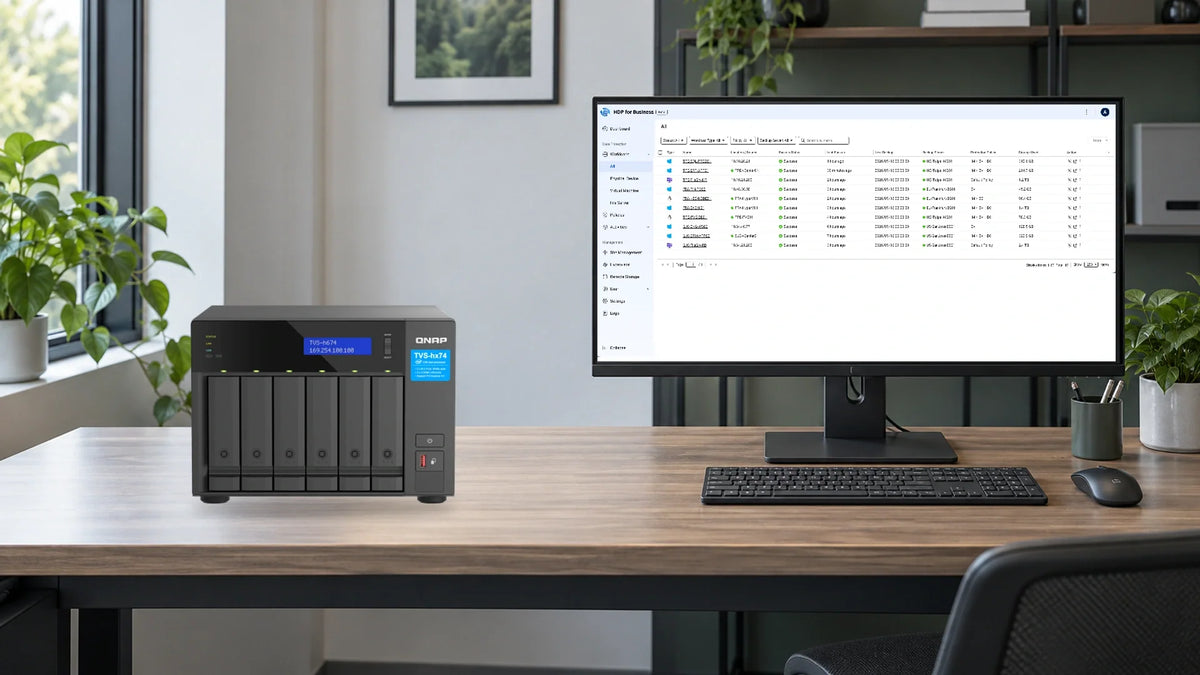
HDP means Hyper Data Protection, QNAP’s family of backup applications. The Business Beta edition uses compatible QNAP NAS storage to back up Windows computers, servers and virtual machines. It also adds central management and ways to test whether a protected machine can start again.
If the main server will not start, recovering a few documents may not be enough. The team may also need its operating system, settings and applications back. HDP for Business brings these recovery tasks into the backup plan, including the option to run a supported machine backup as a virtual machine on the backup NAS.
The practical questions are straightforward: which systems are protected, how recent is the available copy, and what can the business bring back while the original server is repaired? Start there before comparing software features or buying more storage.
What HDP for Business Changes
QNAP launched the public beta on 21-Sep-26. It builds a central management layer around backup servers, with protection policies, recovery verification and visibility across locations. That is relevant when the environment has grown beyond one NAS and a few independent jobs.
Proxmox support broadens the virtualisation choices. HDP for Business supports Proxmox VE 8.x and 9.x alongside VMware and Hyper-V. That gives a mixed virtualisation environment a reason to evaluate the platform, while keeping the exact restore route in view.
| Application | Where It Fits | Important Difference |
|---|---|---|
| HDP for Business Beta | Central management of supported VMs, Windows systems, file servers and databases. | Adds site management and the recovery features discussed here. |
| HDP for PC/VM | Standalone protection for Windows devices and VMware or Hyper-V VMs. | A single-NAS workflow; do not assume it includes Business’s Proxmox support. |
| HDP for SaaS | Microsoft 365 and Google Workspace data. | Cloud-application backup is separate from Business Beta. |
An existing HDP for PC/VM installation can be brought under Business management. Treat that as a controlled change: record current policies, understand which console will manage the jobs and test the return route before moving a working backup environment.
Follow the Backup All the Way to Recovery
A Management Server coordinates the environment. Backup Servers receive and retain the protected data. An optional standby can take over management through an administrator-initiated switchover; this is different from automatic application failover.

This is also where hardware sharing needs thought. A NAS serving production files and storing its own backups remains one physical failure domain. Put the independent copy somewhere that can survive the loss of that unit, and keep access to the backup console separate from ordinary file access.
Immutable, Off-Site and Offline Solve Different Problems
Immutable retention prevents protected versions from being changed or deleted before their retention period ends. In HDP for Business, create an immutable protection policy on a supported QuTS hero backup server. A normal policy is not made immutable by its name or schedule.
An off-site copy protects against losing the local appliance or site. HDP supports remote object-storage destinations. Object Lock and the selected policy determine the locking behaviour; simply choosing an S3-compatible destination does not establish a protected retention period.
AirGap+ schedules a backup server to power off outside its backup window. Align that window with collection, copying and recovery needs. A NAS required for live shared folders should not be assigned a shutdown schedule that interrupts those users.
These controls support a broader recovery plan. Keep backup administrator access restricted, protect recovery credentials and regularly restore a sample away from production. Locked data can still be the wrong version or contain a problem that already existed when it was backed up.
A Boot Test Is the Start of a Recovery Test
With Backup Verification enabled for supported machine backups, HDP starts a temporary VM on the backup server and records its boot. Virtualization Station is required. The recording gives a useful repeatable check that goes beyond a successful copy status.

Then test the business task. Open a recovered document, sign in with an appropriate test account and check the application or database needed for the workflow. Confirm that the chosen recovery point contains the expected data and record the time taken.

Instant Restore can run a supported backup as a VM on the backup NAS while the original host is repaired. Capacity and responsiveness still depend on the NAS and the recovered workload. For full VM restoration, the current setup guide specifies returning to the same hypervisor type; do not assume a backup creates a universal migration tool.
Choose the NAS Around Its Backup Role
The Management Server requires an x86-64 QNAP NAS with at least a quad-core processor and 8 GB of RAM. ARM-based models cannot take a role in HDP for Business. The current setup guide targets QuTS hero 6.0.2 or later and lists the dependent packages needed for its recovery features.
A minimum specification is an entry requirement. Leave resources for backup ingestion, retention processing and any recovery VMs that may have to run together.
The QNAP TVS-h674 provides a six-bay tower format for an equipment room. Where a shallow cabinet is the constraint, the TS-h765eU is a 1U design with a 292.1 mm chassis depth. Match the exact model, memory configuration and App Center package availability to the intended role.

A Worked Backup-Capacity Example
Suppose the protected systems contain 2 TB of used data. Start with one full copy and allow for 30 daily increments of 50 GB each. For this simple planning example, assume no compression or deduplication saving:
| Allowance | Calculation | Capacity |
|---|---|---|
| Initial protected data | One full copy | 2.00 TB |
| Changed data | 30 × 50 GB | 1.50 TB |
| Subtotal | 2.00 + 1.50 TB | 3.50 TB |
| Planning allowance | 30% added to the subtotal | 1.05 TB |
| Starting repository budget | 3.50 + 1.05 TB | 4.55 TB usable |
That is a capacity budget, not a measured compression result or a promise about HDP’s final footprint. It excludes a separate off-site copy and temporary recovery space. Add these from the intended policy, then replace the assumed change rate with observations from the pilot.
Drive labels describe raw capacity. Use the RAID calculator to estimate the array’s usable space before allowing for formatting, snapshots and operating headroom. Plan UPS runtime and safe shutdown for the backup appliance and the network path it depends on.
Five Tests Before Expanding the Pilot
- Protect one representative workload. Check the first backup, a changed file and the next scheduled run.
- Recover useful data. Restore a version to a separate location and have its owner confirm that it opens correctly.
- Exercise the machine recovery route. Where supported, review the boot recording and test the recovered application in an isolated network.
- Recover from the second copy. Prove that its credentials, retained versions and restore procedure are available when the local backup server is unavailable.
- Measure and document. Record capacity growth, backup duration, recovery time and the person responsible for each step.
Keep the existing recovery arrangement in place while the beta is evaluated. A useful pilot produces evidence for the next decision: which workloads fit, what capacity is required and whether recovery meets the business need.
Frequently Asked Questions
What does QNAP HDP mean?
HDP stands for Hyper Data Protection. It is QNAP’s family of backup applications. Business, PC/VM and SaaS are different editions for different protection needs.
Does HDP for Business support Proxmox?
Yes. The current beta lists Proxmox VE 8.x and 9.x. Test both backup and the intended restore route for the actual host and VM configuration.
Does Business Beta back up Microsoft 365?
No. Microsoft 365 and Google Workspace protection use HDP for SaaS, a separate application in the QNAP backup family.
Can an ARM-based QNAP NAS be a backup node?
No. HDP for Business currently requires x86-based QNAP hardware for its server roles.
Does a successful boot recording prove that every application works?
No. It shows that the supported machine backup can start. Test the data, sign-in and application workflow required for recovery as well.
Does immutable retention replace an off-site copy?
No. A retained version on one appliance does not protect against losing that appliance or its location. Plan a separate copy and test access to it.
Start with the Recovery You Need to Prove
HDP for Business Beta is worth evaluating when a supported QNAP environment needs central management, mixed virtualisation coverage or a stronger recovery-testing workflow. Begin with one representative system, one independent copy and an owner-approved restore test. Use the results to size the wider QNAP backup platform and refine the ransomware recovery plan.


