
Foscam
PTZ Camera Keeps Looking the Wrong Way? Check Tracking, Presets and Shared Control
A turning camera may be following an instruction rather than failing. Separate the lens view, detection area and automated movement to keep the important part of the room visible.
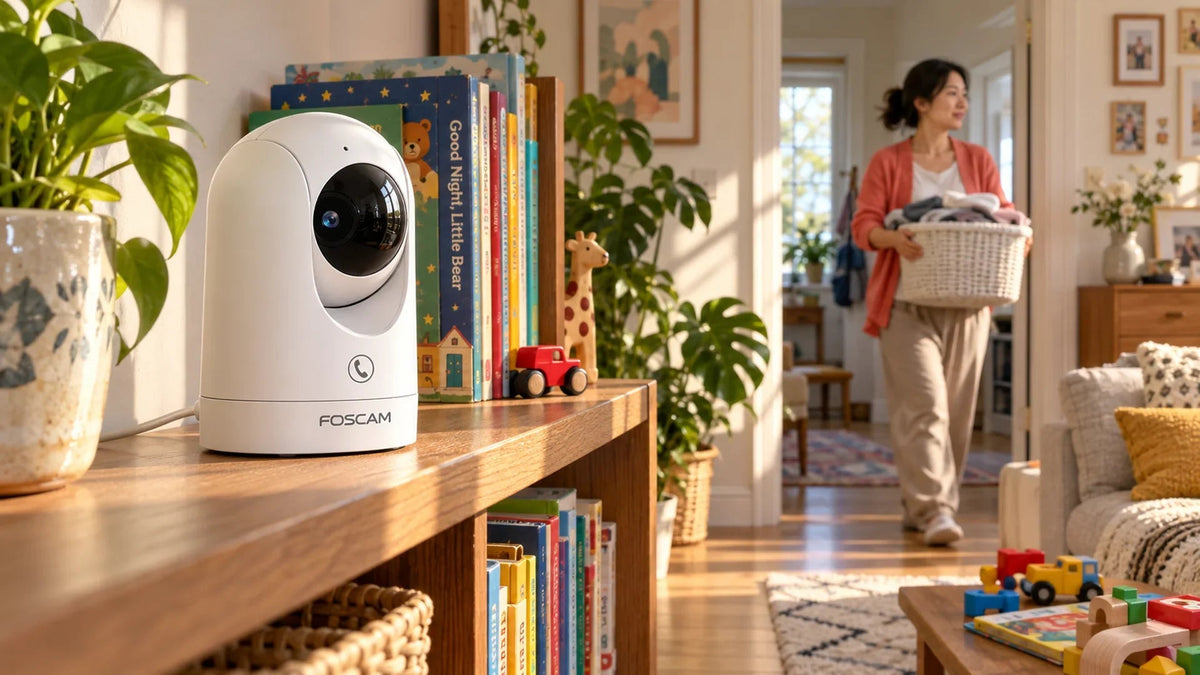
If a PTZ camera keeps turning away, identify what is controlling its direction before resetting it. Human tracking, a saved view, an automatic patrol where supported or another authorised viewer can change the lens position. Test the required view with competing movement instructions removed, then restore only the behaviour you actually need.
You point the camera towards the entrance and return later to find a sofa filling the picture. A family member walks across the room and the lens follows them away from the doorway. The camera is online and recording, but the useful scene is missing.
This is different from a connection outage. A PTZ unit changes the direction of one lens; it does not turn a single picture into simultaneous coverage of the whole room. The Foscam R8M illustrates why detection range, mechanical movement and the recorded view need separate consideration.
Three Different Questions About Coverage
One Lens Has One Current View
Foscam R8M uses different specifications for these three functions.
01 Radar-Assisted Detection
Human Movement Around the UnitDetection can prompt tracking beyond the direction currently being recorded.
02 Mechanical Movement
350° Pan / 150° TiltThe mechanism changes where the single lens points.
03 Lens View Now
108° Horizontal Field of ViewThe current video frame is narrower than the area the camera can turn through.
First, what can trigger a response? Second, where can the mechanism turn? Third, what is visible in the recorded frame right now? Confusing these three makes a camera seem faulty when it is obeying a tracking instruction.
R8M uses millimetre-wave radar to help detect human movement around it and direct tracking. Its published mechanical range is 350° horizontally and 150° vertically. The lens itself has a much narrower current view, with a stated 108° horizontal field of view.
Those figures describe different things. Radar awareness around the camera is not a 360° video recording of every direction at once. A person outside the current frame may prompt movement, but that does not mean the camera has already recorded a useful face view there.
Start with a Repeatable Direction Test
- Choose the view that matters. Frame the doorway, corridor or room area you need and note what falls outside it.
- Identify active movement features. Review human tracking and any supported patrol, cruise, preset or automation settings. Availability and names vary by model and software.
- Run a controlled test. With permission to manage the camera, temporarily stop the competing automatic movement, position the lens and observe whether it stays there.
- Re-enable one intended behaviour at a time. Ask one person to walk the relevant path and observe both live view and the recording.
- Check the return behaviour. Do not assume that a model will return to a chosen home view after tracking unless that function is supported and configured.
Test a specific outcome: “The entrance is visible again after a person leaves,” or “This camera must remain on the cash counter.” A general expectation that the camera will follow everything and never miss the doorway is harder to meet with one movable lens.
Tracking, Presets and Shared Viewers
| What you observe | What to investigate | How to separate it |
|---|---|---|
| Lens follows a person across the room | Human tracking | Compare with tracking paused during an authorised test |
| Lens repeats a sequence of positions | Patrol, cruise or automation where supported | Review the exact model’s configured movement tasks |
| Lens returns to a familiar direction | Saved preset or home/return behaviour where supported | Check which action recalls that view |
| Direction changes while someone else is viewing | Another authorised app user or integration | Coordinate a test with other viewers and review shared access |
| Direction changes after a restart | Startup positioning or the supported recovery behaviour | Compare restart timing with the model’s documented operation |
Keep the test coordinated. Someone using the app’s directional controls can undo the view you just set. Likewise, an NVR or automation may issue its own commands. Close unnecessary control sessions and review what integrations are actually configured before assuming the mechanism has failed.
Do not copy a preset count, midnight calibration schedule or guard-return instruction from a different Foscam model. A shared brand name does not establish the same movement functions. Use controls that are present for the installed camera and firmware.

Human tracking, radar-assisted detection and a movable lens serve different roles. Design around the view the recording must retain.
Zones and Placement Cannot Create a Second Lens
A detection zone usually defines where activity is evaluated within the relevant view. Do not assume it is a physical pan limit, a permanent privacy barrier or an instruction to return home. Privacy masks and privacy modes also depend on the exact model and configuration.
If the entrance must remain visible continuously, consider a fixed view dedicated to that task. A second camera can be a more predictable answer than trying to make one PTZ follow a person while watching another direction. Position each camera around the required evidence, lighting and unobstructed view.
For an indoor shelf-mounted unit, use a stable surface, keep the power lead from pulling the base and leave the mechanism clear. Avoid placing it behind decorative objects or a curtain that can enter the frame. Check the view after normal household activity, not only while the room is empty.
Turning a lens towards a wall is not proof that the microphone or recording has stopped. Where privacy is required, use the model’s supported privacy controls and verify their actual effect. Agree camera use with the people who occupy the space.
Separate Direction Problems from Other Faults
A camera that restarts because power is unstable can change position during recovery. A frozen remote picture can also make movement appear delayed. Record the time and compare live control with the saved recording before changing tracking settings repeatedly.
R8M specifies USB-C 5 V / 2 A power. Use a suitable supply and cable for the actual installation. A USB-C connector by itself is not proof of a sound power path. Do not force the moving lens by hand or keep restarting the camera as a positioning method.
If movement sounds abnormal, the mechanism is obstructed or directional control consistently fails in a controlled test, stop treating it as a preset problem. Record the behaviour for support and check model-specific recovery guidance. Factory reset should follow a diagnosis and a saved record of the settings you will need to restore.
A camera that is fully offline needs a different fault tree. Begin with power and its network connection rather than its field of view. A camera that points correctly but produces poor night images needs lighting and infrared reflection checks instead.
Choose the Required View Before the Automation
Write down the priority: a doorway that stays visible, a person followed around a room, or several fixed areas recorded simultaneously. These are different requirements and may need different camera arrangements.
Tracking can be useful for following activity, while a fixed view is useful for preserving a particular scene. Test the chosen behaviour with a realistic walk-through and inspect the resulting recording. The app’s movement animation alone does not show what evidence was retained.
The practical answer: find the instruction moving the lens, then decide whether that instruction serves the intended view. If one lens cannot cover two places at once, improve placement or add a separate view rather than chasing a setting that cannot change that physical limit.
Frequently Asked Questions
Why does my PTZ camera turn away from the doorway?
Tracking, an automatic movement task, a recalled view or another authorised controller may move it. Isolate the active instructions and test which one changes the direction.
Does 360° tracking mean every direction is recorded at once?
No. A single movable lens records its current view. Detection around the unit and the range through which it can turn are different from simultaneous all-round video.
Will Foscam R8M always return to my chosen home position?
Do not assume that behaviour. Check whether the installed model and software provide the desired return function and verify it in a walk-through test.
Is a motion detection zone also a pan limit?
Do not treat it as one unless the exact model explicitly supports that function. Detection evaluation, movement control and privacy masking are separate settings.
Should I move the lens by hand when it points the wrong way?
Use the supported controls and keep the mechanism unobstructed. Forcing the lens can damage the mechanism and does not identify what caused the movement.
When is a fixed camera the better choice?
When a particular entrance, counter or other area must remain continuously visible. Tracking one moving person can turn a PTZ away from another important scene.


