

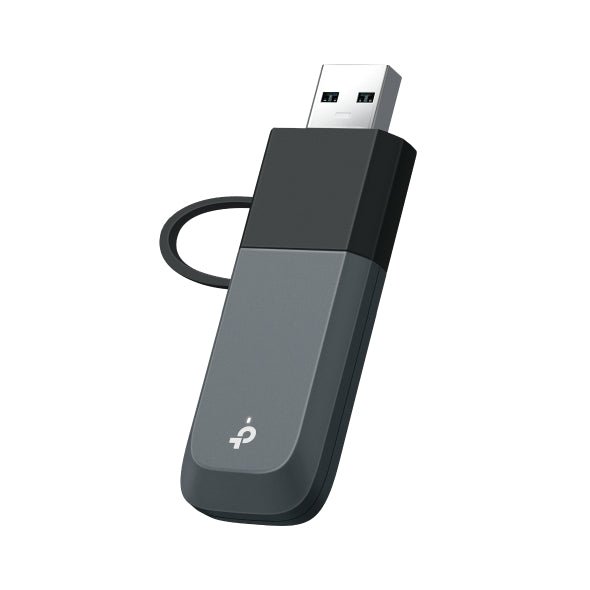





TP-Link Archer TBE230U BE3600 WiFi 7 USB C and USB A Adapter
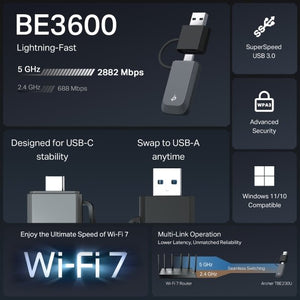
One compact wireless adapter for USB-C or USB-A Archer TBE230U brings dual-band WiFi 7 connectivity to a supported Windows computer with an integrated USB-C and USB-A connection arrangement. It is a compact way to upgrade a laptop or desktop without opening the case or carrying a separate connector adapter. Use a suitable USB 3.0 port and compatible router, then install or update the driver as required. This model uses 2.4GHz and 5GHz; it does not add a 6GHz radio or Bluetooth. Highlights Wireless capability WiFi 7; 5GHz up to 2,882Mbps; 2.4GHz up to 688Mbps. Published radio rates are theoretical, not measured internet speeds. Connections that suit the installation USB 3.0; integrated USB-C / USB-A connection arrangement. Control and compatibility Windows 10 or Windows 11, 64-bit; advanced WiFi 7 functions depend on the supported OS build and driver. Wireless networking only; Bluetooth is not included. Key Features Upgrade the computer’s wireless connection 5GHz up to 2,882Mbps; 2.4GHz up to 688Mbps. Actual speed depends on the router or access point, client hardware, channel conditions, distance and internet service. A combined wireless class is not a promise of single-device throughput. Check the operating system first Windows 10 or Windows 11, 64-bit; advanced WiFi 7 functions depend on the supported OS build and driver. Install the current driver for the exact model and hardware version. Do not assume support for macOS, Linux, a television or a NAS when those platforms are not listed by the manufacturer. Use the correct host connection Use the stated USB interface and a suitable port on the computer. An adapter does not provide its own internet service: it connects the computer to an existing wireless network. Position the antennas around the computer The integrated USB-C and USB-A arrangement lets the adapter move between suitable computers without an extra connector converter. Use a USB 3.0 port where available to avoid an additional interface bottleneck. Match advanced features across the link WiFi 7 features need compatible router, operating-system and driver support. This dual-band model uses 2.4GHz and 5GHz. Use a supported secure wireless configuration and maintain the computer’s normal software and security updates. Summary Archer TBE230U is a practical wireless upgrade for a compatible Windows computer. Match the host interface and operating system, install the appropriate driver and position the adapter for a useful signal. It adds network connectivity to an existing router or access point, with real performance determined by the complete connection. Frequently Asked Questions Which operating systems are supported?ExpandCollapse Windows 10 or Windows 11, 64-bit; advanced WiFi 7 functions depend on the supported OS build and driver. Support for other operating systems is not established for this offer. Does it include Bluetooth?ExpandCollapse No. This offer is a wireless network adapter and does not add Bluetooth. Will it deliver the advertised speed to one download?ExpandCollapse No fixed download speed is promised. Actual speed depends on the router or access point, client hardware, channel conditions, distance and internet service. A combined wireless class is not a promise of single-device throughput. What should I check before installation?ExpandCollapse Use the stated USB interface and a suitable port on the computer. An adapter does not provide its own internet service: it connects the computer to an existing wireless network. Check the connector and current driver for your Windows version. What is included and what warranty applies?ExpandCollapse One adapter with integrated USB-C/USB-A connection arrangement and guide. Warranty is 3 years.
Maaaring kunin sa 3005, Ubi Avenue 3, #01-88
Karaniwang handa sa loob ng 2-4 na araw ng negosyo (hindi kasama ang mga pampublikong pista opisyal)
TP-Link Archer TBE230U BE3600 WiFi 7 USB C and USB A Adapter
Paglalarawan
One compact wireless adapter for USB-C or USB-A
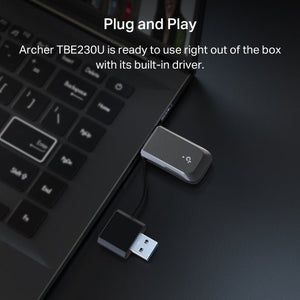
Archer TBE230U brings dual-band WiFi 7 connectivity to a supported Windows computer with an integrated USB-C and USB-A connection arrangement. It is a compact way to upgrade a laptop or desktop without opening the case or carrying a separate connector adapter. Use a suitable USB 3.0 port and compatible router, then install or update the driver as required. This model uses 2.4GHz and 5GHz; it does not add a 6GHz radio or Bluetooth.
Highlights
Wireless capability
- WiFi 7; 5GHz up to 2,882Mbps; 2.4GHz up to 688Mbps.
- Published radio rates are theoretical, not measured internet speeds.
Connections that suit the installation
- USB 3.0; integrated USB-C / USB-A connection arrangement.
Control and compatibility
- Windows 10 or Windows 11, 64-bit; advanced WiFi 7 functions depend on the supported OS build and driver.
- Wireless networking only; Bluetooth is not included.
Key Features
Upgrade the computer’s wireless connection
5GHz up to 2,882Mbps; 2.4GHz up to 688Mbps. Actual speed depends on the router or access point, client hardware, channel conditions, distance and internet service. A combined wireless class is not a promise of single-device throughput.
Check the operating system first
Windows 10 or Windows 11, 64-bit; advanced WiFi 7 functions depend on the supported OS build and driver. Install the current driver for the exact model and hardware version. Do not assume support for macOS, Linux, a television or a NAS when those platforms are not listed by the manufacturer.
Use the correct host connection
Use the stated USB interface and a suitable port on the computer. An adapter does not provide its own internet service: it connects the computer to an existing wireless network.
Position the antennas around the computer
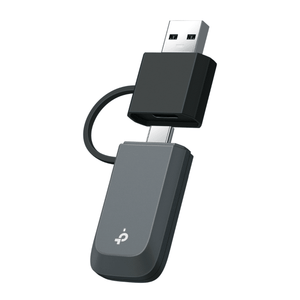
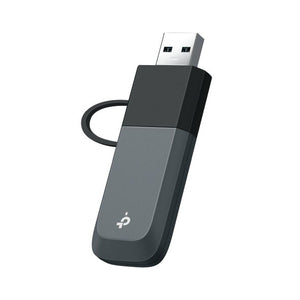
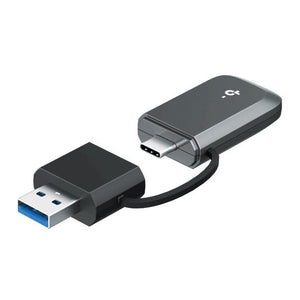
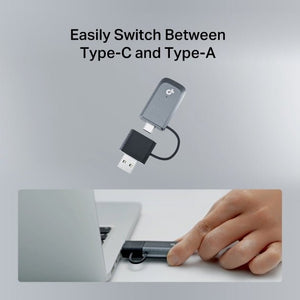
The integrated USB-C and USB-A arrangement lets the adapter move between suitable computers without an extra connector converter. Use a USB 3.0 port where available to avoid an additional interface bottleneck.
Match advanced features across the link
WiFi 7 features need compatible router, operating-system and driver support. This dual-band model uses 2.4GHz and 5GHz. Use a supported secure wireless configuration and maintain the computer’s normal software and security updates.
Summary
Archer TBE230U is a practical wireless upgrade for a compatible Windows computer. Match the host interface and operating system, install the appropriate driver and position the adapter for a useful signal. It adds network connectivity to an existing router or access point, with real performance determined by the complete connection.
Frequently Asked Questions
Which operating systems are supported?
Windows 10 or Windows 11, 64-bit; advanced WiFi 7 functions depend on the supported OS build and driver. Support for other operating systems is not established for this offer.
Does it include Bluetooth?
No. This offer is a wireless network adapter and does not add Bluetooth.
Will it deliver the advertised speed to one download?
No fixed download speed is promised. Actual speed depends on the router or access point, client hardware, channel conditions, distance and internet service. A combined wireless class is not a promise of single-device throughput.
What should I check before installation?
Use the stated USB interface and a suitable port on the computer. An adapter does not provide its own internet service: it connects the computer to an existing wireless network. Check the connector and current driver for your Windows version.
What is included and what warranty applies?
One adapter with integrated USB-C/USB-A connection arrangement and guide. Warranty is 3 years.
Mga detalye
TP-Link Archer TBE230U BE3600 WiFi 7 USB C and USB A Adapter
TP-Link Archer TBE230U BE3600 WiFi 7 USB C and USB A Adapter combines WiFi 7 connectivity with the interfaces listed below. The grouped specifications distinguish theoretical wireless rates from physical connection limits, and identify the supported Windows system and host connection needed for a working installation. Match the network hardware, cabling and computer requirements before ordering. Actual throughput depends on the complete connection and radio conditions; a headline wireless class is not a guaranteed internet download rate. Use the current manufacturer driver for the exact model.
| Specification | Details |
|---|---|
| Wireless Capability | |
| Standard | WiFi 7; IEEE 802.11be. |
| Maximum radio link rates | 5GHz up to 2,882Mbps; 2.4GHz up to 688Mbps. |
| Performance conditions | Theoretical radio rates; actual throughput depends on clients, interfaces, distance, interference and internet service. |
| Security | Supported WPA2/WPA3 configurations; functions depend on mode, client and driver. |
| Interfaces and Installation | |
| Connections | USB 3.0; integrated USB-C / USB-A connection arrangement. |
| Host requirements | Windows 10 or Windows 11, 64-bit; advanced WiFi 7 functions depend on the supported OS build and driver. |
| Antenna arrangement | Internal or compact integrated antenna arrangement. |
| Connector arrangement | USB-C and USB-A; integrated converter arrangement. No Bluetooth. |
| Driver and Feature Requirements | |
| Driver | Install or update the driver for the exact hardware version and supported Windows system. |
| Advanced features | WiFi 7 and MLO functions require compatible router, operating system and driver support. |
| Internet connection | Existing compatible wireless network and internet service required; adapter does not provide service. |
| Physical and Environment | |
| Dimensions | 72 × 24 × 10.8mm (W × D × H). |
| Operating conditions | 0 to 40°C; 10–90% RH, non-condensing. |
| Package and Warranty | |
| Included | One adapter with integrated USB-C/USB-A connection arrangement and guide. |
| Warranty | 3 years. |