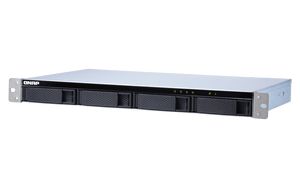
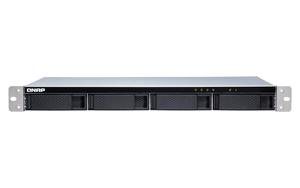
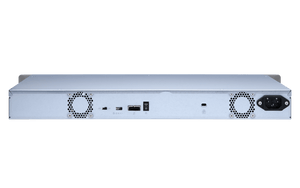
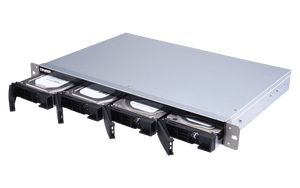
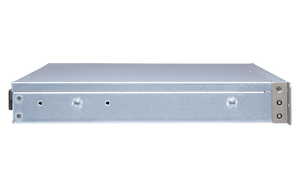
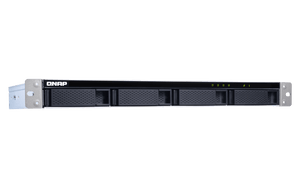
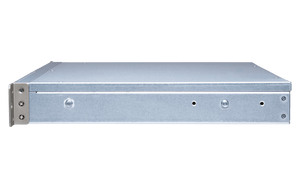
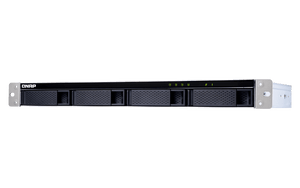
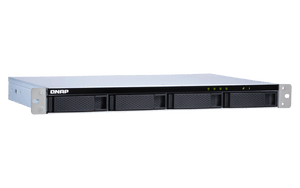
QNAP TL-R400S 4-Bay Rackmount SATA JBOD Expansion
Dedicated SATA Expansion for Storage That Keeps Growing The QNAP TL-R400S adds drive space to a supported NAS, computer or server through a dedicated SATA connection. Its 1U short-depth rackmount design brings 4 drive positions into one enclosure, with a supplied host card and matching cables to help plan a complete installation. Use it for an additional storage pool, an archive or a separate backup destination, with RAID and applications managed by the connected system. Highlights The Right Drive Layout 4 drive positions for the supported disk types. Drives are separate; exact compatibility matters. A Defined Host Connection Dedicated SATA connection with bundled host card. Host, cable and firmware requirements stay explicit. Practical Installation Powered enclosure with active cooling. Exact optional rail kit required for rack installation. Storage with a Recovery Plan Host-managed applications and camera entitlements. Independent backup remains a separate requirement. Key Features A Direct Path to Each Drive The enclosure exposes drive groups over 1 SFF-8088 connection. Each cable carries dedicated SATA lanes instead of making every drive share one USB link. Choose an appropriate PCIe slot and connect the cable groups correctly. The aggregate link rates describe the interface architecture; they are not a guarantee of one file-transfer speed. The Host Card Is Part of the Package The current manufacturer package includes the QXP-400eS-A1164 and 1 matching 1m cable. The adapter still needs a compatible host, sufficient PCIe bandwidth and the correct firmware or driver. This is SATA storage using Mini-SAS connectors, so a cable that fits is not proof of SAS-drive or third-party-controller compatibility. Keep the NAS Storage Layout Clear Host-managed software RAID. On NAS, use a separate pool or volume; it cannot extend the internal NAS pool and NAS applications cannot be installed on this enclosure. Storage management and snapshots depend on the supported host operating system. Plan usable capacity after RAID overhead, retain a separate backup and check the approved connection procedure before attaching or disconnecting the enclosure. Monitor the Enclosure from Your Working System Storage & Snapshots on a supported NAS; QNAP JBOD Manager monitors enclosure and disk health on supported Windows/Ubuntu systems. The computer operating system manages its software RAID. Review drive health, temperature and fan alerts during operation. A larger chassis adds storage positions but does not upgrade the host processor, memory, application compatibility or camera licences. Install for Access and Airflow The 1U short-depth rackmount enclosure measures 43.9 × 438.9 × 291.1mm H × W × D, excluding rack ears and protruding power-supply fittings. Optional RAIL-B02 or RAIL-S02, subject to rack-post spacing. Confirm cabinet depth, rack-post spacing and rear cable/service clearance. 100W internal power supply; 100–240V AC. Supply ratings are power capacity, not constant operating consumption. Keep Backup and Recording Requirements Separate The enclosure adds storage, not a standalone surveillance recorder. Maximum camera channels, included licences, recording performance and retention depend on the host NAS and recording software. Expanding disk space does not automatically increase those limits. Maintain a separate current backup and a tested recovery plan. Any optional NASCare scope must be confirmed for the registered NAS and attached configuration. Summary The TL-R400S is a practical way to add direct SATA drive capacity when the complete connection and storage layout have been planned. Match the host, drives and installation hardware first, then size RAID, recording retention and separate backups around the work. This keeps the expansion useful, serviceable and clear to maintain. Frequently Asked Questions Can this work as a standalone NAS?ExpandCollapse No. This is an expansion or direct-attached storage enclosure. It requires a compatible NAS or computer and does not offer independent Ethernet file sharing, NAS applications or surveillance recording. Can I use SAS drives or connect any Mini-SAS card?ExpandCollapse No. These drive bays use SATA. The SFF connector is only the physical connector type; use the supplied or specifically qualified QXP SATA adapter and the correct cable. SAS-drive and arbitrary third-party-card support must not be assumed. Which drives can I install?ExpandCollapse 4 × 3.5-inch drive positions supporting compatible 3.5-inch SATA HDDs and 2.5-inch SATA SSDs; SATA 6Gb/s and 3Gb/s. Keep HDD and SSD types in separate RAID groups. Verify exact drive model, firmware, sector format and capacity compatibility. Drives are sold separately. Which host and software do I need?ExpandCollapse Qualified QNAP NAS with a compatible PCIe slot, supported QXP SATA card and QTS 4.4.2 or QuTS hero h4.5.0 or later; or a compatible Windows/Ubuntu computer with the correct adapter and drivers. Not supported on macOS. On NAS, the expansion pool remains separate from internal storage. What is included, and do I need rack rails?ExpandCollapse Enclosure, QXP-400eS-A1164 SATA expansion card, 1 × 1m SFF-8088 to SFF-8088 cables, power cord, drive mounting screws and Quick Installation Guide. Drives and any rack rail kit are separate. Optional RAIL-B02 or RAIL-S02, subject to rack-post spacing. Confirm cabinet depth, rack-post spacing and rear cable/service clearance. Will it increase my maximum surveillance camera count?ExpandCollapse Adding drive space may extend recording retention, but it does not add camera licences or increase the host CPU, memory or software limits. Check the exact NAS, recording application, licence entitlement and workload. RAID and attached expansion are not replacements for an independent backup.
Mga Dagdag na Produkto (3)
Maaaring kunin sa 3005, Ubi Avenue 3, #01-88
Usually ready in 2-4 Business Day (Excluding Public Holiday)
QNAP TL-R400S 4-Bay Rackmount SATA JBOD Expansion
Paglalarawan
Dedicated SATA Expansion for Storage That Keeps Growing
The QNAP TL-R400S adds drive space to a supported NAS, computer or server through a dedicated SATA connection. Its 1U short-depth rackmount design brings 4 drive positions into one enclosure, with a supplied host card and matching cables to help plan a complete installation. Use it for an additional storage pool, an archive or a separate backup destination, with RAID and applications managed by the connected system.
Highlights
The Right Drive Layout
- 4 drive positions for the supported disk types.
- Drives are separate; exact compatibility matters.
A Defined Host Connection
- Dedicated SATA connection with bundled host card.
- Host, cable and firmware requirements stay explicit.
Practical Installation
- Powered enclosure with active cooling.
- Exact optional rail kit required for rack installation.
Storage with a Recovery Plan
- Host-managed applications and camera entitlements.
- Independent backup remains a separate requirement.
Key Features
A Direct Path to Each Drive
The enclosure exposes drive groups over 1 SFF-8088 connection. Each cable carries dedicated SATA lanes instead of making every drive share one USB link. Choose an appropriate PCIe slot and connect the cable groups correctly. The aggregate link rates describe the interface architecture; they are not a guarantee of one file-transfer speed.
The Host Card Is Part of the Package
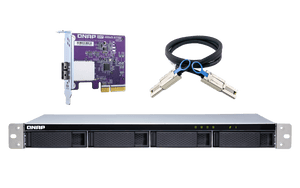
The current manufacturer package includes the QXP-400eS-A1164 and 1 matching 1m cable. The adapter still needs a compatible host, sufficient PCIe bandwidth and the correct firmware or driver. This is SATA storage using Mini-SAS connectors, so a cable that fits is not proof of SAS-drive or third-party-controller compatibility.
Keep the NAS Storage Layout Clear
Host-managed software RAID. On NAS, use a separate pool or volume; it cannot extend the internal NAS pool and NAS applications cannot be installed on this enclosure. Storage management and snapshots depend on the supported host operating system. Plan usable capacity after RAID overhead, retain a separate backup and check the approved connection procedure before attaching or disconnecting the enclosure.
Monitor the Enclosure from Your Working System
Storage & Snapshots on a supported NAS; QNAP JBOD Manager monitors enclosure and disk health on supported Windows/Ubuntu systems. The computer operating system manages its software RAID. Review drive health, temperature and fan alerts during operation. A larger chassis adds storage positions but does not upgrade the host processor, memory, application compatibility or camera licences.
Install for Access and Airflow
The 1U short-depth rackmount enclosure measures 43.9 × 438.9 × 291.1mm H × W × D, excluding rack ears and protruding power-supply fittings. Optional RAIL-B02 or RAIL-S02, subject to rack-post spacing. Confirm cabinet depth, rack-post spacing and rear cable/service clearance. 100W internal power supply; 100–240V AC. Supply ratings are power capacity, not constant operating consumption.
Keep Backup and Recording Requirements Separate
The enclosure adds storage, not a standalone surveillance recorder. Maximum camera channels, included licences, recording performance and retention depend on the host NAS and recording software. Expanding disk space does not automatically increase those limits. Maintain a separate current backup and a tested recovery plan. Any optional NASCare scope must be confirmed for the registered NAS and attached configuration.
Summary
The TL-R400S is a practical way to add direct SATA drive capacity when the complete connection and storage layout have been planned. Match the host, drives and installation hardware first, then size RAID, recording retention and separate backups around the work. This keeps the expansion useful, serviceable and clear to maintain.
Frequently Asked Questions
Can this work as a standalone NAS?
No. This is an expansion or direct-attached storage enclosure. It requires a compatible NAS or computer and does not offer independent Ethernet file sharing, NAS applications or surveillance recording.
Can I use SAS drives or connect any Mini-SAS card?
No. These drive bays use SATA. The SFF connector is only the physical connector type; use the supplied or specifically qualified QXP SATA adapter and the correct cable. SAS-drive and arbitrary third-party-card support must not be assumed.
Which drives can I install?
4 × 3.5-inch drive positions supporting compatible 3.5-inch SATA HDDs and 2.5-inch SATA SSDs; SATA 6Gb/s and 3Gb/s. Keep HDD and SSD types in separate RAID groups. Verify exact drive model, firmware, sector format and capacity compatibility. Drives are sold separately.
Which host and software do I need?
Qualified QNAP NAS with a compatible PCIe slot, supported QXP SATA card and QTS 4.4.2 or QuTS hero h4.5.0 or later; or a compatible Windows/Ubuntu computer with the correct adapter and drivers. Not supported on macOS. On NAS, the expansion pool remains separate from internal storage.
What is included, and do I need rack rails?
Enclosure, QXP-400eS-A1164 SATA expansion card, 1 × 1m SFF-8088 to SFF-8088 cables, power cord, drive mounting screws and Quick Installation Guide. Drives and any rack rail kit are separate. Optional RAIL-B02 or RAIL-S02, subject to rack-post spacing. Confirm cabinet depth, rack-post spacing and rear cable/service clearance.
Will it increase my maximum surveillance camera count?
Adding drive space may extend recording retention, but it does not add camera licences or increase the host CPU, memory or software limits. Check the exact NAS, recording application, licence entitlement and workload. RAID and attached expansion are not replacements for an independent backup.
Mga detalye
QNAP TL-R400S 4-Bay Rackmount SATA JBOD Expansion
The QNAP TL-R400S is a 4-bay 1U short-depth rackmount storage enclosure for compatible NAS and direct-attached storage installations. The connected host manages the supported RAID layout, storage services and applications. Active cooling and enclosure monitoring support everyday operation. The table separates drive support, connection requirements, installation hardware and operating conditions. Drives are sold separately, and actual capacity and performance depend on the complete configuration.
| Specification | Details |
|---|---|
| Architecture and Host Compatibility | |
| Device class | Expansion / direct-attached storage enclosure; not a standalone NAS. |
| Host connection | 1 × external SFF-8088 ports carrying point-to-point SATA channels. Mini-SAS connector shape does not provide SAS-drive support. |
| Supported hosts and firmware | Qualified QNAP NAS with a compatible PCIe slot, supported QXP SATA card and QTS 4.4.2 or QuTS hero h4.5.0 or later; or a compatible Windows/Ubuntu computer with the correct adapter and drivers. Not supported on macOS. |
| Expansion topology | No promise of enclosure daisy chaining. Use the exact host expansion matrix and a separate supported connection for each enclosure. |
| Drive Support and Storage Management | |
| Drive positions | 4 × 3.5-inch drive positions supporting compatible 3.5-inch SATA HDDs and 2.5-inch SATA SSDs; SATA 6Gb/s and 3Gb/s. |
| Drive access | Hot-swappable drive bays, subject to supported host/RAID procedures. |
| Supplied host adapter | QXP-400eS-A1164 with 1 matching 1m cable. |
| Drive and RAID conditions | Keep HDD and SSD types in separate RAID groups. Verify exact drive model, firmware, sector format and capacity compatibility. Drives are sold separately. |
| Storage modes | Host-managed software RAID. On NAS, use a separate pool or volume; it cannot extend the internal NAS pool and NAS applications cannot be installed on this enclosure. |
| Management software | Storage & Snapshots on a supported NAS; QNAP JBOD Manager monitors enclosure and disk health on supported Windows/Ubuntu systems. The computer operating system manages its software RAID. |
| Interface and throughput | Dedicated SATA channels for the connected drive groups; actual transfer speed depends on disks, host card, PCIe bandwidth and RAID workload. |
| Applications and Surveillance | |
| Applications | Run on the supported host. The enclosure adds no host CPU, memory or independent network services. |
| Maximum camera channels | Determined by the host NAS, recording application, licences and workload. No standalone recorder or camera licence entitlement is included with the enclosure. |
| Installation and Physical Details | |
| Form factor | 1U short-depth rackmount. |
| Rack rails / placement | Optional RAIL-B02 or RAIL-S02, subject to rack-post spacing. Confirm cabinet depth, rack-post spacing and rear cable/service clearance. |
| Dimensions H × W × D | 43.9 × 438.9 × 291.1mm. Excludes rack ears and protruding power-supply parts. |
| Device and retail weight | Net 4.92kg; manufacturer gross 5.77kg. |
| Power and Environment | |
| Power supply | 100W internal power supply; 100–240V AC. |
| Typical operating consumption | 25.07W in the manufacturer fully populated drive test; actual use varies. |
| Cooling | 2 × 40mm fans. Auto/high/medium/low fan mode switch. |
| Temperature | Operating 0–40°C; storage −20–70°C. |
| Humidity | 5–95% RH non-condensing; wet-bulb limit 27°C. |
| Supplied Items and Warranty | |
| Package contents | Enclosure, QXP-400eS-A1164 SATA expansion card, 1 × 1m SFF-8088 to SFF-8088 cables, power cord, drive mounting screws and Quick Installation Guide. Drives and any rack rail kit are separate. |
| Warranty | 3 years for the enclosure; bundled accessories have a separate 1-year manufacturer warranty. |
Mga Dagdag na Produkto


NASCare Pinalawig na Warranty na may Pahiram na Yunit para sa 1-4 Bay


QNAP Rail Kit C01/B01/B02/A02-90/A03-57/E02/E03/S01/S02