



Insta360 Neck Mount Hands-Free POV Camera Support
Keep Your Hands Free and the Moment in View Insta360 Neck Mount places a compatible action-camera setup close to your line of movement for first-person filming. Its flexible silicone loop, air-cushioned base and quick-release latch make it practical to put on and adjust before the activity begins. Set the camera angle, check the connections and use the appropriate mounting components for the view you want to record. Highlights A Wearable First-Person View A neck-mounted camera position keeps the hands free. Flexible silicone and an air-cushioned base form the contact surfaces. Prepare the Camera Position A 360° adjustable base supports horizontal or vertical mounting. The quick-release latch opens and closes the neck loop. Build a Compatible Setup Use the supplied interfaces with the camera’s required mounting accessory. Invisible Selfie Sticks are not compatible with this neck mount. Key Features A Camera Position That Moves with You A chest-level viewpoint can show an activity from the wearer’s perspective, including a demonstration, walk or everyday creative scene. Position the camera carefully and check the recorded frame before beginning. This mount changes where the camera is held; it does not turn a single-lens camera into a 360° camera or remove the camera’s own recording limitations. A Quick-Release Latch for Everyday Setup Press the side button to release the neck-loop latch. After placing the mount around the neck, insert the latch until it clicks, then gently check that it is secure without pressing the release button. This mechanism opens the neck mount; the camera-side thumb screws still need to be properly fitted and tightened. Adjust the View Before Recording Mount the camera onto the appropriate adapter before rotating the base to the required angle. The 360° adjustable mounting base supports changes between horizontal and vertical arrangements. Set and secure the position while stationary, then inspect the framing and fastenings before moving. Use the Correct Camera Mounting Components The package supplies adapters and thumb screws for compatible mounting arrangements. Cameras with a model-specific magnetic or quick-release base need that appropriate camera-side accessory rather than being forced into a fitting that does not match. Choose the complete mounting path for the exact camera; the camera itself is supplied separately. A Flexible Contact Surface and a Supported Fit The silicone loop and air-cushioned base are designed for wearable contact. The stabiliser strap helps hold the mount closer to the chest to reduce movement. Adjust the fit for the activity and stop using the mount if it becomes uncomfortable or restricts safe movement. No wearable support guarantees shake-free footage in every activity. Keep the Setup Within Its Intended Use Do not connect an Invisible Selfie Stick to the neck mount or modify the accessory. Check the latch, adapter and thumb screws before filming. After seawater exposure, rinse the accessory promptly with fresh water and wipe it dry. Camera waterproofing and the suitability of an activity remain separate from the mount’s material and cleaning instructions. Summary Choose Insta360 Neck Mount when a first-person camera position suits the activity and you want the hands free. Prepare the right adapters, set the angle and check the latch before recording. A comfortable fit and a complete, secure mounting arrangement matter more than simply attaching the camera and starting to move. Frequently Asked Questions Does This Mount Fit Every Camera Directly?ExpandCollapse No. Use the required camera-specific mount or adapter to connect the exact camera to the supplied interfaces. The camera and any additional model-specific accessories are separate purchases. How Do I Know the Neck Latch Is Secure?ExpandCollapse Insert the latch until it clicks into place, then gently pull to check it without pressing the side release button. Inspect the adapter and tighten the camera-side thumb screws before filming. Can I Switch Between Horizontal and Vertical Mounting?ExpandCollapse Yes. The adjustable base supports rotation for the required camera orientation. Attach the camera first, adjust the angle while stationary and secure the setup before recording. Can I Add an Invisible Selfie Stick?ExpandCollapse No. The manufacturer states that Invisible Selfie Sticks are not compatible with this accessory. Use the prescribed camera mounting arrangement without an added stick. What Should I Do After Seawater Exposure?ExpandCollapse Rinse the accessory promptly with fresh water and wipe it dry. This care instruction does not establish that the camera or every attached accessory can be submerged; follow each item’s own water-protection limits.
Maaaring kunin sa 3005, Ubi Avenue 3, #01-88
Usually ready in 2-4 Business Day (Excluding Public Holiday)
Insta360 Neck Mount Hands-Free POV Camera Support
Paglalarawan
Keep Your Hands Free and the Moment in View
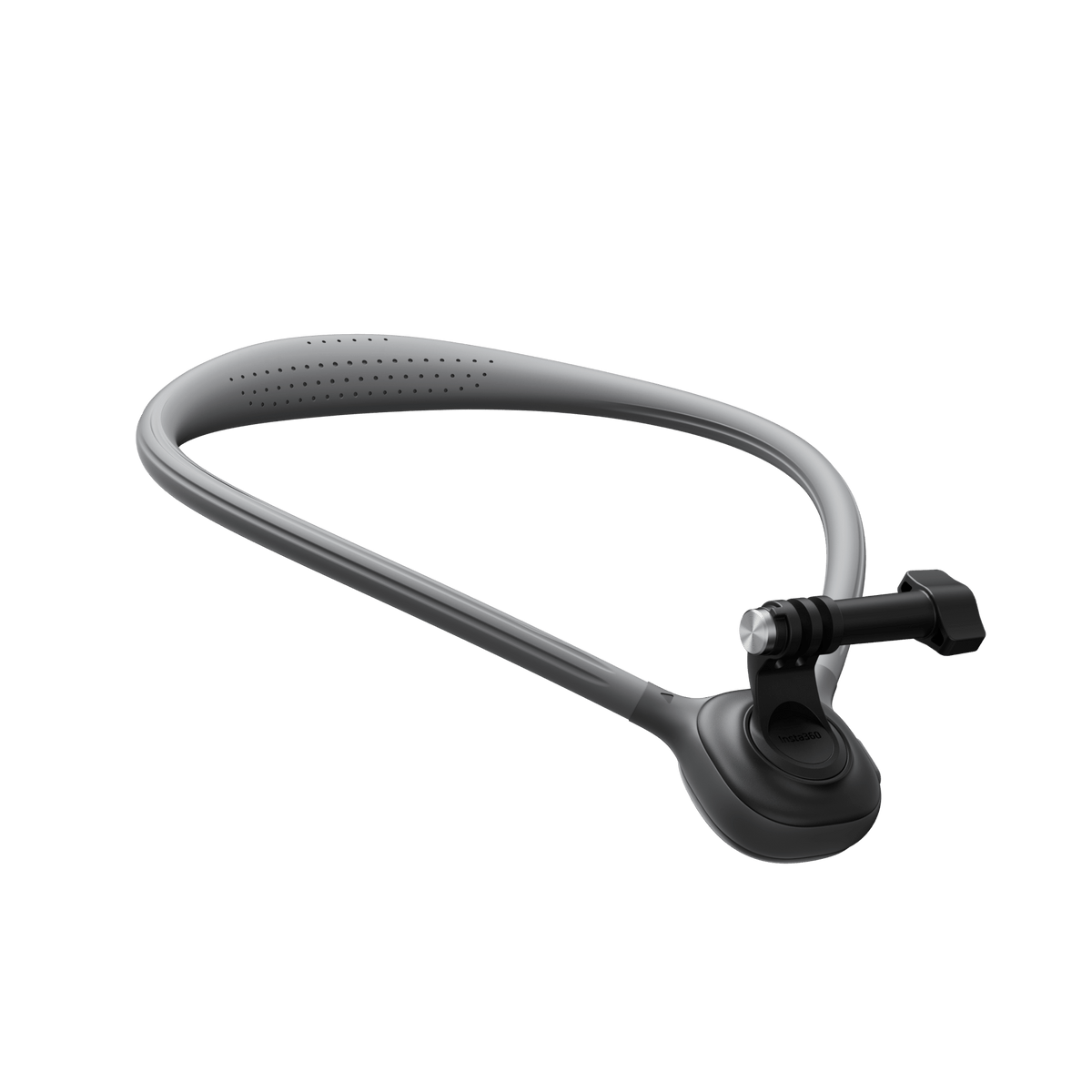
Insta360 Neck Mount places a compatible action-camera setup close to your line of movement for first-person filming. Its flexible silicone loop, air-cushioned base and quick-release latch make it practical to put on and adjust before the activity begins. Set the camera angle, check the connections and use the appropriate mounting components for the view you want to record.
Highlights
A Wearable First-Person View
- A neck-mounted camera position keeps the hands free.
- Flexible silicone and an air-cushioned base form the contact surfaces.
Prepare the Camera Position
- A 360° adjustable base supports horizontal or vertical mounting.
- The quick-release latch opens and closes the neck loop.
Build a Compatible Setup
- Use the supplied interfaces with the camera’s required mounting accessory.
- Invisible Selfie Sticks are not compatible with this neck mount.
Key Features
A Camera Position That Moves with You
A chest-level viewpoint can show an activity from the wearer’s perspective, including a demonstration, walk or everyday creative scene. Position the camera carefully and check the recorded frame before beginning. This mount changes where the camera is held; it does not turn a single-lens camera into a 360° camera or remove the camera’s own recording limitations.
A Quick-Release Latch for Everyday Setup
Press the side button to release the neck-loop latch. After placing the mount around the neck, insert the latch until it clicks, then gently check that it is secure without pressing the release button. This mechanism opens the neck mount; the camera-side thumb screws still need to be properly fitted and tightened.
Adjust the View Before Recording
Mount the camera onto the appropriate adapter before rotating the base to the required angle. The 360° adjustable mounting base supports changes between horizontal and vertical arrangements. Set and secure the position while stationary, then inspect the framing and fastenings before moving.
Use the Correct Camera Mounting Components
The package supplies adapters and thumb screws for compatible mounting arrangements. Cameras with a model-specific magnetic or quick-release base need that appropriate camera-side accessory rather than being forced into a fitting that does not match. Choose the complete mounting path for the exact camera; the camera itself is supplied separately.
A Flexible Contact Surface and a Supported Fit
The silicone loop and air-cushioned base are designed for wearable contact. The stabiliser strap helps hold the mount closer to the chest to reduce movement. Adjust the fit for the activity and stop using the mount if it becomes uncomfortable or restricts safe movement. No wearable support guarantees shake-free footage in every activity.
Keep the Setup Within Its Intended Use
Do not connect an Invisible Selfie Stick to the neck mount or modify the accessory. Check the latch, adapter and thumb screws before filming. After seawater exposure, rinse the accessory promptly with fresh water and wipe it dry. Camera waterproofing and the suitability of an activity remain separate from the mount’s material and cleaning instructions.
Summary
Choose Insta360 Neck Mount when a first-person camera position suits the activity and you want the hands free. Prepare the right adapters, set the angle and check the latch before recording. A comfortable fit and a complete, secure mounting arrangement matter more than simply attaching the camera and starting to move.
Frequently Asked Questions
Does This Mount Fit Every Camera Directly?
No. Use the required camera-specific mount or adapter to connect the exact camera to the supplied interfaces. The camera and any additional model-specific accessories are separate purchases.
How Do I Know the Neck Latch Is Secure?
Insert the latch until it clicks into place, then gently pull to check it without pressing the side release button. Inspect the adapter and tighten the camera-side thumb screws before filming.
Can I Switch Between Horizontal and Vertical Mounting?
Yes. The adjustable base supports rotation for the required camera orientation. Attach the camera first, adjust the angle while stationary and secure the setup before recording.
Can I Add an Invisible Selfie Stick?
No. The manufacturer states that Invisible Selfie Sticks are not compatible with this accessory. Use the prescribed camera mounting arrangement without an added stick.
What Should I Do After Seawater Exposure?
Rinse the accessory promptly with fresh water and wipe it dry. This care instruction does not establish that the camera or every attached accessory can be submerged; follow each item’s own water-protection limits.
Mga detalye
Insta360 Neck Mount Hands-Free POV Camera Support
Insta360 Neck Mount Hands-Free POV Camera Support uses a flexible silicone loop, quick-release latch and adjustable camera base for wearable first-person filming. The camera must connect through the appropriate mounting interfaces, and some models need a separate camera-specific accessory. The package includes adapters, thumb screws and a stabiliser strap. Check the fit, latch and connections before use. These specifications describe the mount and its published handling requirements; they do not extend the camera’s own waterproofing or activity limits.
| Specification | Details |
|---|---|
| Mounting and Controls | |
| Intended Use | Wearable first-person camera position with hands free |
| Neck Latch | One-click locking and side-button release |
| Camera Adjustment | 360° adjustable base for horizontal or vertical arrangements |
| Camera Connection | Supplied prong/thread adapters; use the required model-specific camera mount |
| Compatibility | Manufacturer lists X6, X4 Air, X5, Ace Pro 2, GO 3S, X4, Ace Pro, Ace, GO 3, X3, ONE X2 and supported ONE RS configurations |
| Construction | |
| Manufacturer Dimensions | 580×180×200mm |
| Manufacturer Weight | 164.8g |
| Materials | Silicone, plastic and stainless steel |
| Contact Design | Flexible loop and air-cushioned base |
| Supplied Parts | |
| Included | Neck Mount, 1/4-inch/two-prong adapter, two-prong/three-prong adapter, 2 thumb screws and stabiliser strap |
| Supplied Separately | Camera and any additional required model-specific camera mounting accessory |
| Use and Care | |
| Pre-Use Check | Confirm the latch and adapter are secure and the thumb screws are tightened |
| Unsupported Accessory | Invisible Selfie Sticks |
| Modification | Do not modify or improvise the prescribed assembly |
| After Seawater Exposure | Rinse promptly with fresh water and wipe dry |