



Insta360 All-Purpose Tripod
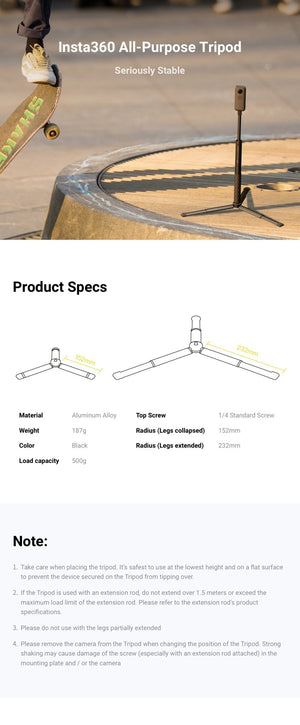
Set the Camera Down and Shape the View Insta360 All-Purpose Tripod provides a compact support for compatible lightweight cameras and filming accessories. Its extendable legs give you a choice of support footprint, while the standard 1/4-inch mounting screw connects to a suitable camera or adapter. Use it to prepare a fixed viewpoint, keep a small camera in position or build a supported setup within the published load and extension limits. Highlights A Compact Camera Support 1/4-inch mounting screw for a compatible camera or adapter. Aluminium-alloy construction with a published 500g load limit. Choose the Support Footprint Leg radius is 152mm when collapsed and 232mm when extended. Use the prescribed leg positions on a suitable flat surface. Prepare the Complete Setup Suitable for supported indoor or outdoor placement. Camera, extension rod and camera-specific adapters are separate. Key Features A Fixed View Without Holding the Camera Place the tripod on a suitable flat surface when the shot needs a steady viewpoint. A fixed position is useful for a self-recorded presentation, a carefully arranged scene or a compatible time-lapse setup. Check the balance of the complete assembly rather than relying on the camera’s weight alone. Extend the Legs for a Wider Footprint The legs offer a 152mm collapsed radius or a 232mm extended radius. Use the appropriate fully collapsed or fully extended configuration; the manufacturer specifically advises against using the legs partly extended. Keep the setup at the lowest practical height to reduce the chance of tipping. Connect Through the Correct Camera Interface The top uses a standard 1/4-inch screw. Cameras and gimbals with a suitable mounting connection can attach through the appropriate fitting. Ace Pro 2, Ace Pro and Ace require a compatible Quick Release Mount or 3-Prong to 1/4-inch Adapter, supplied separately. A camera’s inclusion in a compatibility list does not mean every model screws directly onto the tripod. Observe Both Load and Extension Limits The published tripod load capacity is 500g. If adding a compatible extension rod, do not extend it beyond 1.5m and observe the rod’s own load limit as well. Wind, uneven surfaces and an off-centre load affect stability, so assess the location and complete setup before leaving the camera in position. Move the Tripod Without Stressing the Mount Remove the camera before changing the tripod’s position. Strong shaking can damage the mounting screw or the attached camera, particularly when an extension rod adds leverage. Pack the support separately and recheck the connections when setting up the next view. Summary Choose the All-Purpose Tripod for a compact, extendable support with a familiar camera screw connection. Its published load and footprint figures make the setup easier to plan. Use the right camera adapter, select a proper leg position and keep the assembly low and balanced for the filming location. Frequently Asked Questions Does This Tripod Include a Camera or Selfie Stick?ExpandCollapse No. The offer supplies the All-Purpose Tripod. The camera, extension rod or selfie stick, and any camera-specific adapter are separate purchases. Can I Use It with an Ace-Series Camera?ExpandCollapse Ace Pro 2, Ace Pro and Ace require a compatible Quick Release Mount or 3-Prong to 1/4-inch Adapter, sold separately. Check the complete camera mounting arrangement before fitting it to the tripod’s 1/4-inch screw. Can I Use the Legs Partly Extended?ExpandCollapse No. The manufacturer advises against using the legs partially extended. Use the specified collapsed or extended position and place the tripod on a suitable flat surface. Can I Add an Extension Rod?ExpandCollapse A compatible rod may be used within the manufacturer’s limits. Do not extend it beyond 1.5m, do not exceed the rod’s own load limit and keep the tripod’s 500g capacity in mind for the complete supported load. Should I Leave the Camera Attached When Moving the Tripod?ExpandCollapse No. Remove the camera before changing position. Strong shaking can stress the mounting screw and camera, especially when an extension rod is fitted. Reassemble and check the setup at the new location.
Maaaring kunin sa 3005, Ubi Avenue 3, #01-88
Usually ready in 2-4 Business Day (Excluding Public Holiday)
Insta360 All-Purpose Tripod
Paglalarawan
Set the Camera Down and Shape the View
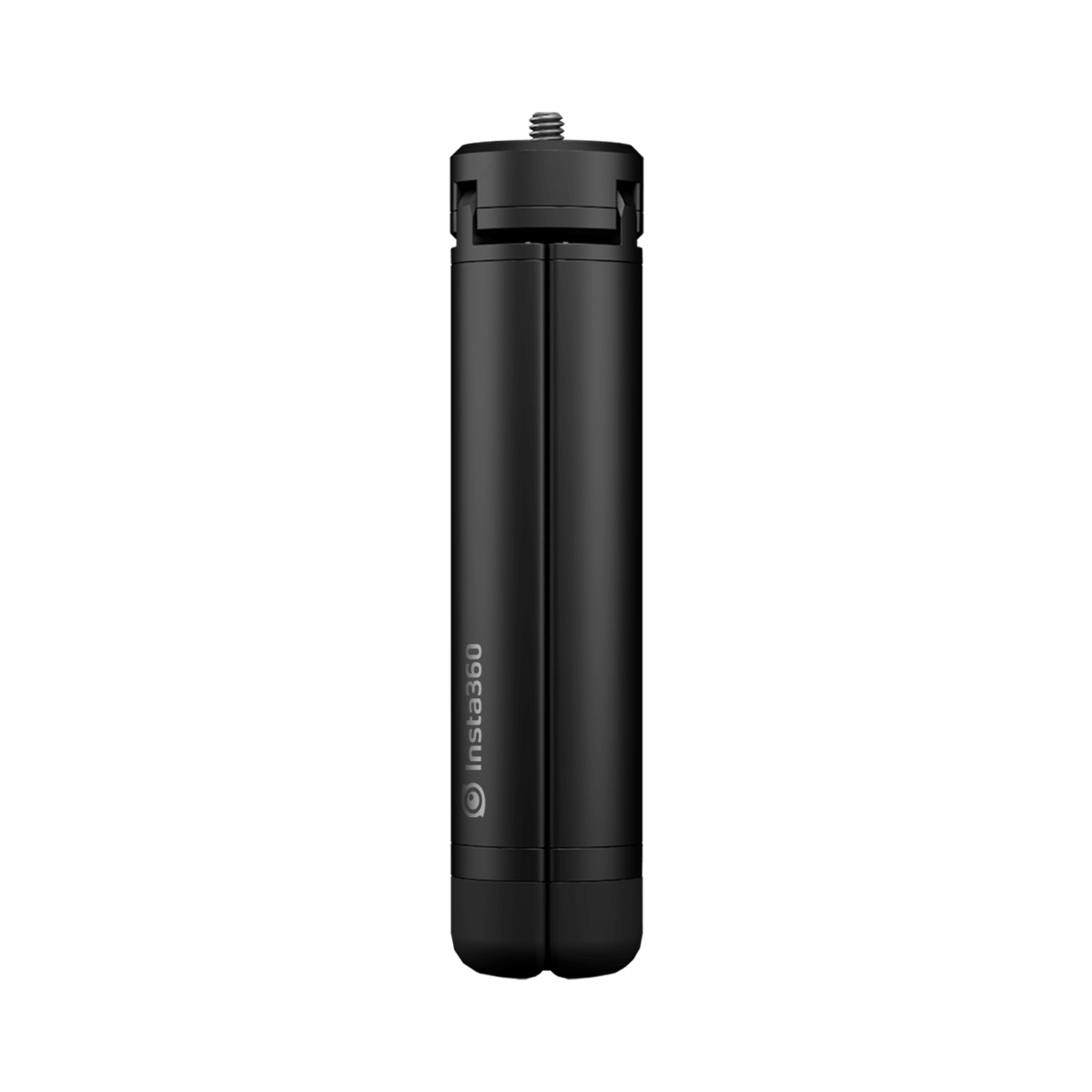
Insta360 All-Purpose Tripod provides a compact support for compatible lightweight cameras and filming accessories. Its extendable legs give you a choice of support footprint, while the standard 1/4-inch mounting screw connects to a suitable camera or adapter. Use it to prepare a fixed viewpoint, keep a small camera in position or build a supported setup within the published load and extension limits.
Highlights
A Compact Camera Support
- 1/4-inch mounting screw for a compatible camera or adapter.
- Aluminium-alloy construction with a published 500g load limit.
Choose the Support Footprint
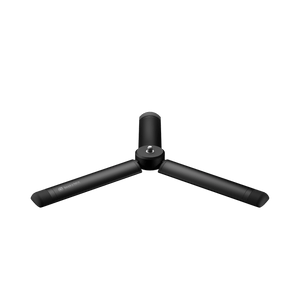
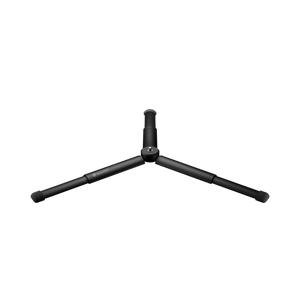
- Leg radius is 152mm when collapsed and 232mm when extended.
- Use the prescribed leg positions on a suitable flat surface.
Prepare the Complete Setup
- Suitable for supported indoor or outdoor placement.
- Camera, extension rod and camera-specific adapters are separate.
Key Features
A Fixed View Without Holding the Camera
Place the tripod on a suitable flat surface when the shot needs a steady viewpoint. A fixed position is useful for a self-recorded presentation, a carefully arranged scene or a compatible time-lapse setup. Check the balance of the complete assembly rather than relying on the camera’s weight alone.
Extend the Legs for a Wider Footprint
The legs offer a 152mm collapsed radius or a 232mm extended radius. Use the appropriate fully collapsed or fully extended configuration; the manufacturer specifically advises against using the legs partly extended. Keep the setup at the lowest practical height to reduce the chance of tipping.
Connect Through the Correct Camera Interface
The top uses a standard 1/4-inch screw. Cameras and gimbals with a suitable mounting connection can attach through the appropriate fitting. Ace Pro 2, Ace Pro and Ace require a compatible Quick Release Mount or 3-Prong to 1/4-inch Adapter, supplied separately. A camera’s inclusion in a compatibility list does not mean every model screws directly onto the tripod.
Observe Both Load and Extension Limits
The published tripod load capacity is 500g. If adding a compatible extension rod, do not extend it beyond 1.5m and observe the rod’s own load limit as well. Wind, uneven surfaces and an off-centre load affect stability, so assess the location and complete setup before leaving the camera in position.
Move the Tripod Without Stressing the Mount
Remove the camera before changing the tripod’s position. Strong shaking can damage the mounting screw or the attached camera, particularly when an extension rod adds leverage. Pack the support separately and recheck the connections when setting up the next view.
Summary
Choose the All-Purpose Tripod for a compact, extendable support with a familiar camera screw connection. Its published load and footprint figures make the setup easier to plan. Use the right camera adapter, select a proper leg position and keep the assembly low and balanced for the filming location.
Frequently Asked Questions
Does This Tripod Include a Camera or Selfie Stick?
No. The offer supplies the All-Purpose Tripod. The camera, extension rod or selfie stick, and any camera-specific adapter are separate purchases.
Can I Use It with an Ace-Series Camera?
Ace Pro 2, Ace Pro and Ace require a compatible Quick Release Mount or 3-Prong to 1/4-inch Adapter, sold separately. Check the complete camera mounting arrangement before fitting it to the tripod’s 1/4-inch screw.
Can I Use the Legs Partly Extended?
No. The manufacturer advises against using the legs partially extended. Use the specified collapsed or extended position and place the tripod on a suitable flat surface.
Can I Add an Extension Rod?
A compatible rod may be used within the manufacturer’s limits. Do not extend it beyond 1.5m, do not exceed the rod’s own load limit and keep the tripod’s 500g capacity in mind for the complete supported load.
Should I Leave the Camera Attached When Moving the Tripod?
No. Remove the camera before changing position. Strong shaking can stress the mounting screw and camera, especially when an extension rod is fitted. Reassemble and check the setup at the new location.
Mga detalye
Insta360 All-Purpose Tripod
Insta360 All-Purpose Tripod is a compact aluminium-alloy support with a 1/4-inch mounting screw and extendable legs. Its published load limit is 500g, with separate guidance for extension rods and safe placement. Cameras may need a model-specific adapter to connect correctly. The offer supplies the tripod; the camera and extension rod are separate purchases. Check the complete assembly, use the prescribed leg positions and observe both the tripod and any extension rod’s limits before recording.
| Specification | Details |
|---|---|
| Connection and Compatibility | |
| Top Connection | Standard 1/4-inch mounting screw |
| Listed Applications | Compatible Insta360 X, GO, ONE and Flow-series setups with the required mounting connection |
| Ace-Series Requirement | Ace Pro 2, Ace Pro and Ace require a compatible Quick Release Mount or 3-Prong to 1/4-inch Adapter, sold separately |
| Construction and Load | |
| Material | Aluminium alloy |
| Manufacturer Weight | 187g |
| Load Capacity | 500g |
| Leg Footprint Radius | 152mm with legs collapsed; 232mm with legs extended |
| Placement and Extension Limits | |
| Surface and Height | Use a suitable flat surface and the lowest practical setup height |
| Leg Position | Do not use with legs partially extended |
| Extension Rod | Do not extend beyond 1.5m; observe the rod’s own maximum load limit |
| Moving the Setup | Remove the camera before changing the tripod’s position; avoid strong shaking |
| Package | |
| Included | 1 All-Purpose Tripod |
| Supplied Separately | Camera, extension rod or selfie stick, and required camera-specific adapters |