


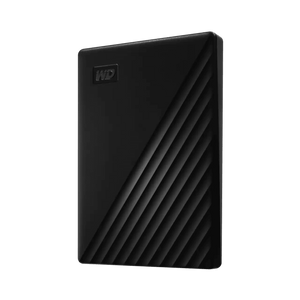
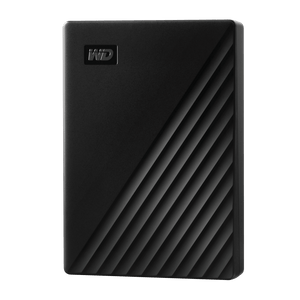
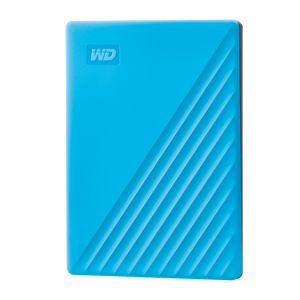
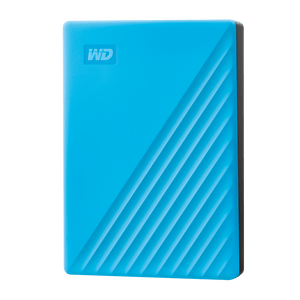
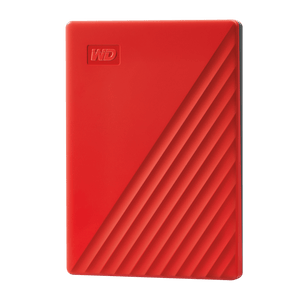
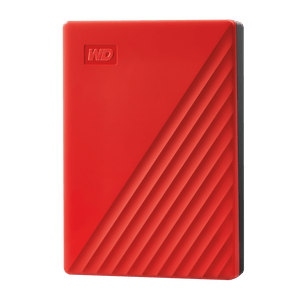
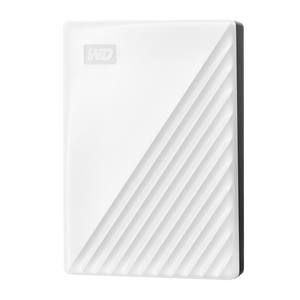
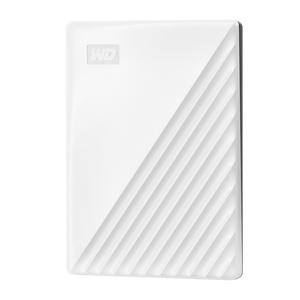
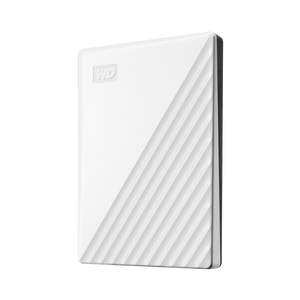
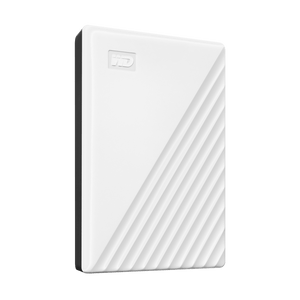
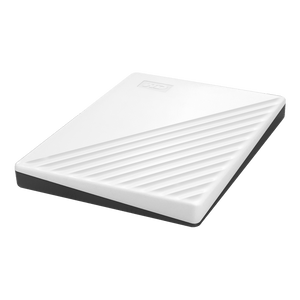
WD My Passport Portable External Hard Drive
Make Room for the Files That Travel With You Keep your photos, videos and work files close, without filling every corner of your laptop. WD My Passport gives your growing collection a portable home, combining generous hard-drive capacity with a compact enclosure and a familiar USB-A connection. Carry completed projects between compatible computers, keep a media library beside your desk or make a separate backup of the files you want to protect. One supplied cable provides data and power, while password protection and 256-bit AES hardware encryption help keep private content secure. Included Acronis True Image for Western Digital software adds supported computer-backup and ransomware-protection features after download and setup. Highlights Room for Your Growing Collection Keep documents, photos, music and video in a portable home beyond your computer's internal storage. A compact USB-powered design fits beside your laptop and travels easily in a work bag. A Simple Connection for Everyday Storage USB-A to Micro-B cable included, with no separate mains adapter required. USB 3.2 Gen 1 / USB 3.0 connectivity, compatible with USB 2.0 ports. Backup Tools and File Privacy Acronis True Image for Western Digital supports scheduled computer backups on supported systems. Password protection with built-in 256-bit AES hardware encryption through supported security software. Key Features Keep More of Your Digital Life Within Reach A dedicated external drive gives photos, recordings and completed projects room beyond your computer's internal storage. Plan storage around both the files you have and the collection you expect to add. If the drive will hold computer backups, allow space for those copies too. Formatted usable capacity is lower than the marketed figure. Connect with One Cable for Data and Power The supplied SuperSpeed cable connects a USB-A computer port to the drive's Micro-B connector and powers the drive through USB. This keeps the setup easy to carry and avoids a separate mains adapter. For a computer with only USB-C ports, use a suitable additional data cable or adapter; that connection equipment is not included. Use a Familiar USB Connection USB 3.2 Gen 1 / USB 3.0 provides a connection rated up to 5Gb/s, with USB 2.0 compatibility for older host ports. That figure describes the interface link, rather than the hard drive's file-transfer speed. Actual transfers depend on the computer, connection and files being moved, making My Passport a practical home for everyday libraries and backup copies. Build a Regular Computer-Backup Routine Acronis True Image for Western Digital can schedule backups of a supported computer, including its operating system, applications, settings and locally stored content. The software also includes features to help protect against ransomware. Download, installation and activation with a compatible WD drive are required under the included software offer. Keep your original files as well as the backup, so important content remains in more than one place. Add a Password to Private Files Use supported security software to activate password protection with the drive's built-in 256-bit AES hardware encryption. This helps protect personal documents and sensitive work files against unauthorised access when the drive is carried or stored away. Keep the password safely recorded. Current WD Security support covers Windows 11 and macOS 14, 15 and 26; Apple silicon Macs require Rosetta 2. Prepare the Drive for Your Computer My Passport supports Windows 10 or later and compatible ChromeOS storage workflows. Mac file access needs suitable formatting or a compatible NTFS driver. Backup software has its own operating-system and file-system requirements, including a non-NTFS destination for Acronis Mac backups. Copy existing files elsewhere before reformatting, and safely eject the drive when your work is finished. Carry a Compact Drive with Recycled Materials The compact enclosure fits easily beside a laptop or into a work bag, so your everyday storage can stay close to the computer you use. USB power keeps the setup simple without a separate mains adapter to carry. The enclosure contains over 50% post-consumer recycled plastic. Its packaging uses over 50% post-consumer recycled pulp and is fully recyclable. Three Years of Manufacturer Warranty Cover WD backs My Passport with a three-year limited warranty, subject to the manufacturer's terms for the country of purchase. Keep a separate copy of important files as part of everyday ownership. Warranty cover supports the hardware; a regular backup routine helps you retain the content stored on it. Summary WD My Passport suits everyday portable storage for a growing collection of documents, photos, media and completed work. Connect through the supplied USB-A cable and set up the supported backup and password-protection features that matter to you.
Pickup available at 3005, Ubi Avenue 3, #01-88
Usually ready in 2-4 Business Day (Excluding Public Holiday)
WD My Passport Portable External Hard Drive
Umorder ng maraming opsyon
Itakda ang dami para sa bawat opsyon. Awtomatikong maa-update ang iyong cart.
Variant
Dami
Presyo
Variant total
Variants
Total items
Total items
Product subtotal
Paglalarawan
Make Room for the Files That Travel With You
Keep your photos, videos and work files close, without filling every corner of your laptop. WD My Passport gives your growing collection a portable home, combining generous hard-drive capacity with a compact enclosure and a familiar USB-A connection. Carry completed projects between compatible computers, keep a media library beside your desk or make a separate backup of the files you want to protect.
One supplied cable provides data and power, while password protection and 256-bit AES hardware encryption help keep private content secure. Included Acronis True Image for Western Digital software adds supported computer-backup and ransomware-protection features after download and setup.
Highlights
Room for Your Growing Collection
- Keep documents, photos, music and video in a portable home beyond your computer's internal storage.
- A compact USB-powered design fits beside your laptop and travels easily in a work bag.
A Simple Connection for Everyday Storage
- USB-A to Micro-B cable included, with no separate mains adapter required.
- USB 3.2 Gen 1 / USB 3.0 connectivity, compatible with USB 2.0 ports.
Backup Tools and File Privacy
- Acronis True Image for Western Digital supports scheduled computer backups on supported systems.
- Password protection with built-in 256-bit AES hardware encryption through supported security software.
Key Features
Keep More of Your Digital Life Within Reach
A dedicated external drive gives photos, recordings and completed projects room beyond your computer's internal storage. Plan storage around both the files you have and the collection you expect to add. If the drive will hold computer backups, allow space for those copies too. Formatted usable capacity is lower than the marketed figure.
Connect with One Cable for Data and Power
The supplied SuperSpeed cable connects a USB-A computer port to the drive's Micro-B connector and powers the drive through USB. This keeps the setup easy to carry and avoids a separate mains adapter. For a computer with only USB-C ports, use a suitable additional data cable or adapter; that connection equipment is not included.
Use a Familiar USB Connection
USB 3.2 Gen 1 / USB 3.0 provides a connection rated up to 5Gb/s, with USB 2.0 compatibility for older host ports. That figure describes the interface link, rather than the hard drive's file-transfer speed. Actual transfers depend on the computer, connection and files being moved, making My Passport a practical home for everyday libraries and backup copies.
Build a Regular Computer-Backup Routine
Acronis True Image for Western Digital can schedule backups of a supported computer, including its operating system, applications, settings and locally stored content. The software also includes features to help protect against ransomware. Download, installation and activation with a compatible WD drive are required under the included software offer. Keep your original files as well as the backup, so important content remains in more than one place.
Add a Password to Private Files
Use supported security software to activate password protection with the drive's built-in 256-bit AES hardware encryption. This helps protect personal documents and sensitive work files against unauthorised access when the drive is carried or stored away. Keep the password safely recorded. Current WD Security support covers Windows 11 and macOS 14, 15 and 26; Apple silicon Macs require Rosetta 2.
Prepare the Drive for Your Computer
My Passport supports Windows 10 or later and compatible ChromeOS storage workflows. Mac file access needs suitable formatting or a compatible NTFS driver. Backup software has its own operating-system and file-system requirements, including a non-NTFS destination for Acronis Mac backups. Copy existing files elsewhere before reformatting, and safely eject the drive when your work is finished.
Carry a Compact Drive with Recycled Materials
The compact enclosure fits easily beside a laptop or into a work bag, so your everyday storage can stay close to the computer you use. USB power keeps the setup simple without a separate mains adapter to carry. The enclosure contains over 50% post-consumer recycled plastic. Its packaging uses over 50% post-consumer recycled pulp and is fully recyclable.
Three Years of Manufacturer Warranty Cover
WD backs My Passport with a three-year limited warranty, subject to the manufacturer's terms for the country of purchase. Keep a separate copy of important files as part of everyday ownership. Warranty cover supports the hardware; a regular backup routine helps you retain the content stored on it.
Summary
WD My Passport suits everyday portable storage for a growing collection of documents, photos, media and completed work. Connect through the supplied USB-A cable and set up the supported backup and password-protection features that matter to you.
Mga detalye
WD My Passport Portable External Hard Drive
WD My Passport is a portable mechanical hard drive with a Micro-B connector and a supplied USB-A cable carrying data and power. Supported security software provides password protection with built-in hardware encryption, while Acronis True Image for Western Digital adds computer-backup features under its software offer. Check the connection, computer and application requirements below before setup. Interface speed is a link rating; actual hard-drive transfers depend on the host and workload.
| Specification | Details |
|---|---|
| Storage and Performance | |
| Drive type | Portable mechanical hard drive |
| Interface | USB 3.2 Gen 1 / USB 3.0 |
| Maximum USB link rate | Up to 5Gb/s; not actual HDD throughput |
| Backward compatibility | USB 2.0 |
| Capacity convention | 1TB = 1 trillion bytes; formatted usable capacity is lower |
| Connection and Compatibility | |
| Drive connector | Micro-B |
| Included connection | SuperSpeed USB-A to Micro-B cable |
| Power | USB bus-powered; no separate mains adapter |
| USB-C-only computers | Additional compatible data cable or adapter required |
| Storage operating systems | Windows 10+; compatible ChromeOS systems |
| Mac file access | Suitable formatting or compatible NTFS driver required |
| Backup and Security | |
| Backup application | Acronis True Image for Western Digital |
| Backup features | Computer backup, scheduling and ransomware-protection features |
| Acronis operating systems | Windows 10/11; macOS 12, 13, 14, 15 and 26 |
| Included software offer | Eligible five-year licence; redemption and compatibility conditions below |
| Hardware encryption | Built-in 256-bit AES |
| Password management | WD Security; password protection through supported software |
| WD Security operating systems | Windows 11; macOS 14, 15 and 26 |
| Apple silicon Macs | Rosetta 2 required for WD Security |
| Physical Specifications | |
| Dimensions L × W × H | Up to 107.2 × 75.0 × 20.6mm; thickness varies by capacity |
| Device-only weight | Up to 0.21kg; varies by capacity; cable and packaging excluded |
| Enclosure materials | Over 50% post-consumer recycled plastic |
| Packaging materials | Over 50% post-consumer recycled pulp; fully recyclable |
| Operating Conditions and Warranty | |
| Operating temperature | 5 to 35°C |
| Non-operating / storage temperature | -20 to 65°C |
| Certifications | FCC-ICES, CE, BSMI, RCM, VCCI, EAC and UKCA |
| Box contents | My Passport drive; SuperSpeed USB-A cable; quick installation guide |
| Software delivery | Device-management, backup and security software by download |
| Limited warranty | Three years; country-of-purchase terms apply |
Conditions and notes
- Software offer: Eligible five-year Acronis offer: download and install within 90 days of purchase or by 31-Dec-29, whichever is earlier. A compatible WD device, activation and applicable terms are required.
- Backup conditions: Acronis supports locally stored content only, without selective file/folder backup or restore or internal Windows RAID backups. Mac backup destinations cannot use NTFS. Supported editions and file-system requirements apply.
- Application compatibility: Drive-storage compatibility and application compatibility are separate. Check the intended host, operating system and downloaded application; Apple silicon Macs require Rosetta 2 for WD Security.